Elevate Your Images
Upload a photo to magically erase objects, expand borders, or change lighting using cutting-edge AI. No complex software needed.
START EDITINGWorkspace Ready
Drop an image to begin
Trusted by creators at leading brands


Powered by Elite AI Models
Don't settle for basic filters. We integrate the most advanced AI image editing models to give you pixel-perfect control over every detail.
Seedream 5
Photorealistic edits with perfect lighting context. Best for product photography and real estate.
GPT Image 2 Edit
Flawless text rendering and object replacement. Describe what you want removed or added, and it's done.
Nano Banana 2 Edit
High-speed batch processing and generative fill. Expands borders and fixes composition instantly.
A Complete Studio in Your Browser
Everything you need to perfect your images, from basic crops to advanced AI generative fill, available in one intuitive interface.
Remove Background (RMBG)
Instantly strip away messy backgrounds. Perfect for e-commerce product photography.
AI Relighting
Fix bad lighting after the shoot. Add cinematic studio lights or natural sunshine.
Magic Eraser
Paint over unwanted objects or people, and the AI fills the gap seamlessly.
4K Upscale
Turn low-resolution, blurry photos into crisp, high-definition masterpieces.
Color Match & Style
Copy the color grading and aesthetic from one photo and apply it to another.
Camera & Lens Effects
Simulate expensive DSLR depth of field, motion blur, and lens flares digitally.
Region & Crop
Select specific regions for isolated edits without affecting the rest of the image.
Format Convert
Seamlessly convert between PNG, JPEG, WEBP, and SVG during export.
See What You Can Create
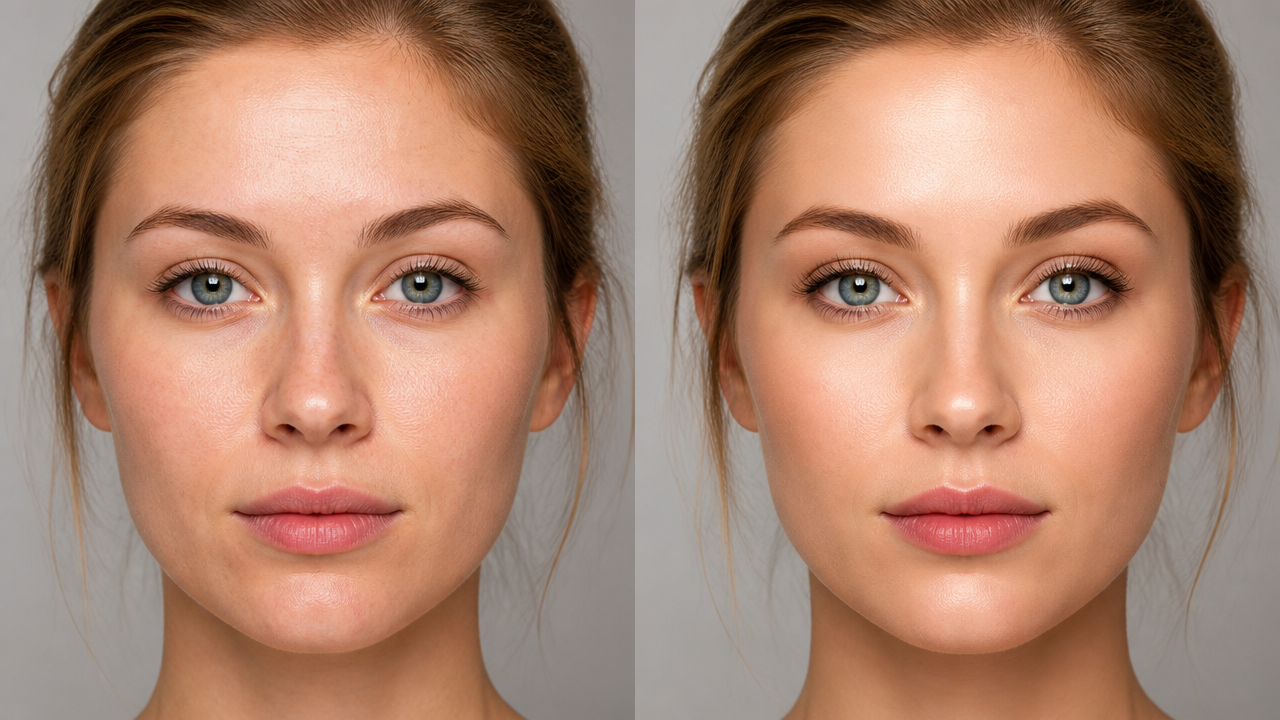
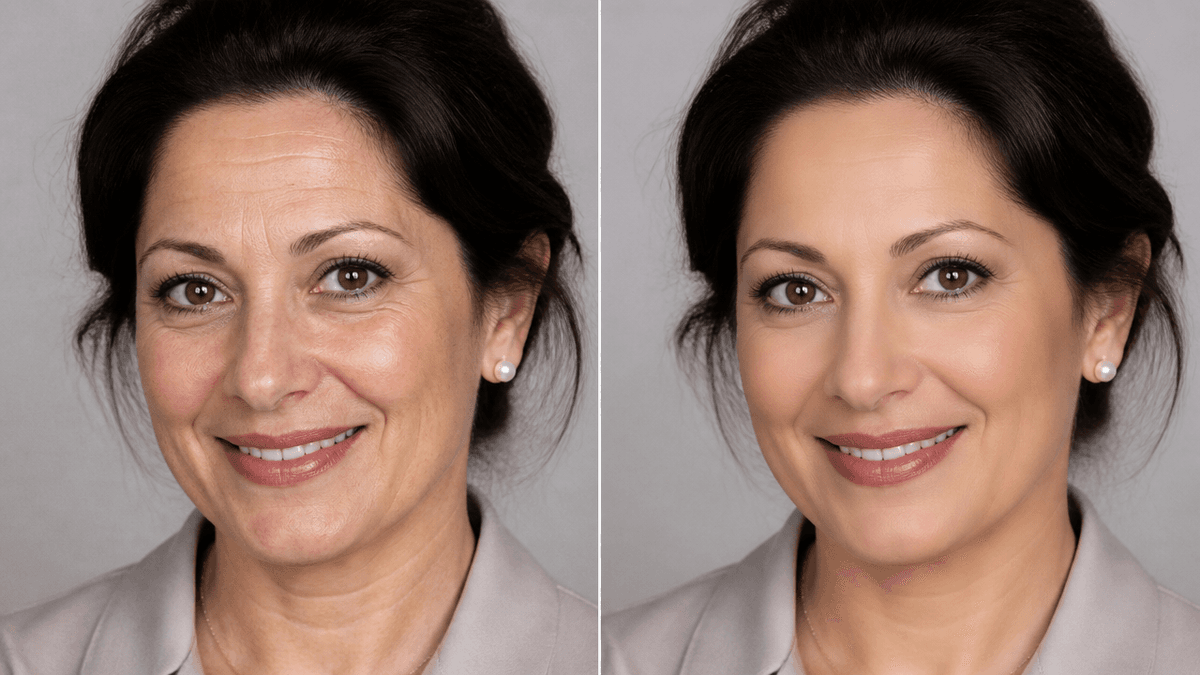
From removing photobombers to completely changing the lighting, here is what our AI image editor can do in seconds.

Generative Fill
Expand image borders naturally. The AI paints what's missing.
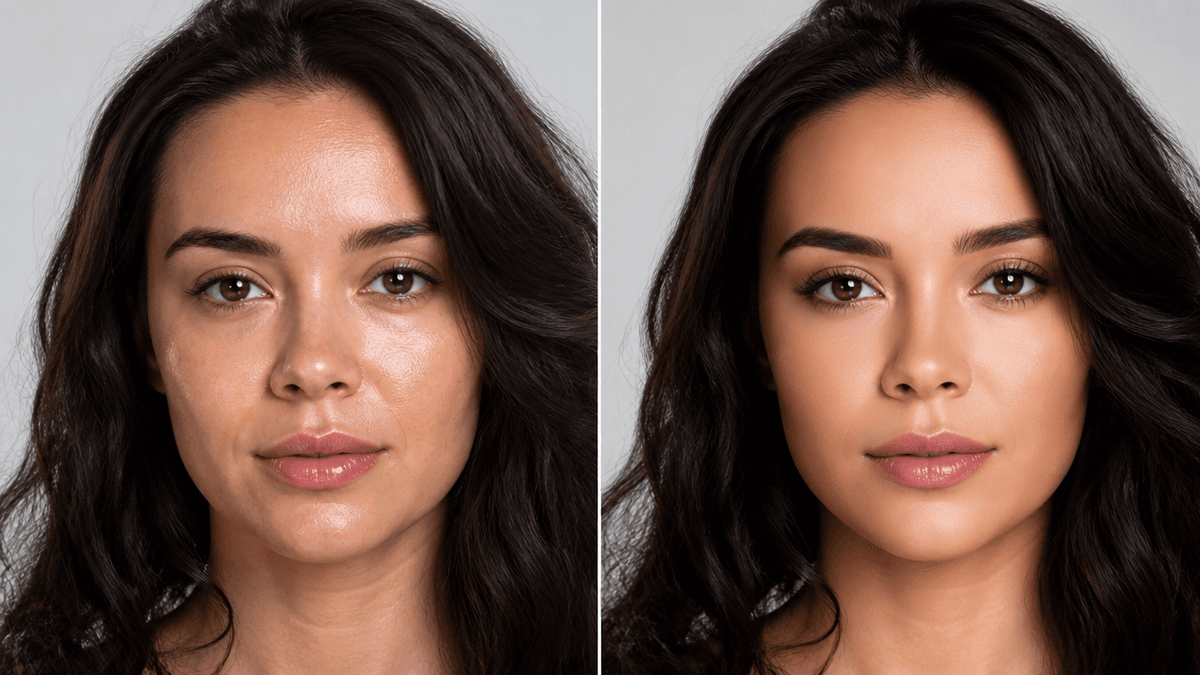
Object Removal
Erase unwanted people or objects instantly without leaving traces.
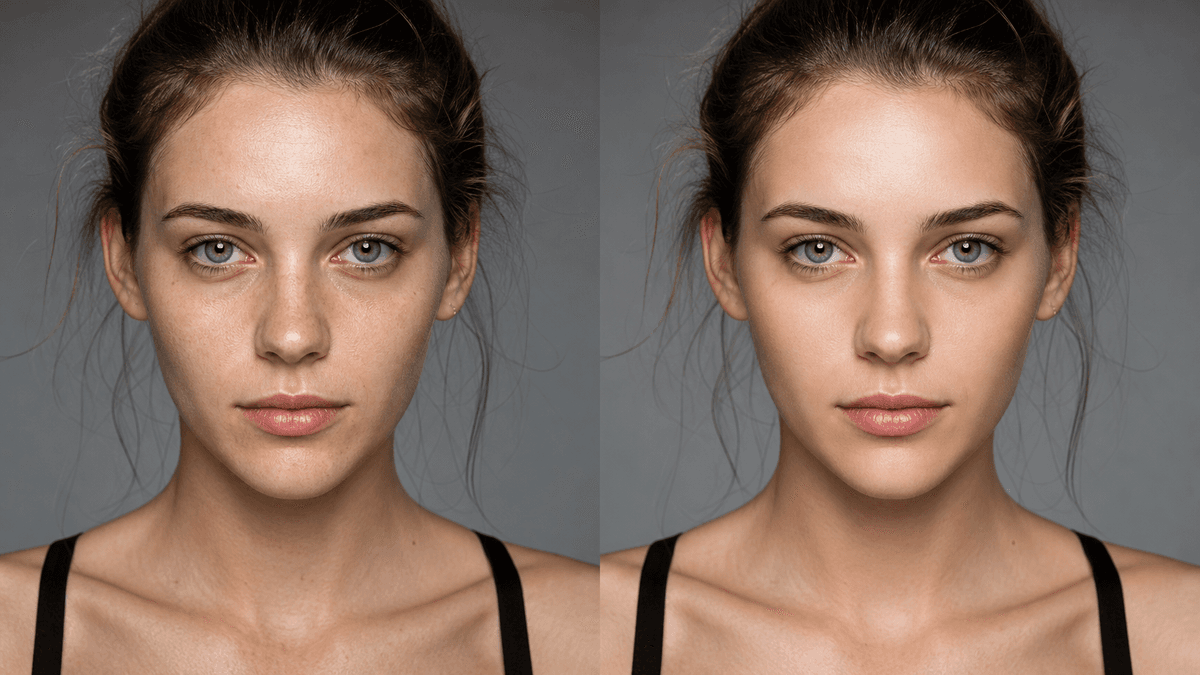
AI Relighting
Add cinematic rim lights or soft sunlight to flat photos.
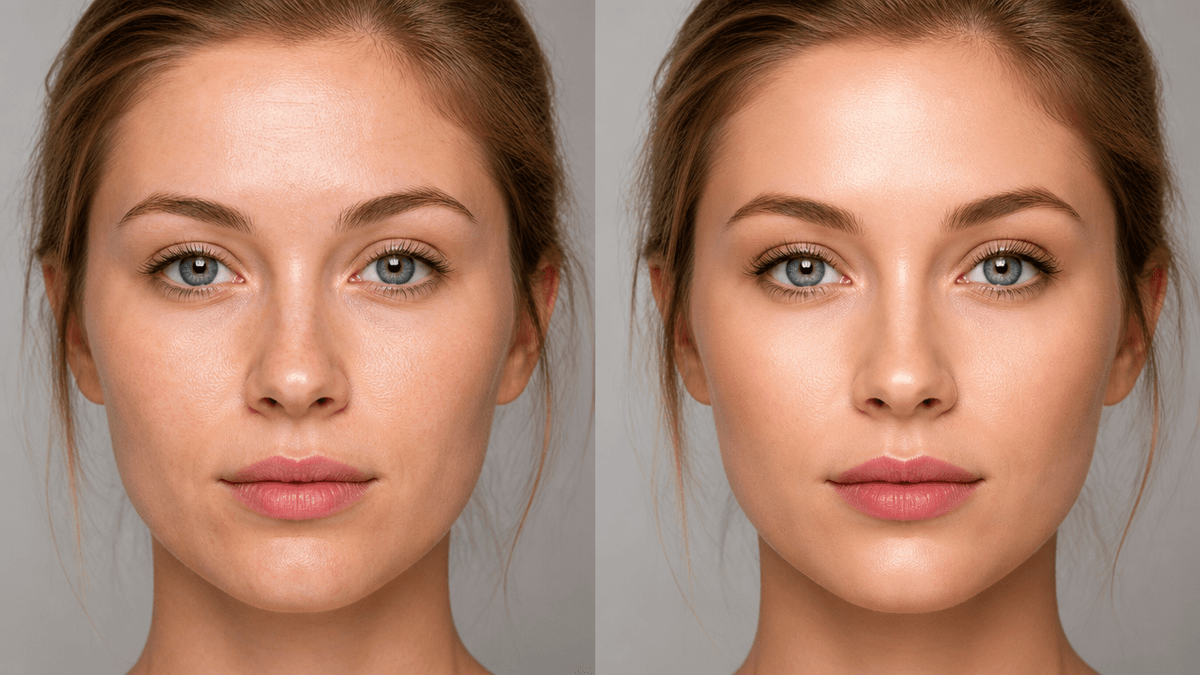
Text-Based Editing
Use simple conversational prompts to completely alter your image.
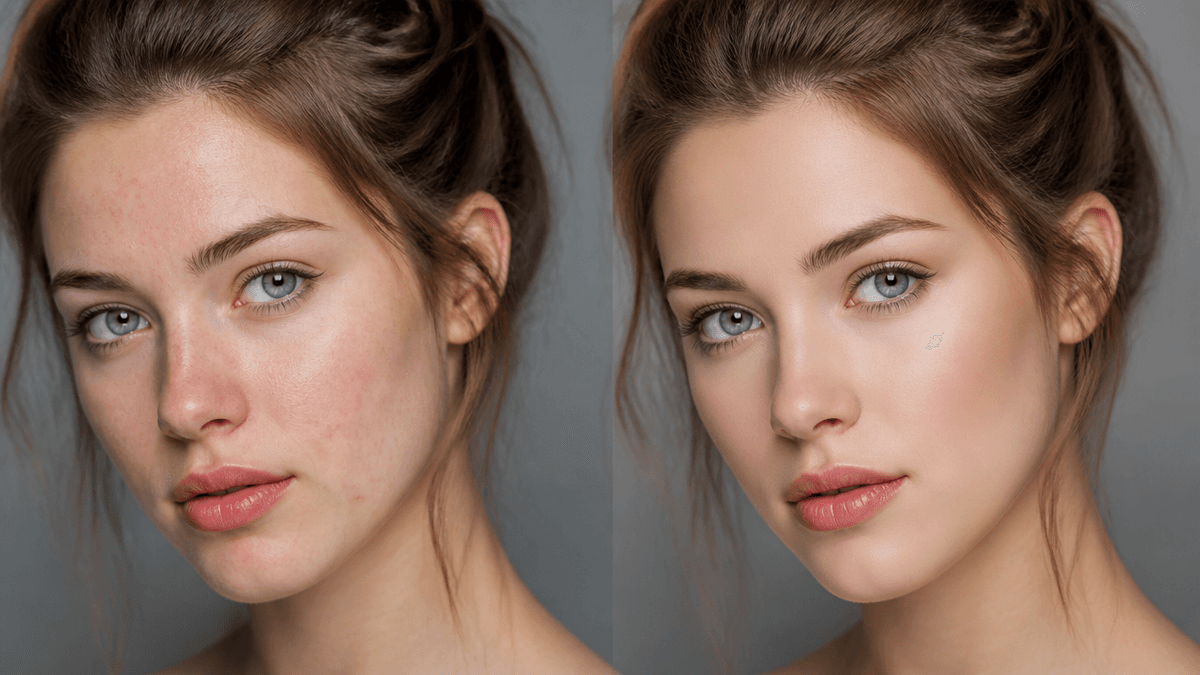
4K Upscaling
Restore blurry photos to crystal clear high resolution instantly.
How to Edit Images with AI
Professional photo editing used to take hours of manual masking. Now, you can achieve studio-quality results in three simple steps.
Upload Your Image
Start by uploading the photo you want to edit. Our AI image editor supports high-resolution PNG and JPEG formats. The interface is completely browser-based, requiring no software installation or technical setup.
Select an AI Editing Model
Choose the right AI for the job. Select GPT Image 2 Edit for text adjustments, Seedream 5 for photorealistic object removal, or Nano Banana 2 Edit for rapid batch processing and generative fill.
Apply Text Prompts to Edit
Describe what you want to change using simple language. Tell the AI to 'remove the background', 'add cinematic lighting', or 'erase the person on the left'. The AI processes your prompt and instantly transforms the image.
What is AI image editing?
AI image editing uses artificial intelligence models to automatically enhance, alter, or generate pixels within a photograph. Instead of manually using brushes or selection tools, users provide simple text prompts, and the AI applies complex changes like background removal, lighting adjustments, or generative fill instantly.
How does generative fill work?
Generative fill works by analyzing the surrounding context of an image and using a diffusion model, such as Seedream 5, to seamlessly generate new content. When a user erases an object, the AI understands the lighting, perspective, and textures of the scene to paint in a replacement that looks entirely natural.
Can AI fix bad lighting in photos?
Yes, AI can fix bad lighting through a process called AI relighting. Models like GPT Image 2 Edit analyze the three-dimensional depth of a 2D photograph and allow users to virtually place new light sources. This completely changes the shadows and highlights without requiring a reshoot.
Creators love our
editing studio.
Verified reviews from photographers, designers, and marketers who use Kenerate AI daily to erase, relight, and expand their photos.
Kenerate vs The Rest
See why professional photographers and marketers are switching from bloated desktop software to our lightning-fast, browser-based AI editor.
| Feature | Kenerate AI | Photoshop | Canva |
|---|---|---|---|
| Browser-Based AI Editing | Yes | ||
| Generative Fill & Uncrop | Yes | ||
| AI Relighting (3D Depth) | Yes | ||
| Text Rendering (GPT Image 2) | Yes | ||
| Free Tier Available | Yes | ||
| Processing Speed | ~3 seconds | ~15 seconds | ~10 seconds |
Frequently Asked Questions
Everything you need to know about AI photo editing.
An AI image editor is a web-based tool that uses artificial intelligence to automatically enhance or alter photos based on text prompts. Unlike traditional software that requires manual pixel adjustments, AI editors allow users to instantly remove backgrounds, erase objects, or generate new visual elements.
Yes, Kenerate AI provides a free AI image editor with no watermark. Users receive free credits upon signup, allowing them to use premium models like GPT Image 2 Edit and Seedream 5 for object removal, upscaling, and relighting without restrictive branding.
To remove objects from photos using AI, upload your image and use the Magic Eraser tool. Simply brush over the unwanted person or object, and the AI will analyze the surrounding pixels to seamlessly fill in the background, leaving no trace behind.
You can fix bad lighting using AI Relighting technology. By uploading your photo and selecting the Relight tool, models like GPT Image 2 can calculate the 3D depth of your 2D photo, allowing you to place virtual light sources to brighten faces or add dramatic shadows.
The best AI photo editor for product photography includes precise background removal and generative studio backdrops. Kenerate AI excels at this by allowing sellers to isolate their products and prompt the AI to place them in professional, photorealistic settings instantly.
To remove harsh shadows from photos using AI, upload your image and select the AI Relight tool. You can prompt the AI to 'remove harsh shadows' or manually place a soft, virtual light source to balance the exposure and eliminate dark spots automatically.
To uncrop a photo with Generative Fill, upload your image and expand the canvas borders. The AI will analyze the existing image and generate the missing context—such as extending a landscape or completing a building—matching the original camera lens and lighting perfectly.
Yes, AI can upscale blurry photos to crystal clear 4K resolution. Using advanced diffusion models, the AI reconstructs missing pixels and sharpens details that were lost due to low-resolution cameras, motion blur, or heavy compression.
GPT Image 2 Edit is a state-of-the-art AI model designed for precise, instruction-based image editing. It is famous for its 99% accurate text rendering, allowing users to seamlessly replace labels, signs, or typography within an image without altering the rest of the photo.
No, AI photo editing does not reduce image quality. In fact, most modern AI editors process images in high resolution and offer built-in upscaling tools to enhance the clarity, sharpness, and overall quality of the original file during the export process.
Yes, you can edit text in an image using AI models like GPT Image 2. Simply highlight the existing text and type a prompt describing the new text you want. The AI will render the new words matching the original font, perspective, and lighting.
Kenerate AI is considered one of the best free alternatives to Photoshop for AI editing. It offers browser-based access to advanced tools like generative fill, magic eraser, and AI relighting without requiring a monthly subscription or complex software installation.
To change the background of a photo using AI, use a background removal tool (RMBG) to isolate your subject. Then, use a text prompt to describe the new environment. The AI will generate the new background and perfectly blend the lighting of the subject to match.
Yes, the Kenerate AI image editor is entirely browser-based and optimized for mobile devices. You do not need to download a heavy app; simply log in from your smartphone's browser to crop, edit, erase objects, and apply generative fill on the go.
Yes, AI-edited images generated through premium platforms like Kenerate AI are generally safe for commercial use. Our commercial license ensures that agencies, freelancers, and businesses can use the edited assets for marketing, client work, and product packaging without copyright concerns.
AI Relighting works by using neural networks to estimate the 3D geometry and depth maps of a 2D image. Once the 3D structure is understood, the AI can cast physically accurate shadows and highlights from virtual light sources added by the user.
AI Generator Pricing — One-Time Credits, No Subscription.
KenerateAI is the ultimate pay once ai tool, giving you power-user ai without subscription limitations. Credits never expire.
Starter
Perfect for hobbyists exploring AI creative generation.
One-time · no subscription
- Image Generation
- Video Generation
- Story Generation
- Music Generation
- 3D Model Generation
- Image Editing & Retouch
- Voice Clone & Generation
- Ads Studio
- Campaign Studio
- Auto Subtitles
- Image & Video Upscaler
- Standard Speed
Creator
Great for content creators who need consistent output.
One-time · no subscription
- Image Generation
- Video Generation
- Story Generation
- Music Generation
- 3D Model Generation
- Image Editing & Retouch
- Voice Clone & Generation
- Ads Studio
- Campaign Studio
- Auto Subtitles
- Image & Video Upscaler
- Fast Generation Speed
Join the Community
Connect with thousands of creators, share your AI generations, participate in contests, and get direct support from the Kenerate AI team.
Join our Discord