Kling v3 Inside • No Subscription Required
Kling AI Alternative with Kling v3, Seedance 2 & Veo 3.1
Use Kling AI v3 Pro, Seedance 2 and Veo 3.1 side by side in one web studio, with motion control, lip sync and clear content rules — no subscription required, and credits that never expire.
Updated by the Kenerate AI team




On this page
Real results
Made with Kenerate AI
Prompts
Kling AI 3.0 and Other Video Models in One Account
Direct access to leading video models in one account.
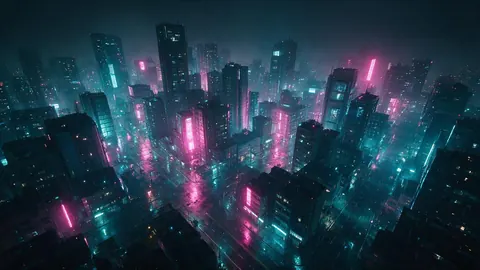
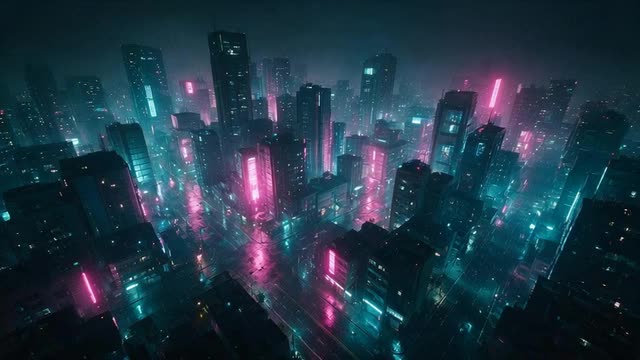
Kling AI v3 Pro
Cinematic drone shot over a cyberpunk city at night, neon lights reflecting on wet roads.
Seedance 2
A massive galaxy forming in the palm of a glowing hand, highly detailed, 4k.
Veo 3.1
Slow motion shot of coffee beans falling into liquid espresso.
How it works
How it works in the app
Step 1
Describe the scene
Open Video Studio in Text to Video mode and write the shot — subject, action, camera move and light.
Step 2
Or start from an image
Switch to Image to Video and add a start frame; an end frame is optional.
Step 3
Pick a video model
Open the model card to choose the video model and version that fits your shot.
Step 4
Set ratio and length, then Create
Pick the aspect ratio and clip length, turn audio on or off, and press Create.
See it in the app

Open Video Studio in Text to Video mode and write the shot — subject, action, camera move and light.


FAQ
Frequently Asked Questions
7 questions

What makes Kenerate AI a good alternative to Kling AI for video generation?
Kenerate AI gives you Kling AI v3 Pro, Seedance 2 and Veo 3.1 in a single web dashboard, alongside the rest of its 57 video models. You generate on fast cloud GPUs, pay with one-time credit packs that never expire instead of a subscription, and download without a watermark.
Link to this answerDo I need a separate Kling account to use the Kling models here?
No. Kling v3 Pro, Kling v3 Standard, Kling v3 4K and Kling v2.6 run inside Kenerate AI's Video Studio, so you sign in once with your Kenerate account and generate without a separate Kling subscription.
Link to this answerHow does Seedance 2 compare to Kling v3 Pro?
Both models are exceptional but excel in different areas. Kling v3 Pro is highly regarded for handling complex motion, object interactions, and physics simulation. Seedance 2, on the other hand, offers stunning cinematic lighting and aesthetic composition. On Kenerate AI, you can easily switch between both models to suit your specific scene.
Link to this answerAre there restrictive safety filters on video generation?
Kenerate runs these models under its own content rules: no illegal content, nothing involving minors, and no real people without consent. Within those rules, action sequences, stylised weapons and bold artistic concepts are fine. The model providers' own safety checks still apply, so an occasional prompt may still be declined.
Link to this answerHow fast does a video generate compared to the native app?
Generation time depends on the model, clip length and resolution you choose. Kenerate sends every job straight to the model's API on fast cloud GPUs, so you don't wait in a public free-tier queue. Longer clips and higher resolutions take longer to render than short 1080p ones.
Link to this answerCan I use Kling AI motion control and lip sync on Kenerate AI?
Yes. Motion Control includes Kling 3 Pro and Kling 3 Standard engines that copy the movement of a driving video onto your character image, and Avatar Talk includes Kling Avatar engines that lip-sync a portrait to speech.
Link to this answerCan I use Kling AI for free?
Not the Kling video models: on Kenerate they need a one-time credit pack, which never expires, with no subscription required and no watermark on downloads. The free starter credits do work in Motion Control and Avatar Talk, which include Kling engines, and on the free image models.
Link to this answerBy the Kenerate AI teamLast updated and reviewed