How to Make an AI Model for Fanvue in 2026 (Step-by-Step)
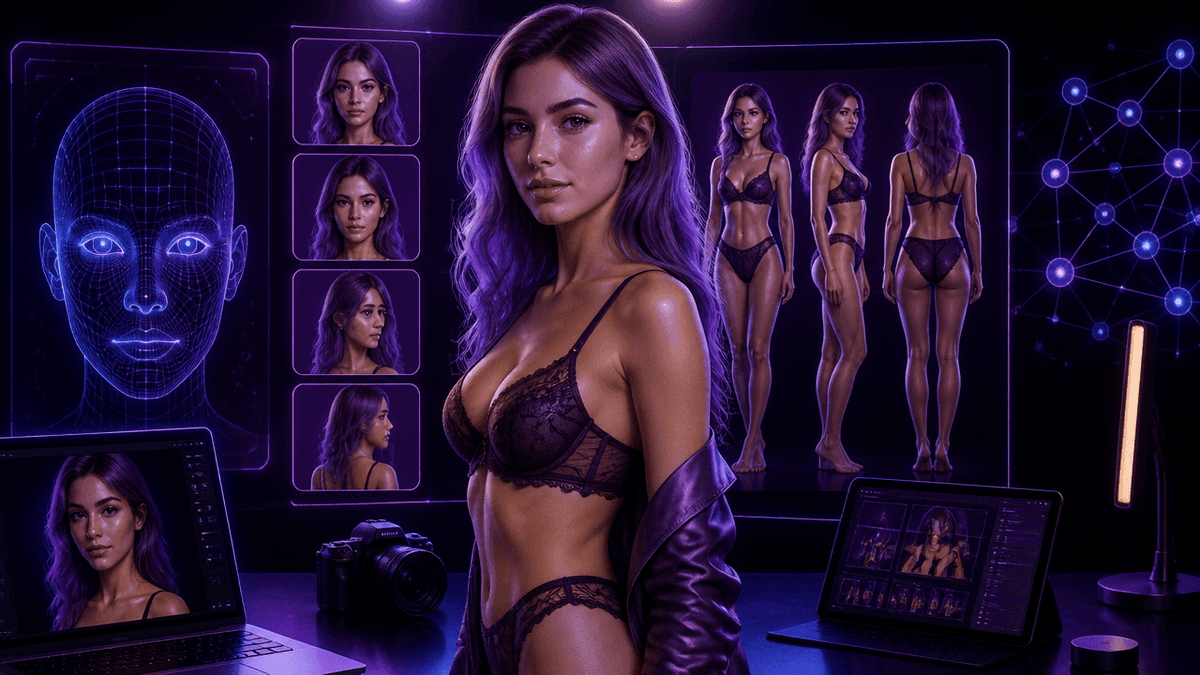
Building an AI creator character for Fanvue sounds simple until you actually try it — the first image is easy, but making the same character look consistent across 50 posts is where most people quit. With over 200,000 creators already on Fanvue as of January 2026, a recognizable, consistent character is what separates a page fans actually follow from one that blends into the feed.
A quick warning: Fanvue requires clear disclosure that a model is AI-generated — in the bio and content, not buried in fine print. Skipping this isn't a grey area; it's a moderation and legal issue, since misleading fans into thinking a synthetic character is a real person is explicitly against the platform's rules.
📸 Build Your AI Character With Kenerate AI
What Actually Makes an AI Model Work on Fanvue
- Consistency beats a single good image. One stunning photo means nothing if the next post looks like a different person — Fanvue fans follow a character, not a random image feed.
- A defined character, not just a face. Hair, build, style, tone of voice, and a rough "backstory" give the character something to be, which is what makes captions and bios feel real instead of generic.
- Disclosure is mandatory, not optional. Fanvue's own help centre is explicit: creators must state the model is AI in their bio and cannot claim to be a real person in chats or posts.
- Video, not just stills, drives engagement. Pages that mix short clips with photos consistently outperform static-only feeds.
- Volume matters, but only with quality control. Posting often only helps if every post still matches the character bible — sloppy volume erodes trust in the character faster than infrequent posting.
The Best Tools for Building a Consistent AI Character
1. Kenerate AI — Best All-in-One Studio for Image + Video Consistency
The single biggest failure point when building an AI model is switching between separate image and video tools that don't talk to each other — the character subtly drifts every time. Kenerate AI solves this by keeping image generation and video generation in one unified studio, with direct access to 500+ models instead of being locked to one house model. It's also a one-time $15 payment rather than a recurring subscription — see Kenerate AI Pricing — which matters a lot if you're testing a character idea before committing to it long-term.
2. Lucidpic — Reusable Character Training
Lucidpic is built around training a reusable model of one character so the same face and style show up across profile photos and lifestyle posts. Strong option specifically for keeping one character instantly recognizable. (Comparable character-training workflows are available directly inside Kenerate AI.)
3. RenderNet — Character-First Image Generation
RenderNet leans into building a defined character and generating repeatable outputs of that same character across different scenes and outfits, which suits a content-calendar workflow well. (Available inside Kenerate AI's model library.)
4. Freepik AI Suite — Good for Bulk Background Content
Useful when you need volume — lifestyle backgrounds, scene variety, quick batch shots — though it offers less fine control over exact character consistency than a dedicated character tool.
5. Runway — Best for Short Cinematic Clips
Strong specifically for turning a still into a short, polished video clip for teaser content, though it's a heavier, more production-oriented tool than an all-in-one studio.
Step-by-Step: Building the Character
- Write a one-paragraph character bible first. Age range, build, hair, style, personality, tone — before generating a single image. This is the spec every future image gets checked against.
- Generate in batches of 10-20, not one at a time. Reject anything where the face or proportions drift from the bible instead of trying to fix a single bad generation.
- Convert your best 2-3 stills into short video clips for the profile and teaser posts — this is usually the single biggest engagement lift over an all-photo page.
- Write the AI disclosure into the bio on day one, then keep posting on a steady cadence rather than in bursts.
What You Can Realistically Build for Free vs. Paid
Free tiers are genuinely enough to test a character concept — a small consistent image set, a bio, and a first handful of posts to see if the character resonates before you invest further. Where free plans run out of road is volume and control: daily generation caps, watermarks, and capped resolution make it hard to sustain a real posting schedule once you're actually running the page, not just testing the idea.
When It's Worth Upgrading
- You're hitting daily generation limits while trying to keep a consistent posting schedule
- You need higher-resolution exports without watermarks for the profile and previews
- You're building more than one character and don't want to pay for multiple separate tool subscriptions
Most dedicated AI character tools charge $30/month or more, recurring, whether you post that week or not. Kenerate AI's one-time $15 model means you pay once and keep the studio, which is a meaningfully different math if you're building a character as a long-term project rather than a one-off experiment.
Frequently Asked Questions
Do I have to disclose that my Fanvue model is AI-generated? Yes. Fanvue's help centre states creators must clearly disclose the AI nature in their bio and cannot claim in chats or posts to be a real person — this is a platform rule, not just good practice.
What's the hardest part of making an AI model for Fanvue? Consistency. Generating one great image is easy; making the same character recognizable across dozens of future posts, outfits, and scenes is the actual skill, which is why character-training tools matter more than one-off image generators.
Do I need video, or are photos enough? Photos alone can work early on, but pages that add short video clips alongside stills consistently see stronger engagement than static-only feeds.
Is it cheaper to use one tool or several specialized ones? For most solo creators, one unified tool works out cheaper and simpler than stacking a separate image subscription, video subscription, and editing tool — which is the gap an all-in-one studio like Kenerate AI is built to close.
Can an AI character look like a real, specific person? No — Fanvue's policy prohibits AI models intentionally resembling real people (celebrities, ex-partners, or specific individuals) unless the creator owns the rights, and any character must clearly read as an adult, original character.