Seedance 2.5 Spicy is Kenerate's image-to-video mode for adults 18+, running ByteDance's Seedance 2.5 video model. You upload a start image you own or have permission to use, describe the motion, camera and sound, and the model animates it. Seedance Spicy isn't text-to-video, and it isn't a free-for-all. It's for adults 18+, only with your own or consented images, never with real people who haven't agreed, never with minors, and always within the laws where you live and the rules of the platforms where you post.
This guide covers what Seedance 2.5 is, how it differs from Seedance 2 Spicy, the rules, and how to write motion prompts that hold up over a longer clip. All examples are safe for work.
What is Seedance 2.5?
Seedance 2.5 is ByteDance Seed's video generation model, launched on July 31, 2026. According to ByteDance's official announcement, the main upgrades are:
| Feature (ByteDance) | What it means for you |
|---|---|
| Up to 30 seconds per generation | Room for a full mini-scene, not just one gesture |
| Multiple rounds of extension | Longer videos with consistent characters and settings |
| Multi-shot storytelling | Logically connected shots: setup, development, turn, resolution |
| Joint audio-video generation | Sound and picture generated together and kept in sync |
| Up to 30 images, 10 video clips and 10 audio clips as references | Tighter control over look, motion and sound |
| Realism tuning | Better object texture, skin, eyes, lighting and color saturation |
| Timestamp-level editing | Targeted changes to parts of a clip |
The Seedance 2.5 product page highlights the same headline: videos up to 30 seconds in one generation, with the option to extend. For the base model on Kenerate, see the Seedance 2.5 page. If you followed the launch, our Seedance 2.5 release date article covers the timeline.
Seedance 2 Spicy vs Seedance 2.5 Spicy
Many people search for "Seedance 2 Spicy", so here's how the generations differ at the model level. Seedance 2.0 was released in February 2026 and produced clips of up to 15 seconds. Seedance 2.5 doubles single-pass length to 30 seconds and adds multi-shot storytelling and heavier reference support.
| Seedance 2.0 | Seedance 2.5 | |
|---|---|---|
| Released | February 2026 | July 31, 2026 |
| Max single-pass length | 15 seconds | 30 seconds |
| Reference inputs | Text and image prompts | Up to 30 images, 10 video clips, 10 audio clips |
| Multi-shot storytelling | Not listed | Yes |
In practice: if your idea is one movement (a turn, a smile, a step forward), Seedance 2 Spicy is often enough. If it has several beats (walk in, pause, turn, exit), Seedance 2.5 Spicy gives the scene room. Kenerate's Seedance 2.0 vs 2.5 page goes deeper on the differences.

What Seedance Spicy is on Kenerate
"Spicy" is a Kenerate mode, not something ByteDance offers on its own apps. It gives adult creators more creative latitude, within firm limits:
- Adults 18+ only. You must be an adult, and every person shown must be an adult.
- Image-to-video only. Each clip starts from an image you upload. There's no text-only Spicy generation.
- You're responsible for your inputs. You need the rights to the image and consent from anyone in it.
You can find the Seedance Spicy models on the Seedance uncensored page and in the Video Studio model picker.
The rules
| Do | Don't |
|---|---|
| Use photos or art you made yourself | Upload images you found online of someone else |
| Use images of adults who have clearly consented | Use celebrities, public figures, exes, coworkers or strangers |
| Depict adults only | Include minors or anyone who looks underage, in any context |
| Follow your local laws and each platform's rules | Post where adult AI content isn't allowed |
| Label AI-generated clips when you share them | Present AI clips as real footage of a real person |
If intimate images of you have been shared without consent, StopNCII.org helps adults 18+ get them blocked on participating platforms. For imagery of anyone under 18, NCMEC's Take It Down service helps get it removed.
How Seedance 2.5 image-to-video works
Your start image does most of the visual work. It locks in the person, outfit, setting, light and color. Your prompt describes what changes over time: the action, the camera, and with Seedance 2.5, the sound.
Step by step
- Sign in to Kenerate (new accounts get 25 free credits, and credits never expire).
- Open the Video Studio and pick Seedance 2.5 Spicy (or Seedance 2 Spicy for shorter, simpler moves).
- Upload your start image.
- Write the motion prompt as beats, in order.
- Choose the aspect ratio and length offered in the studio, then generate.
- Review, change one thing, and regenerate.
Writing prompts for longer clips
Seedance 2.5's longer clips reward a different style of prompt than a 5-second loop.
Write beats, in order. Break the action into two to four steps: "She walks to the railing. She pauses and looks out at the city. She turns back toward the camera and smiles." Ordered beats map naturally onto the model's multi-shot storytelling.
Keep one camera logic. Pick a camera plan and stay with it: a steady tracking shot, or a slow push-in. If you want a cut, say so plainly ("cut to a close-up of her face").
Describe the sound. Because Seedance 2.5 generates audio and video together, a short sound cue helps the scene feel complete: "soft city traffic, wind, distant music". Keep it ambient. Don't ask for a real artist's song or a real person's voice.
Name the secondary motion. Hair, fabric, curtains, water and light add realism and hide small artifacts.
Don't re-describe the image. The model can see the outfit and the room. Spend your words on what moves.
Safe-for-work example prompts
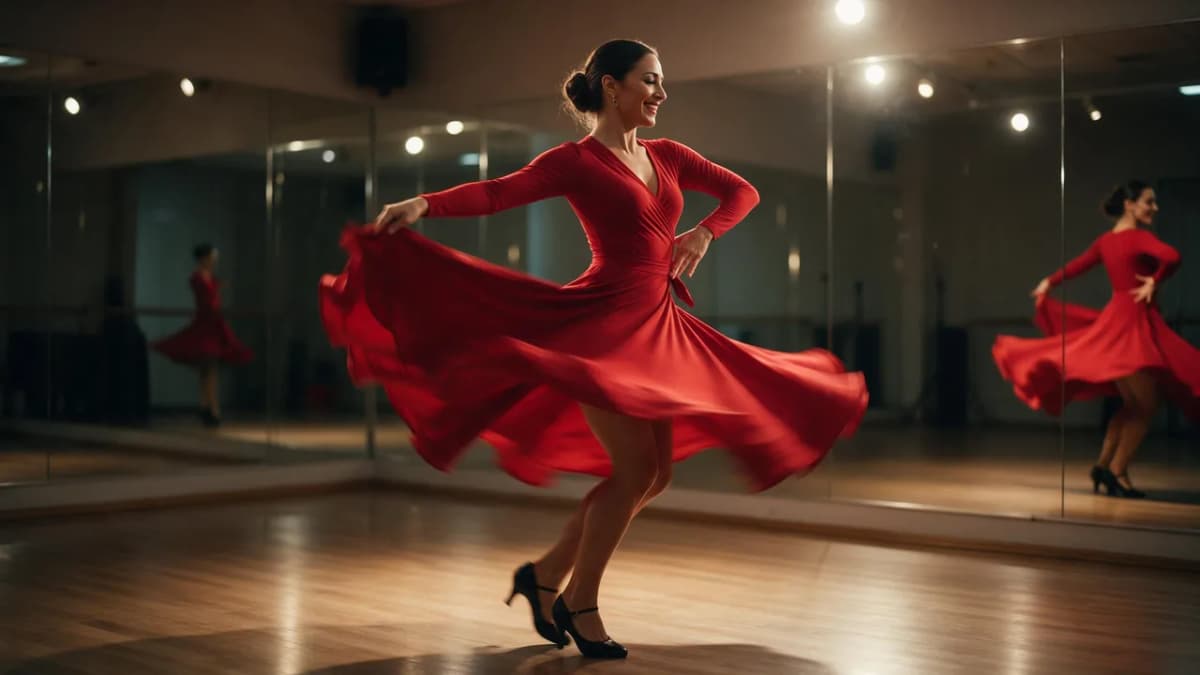
AI Prompt RecipeFlux.1 Pro16:9“A salsa dancer in a red long-sleeve wrap dress and black heels dances in a mirrored studio. Beat 1: she steps forward and spins, skirt flaring. Beat 2: she stops, laughs, and brushes her hair back. Beat 3: she spins again toward the camera. Static wide shot, warm overhead light, upbeat Latin percussion and footsteps on the wooden floor.”
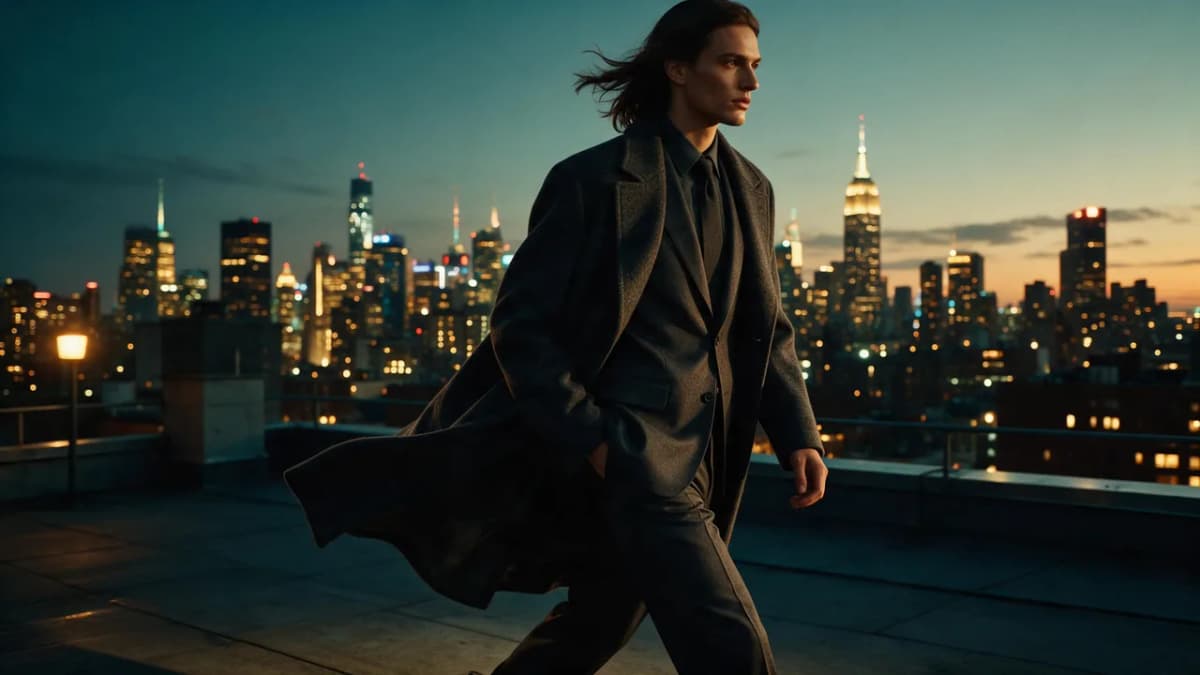
AI Prompt RecipeFlux.1 Pro16:9“A model in a charcoal tailored suit and long wool coat walks across a rooftop at dusk, city lights coming on behind her. She reaches the edge, pauses, looks out over the skyline, then turns and walks toward the camera. Smooth tracking shot moving backward in front of her, wind moving the coat, soft city hum and wind.”
AI Prompt RecipeFlux.1 Pro16:9“A woman in a cream cable-knit sweater sits by a café window on a rainy evening. She wraps her hands around a cup, looks up as the rain gets heavier, and smiles softly. Slow dolly in, warm interior light against blue street light, rain tapping on glass and quiet café chatter.”
AI Prompt RecipeFlux.1 Pro16:9“A man in a white linen shirt walks barefoot along the shoreline at golden hour, waves washing over his feet. He stops, turns toward the sea, and raises a hand to shade his eyes. Slow orbit around him, warm backlight, gentle surf and seabirds.”
Animate your image in the Video Studio
Quality tips
- Start with a sharp, well-lit image. Blur and noise turn into flicker once they move.
- Frame for the motion. Full body for walking and dancing, and space in front of the subject if they move toward the camera.
- Match beats to length. One beat for a short clip; three or four for a 20 to 30 second scene.
- Avoid conflicting instructions. "Static shot" plus "orbit" confuses the model. Pick one.
- Keep the subject consistent. If you want a cut, say what stays the same ("same outfit, same room").
- Change one variable per retry. Adjust the camera or an action, not both, so you know what helped.
- Upscale last. Finish the edit, then use the AI video upscaler for the final export.
Seedance Spicy vs Wan 2.7 Spicy
Both are image-to-video Spicy modes on Kenerate for adults 18+. They run different models, so the motion feel differs. Based on the public models, Seedance 2.5 is built around longer, multi-beat scenes with sound, while Alibaba's Wan 2.7 image-to-video tops out at 15 seconds and offers first-and-last-frame control. Read our Wan 2.7 Spicy guide for its prompting tips, and test the same start image on both. Plan details are on the pricing page.
Bottom line
Seedance 2.5 Spicy brings ByteDance's longest single-pass video model to Kenerate's image-to-video mode for adults 18+. Use it when your scene has several beats. Use Seedance 2 Spicy when one clean movement is enough. Either way, the rules come first: your own or consented images, no real people without permission, no minors, and respect for local laws and platform rules. After that, quality comes from a sharp start image and a prompt written as clear, ordered beats.