

How to Generate NSFW AI Images — Complete 2026 Guide & Tutorial
How to Generate NSFW AI Images in 2026
How to Generate NSFW AI Images Guide: follow these steps to create adult AI images, photorealistic portraits and anime art in Kenerate AI's browser studio, using open-weight models that don't rewrite your prompt. For adults 18+, within our content rules.
- Models
- 80+ image · 57 video
- Simple Steps
- 5
- Cost
- Free credits to start
- Upscaling
- Up to 8K or 128 MP
- Audience
- Adults 18+
Only for adults 18+. Follow our content rules. Content rules


- Free to start
- No Watermarks
- 18+ models for adults
- No subscription required
Updated by the Kenerate AI team
On this page
Rules for adults 18+
Adult content for adults, with one rule that never changes.
- Only for adults 18+.
- Never depict minors or anyone who looks under 18.
- No sexual or nude images of real people: fictional adults 18+ only.
- No non-consensual, violent or illegal content.
Real results
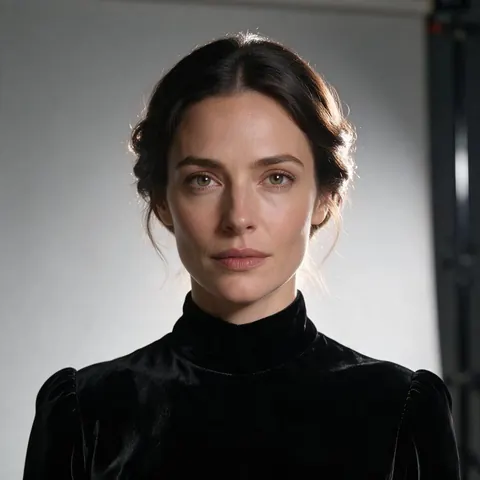
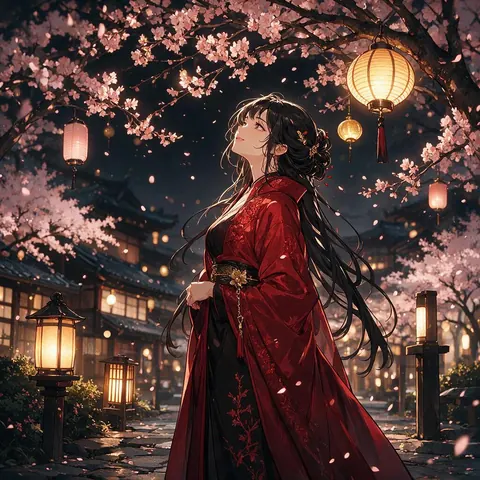
How to generate NSFW AI images — real outputs
Generated with the AI models in Kenerate. No watermarks.
How to generate NSFW AI images, step by step
Built for creative freedom, with one rule that never changes: nothing involving minors.
Step 1: Open the Generator Studio
Go to kenerateai.com/nsfw-ai-image-generator and open the studio in your browser. There is nothing to install, and a new account starts with free credits.
Step 2: Craft Your Prompt Text
Be descriptive: a clearly adult subject, appearance, outfit, pose, lighting and camera style.
Step 3: Select AI Model & Aspect Ratio
Choose Chroma for photoreal and general art, or Pony XL or Neta Lumina for anime, then pick a size or aspect ratio.
Step 4: Generate & Refine
Click Generate; it renders on fast cloud GPUs. Adjust the prompt or the seed until the details are right.
Step 5: Download without a watermark
Download PNG or JPG files with no logo overlay; upscale up to 8K first if you need a bigger file. You own your results.
Bonus: Animate Image to Video
Pass your image into a Spicy image-to-video model such as Seedance 2.5 Spicy or Wan 3 Spicy for a clip up to 30 seconds; video needs a one-time credit pack.
Comparison
Kenerate AI vs Others
How Kenerate compares with mainstream AI platforms.
| Feature | Kenerate AI | DALL-E / Midjourney |
|---|---|---|
| Setup Complexity | 1-Click Online (No Setup) | Complex local GPU setup (SD) |
| Grok Imagine NSFW Filtering | Open-weight models (within our content rules) | ❌ Moderate Filters (Grok) |
| Watermarks on Downloads | None | Watermarks added |
| Prompt Learning Curve | Beginner Friendly | Requires complex LoRA tuning |
| Generation Speed | Fast cloud GPUs | Slow or queue delays |
How it works
How it works in the app
Step 1
Describe your image
Open Image Studio and type what you want to see — subject, style, lighting and mood.
Step 2
Pick an image model
Tap the model card to browse every image model, filter by use case and choose one.
Step 3
Set the aspect ratio and size
Open Output to choose a ratio such as 1:1, 9:16 or 16:9 and the resolution you need.
Step 4
Click Create
Choose how many images to make, then press Create — results land in your gallery.
See it in the app

Open Image Studio and type what you want to see — subject, style, lighting and mood.


FAQ
Frequently Asked Questions
8 questions
How do I generate NSFW AI images for free?
Go to kenerateai.com/nsfw-ai-image-generator and sign in; a new account gets free credits for the free-plan models. Type a detailed prompt, pick a model — Chroma for photoreal art or Pony XL for anime — and click Generate. Chroma and some other models need a one-time credit pack. Downloads have no watermark. For adults 18+ only.
Link to this answerDoes Grok AI generate NSFW images 2026?
Grok Imagine has moderation filters that block explicit adult content. On Kenerate AI, open-weight models such as Chroma don't rewrite your prompt, within our content rules: fictional adults 18+ only, never minors or anyone who looks under 18, and no sexual or nude images of real people.
Link to this answerCan I generate NSFW AI images locally on my PC?
Yes, via Stable Diffusion and Automatic1111, but it requires a high-end Nvidia RTX GPU (8GB+ VRAM), Python installation, and model checkpoints. Kenerate AI runs similar open-weight models, such as Chroma and Pony XL, in the browser instead.
Link to this answerWhat are negative prompts and how do I use them?
Negative prompts specify what to exclude (e.g. 'bad anatomy, blurry, extra fingers, watermark'). They improve render quality.
Link to this answerWhich model should I use for NSFW anime art?
Pony XL or Neta Lumina. Pony XL works well with tag-style prompts for characters, and Neta Lumina with clean illustration and manga styles; both are open-weight and don't rewrite your prompt. Characters must be clearly adults 18+, which matters even more in anime styles. Our NSFW anime AI image generator page has more on both models.
Link to this answerHow do I make AI porn images?
On Kenerate AI, adults 18+ make AI porn images, meaning explicit images of fictional adults, the same way as any NSFW image: sign in, pick an open-weight model such as Chroma that doesn't rewrite the prompt, describe a clearly adult character, the setting and the lighting, then generate and refine. Real people, anyone who looks under 18 and non-consensual scenes are never allowed.
Link to this answerHow do I make NSFW AI videos?
Start from an image. Make an NSFW image of a fictional adult first, then open the video studio, pick a Spicy image-to-video model such as Wan 3 Spicy or Seedance 2.5 Spicy, describe only the motion and generate a clip of up to 30 seconds. The Spicy models don't start from text alone, and video needs a paid plan or a one-time credit pack.
Link to this answerWhat AI allows NSFW?
Most mainstream generators don't: Kling's guidelines ban sexual content, and Grok Imagine's mature Spicy mode comes with xAI's own limits. Platforms built for adults 18+ do. On Kenerate AI, open-weight models such as Chroma, Pony XL and Neta Lumina take adult prompts about fictional adults, and 14 Spicy models animate the results. Minors and sexual images of real people are always off-limits.
Link to this answerIn depth
How to Generate, explained
How to make NSFW images with AI: walkthrough and common questions
How to generate NSFW AI images for free? 1. Open an 18+ AI image generator such as Kenerate AI and sign in; new accounts get free credits for the free-plan models, and Chroma needs a one-time credit pack. 2. Enter a detailed text prompt describing your image. 3. Pick a model and style (realistic, anime or 3D). 4. Click Generate, then download without a watermark or upscale up to 8K.
Does Grok AI generate NSFW images with Grok Imagine? No, Grok AI does not fully generate uncensored NSFW images. While Grok Imagine allows mild adult content, it enforces moderation filters that block explicit imagery. For adult work, use an open-weight model such as Chroma on Kenerate AI, for adults 18+ and within our content rules.
What is the best prompt formula for realistic NSFW AI images? Use the structure: [Adult subject description] + [Outfit] + [Pose & Expression] + [Environment/Background] + [Lighting & Camera settings] + [Quality tokens].
Start creating with Kenerate AI
Free credits to start. No watermarks. No subscriptions.