

AI image studio — look around without signing up
Free AI Image Generator No Sign Up Browse the Studio First, Then Generate with a Free Account
No Sign Up AI Image Generator by Kenerate AI lets you open the image studio, browse 80+ models and write a prompt without an account. To generate, sign in with a free account that comes with free credits — there is no subscription required, and every download is free of watermarks.
- Image models
- 80+
- Account
- Browse free; sign in to generate
- Start
- Free credits on sign-up
- Upscaling
- Up to 8K or 128 MP
- Watermark
- None

- Free to start
- No Watermarks
- Image and video models
- No subscription required
Updated by the Kenerate AI team
On this page
Real results
Free AI image generator no sign up — real outputs
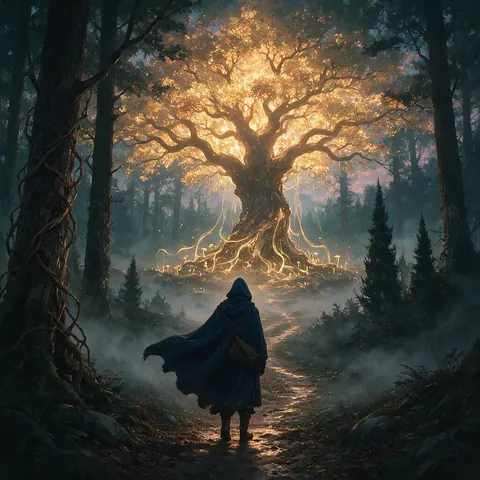
Generated with the AI models in Kenerate. No watermarks.
Free AI image generator, no sign up to look around
Look around first
Open the studio, browse models and write a prompt without an account. Sign in when you are ready to generate; new accounts get free credits.
80+ image models
Seedream, GPT Image, Flux 2, Qwen Image, Pony XL, Chroma and more in one studio, plus 57 video models.
Watermark-free downloads
Download without a watermark, upscale up to 8K or 128 MP, and use your results commercially.
Photorealism, anime and fantasy
Photoreal portraits, anime, fantasy art, logos and digital illustration — pick the model that fits the style.
Fast cloud GPUs
Images render on cloud GPUs in your browser, with no local GPU or install.
Private switch
Switch on Private to keep a generation out of the public feed.
Comparison
What you can do with and without signing up
Browsing is open to everyone; generating needs a free account.
| Feature | Without an account | With a free account |
|---|---|---|
| Open the studio and browse models | Yes | Yes |
| Write a prompt | Yes | Yes |
| Generate images | No | Yes, with free credits |
| Free-plan models (Flux 2 Dev, Qwen Image 3.0) | Browse only | Yes |
| Paid models (Seedream 5.0 Pro, GPT Image 2) | Browse only | With a one-time credit pack |
How it works
How it works in the app
Step 1
Describe your image
Open Image Studio and type what you want to see — subject, style, lighting and mood.
Step 2
Pick an image model
Tap the model card to browse every image model, filter by use case and choose one.
Step 3
Set the aspect ratio and size
Open Output to choose a ratio such as 1:1, 9:16 or 16:9 and the resolution you need.
Step 4
Click Create
Choose how many images to make, then press Create — results land in your gallery.
See it in the app

Open Image Studio and type what you want to see — subject, style, lighting and mood.


FAQ
Frequently Asked Questions
Can I use the AI image generator without signing up?
Partly. You can open the image studio, browse the models and write a prompt without an account. Generating needs a free Kenerate AI account, which comes with free credits; there is no subscription required, and downloads have no watermark.
Link to this answerAre downloaded images free of watermarks?
Yes. Every Kenerate AI download is free of watermarks, on free credits too, with no logo or branding added. You can upscale an image up to 8K or 128 MP before downloading it, and you own your results and can use them commercially.
Link to this answerWhat AI models can I use without registration?
Without an account you can browse every model. Once you sign in, free credits work on free-plan models such as Flux 2 Dev and Qwen Image 3.0; others, such as Chroma and Seedream 5.0 Pro, need a one-time credit pack.
Link to this answerDo I get commercial ownership of generated images?
Yes. You own the images you generate on Kenerate AI and can use them commercially — on a website, in ads, on products or in client work. Downloads carry no watermark. Follow our content rules: no real people without their consent, and check that a result doesn't copy someone else's trademark.
Link to this answerWhy does generating need an account?
Each image runs on cloud GPUs and uses credits, so an account holds your free credits, your history and your Private switch. Signing up with Google or email is free and needs no payment, and new Kenerate AI accounts start with free credits for the free-plan models such as Flux 2 Dev.
Link to this answerDo AI image generators store my images?
On Kenerate AI, yes: your results are saved to your account's history so you can download them again or keep editing. Switch on Private to keep a generation out of the public feed. Without an account, nothing is generated or stored — you can only browse the studio and write a prompt.
Link to this answerIn depth
Free AI Image Generator No Sign Up, explained
Why Use an AI Image Generator with No Sign Up?
Most AI image tools ask you to create an account before you can try anything. A no sign up AI image generator lets you look before you commit: on Kenerate AI you can open the studio, browse the models and write your prompt first, then sign in with a free account to generate.
Once you sign in, you generate with 80+ models directly in your browser — photorealism (Seedream, Flux 2), anime (Pony XL, Neta Lumina), illustration and design — and free credits work on the free-plan models such as Flux 2 Dev and Qwen Image 3.0.
Whether you need quick concept art, reference images, book cover illustrations or personal artwork, Kenerate AI gives you watermark-free downloads, upscaling up to 8K and credit packs that never expire. For the full picture of what is free, see our free AI image generator with no watermark page.


Start creating with Kenerate AI
Free credits to start. No watermarks. No subscriptions.
Tried it? Tell us how it went