Alicia
ElevenLabs Eleven v3 · ElevenLabs
EnglishHostAudio tags
[excited]Welcome to the show! Today we're taking a plain block of text and turning it into a voice you'd swear was recorded in a studio. [whispers]And nobody has to know.
0:12
555 voices · 4 AI makers · 70 languages
Paste a script, pick a voice and download natural speech in seconds. MiniMax, ElevenLabs, Qwen3 and Kling voices in one studio — with emotion, whispers, laughs and pace you control.
Updated by the Kenerate AI team
On this page
Quick answer
Updated
Text to speech turns written text into natural, spoken audio; Kenerate AI Text to Speech does it with 555 voices from four AI makers, for videos, audiobooks, lessons and ads. Paste up to 10,000 characters per clip, pick a voice, set speed, pitch and emotion, and download MP3, WAV or FLAC in up to 70 languages, depending on the engine.
Listen first
Real outputs, played straight from the studio. The words light up as each voice reads them; the script under every card is exactly what was typed.
ElevenLabs Eleven v3 · ElevenLabs
[excited]Welcome to the show! Today we're taking a plain block of text and turning it into a voice you'd swear was recorded in a studio. [whispers]And nobody has to know.
MiniMax Speech 2.8 HD · MiniMax
The lighthouse had not been lit in forty years. Yet every night at nine, a single window glowed at the top of the tower, and the fishermen stopped talking as they rowed past.
ElevenLabs Multilingual v2 · ElevenLabs
Good evening. Tonight's forecast: light rain across the west, clearing by midnight, with a crisp, bright start tomorrow morning.
MiniMax Speech 2.8 HD · MiniMax
So I tried to build the bookshelf without the instructions. (laughs)Three hours later, I had a very nice... chair. (sighs)The bookshelf is still in the box.
Qwen3 TTS · Alibaba Qwen
You're listening to Night Shift, the show for people who do their best thinking after midnight. Grab something warm to drink. We're in no hurry.
Style: "calm late-night podcast host, relaxed, warm and unhurried"
MiniMax Speech 2.8 HD · MiniMax
Here's the short version. Solar panels turn sunlight into direct current. An inverter turns that into the alternating current your home uses, and anything you don't use can flow back to the grid.
Kling V1 TTS · Kuaishou Kling
Fresh coffee, ready before you are. Order ahead, skip the line, and pick it up on your way. Morning, sorted.
How to
Step 1
Up to 10,000 characters per clip on MiniMax and ElevenLabs Multilingual v2 (5,000 on Eleven v3 and Qwen3). Punctuation shapes the pauses.
Step 2
Filter 555 preset voices by gender, language and use case, and press play on any voice to preview it.
Step 3
Set speed, pitch and emotion (MiniMax) or stability (ElevenLabs), or add tags like [whispers] and (laughs).
Step 4
Get an MP3 (or WAV/FLAC on MiniMax) with no watermark; every clip is saved to your history.
See it in the app

Open Voice Studio in Text to speech and type the words you want spoken, or start from a script template.
Text to speech, emotions & tags, Hindi, voice design, cloning & chat
Chapters
How it works
Modern text to speech is a chain of neural models. Knowing the chain explains why punctuation, numbers and tags change the result.
Your script, with punctuation, numbers and any tags like [whispers] or (laughs).
“4.5 kg” becomes “four point five kilograms”, “Dr.” becomes “doctor”, dates and units are spelled out.
A neural network predicts sounds, rhythm, pitch and pauses for the chosen voice — the part that makes it sound human.
Turns that prediction into an actual waveform, thousands of samples per second.
An MP3 or WAV you can play, download and drop into a video, course or podcast.
Languages
MiniMax speaks 40 languages and ElevenLabs Eleven v3 speaks 70. A few of the most used, with a greeting in each:
EnglishEnglish
Hello, how are you?
All engines · 100+ voices
SpanishEspañol
Hola, ¿qué tal?
MiniMax (58 voices), ElevenLabs, Qwen3
PortuguesePortuguês
Olá, tudo bem?
MiniMax (81 voices), ElevenLabs, Qwen3
Korean한국어
안녕하세요
MiniMax (51 voices), ElevenLabs, Qwen3
Chinese中文
你好,最近怎么样?
MiniMax, Kling, Qwen3, ElevenLabs
Japanese日本語
こんにちは
MiniMax (16 voices), Qwen3, ElevenLabs
FrenchFrançais
Bonjour, ça va ?
MiniMax, ElevenLabs, Qwen3
GermanDeutsch
Hallo, wie geht's?
MiniMax, ElevenLabs, Qwen3
Hindiहिन्दी
नमस्ते, आप कैसे हैं?
MiniMax, ElevenLabs
Arabicالعربية
مرحبا، كيف حالك؟
MiniMax, ElevenLabs
ItalianItaliano
Ciao, come stai?
MiniMax, ElevenLabs, Qwen3
RussianРусский
Привет, как дела?
MiniMax, ElevenLabs, Qwen3
IndonesianBahasa Indonesia
Halo, apa kabar?
MiniMax, ElevenLabs
TurkishTürkçe
Merhaba, nasılsın?
MiniMax, ElevenLabs
VietnameseTiếng Việt
Xin chào, bạn khỏe không?
MiniMax, ElevenLabs
Persianفارسی
سلام، حالت چطوره؟
MiniMax, ElevenLabs
Urduاردو
السلام علیکم
ElevenLabs Eleven v3
FilipinoFilipino
Kumusta ka?
MiniMax, ElevenLabs
Use cases
The same studio covers quick social clips and long-form narration.
Faceless channels, explainers and recaps — keep one voice across every upload.
Long reads up to 10,000 characters per clip on MiniMax; split chapters into clips and keep the same voice.
Course narration that stays consistent when you edit a slide next month.
Short, punchy reads; try three voices in a minute and keep the one that sells.
Clear greetings and IVR prompts in the languages your callers speak.
Turn articles, notices and documents into audio for people who prefer to listen.
Engines
Every clip shows the maker's real model name. Facts below come straight from the Voice Studio's code.
MiniMax
Most natural MiniMax voice; 7 emotions, (laughs)/(sighs) interjections, pronunciation dictionary
Open MiniMax Speech 2.8 HD
MiniMax
Near-HD quality, faster; same emotions and interjections
Open MiniMax Speech 2.8 Turbo
ElevenLabs
Most expressive; audio tags like [whispers], [laughs], [excited]
Open ElevenLabs Eleven v3
ElevenLabs
Lifelike and consistent over long reads
Open ElevenLabs Multilingual v2
ElevenLabs
Ultra-fast, 32 languages
Open ElevenLabs Flash v2.5
Alibaba Qwen
9 characterful voices plus a free-text style prompt
Open Qwen3 TTS
Kuaishou Kling
46 character and dialect voices for short lines
Open Kling V1 TTSControls
Voices are only half of it. These settings — all in the Voice Studio — decide how a line lands.
MiniMax voices. 1× is the natural pace; 0.85–0.95× suits narration and learners, 1.1–1.2× suits ads and recaps.
MiniMax voices, in semitones. A few steps down sounds bigger and older; a few up sounds lighter and younger.
MiniMax: neutral, happy, sad, angry, fearful, disgusted, surprised — the same words, a different read.
MiniMax 2.8 reads 13 cues like (laughs), (sighs), (breath); ElevenLabs Eleven v3 reads audio tags like [whispers], [excited], [sarcastic].
ElevenLabs. Lower = more expressive and varied between takes; higher = steadier and more even.
MiniMax lets you pick the format and sample rate (16–44.1 kHz); every clip downloads without a watermark.
Scripts
Copy one, open it in the studio and swap voices until it sounds right.
Expressive (Eleven v3 tags)
[excited] We did it! [laughs] Honestly, I didn't think we'd make the deadline. [whispers] Don't tell the boss how close it was.
Comedy (MiniMax interjections)
I told my plants I'd water them every day. (laughs) We're now in a very honest relationship. (sighs) They know.
Explainer
Here's the short version: interest is the price of borrowing money. The longer you borrow and the higher the rate, the more you pay back.
Meditation
Let your breath slow down. In through the nose... and out through the mouth. There is nothing you need to do right now.
Product demo
Tap the plus button, choose a template, and your first invoice is ready to send. It takes about thirty seconds.
Tips
Small edits to the text make a bigger difference than switching voices.
Write for the ear: short sentences, one idea each. Commas and full stops are your pause controls.
Spell out anything ambiguous — “2025” vs “twenty twenty-five”, “St.” as “Street” or “Saint”.
Use an ellipsis (...) for a thoughtful pause and a dash for a quick break.
Keep one voice per project and note its settings, so later clips match.
For long content, generate a paragraph or chapter per clip and join them in your editor.
Try the same line on two engines — MiniMax and ElevenLabs read emphasis differently.
Example uses
Illustrative examples of typical workflows, not customer reviews.
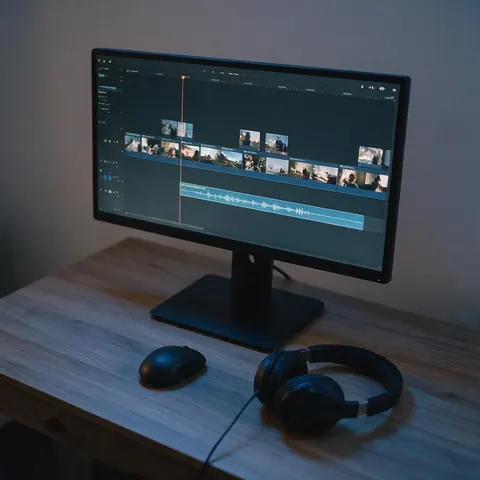
A faceless YouTube channel can voice every explainer and recap with the same natural voice and keep the settings for later uploads.
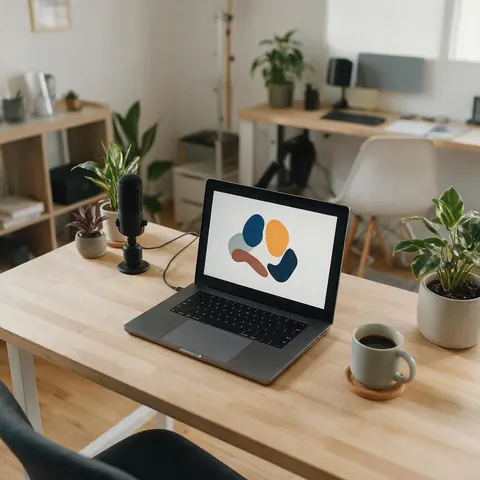
A course creator can narrate lessons and regenerate a single paragraph when a slide changes, without re-recording the whole module.
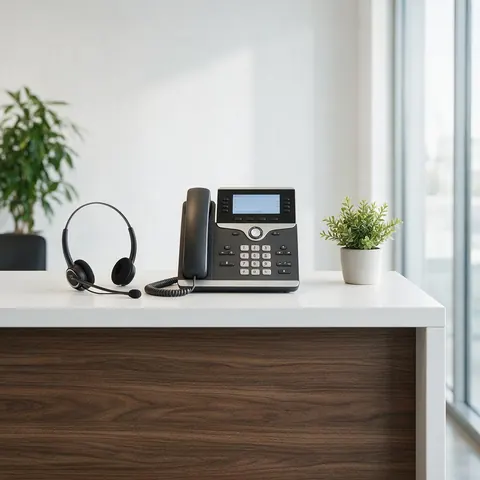
A small business owner can turn a written phone greeting into a clear recorded message and download it for the phone system.
FAQ
10 questions
Kenerate gives you free credits on sign-up to try every engine — MiniMax Speech 2.8, ElevenLabs Eleven v3 and Multilingual v2, Qwen3 and Kling — on the same script, with no watermark. The best voice depends on the job: ElevenLabs v3 is the most expressive, MiniMax 2.8 HD adds emotions and a pronunciation dictionary, Qwen3 takes a free-text style prompt.
Link to this answer555 preset voices: 459 on MiniMax, 46 on Kling, 41 on ElevenLabs and 9 on Qwen3. ElevenLabs Eleven v3 reads 70 languages, MiniMax 40, ElevenLabs Flash v2.5 32, Multilingual v2 29 and Qwen3 10.
Link to this answerUp to 10,000 characters per clip on MiniMax and ElevenLabs Multilingual v2, 5,000 on Eleven v3 and Qwen3, and 512 on Kling. For longer pieces, generate one section per clip with the same voice and settings.
Link to this answerYes. Every clip downloads as MP3; MiniMax voices can also output WAV or FLAC at 16–44.1 kHz. There is no watermark on the audio.
Link to this answerYes. MiniMax 2.8 has 7 emotions (happy, sad, angry and more) and reads 13 interjections like (laughs) and (sighs). ElevenLabs Eleven v3 follows audio tags like [whispers], [excited] and [sarcastic].
Link to this answerYes — Kenerate's Terms give you ownership of what you generate, so voice-overs can go into videos, courses and ads. Don't use a voice to impersonate a real person or mislead listeners.
Link to this answerYes. Instant clone copies a voice from a 3–15 second sample; you can also save a clone to reuse on MiniMax. Only clone voices you have permission to use. See the AI voice clone page for demos.
Link to this answerNo. A screen reader reads your device's interface aloud in real time. Kenerate generates high-quality audio files from a script you write — for videos, courses, audiobooks and announcements.
Link to this answerYes. Kenerate's text to speech runs in your browser: a free account starts with free credits, enough to try every engine on your own script, and every clip downloads as MP3 with no watermark. Paste up to 10,000 characters per clip, pick one of 555 voices and generate. There's nothing to install, and credits never expire.
Link to this answerKenerate doesn't have a separate app: the Voice Studio runs in the browser on Android phones, iPhones, tablets and computers. Open kenerateai.com, paste your text, pick a voice and download the MP3 to your phone. To have your phone's screen read aloud as you use it, turn on the screen reader built into Android or iOS instead.
Link to this answerIn depth
What works, what to avoid, and how the pieces fit.
Speech synthesis is the artificial production of human speech [1]. Older systems stitched together recorded fragments or used rule-based formant models, which is where the familiar “robot” sound came from. Since WaveNet showed in 2016 that a neural network could generate raw audio waveforms sample by sample, neural models have taken over [2].
Today's engines first normalize the text (numbers, abbreviations, dates), then predict rhythm, pitch and timing for the chosen voice, then decode that into audio. That's why punctuation and spelled-out numbers change the result so much — they're the model's only clues about how you want it said.
Each maker has a different strength, and the studio lets you switch per clip:
Text written for reading rarely sounds right read aloud. Keep sentences short, put the key word at the end of the sentence, and read the draft out loud once before you generate. The same habits that help a human voice-over artist make AI voices sound more natural — the model can only perform the rhythm your punctuation gives it. If you need a particular character, a trailer growl or a voice that doesn't exist yet rather than a clean read of your script, the AI voice generator page covers voices by role, Voice Design and cloning.
Free to start. No watermark. Download every clip.
Tried it? Tell us how it went