Skip to content
18+ · any art style · image to video

NSFW AI Animation 3D, comic and painted adult clips

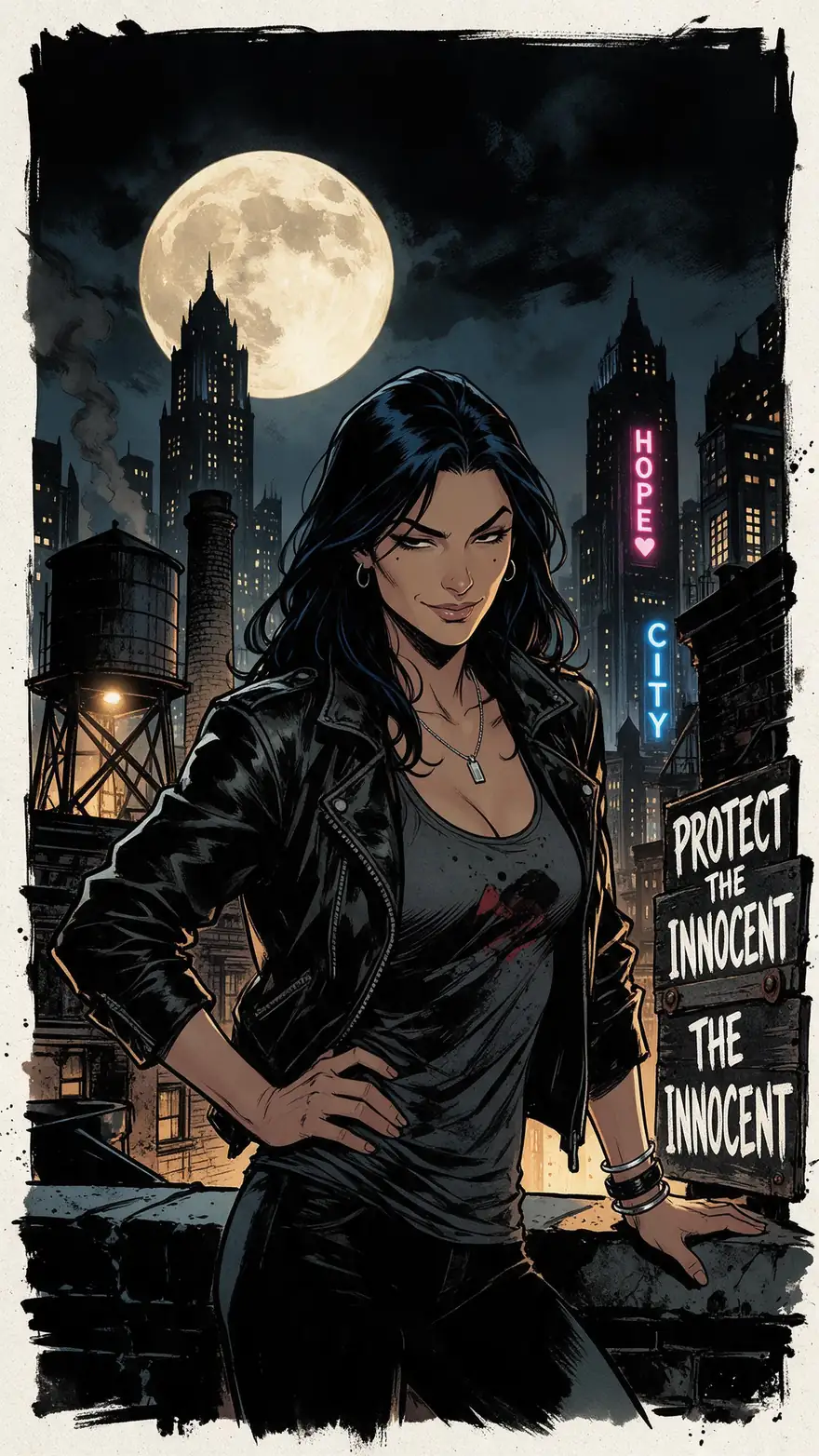
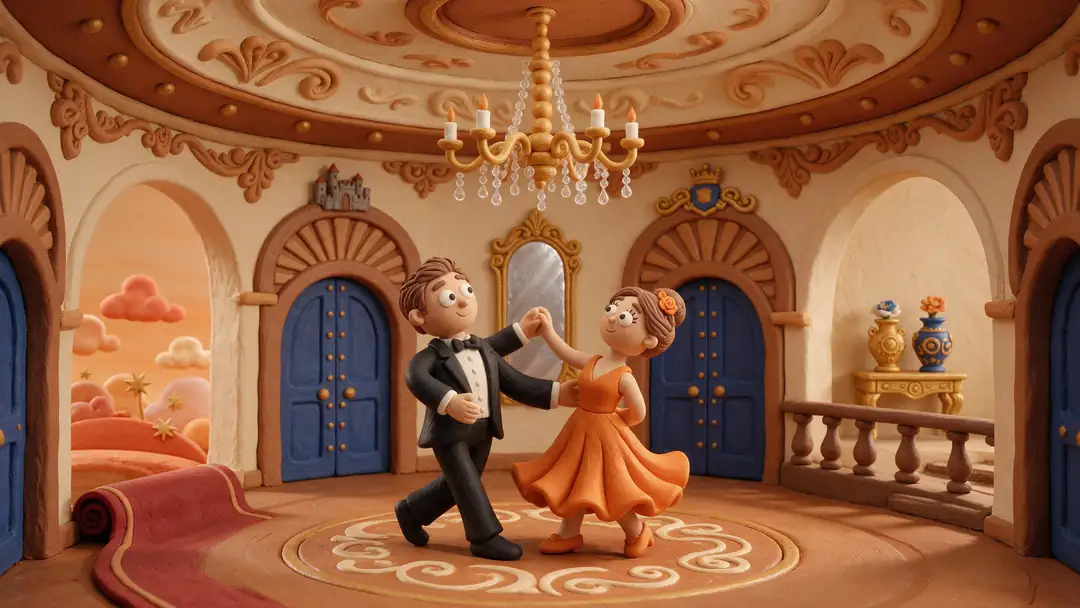
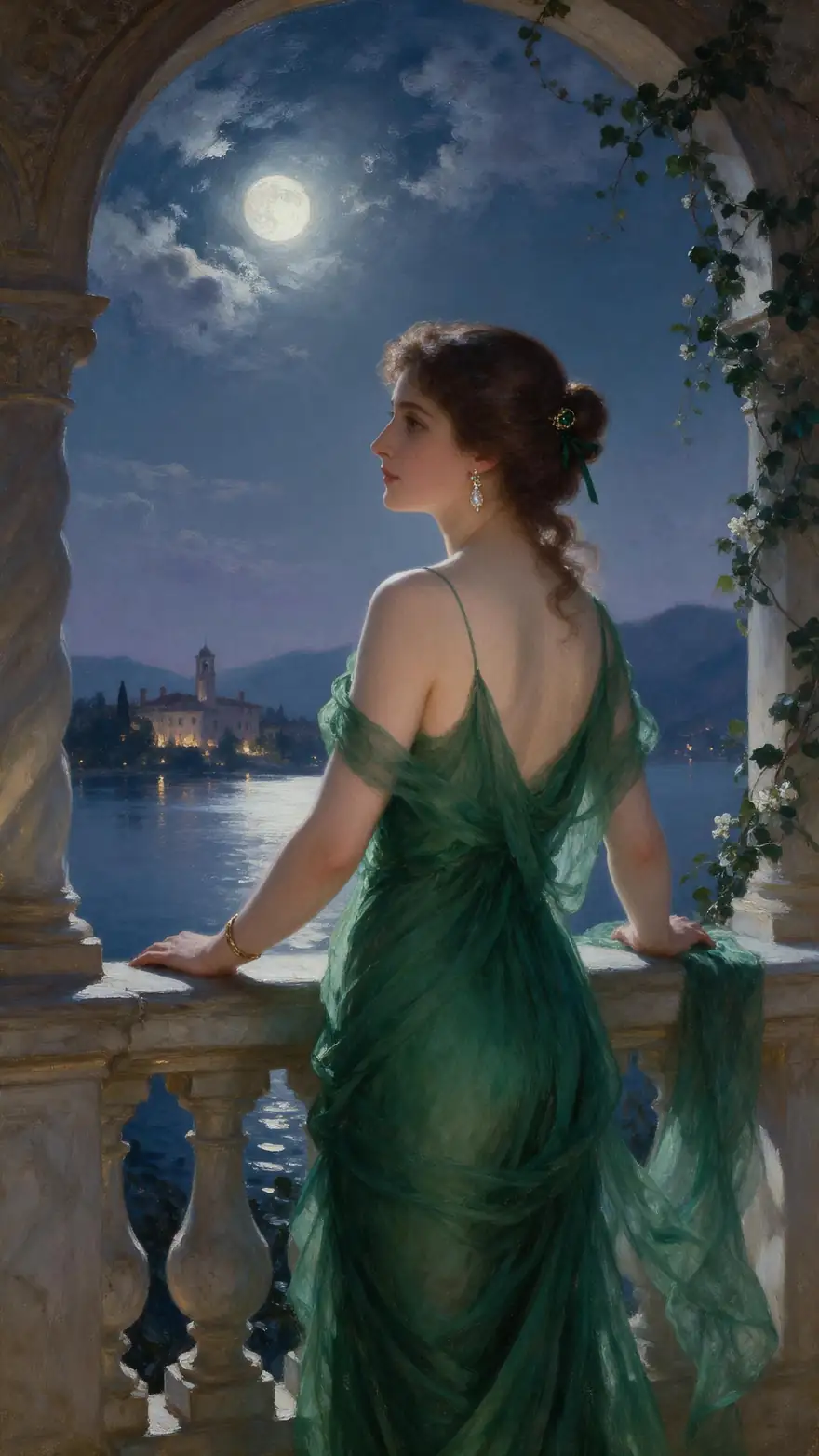
Turn adult artwork — a 3D render, a comic panel, an oil painting, a clay scene — into a moving clip with Kenerate's Spicy image-to-video models. Your art style stays; only the motion is new.

  • 3D, comic, painted, clay
  • Your art as the first frame
  • Up to 30 s with sound
  • Clearly adult characters only
Input
Your artwork
Styles
3D · comic · painted · clay
Longest clip
30 s · Wan 3 Spicy
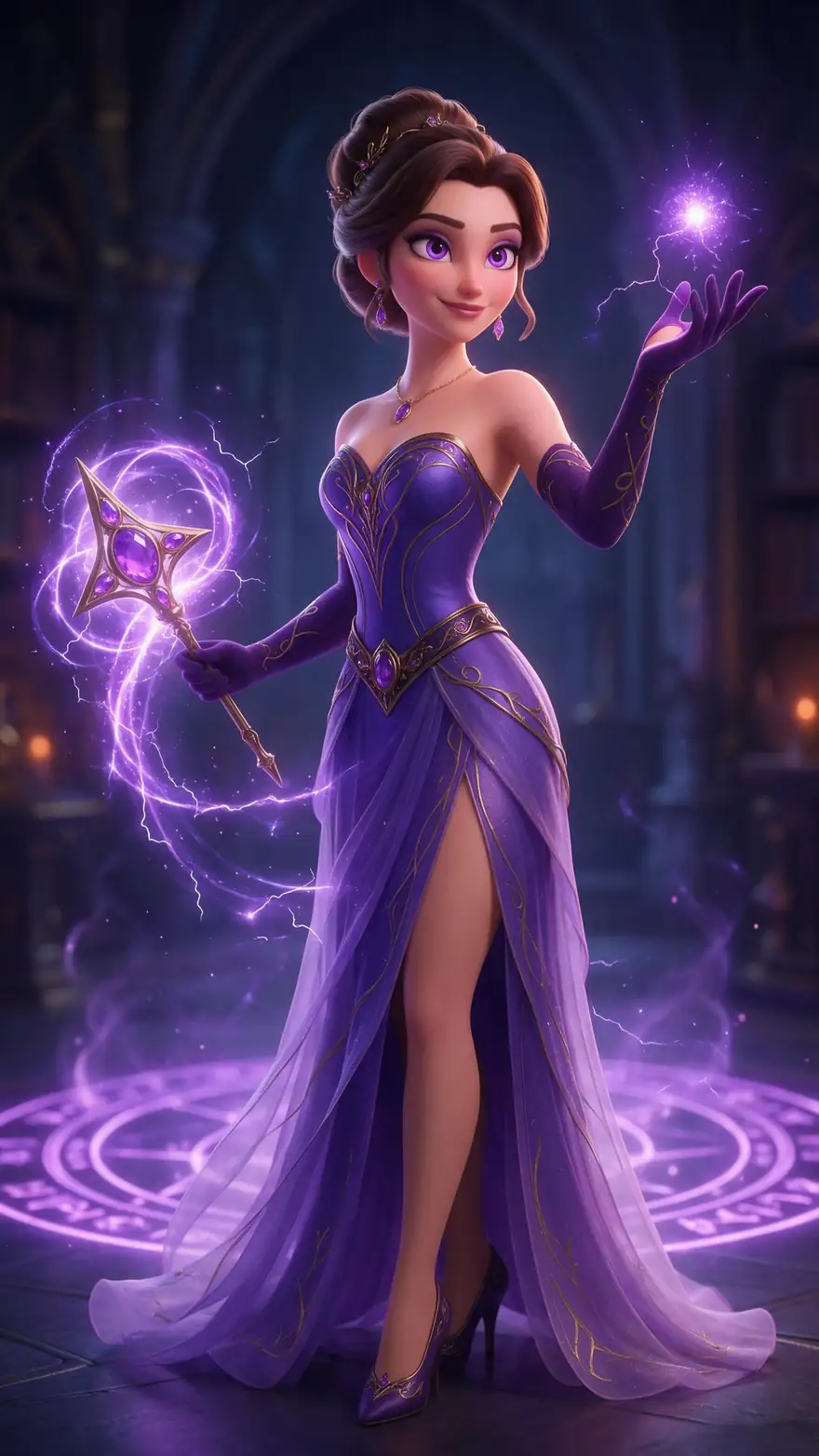
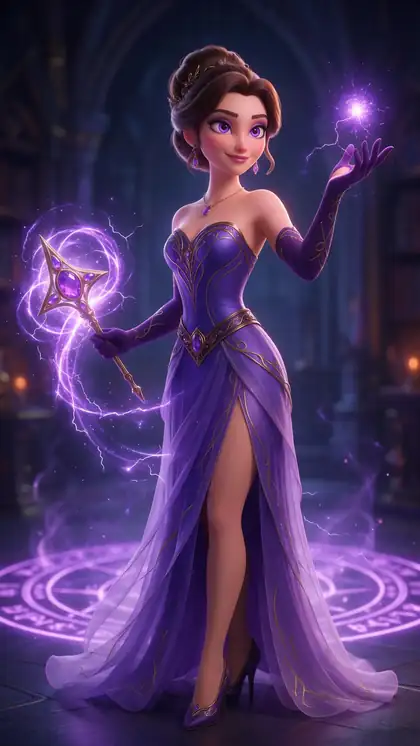
3D sorceress
Scene 1 / 5

3D render

3D sorceress

Magic swirls around her hands as she turns toward the camera, the purple gown flowing, glowing particles rise, soft chime

Wan 3 SpicyAnimate

Quick answer

NSFW AI animation on Kenerate works from a picture: upload an adult artwork — 3D render, comic, oil painting, claymation or anime-style art of a clearly adult character — or make one with Seedream 5.0 Pro, then animate it with a Spicy image-to-video model. The model keeps the image as the first frame, so the art style carries into the motion. Wan 3 Spicy runs up to 30 seconds with sound, Seedance 2.5 Spicy up to 4K, and Ken 1 Spicy takes an end frame. There's no text-only Spicy mode — every adult clip starts from an image. Prompts involving minors are blocked, and characters must be clearly adult.

Updated 27 September 2026 · specs read from Kenerate's code

  • InputYour artwork
  • Styles3D · comic · painted · clay
  • Longest clip30 s · Wan 3 Spicy
  • CharactersClearly adult only

Short answers

What people ask first

  • What is NSFW AI animation?

    Animating adult artwork with an image-to-video model: the artwork is the first frame, and the model adds motion from your prompt.

  • Can it animate anime or cartoon art?

    Yes, any 2D or 3D style works as a start image — but the character must be clearly adult. Prompts involving minors are blocked on every model.

  • Can I make an NSFW animation from text only?

    No. The Spicy models are image to video; on Wan 3 Spicy a prompt alone runs as plain Wan 3 text to video. Make or upload the image first.

  • Is it free?

    Video models need a credit pack: on the free plan the video studio is locked. The 25 free sign-up credits work on image models, so you can make and check your start image first.

Start images

Artwork ready to animate

Five real Seedream 5.0 Pro stills (SFW), one per style, with a motion prompt and the Spicy model we'd use.

Real Seedream 5.0 Pro images (SFW). Open one for its image prompt, a motion prompt and the model to use.

3D sorceress
Start image

How it works

From artwork to animation

The image sets the style. The motion prompt only says what moves.

  1. 01

    Start image

    Seedream 5.0 Pro at 2K — or upload your own photo.

  2. 02

    Motion prompt

    Magic swirls around her hands as she turns toward the camera, the purple gown flowing, glowing particles rise, soft chime

  3. 03

    Wan 3 Spicy

    Up to 30 s · up to 1080p · with sound. Long clips up to 30 s, with sound.

Animate this scene

Choose a model

Pick by what matters, then compare

Length, resolution, sound and end-frame control — straight from the video studio's model list.

Model picker

What matters most?

ByteDance

Seedance 2.5 Spicy

The top Spicy tier: up to 4K and 30 seconds, with sound.

Up to
4K
Longest
30 s
Sound
Yes
Open Seedance 2.5 Spicy

Compare

Two models, side by side

Clip length
2–30 s
3–20 s
Resolution
480p · 720p · 1080p
480p · 720p · 1080p
Sound
End frame
Made by
Alibaba
Lightricks
Best for
Long clips up to 30 s, with sound
Clips up to 20 s — a light model for testing ideas

Specs read from the video studio's own model list.

Tips

Keeping the art style

What held the look best in our tests.

  • Use a clean, high-resolution image — the style comes from it.
  • Describe motion in the style's language: 'stop-motion steps', 'ink lines trail'.
  • Small moves keep painted and comic styles stable; big moves drift toward realism.
  • Use an end frame (Wan 3, Seedance 2.5, Ken 1) to hold the final pose.
  • Test on Spicy V1, then re-run the keeper on Wan 3 or Seedance 2.5.
  • Characters must be clearly adult — in every style.

Step by step

How to use the nsfw ai animation

  1. Step 1: Sign in (18+ only)

    Spicy models are for adults 18+ and need a credit pack.
  2. Step 2: Upload your artwork

    Any style — 3D, comic, painting, clay. Or make it with Seedream 5.0 Pro.
  3. Step 3: Describe the motion

    One action and one camera move; mention the style's feel, like 'stop-motion steps' or 'brushstroke clouds'.
  4. Step 4: Pick a Spicy model

    Wan 3 Spicy for long clips with sound, Seedance 2.5 Spicy for up to 4K, Spicy V1 to test.

Models

Spicy models for animation

What each model does best. Open any one straight in the video studio.

  • Lightricks

    Spicy V1 (LTX 2.3)

    Clips up to 20 s — a light model for testing ideas

    3–20 sup to 1080pno sound

    Open Spicy V1
  • WaveSpeed AI

    Wan 2.2 Spicy

    Quick 5–8 s drafts

    5–8 sup to 720pno sound

    Open Wan 2.2 Spicy
  • Alibaba

    Wan 3 Spicy

    Long clips up to 30 s, with sound

    2–30 sup to 1080psoundend frame

    Open Wan 3 Spicy
  • Alibaba

    Wan 2.7 Spicy

    Balanced everyday clips at 720p or 1080p

    5–15 sup to 1080pno sound

    Open Wan 2.7 Spicy
  • Kenerate AI

    Ken 1 Spicy

    Kenerate's own model — start and end frame control

    3–15 sup to 1080pno soundend frame

    Open Ken 1 Spicy
  • ByteDance

    Seedance 2.5 Spicy

    The top tier — up to 4K and 30 s, with sound

    4–30 sup to 4Ksoundend frame

    Open Seedance 2.5 Spicy

Rules and privacy

Adult animation is for adults 18+, about clearly adult characters.

  • 18+ and fictional adults only

    Adult prompts are for adults. Every character you create must be a fictional adult.

  • Blocked and not allowed

    Kenerate's prompt filter blocks prompts involving minors on every model, and it can't be switched off. Sexual images of real people aren't allowed.

  • Blurred by default

    Results flagged as adult are shown blurred in your gallery grid.

  • Private switch

    Turn on Private in Advanced settings to keep a generation out of the public feed.

Make the start image first — then animate it with the model that fits the shot.

In depth

NSFW AI Animation, explained

What the models can do, how to prompt them, and what isn't allowed.

Why style survives image to video

An image-to-video model starts from your picture's exact pixels, so line work, brush texture and 3D shading are already there in frame one. Keep the motion modest and the style holds; ask for big camera moves and models drift toward a more photographic look.

Which model for which style

Seedance 2.5 Spicy keeps fine painted detail at up to 4K. Wan 3 Spicy handles longer scenes with sound. Spicy V1 is a light model for testing a motion idea before you spend a longer render.
Sources

    FAQ

    NSFW AI Animation questions

    6 questions

    Still stuck?

    A real person answers — usually within a day.

    01

    What is NSFW AI animation?

    Animating adult artwork with an image-to-video model: the artwork is the first frame, and the model adds motion from your prompt.

    02

    Can it animate anime or cartoon art?

    Yes, any 2D or 3D style works as a start image — but the character must be clearly adult. Prompts involving minors are blocked on every model.

    03

    Can I make an NSFW animation from text only?

    No. The Spicy models are image to video; on Wan 3 Spicy a prompt alone runs as plain Wan 3 text to video. Make or upload the image first.

    04

    Is it free?

    Video models need a credit pack: on the free plan the video studio is locked. The 25 free sign-up credits work on image models, so you can make and check your start image first.

    05

    How long can an animation be?

    Up to 30 seconds on Wan 3 Spicy and Seedance 2.5 Spicy, 20 on Spicy V1, 15 on Wan 2.7 and Ken 1.

    06

    What frame rate do clips have?

    Each model outputs its own standard frame rate; Kenerate doesn't add frame interpolation.

    See more of Kenerate AI in your Google resultsAdd kenerateai.com as a preferred source — Google shows more from your preferred sources in Top Stories and AI answers.

    Explore

    Every Kenerate video tool

    Generators, tools, models and guides — one studio, one credit balance.

    Written by the Kenerate AI team

    We build and run Kenerate's video studio. Every image here is a real Seedream 5.0 Pro output; model specs and limits were read from the app's code; facts about other tools link to their own pages. Last updated 27 September 2026. Corrections: hello@kenerateai.com.

    Sources

    Ready when you are

    Try the nsfw ai animation

    Adults 18+ only. Minors are always blocked.

    • 25 free credits
    • No watermark
    • Credits never expire