Seedance 2.5 · MiniMax H3 · Wan 3 · Kling · Veo · PixVerse
Pika Art alternative — the same models, 50+ more
Pika's September 2026 relaunch routes jobs to Seedance 2.5, MiniMax H3 and Wan 3. Kenerate runs those same models — plus Kling 3.0, Veo 3.1, PixVerse v6 and 40+ more — with a model picker you control.

- Pick the model yourself
- Seedance 2.5 · MiniMax H3 · Wan 3
- Playful effects-style clips
- Up to 30 s with sound
Updated by the Kenerate AI team




Made with Kenerate




On this page
Quick answer

What is the best Pika Art alternative?
A Pika Art alternative that lets you choose the model yourself is Kenerate AI. Pika relaunched on 17 Sep 2026 as a studio that routes jobs across Pika 2.5 and models like Seedance 2.5, MiniMax H3 and Wan 3; Kenerate runs those same models plus 50+ others, including Kling 3.0, Veo 3.1 and PixVerse v6.
Key facts
- Same models as Pika
- Seedance 2.5, MiniMax H3, Wan 3
- Plus
- Kling, Veo, PixVerse, Grok
- Video models
- 50+
- Longest clip
- 30 s
- Fun edits
- Video edit · PixVerse v6
Real demo
Seedance 2.5 vs Wan 3 — two models Pika also routes to
Same start image and prompt. Turn the sound on.
- Seedance 2.5. Seedance 2.5 image to video, 5 s, 720p, with sound.
- Wan 3. Wan 3 image to video, 5 s, 720p, with sound.
Unedited outputs from Kenerate's video studio.
Compare themReal results
Playful clips on Wan 3
Five Wan 3 clips (5 s, 720p, with sound) — the fun, shareable shots Pika is known for.
Real Wan 3 clips. Open one to copy both prompts.
How to
How to use the Pika Art alternative
- Time needed
- Steps
- 4 steps
Step 1
Make or upload an image
Seedream 5.0 Pro makes playful stills at 2K.
Step 2
Pick a model
PixVerse v6 or Grok for fun clips; Seedance 2.5 or Wan 3 for polish.
Step 3
Describe one playful action
A bounce, a spin, a surprise.
Step 4
Restyle it
Video edit: 'make it claymation', 'turn it into anime'.
See it in the app

Open Video Studio in Text to Video mode and write the shot — subject, action, camera move and light.


Watch the tour · 1:19
Text, image & reference to video, models, edit, extend & chat
Chapters
Checked 28 October 2026
Pika vs the alternatives
From each company's own pages, 28 Sep 2026. Kenerate is our product.
| Kenerate AI | Pika | Kling AI | Runway | Luma Dream Machine | |
|---|---|---|---|---|---|
| Video models | 50+ models incl. Kling 3.0, Veo 3.1, Seedance 2.5, Wan 3, MiniMax H3 | Pika 2.5 plus Seedance 2.5, MiniMax H3, Wan 3 (Sep 2026 relaunch) | Kling 3.0 (Feb 2026), 3.0 Omni, 2.6 | Gen-4.5 (Dec 2025), Aleph 2.0 edits, Act-Two | Ray3.2 (Jun 2026) |
| Longest clip | Up to 30 s (Wan 3, Seedance 2.5) | Depends on the model | Up to 15 s | Not stated in the Gen-4.5 launch post | 5–10 s from text or image; 20 s with Modify |
| Native audio | Yes — Wan 3, Seedance, Veo 3.1, Kling 3.0 and more | Separate audio models (Aug 2026) | Yes, multilingual (Kling 2.6 and 3.0) | Not stated in the launch post | No native audio from text or image |
| Free option | 25 sign-up credits for images and tools; video needs a paid plan | No monthly credits; packs only, no watermark | Free tier, watermarked, 1080p export | One-time free credits, watermarked | Ray3.14 at draft resolution, watermarked, personal use |
Sources linked below. Plans and models change often — check each site. Where a company's page didn't state something, we say so.
Sources: Kenerate video studio · Pika — blog · Pika — pricing · Kuaishou — Kling AI 3.0 launch · Kling — free credits · Runway — Gen-4.5 · Runway — changelog · Runway — free plan · Luma — Ray3.2 · Luma — Ray · Luma — plans
Engines
Pika alternatives you can pick yourself
A few of the 50+ video models in Kenerate's studio.
Kuaishou
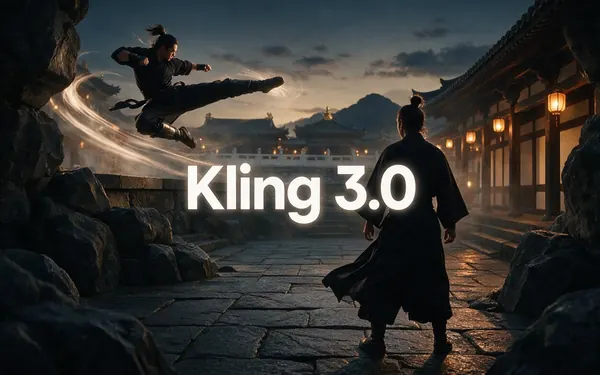
Kling 3.0
- Input
- Text or image
- Output
- Up to 15 s · 1080p · sound
Open Kling 3.0Best for
Expressive motion, martial arts, dance
ByteDance
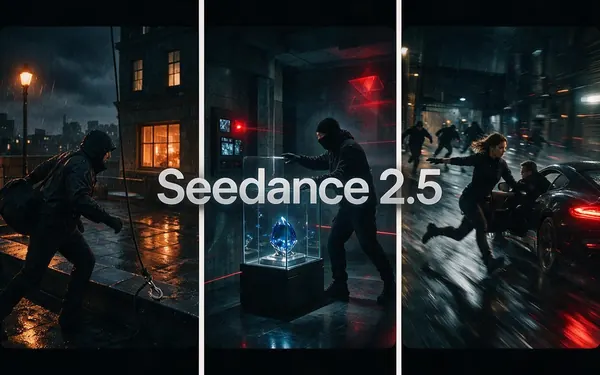
Seedance 2.5
- Input
- Text, image or 30 references
- Output
- Up to 30 s · up to 4K · sound
Open Seedance 2.5Best for
Multi-shot action and references
Google
Veo 3.1
- Input
- Text, image or 3 references
- Output
- 4–8 s · up to 4K · sound
Open Veo 3.1Best for
Dialogue and cinematic sound
- Used here
Alibaba
Wan 3
- Input
- Text, image or 10 references
- Output
- 2–30 s · up to 1080p · sound
Open Wan 3Best for
Long clips; edit and extend

MiniMax
MiniMax H3 Pro
- Input
- Text, image or 9 references
- Output
- 4–15 s · up to 2K
Open MiniMax H3 ProBest for
2K clips from references

xAI
Grok Imagine
- Input
- Text or image
- Output
- Up to 15 s · with sound
Open Grok ImagineBest for
Fast, fun social clips
The gallery uses Wan 3; the comparison uses Seedance 2.5 and Wan 3.
Tips
Fun clips that land
What worked in our tests.
One surprising action per clip.
Add sound cues: boing, pop, cheer.
Try the same image on two models and keep the better one.
Use video edit for Pika-style transformations.
Keep it short — 5 seconds is plenty for social.
Real people need their permission.
Example uses
How creators use Pika Art alternative
Illustrative examples of typical workflows, not customer reviews.

Social media creator
A creator could turn a funny still into a short, shareable clip on the model they pick.

Product marketer
A marketer could make a playful product clip, then try the same image on two models.

Party planner
A party planner could animate a celebration photo with candles flickering and confetti falling.
FAQ
Pika Art Alternative questions

What is the best Pika alternative?
A studio that lets you pick the model. Kenerate runs the models Pika now routes to (Seedance 2.5, MiniMax H3, Wan 3) plus Kling 3.0, Veo 3.1, PixVerse v6 and more.
Link to this answerWhat happened to Pika?
Pika relaunched on 17 Sep 2026 as a multi-app studio that routes jobs across Pika 2.5 and third-party models, per its blog.
Link to this answerIs Pika free?
Pika's free plan has no monthly credits — packs only, no watermark, no commercial licence, per its pricing page. Kenerate gives 25 sign-up credits for images and tools; video needs a paid plan.
Link to this answerCan I use Kenerate clips commercially?
Yes. Kenerate's Terms say you own what you generate, including video, and can use it for commercial work.
Link to this answerWhat replaces Pikaffects?
Video edit on Wan 3, Seedance 2.5, Gemini Omni or Grok: transform a clip with one sentence.
Link to this answerIn depth
Pika Art Alternative, explained
Pika in 2026
Pika began with playful effects — Pikaffects, Pikaswaps, Pikascenes. Its September 2026 relaunch turned pika.art into a studio of apps (video, product ads, short films, motion transfer, extend) that routes each job to a model, including third-party ones like Seedance 2.5 and Wan 3.
Explore
Every Kenerate video tool
Generators, tools, models and guides — all in one studio.
By the Kenerate AI teamLast updated and reviewed
Sources: Kenerate video studio · Pika — blog · Pika — pricing · Kuaishou — Kling AI 3.0 launch · Kling — free credits · Runway — Gen-4.5 · Runway — changelog · Runway — free plan · Luma — Ray3.2 · Luma — Ray · Luma — plans