
Skip to content
Black and white to colour

Colorize Photos with AI

Upload a black and white photo and get natural colour back — skin tones, clothes, cars, sky — while repairing scratches and fading. Faces and details stay the same.

  • Natural skin tones
  • Repairs scratches
  • 25 free credits
  • No watermark

Quick answer

Updated

Kenerate colorizes black and white photos with AI: upload the photo and ask for natural colours — the model adds realistic skin tones, clothing and scenery colours and can repair scratches, creases and fading in the same step, keeping every face the same. Seedream 5.0 Pro (2K output, up to 10 reference images) gave the most natural results in our tests on four old photos. A free account gets 25 free credits.

Photos tested
4
Best model
Seedream 5.0 Pro · 2K
Also repairs
Scratches, creases, fading
Free start
25 free credits

Same prompt

Before and after

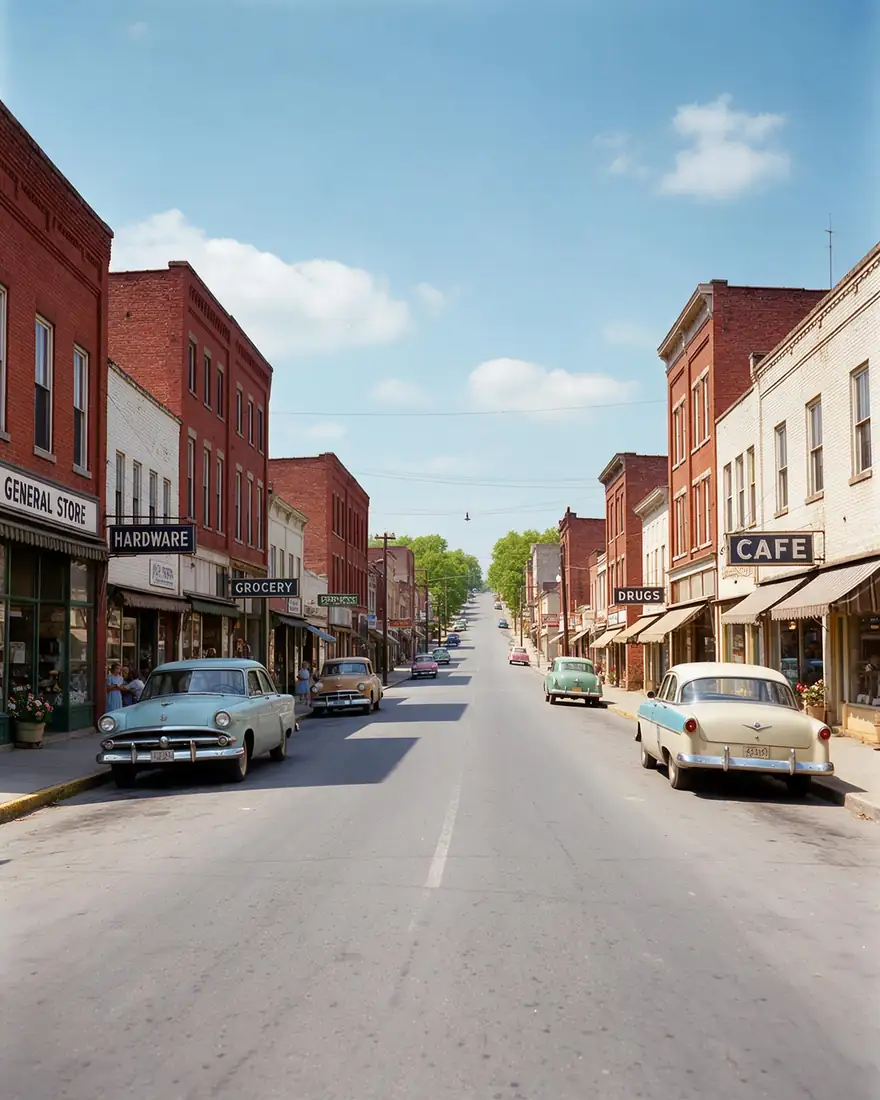
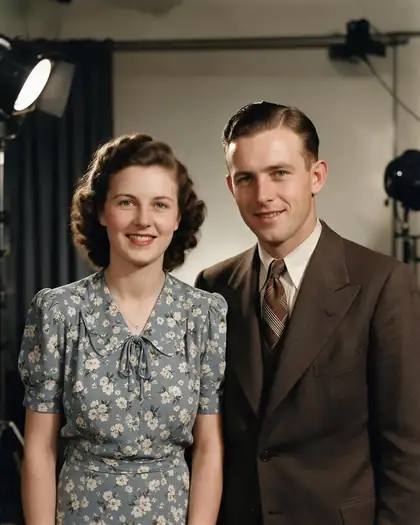
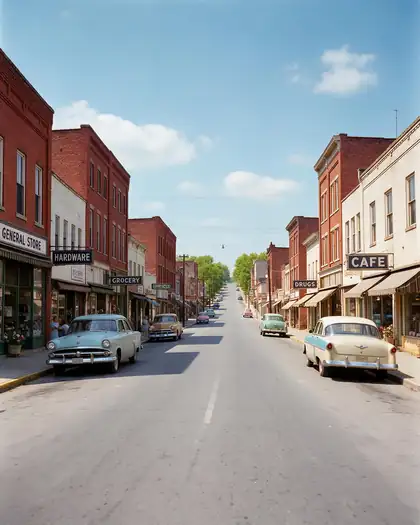
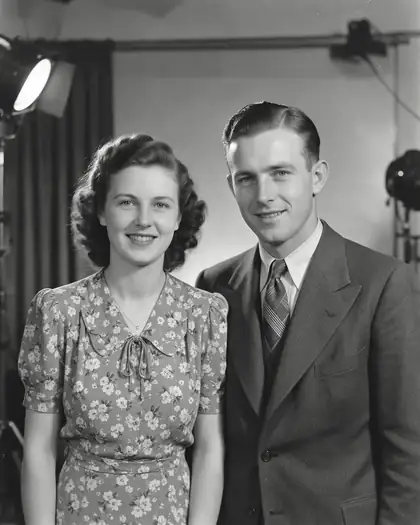
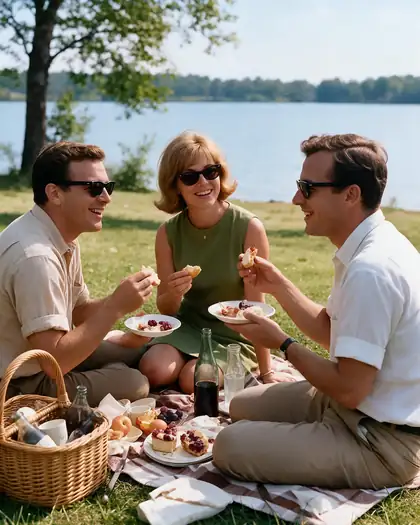
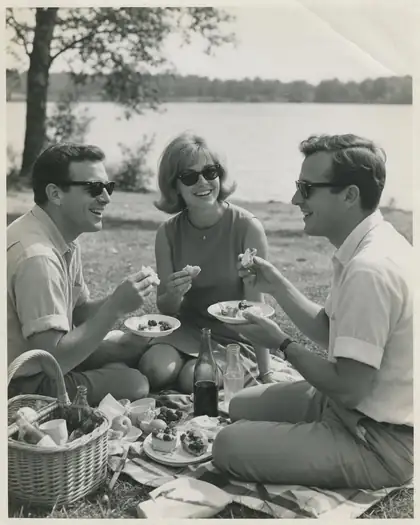
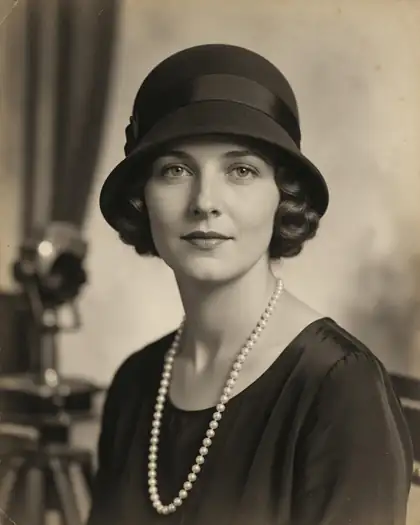
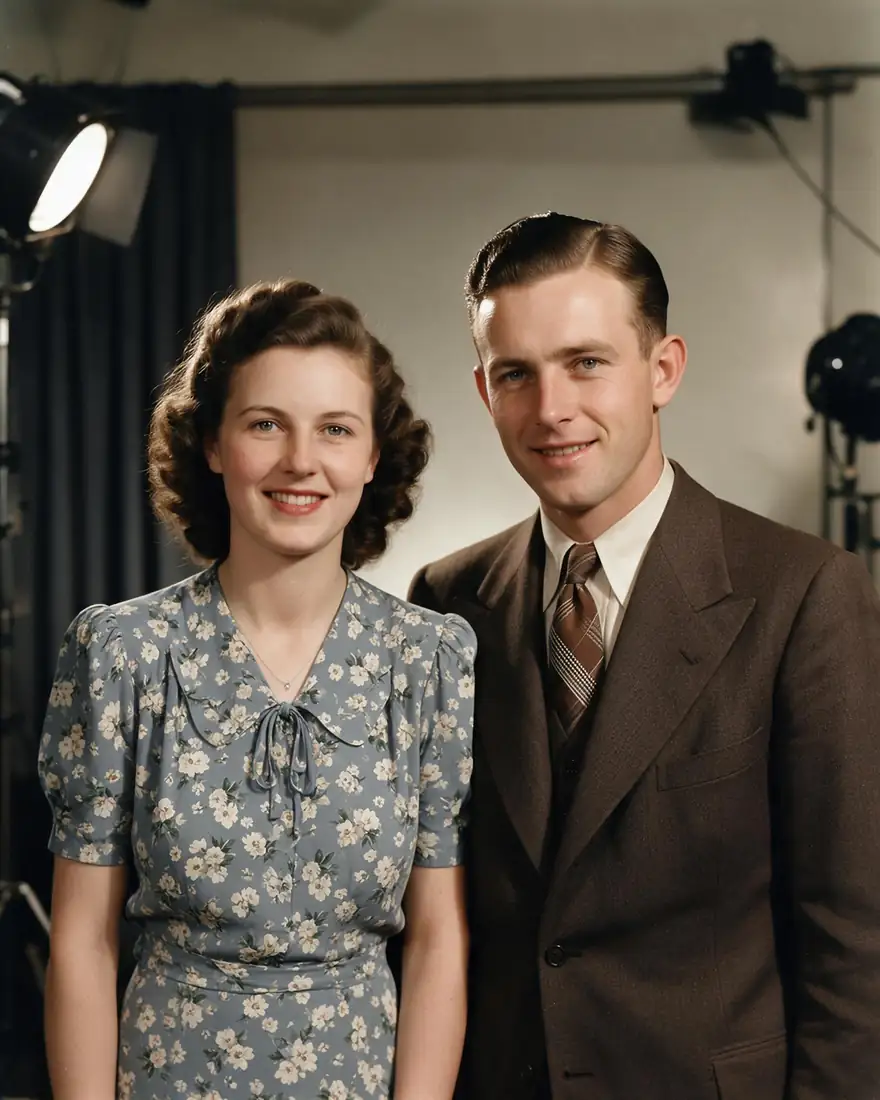
Two originals and their colorized, repaired versions.

  • Same prompt on 1940s original
    1940s originalBlack and white
  • Same prompt on Colorized
    ColorizedSeedream 5.0 Pro · 2K
  • Same prompt on 1930s original
    1930s originalSepia
  • Same prompt on Restored + colour
    Restored + colourSeedream 5.0 Pro · 2K
Prompt
Colorize this old photo naturally and repair the scratches and fading: realistic skin tones, keep every face and detail the same.

Tips

Get natural colours

What worked in our tests.

  • Scan or photograph the print flat, in even light, without glare.
  • Say “natural colours” and “keep every face the same”.
  • If you know real colours (a blue dress, a red car), name them.
  • Ask for repairs in the same step: scratches, creases, fading.
  • For very small prints, upscale first.
  • Colours are an educated guess — label colorized family photos as such.

How to

How to use the colorize photo with ai

  1. Step 1: Scan the photo

    Flat, even light, no glare.
  2. Step 2: Upload to Seedream 5.0 Pro

    In /app/image. Sign in free for 25 credits.
  3. Step 3: Ask for natural colour and repairs

    Name any colours you remember.
  4. Step 4: Download and upscale

    No watermark; upscale for printing.

Models

Models for colorizing

What each model is good at. Open any one straight in the generator.

Models for colorizing
ModelReference imagesMax sizeGood forOpen
Seedream 5.0 ProByteDanceUp to 102KKeeps faces best in our testsOpen
GPT Image 2OpenAIUp to 161K–4KGood for printed text in photosOpen
Flux 2 DevBlack Forest LabsFree planUp to 32048 pxOn the free planOpen

Make your first one — 25 free credits on sign-up.

Start free

Start free, top up only when you need to

The same credits work in every Kenerate tool.

  • 25 free credits on sign-up

    Test on your own images before you buy anything.

  • Credits never expire

    One-time packs — use them this week or next year.

  • No subscription, no watermark

    Nothing to cancel. Free results download clean.

  • One balance, every tool

    The same credits work across images, video, voice and 3D.

In depth

Colorize Photo with AI, explained

What works, what to avoid, and how to pick a model.

How AI colorization works

Image models have learned what colours objects usually have — skin, sky, grass, fabrics. When you ask for colour, the model repaints the grayscale image with plausible tones while keeping the shapes, which is why it's important to ask it to keep faces the same.

Preserving the original

Always keep the original scan. Treat the colour version as an interpretation, especially for family history.

Sources

    Tried it? Tell us how it went

    We only publish real, verified reviews — never invented quotes. Send a line about your result (and whether we may quote you), and it will appear here.

    Send a review

    FAQ

    Colorize Photo with AI questions

    5 questions

    Still stuck?

    A real person answers — usually within a day.

    01

    How do I colorize a black and white photo?

    Upload it, ask for natural colours and to keep every face the same. Name any colours you know — a blue dress, a red car — for more accurate results.

    02

    Is it free?

    A new account gets 25 free credits on sign-up, and Flux 2 Dev is on the free plan. Seedream 5.0 Pro, which gave the most natural results, needs a credit pack.

    03

    Are the colours accurate?

    They're a realistic guess based on the scene. If you know the real colours, put them in the prompt.

    04

    Can it fix scratches too?

    Yes — ask for colour and repairs in one prompt, as in the examples.

    05

    How do I restore an old photo fully?

    See our guide to restoring old photos for scanning, repair and printing tips.

    See more of Kenerate AI in your Google resultsAdd kenerateai.com as a preferred source — Google shows more from your preferred sources in Top Stories and AI answers.

    Explore

    Every Kenerate image tool

    Generators, design tools, photo edits, models and comparisons — all in one studio, on one credit balance.

    Written by the Kenerate AI team

    We build and run the Kenerate generator. Every example is a real output of the model named under it; models and presets were checked against the app's code. Last updated 27 September 2026. Corrections: hello@kenerateai.com.

    Sources

      Ready when you are

      Try the colorize photo with ai

      25 free credits on sign-up. No watermark.

      • 25 free credits
      • No watermark
      • Credits never expire