


Skip to content
Selfie in · headshot out

AI Headshot Generator

Upload a casual selfie and get a professional headshot — corporate, LinkedIn, creative or classic black and white. Your face stays yours; the outfit, backdrop and light change.

  • Keeps your face
  • Corporate to creative
  • 25 free credits
  • No watermark

Quick answer

Updated

Kenerate's AI headshot generator turns a casual selfie into a professional headshot: upload your photo and describe the style — corporate suit on grey, outdoor LinkedIn, creative studio or black-and-white actor headshot. In our tests Seedream 5.0 Pro (at 2K) kept the face and expression the same while changing outfit, backdrop and light. Flux 2 Dev is on the free plan. A free account gets 25 credits; downloads have no watermark.

Input
One selfie
Best model
Seedream 5.0 Pro
Free plan
Flux 2 Dev
Free start
25 credits

Same prompt

From selfie to headshot

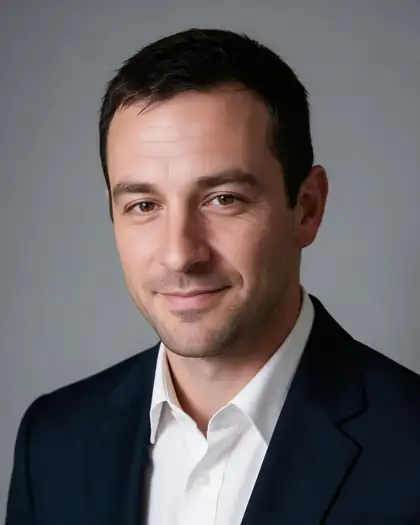
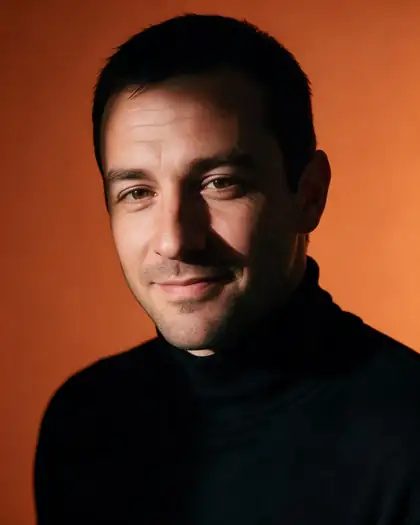
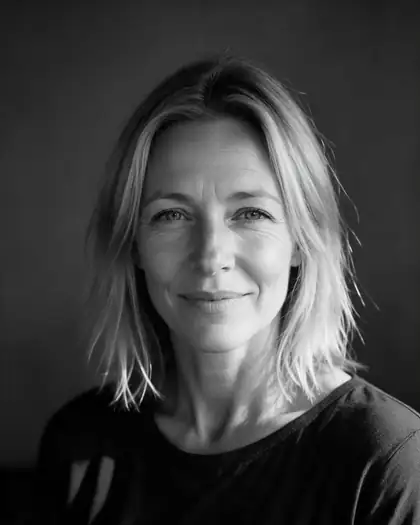
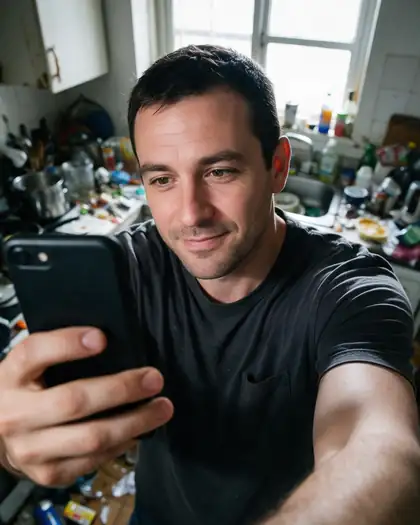
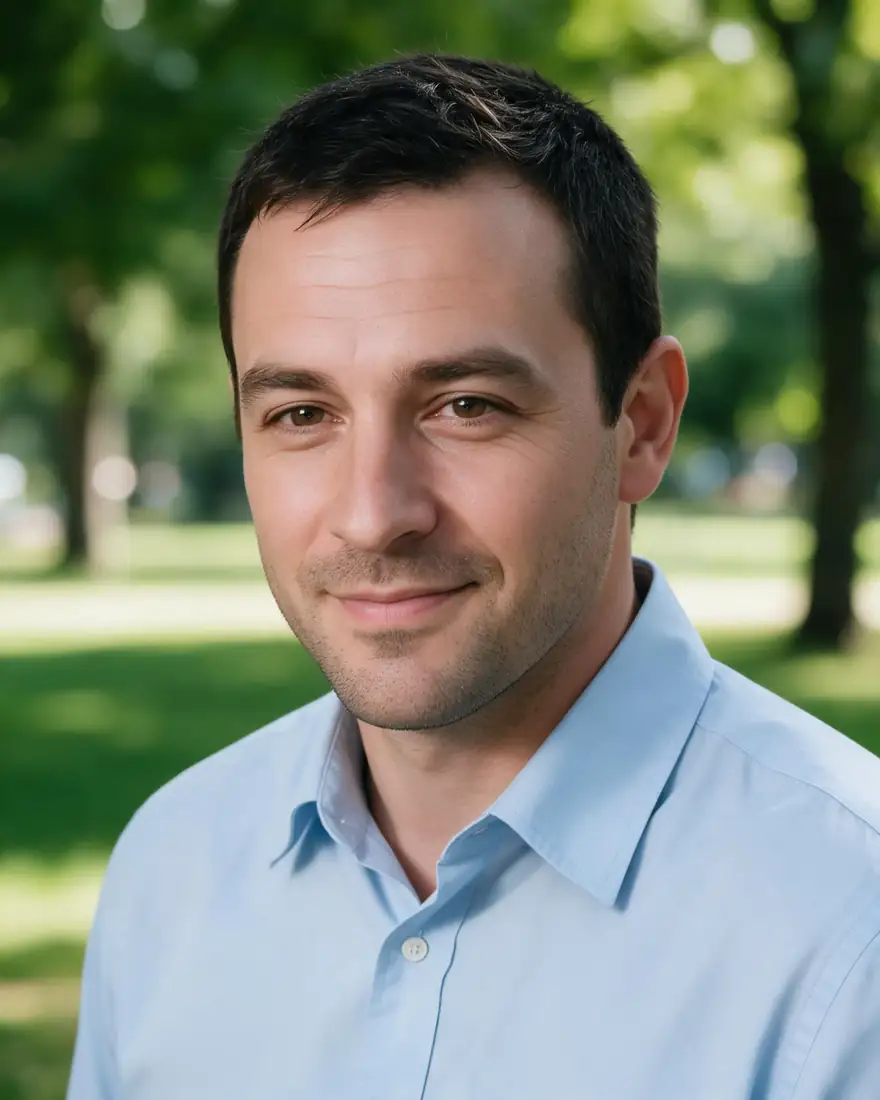
A messy-kitchen selfie and three headshot styles from one-sentence prompts. Same face each time.

  • Same prompt on Your selfie
    Your selfieInput
  • Same prompt on Corporate
    CorporateSeedream 5.0 Pro · 2K
  • Same prompt on LinkedIn outdoor
    LinkedIn outdoorSeedream 5.0 Pro · 2K
  • Same prompt on Creative studio
    Creative studioSeedream 5.0 Pro · 2K
Prompt
Turn this into a professional corporate headshot: navy suit jacket and white shirt, neutral grey studio backdrop, soft key light, head and shoulders, sharp focus. Keep the same face, identity and expression.

Tips

Get a headshot that looks like you

What worked in our tests.

  • Use a clear selfie facing the camera, eyes visible, no sunglasses.
  • Good light helps: face a window rather than a lamp.
  • Always add “keep the same face, identity and expression”.
  • Name the outfit, backdrop and light: navy suit, grey backdrop, soft key light.
  • Make three or four styles and pick the most natural.
  • Use only your own photo, or one you have permission to use.

How to

How to use the ai headshot generator

  1. Step 1: Upload a selfie

    In /app/image, add a clear photo of your face. Sign in free for 25 credits.
  2. Step 2: Pick Seedream 5.0 Pro

    It kept faces identical in our tests. Flux 2 Dev is the free-plan option.
  3. Step 3: Describe the headshot

    “Professional corporate headshot, navy suit, grey backdrop. Keep my face the same.”
  4. Step 4: Download

    No watermark — ready for LinkedIn, your CV or a team page.

Models

Models for AI headshots

What each model is good at. Open any one straight in the generator.

Models for AI headshots
ModelReference imagesMax sizeGood forOpen
Seedream 5.0 ProByteDanceUp to 102KKeeps faces best in our testsOpen
Nano Banana 2GoogleUp to 141K (square today)Good edits; square for nowOpen
Flux 2 DevBlack Forest LabsFree planUp to 32048 pxFree planOpen

Make your first one — 25 free credits on sign-up.

Start free

Start free, top up only when you need to

The same credits work in every Kenerate tool.

  • 25 free credits on sign-up

    Test on your own images before you buy anything.

  • Credits never expire

    One-time packs — use them this week or next year.

  • No subscription, no watermark

    Nothing to cancel. Free results download clean.

  • One balance, every tool

    The same credits work across images, video, voice and 3D.

In depth

AI Headshot Generator, explained

What works, what to avoid, and how to pick a model.

Why one-sentence edits work for headshots

Instruction-based editors change only what you describe. Asking for a suit, a backdrop and studio light — while keeping your face — gives a studio-style photo from an everyday selfie.

Picking a style

Corporate grey backdrops suit finance, law and consulting profiles; outdoor or office backgrounds feel friendlier for LinkedIn; black and white is classic for actors and creatives.

Sources

    Tried it? Tell us how it went

    We only publish real, verified reviews — never invented quotes. Send a line about your result (and whether we may quote you), and it will appear here.

    Send a review

    FAQ

    AI Headshot Generator questions

    6 questions

    Still stuck?

    A real person answers — usually within a day.

    01

    How does an AI headshot generator work?

    You upload a selfie and describe the headshot you want. The model keeps your face and changes the outfit, background and lighting.

    02

    Is the AI headshot generator free?

    A new account gets 25 free credits, which work on free-plan models such as Flux 2 Dev. Seedream 5.0 Pro, which kept faces best in our tests, needs a one-time credit pack; credits never expire.

    03

    Does it add a watermark?

    No. Headshots download without a watermark.

    04

    How many photos do I need?

    One clear selfie is enough for a single headshot. For a consistent set, reuse the same selfie with different styles.

    05

    Can I make headshots of other people?

    Only with their permission.

    06

    Are AI headshots OK for LinkedIn?

    Many people use them; make sure it still looks like you, and follow your employer's or platform's rules.

    See more of Kenerate AI in your Google resultsAdd kenerateai.com as a preferred source — Google shows more from your preferred sources in Top Stories and AI answers.

    Explore

    Every Kenerate image tool

    Generators, design tools, photo edits, models and comparisons — all in one studio, on one credit balance.

    Written by the Kenerate AI team

    We build and run the Kenerate generator. Every example is a real output of the model named under it; models and presets were checked against the app's code. Last updated 27 September 2026. Corrections: hello@kenerateai.com.

    Sources

      Ready when you are

      Try the ai headshot generator

      25 free credits on sign-up. No watermark.

      • 25 free credits
      • No watermark
      • Credits never expire