




Skip to content
ElevenLabs dubbing · 33 languages · free plan

AI Video Translator — dub any video into 33 languages

Upload a video, pick a language, and the AI transcribes, translates and re-voices it — keeping each speaker's voice. 33 target languages, videos up to 15 minutes, up to 32 speakers, free plan.

  • 33 target languages
  • Keeps the speakers' voices
  • Up to 15 min
  • Free plan
Target languages
33
Source
57 + auto-detect
Longest video
15 min
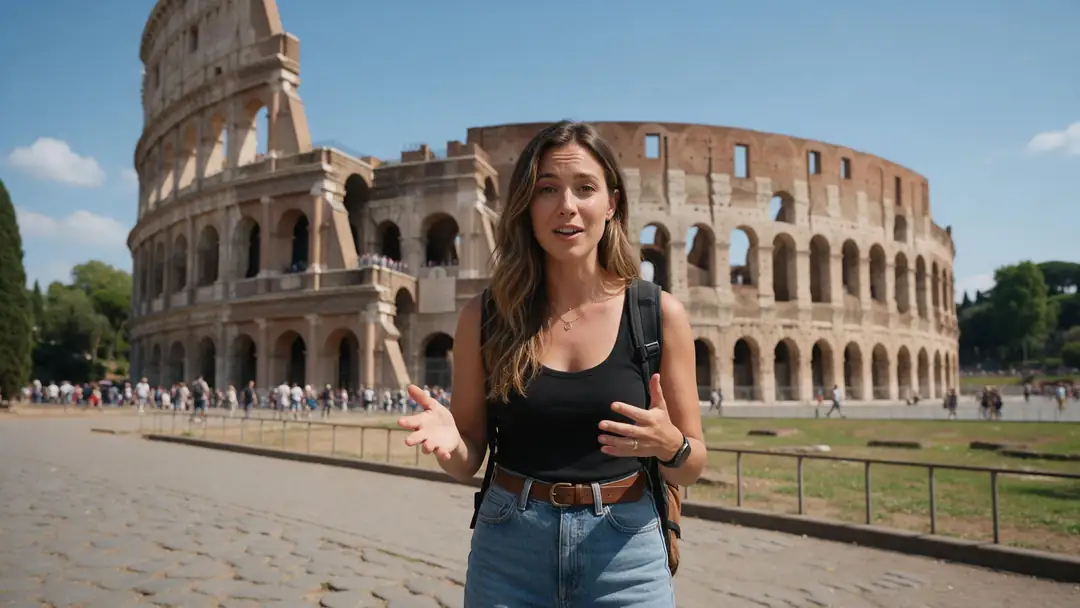
Rome travel vlog
Real clip 1 / 5

Travel

Rome travel vlog

She smiles at the camera and says: "Hi everyone, today I'm showing you the best spots in Rome." Clear voice, crowd murmur

Wan 3 · 5 s · 720p · with soundAnimate

Quick answer

AI dubbing turns a video into another language automatically: it separates speech from music, transcribes and translates the script, and re-voices it with a clone of each original speaker. Kenerate's AI dubbing runs on ElevenLabs and dubs video or audio into 33 languages — including Spanish, Hindi, French, German, Japanese, Chinese and Arabic — from 57 source languages or auto-detect. Videos can be up to 15 minutes (500 MB) with up to 32 speakers, and it works on the free plan. It changes the voice, not the lips — add lip sync after for on-camera speakers.

Updated 27 September 2026 · specs read from Kenerate's code

  • Target languages33
  • Source57 + auto-detect
  • Longest video15 min
  • SpeakersUp to 32

Real demo

One clip, three languages

Switch languages and turn the sound on. Same speaker, same voice character — new language.

  • English (original). A Wan 3 travel vlog clip in English.
  • Spanish. ElevenLabs dubbing, source language auto-detected.
  • Hindi. Same clip, dubbed to Hindi.

Unedited outputs of Kenerate's dubbing tool. For matched lips, run lip sync on the dubbed audio.

Dub your video

Short answers

What people ask first

  • Can I use AI to translate a video?

    Yes — upload it, pick one of 33 languages and the AI transcribes, translates and re-voices it, keeping each speaker's voice.

  • How do I translate a video?

    Open AI dubbing, upload the video, leave the source language on auto-detect, pick the target language and download the dub. Add lip sync or subtitles if needed.

  • Which languages are supported?

    33 target languages: English, Hindi, Spanish, French, German, Portuguese, Italian, Japanese, Korean, Chinese, Arabic, Russian, Tamil, Indonesian, Malay, Filipino, Tagalog, Vietnamese, Turkish, Dutch, Polish, Ukrainian, Swedish, Norwegian, Danish, Finnish, Greek, Czech, Slovak, Hungarian, Romanian, Bulgarian and Croatian. Source audio can be any of 57 languages or auto-detected.

  • Does it keep my voice?

    It re-voices each speaker with a clone of their original voice, per ElevenLabs.

Real clips

Videos made to be translated

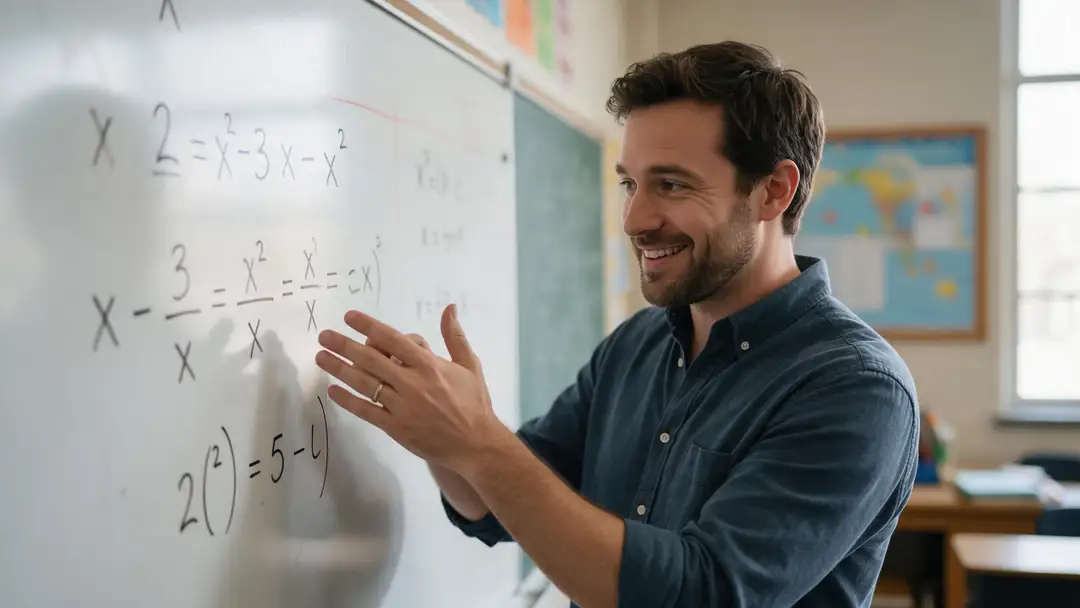
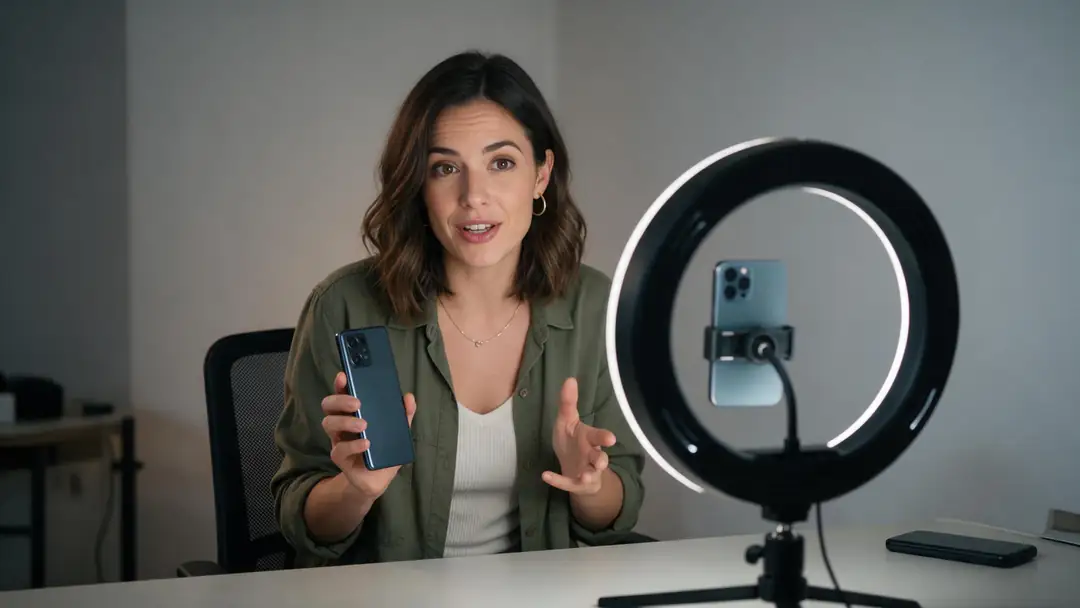
Real 5-second Wan 3 clips with English speech — vlogs, lessons, reviews, workouts and recipes.

Real Wan 3 clips (5 s, 720p) from Seedream 5.0 Pro stills. Open one to watch with sound and copy both prompts.

Start image for Rome travel vlog
Result · start image top right

How it works

Upload, pick a language, download

Transcription, translation and the new voice happen in one step.

  1. 01

    Start image

    Seedream 5.0 Pro at 2K — or upload your own photo.

  2. 02

    Motion prompt

    She smiles at the camera and says: "Hi everyone, today I'm showing you the best spots in Rome." Clear voice, crowd murmur

  3. 03

    Wan 3

    Wan 3 · 5 s · 720p · with sound. The clip on the left is the real result.

Animate this scene

Tips

Dubs that sound natural

What helps the translation and the voice.

  • Clear speech with little music underneath dubs best.
  • Set the number of speakers if people talk over each other.
  • Drop the background audio if it fights the new voice.
  • Short sentences translate more naturally.
  • On-camera speaker? Add lip sync after dubbing.
  • Check names and brand terms in the result.

Step by step

How to use the ai video translator & dubbing

  1. Step 1: Open AI dubbing

    Sign in — it works on the free plan.
  2. Step 2: Upload a video or audio file

    Video up to 500 MB, audio up to 50 MB, up to 15 minutes.
  3. Step 3: Pick the target language

    33 options. Leave the source on auto-detect, or set it and the number of speakers.
  4. Step 4: Download the dub

    Then add lip sync or subtitles if you need them.

Engines

The dubbing workflow

Dub first, then lip sync or subtitle — each tool is in the same studio.

  • ElevenLabs

    AI dubbingFree plan

    Translating the voice

    You give it
    Video or audio, up to 15 min
    You get
    33 languages, speakers' voices kept
    Open AI dubbing
  • VEED, Sync Labs, ByteDance

    Lip syncFree plan

    On-camera speakers

    You give it
    Video + dubbed audio
    You get
    Lips matched to the new language
    Open Lip sync
  • VEED

    SubtitlesFree plan

    Viewers with sound off

    You give it
    Video up to 4 min
    You get
    Burned-in captions
    Open Subtitles
  • ElevenLabs

    Translate audio

    Podcasts and voice notes

    You give it
    MP3, WAV, M4A and more
    You get
    Audio in 33 languages
    Open Translate audio

The example clips were made with Wan 3 image to video; the demo above ran on this tool.

Every clip on this page started as one still image. Make yours, then animate it.

In depth

AI Video Translator & Dubbing, explained

What the models can do, how to prompt them, and what isn't allowed.

How AI dubbing works

The audio is split into speech and background, the speech is transcribed and translated, and each speaker is re-voiced in the new language with a clone of their voice, then mixed back with the background. ElevenLabs says its dubbing aims to keep each speaker's emotion, timing and tone.

Dubbing vs YouTube auto-dubbing

YouTube's automatic dubbing is on by default for eligible creators and dubs English videos into 20 languages. It lives inside YouTube. A dubbing tool gives you the translated file for any platform — Reels, TikTok, courses or ads.

Sources

    FAQ

    AI Video Translator & Dubbing questions

    8 questions

    Still stuck?

    A real person answers — usually within a day.

    01

    Can I use AI to translate a video?

    Yes — upload it, pick one of 33 languages and the AI transcribes, translates and re-voices it, keeping each speaker's voice.

    02

    How do I translate a video?

    Open AI dubbing, upload the video, leave the source language on auto-detect, pick the target language and download the dub. Add lip sync or subtitles if needed.

    03

    Which languages are supported?

    33 target languages: English, Hindi, Spanish, French, German, Portuguese, Italian, Japanese, Korean, Chinese, Arabic, Russian, Tamil, Indonesian, Malay, Filipino, Tagalog, Vietnamese, Turkish, Dutch, Polish, Ukrainian, Swedish, Norwegian, Danish, Finnish, Greek, Czech, Slovak, Hungarian, Romanian, Bulgarian and Croatian. Source audio can be any of 57 languages or auto-detected.

    04

    Does it keep my voice?

    It re-voices each speaker with a clone of their original voice, per ElevenLabs.

    05

    Does it sync the lips?

    Dubbing changes the audio only. For on-camera speakers, run lip sync on the dubbed video — see the lip sync page.

    06

    How is dubbing different from subtitles?

    Subtitles show translated text on screen; dubbing replaces the voice so people can watch without reading.

    07

    What about YouTube automatic dubbing?

    YouTube dubs eligible channels' English videos into 20 languages, per its help page. Kenerate dubs any video you upload into 33 languages and gives you the file.

    08

    Is AI video translation free?

    It works on the free plan with sign-up credits; longer videos use one-time credit packs that never expire.

    See more of Kenerate AI in your Google resultsAdd kenerateai.com as a preferred source — Google shows more from your preferred sources in Top Stories and AI answers.

    Explore

    Every Kenerate video tool

    Generators, tools, models and guides — one studio, one credit balance.

    Written by the Kenerate AI team

    We build and run Kenerate's video studio. Every clip here is a real, unedited Wan 3 output (5 s, 720p) and every start image a real Seedream 5.0 Pro output; model specs and limits were read from the app's code; facts about other tools link to their own pages. Last updated 27 September 2026. Corrections: hello@kenerateai.com.

    Sources

    Ready when you are

    Try the ai video translator & dubbing

    One studio for images and video.

    • 25 free credits
    • No watermark
    • Credits never expire