






Skip to content
MP3 · WAV · M4A · record in the browser · free plan

Translate Audio — voice to voice, 33 languages

Upload a voice note, podcast or lecture — or record one — and get it back spoken in another language, in the speaker's own voice. 33 target languages, auto-detected source, free plan.

  • Speech in, speech out
  • 33 languages
  • Keeps the voice
  • Record or upload
Target languages
33
Audio files
Up to 50 MB
Longest audio
15 min
Lecture
Real clip 1 / 5

Education

Lecture

The professor gestures to the hall and says: "History is written by those who show up." Echoing lecture hall

Wan 3 · 5 s · 720p · with soundAnimate

Quick answer

To translate audio means turning speech in one language into speech in another. Older tools chain speech recognition, text translation and text-to-speech; newer ones like Meta's SeamlessM4T do it in one model, and some keep the original voice. On Kenerate you upload an audio file — MP3, WAV, M4A, AAC, OGG, FLAC or Opus up to 50 MB — or record in the browser, pick one of 33 languages, and the ElevenLabs dubbing engine returns it spoken in that language in the speaker's voice. The source language is auto-detected from 57. It works on the free plan.

Updated 27 September 2026 · specs read from Kenerate's code

  • Target languages33
  • Audio filesUp to 50 MB
  • Longest audio15 min
  • Free planYes

Real demo

An English lecture in Spanish and Chinese

Turn the sound on and switch languages. Same speaker, same voice, new language.

  • English (original). A Wan 3 clip with an English line.
  • Spanish. Auto-detected English, dubbed to Spanish.
  • Chinese. The same clip, dubbed to Chinese.

Shown on video so you can hear it; audio files work the same way.

Translate your audio

Short answers

What people ask first

  • How do I translate audio?

    Upload the file (or record it), pick one of 33 languages, and download the translated speech — the source language is auto-detected.

  • Can it keep my own voice?

    Yes — the ElevenLabs dubbing engine re-voices each speaker with a clone of their voice.

  • Is there a Spanish voice translator?

    Yes — translate any audio into Spanish, or Spanish audio into any of the other 32 languages.

  • Can I translate Chinese audio to English?

    Yes — Chinese is auto-detected as a source and English is a target, and the reverse works too (see the demo).

Real clips

Speech you might translate

Real 5-second Wan 3 clips with speech — lectures, calls, interviews, tours and voice notes.

Real Wan 3 clips (5 s, 720p) from Seedream 5.0 Pro stills. Open one to watch with sound and copy both prompts.

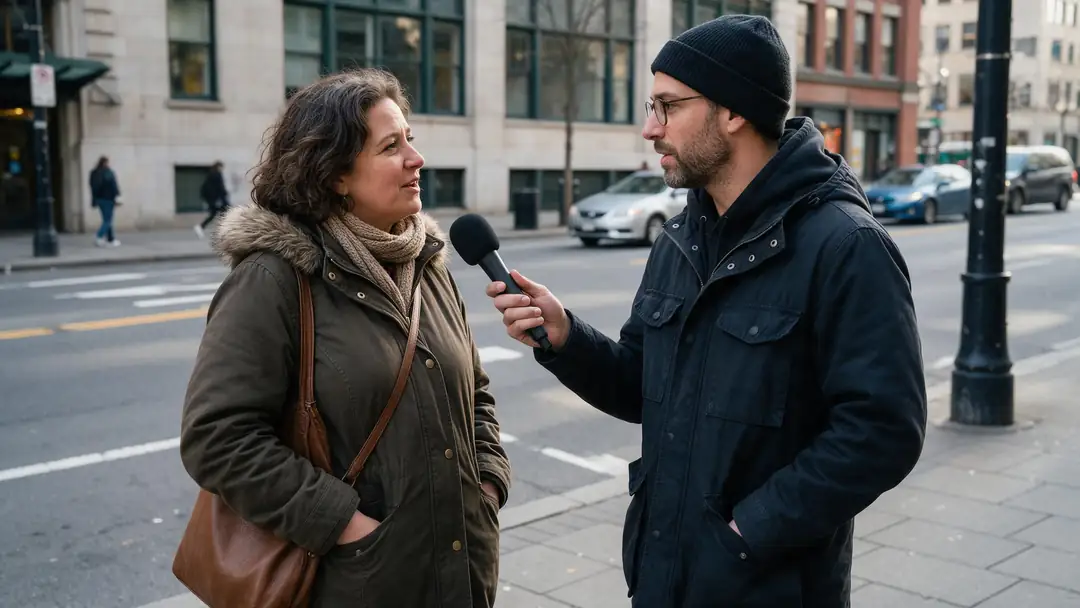
Start image for Lecture
Result · start image top right

How it works

Audio in, translated audio out

Upload or record, pick a language, download.

  1. 01

    Start image

    Seedream 5.0 Pro at 2K — or upload your own photo.

  2. 02

    Motion prompt

    The professor gestures to the hall and says: "History is written by those who show up." Echoing lecture hall

  3. 03

    Wan 3

    Wan 3 · 5 s · 720p · with sound. The clip on the left is the real result.

Animate this scene

Tips

Clean translations

What makes the result sound right.

  • Record close to the mic in a quiet room.
  • One speaker at a time translates best.
  • Set the speaker count for interviews.
  • Drop background music if it muddies the voice.
  • Keep sentences short for natural phrasing.
  • Check names and numbers in the result.

Step by step

How to use the translate audio

  1. Step 1: Open AI dubbing and choose audio

    Sign in — it works on the free plan.
  2. Step 2: Upload or record

    MP3, WAV, M4A, AAC, OGG, FLAC, Opus or WebM, up to 50 MB and 15 minutes — or record in the browser.
  3. Step 3: Pick the language

    33 targets; the source is auto-detected.
  4. Step 4: Download

    The translated speech, in the speaker's voice.

Engines

Tools for translating speech

Audio, video and captions — the same languages across the studio.

  • ElevenLabs

    Translate audioFree plan

    Voice notes, podcasts, lectures

    You give it
    Audio file or recording, up to 15 min
    You get
    Speech in 33 languages
    Open Translate audio
  • ElevenLabs

    Video dubbingFree plan

    YouTube, courses, ads

    You give it
    Video up to 15 min / 500 MB
    You get
    Dubbed video
    Open Video dubbing
  • ElevenLabs, MiniMax, Qwen

    Voice Studio

    Reading a written translation aloud

    You give it
    Text
    You get
    Speech in up to 40 languages
    Open Voice Studio
  • VEED

    Subtitles

    Reading along

    You give it
    Video up to 4 min
    You get
    Captions in the spoken language
    Open Subtitles

The demo above ran on Kenerate's dubbing tool (ElevenLabs).

Every clip on this page started as one still image. Make yours, then animate it.

In depth

Translate Audio, explained

What the models can do, how to prompt them, and what isn't allowed.

How speech-to-speech translation works

The classic pipeline is three steps: speech recognition, text translation, then text-to-speech. Meta's SeamlessM4T replaces that chain with one model covering about 100 input languages. Voice-preserving tools add a clone of the speaker so the translation still sounds like them.

When to use which

Live conversation with someone in front of you: a phone app's conversation mode. A recording you want to share — a podcast, lecture or voice note — in another language: translate the file and keep the voice.

Sources

    FAQ

    Translate Audio questions

    7 questions

    Still stuck?

    A real person answers — usually within a day.

    01

    How do I translate audio?

    Upload the file (or record it), pick one of 33 languages, and download the translated speech — the source language is auto-detected.

    02

    Can it keep my own voice?

    Yes — the ElevenLabs dubbing engine re-voices each speaker with a clone of their voice.

    03

    Is there a Spanish voice translator?

    Yes — translate any audio into Spanish, or Spanish audio into any of the other 32 languages.

    04

    Can I translate Chinese audio to English?

    Yes — Chinese is auto-detected as a source and English is a target, and the reverse works too (see the demo).

    05

    What file types are supported?

    MP3, WAV, M4A, AAC, OGG, FLAC, Opus and WebM audio, up to 50 MB and 15 minutes — or record in the browser.

    06

    Is this different from Google Translate conversation mode?

    Google's conversation mode speaks translations aloud in a live chat. This tool translates a recording and gives you the file, in the speaker's own voice.

    07

    Is it free?

    It works on the free plan with sign-up credits; longer audio uses one-time credit packs that never expire.

    See more of Kenerate AI in your Google resultsAdd kenerateai.com as a preferred source — Google shows more from your preferred sources in Top Stories and AI answers.

    Explore

    Every Kenerate video tool

    Generators, tools, models and guides — one studio, one credit balance.

    Written by the Kenerate AI team

    We build and run Kenerate's video studio. Every clip here is a real, unedited Wan 3 output (5 s, 720p) and every start image a real Seedream 5.0 Pro output; model specs and limits were read from the app's code; facts about other tools link to their own pages. Last updated 27 September 2026. Corrections: hello@kenerateai.com.

    Sources

    Ready when you are

    Try the translate audio

    One studio for images and video.

    • 25 free credits
    • No watermark
    • Credits never expire