

Skip to content
18+ AI image editor · no install

Free 18+ AI Image Editor — edit any photo with one sentence

Change outfits, backgrounds, hair, lighting or style by typing what you want. Works in your phone browser, keeps faces when you ask it to, and never adds a watermark.

  • 25 free credits
  • Up to 16 reference images
  • Brush tools in Edit Studio
  • No watermark

Quick answer

Updated

Kenerate's 18+ AI image editor changes a photo from one written instruction — outfit, background, hair, lighting, style — for adults 18+, with no install. Upload up to 10 images to Seedream 5.0 Pro or 16 to GPT Image 2, or use Edit Studio's brush tools. Flux 2 Dev and Qwen Image 3.0 are on the free plan, and every new account gets 25 free credits. Prompts involving minors are blocked, and editing real people into sexual content is not allowed. No watermark.

Free start
25 credits on sign-up
Free-plan models
Flux 2 Dev, Qwen Image 3.0
References
Up to 10 (Seedream) / 16 (GPT Image 2)
Install
None — works in a phone browser

Real edits

Real edits, one sentence each

Drag the handle to compare. Every edit is a real Seedream 5.0 Pro result on one of our own SFW images.

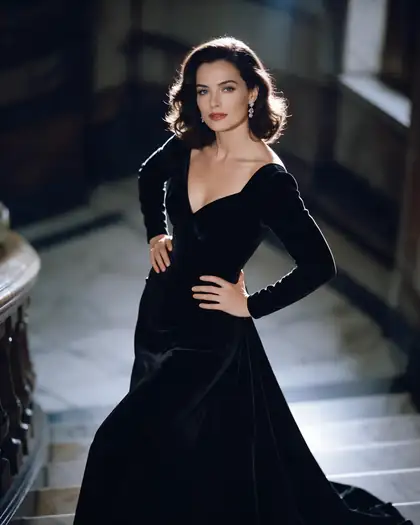
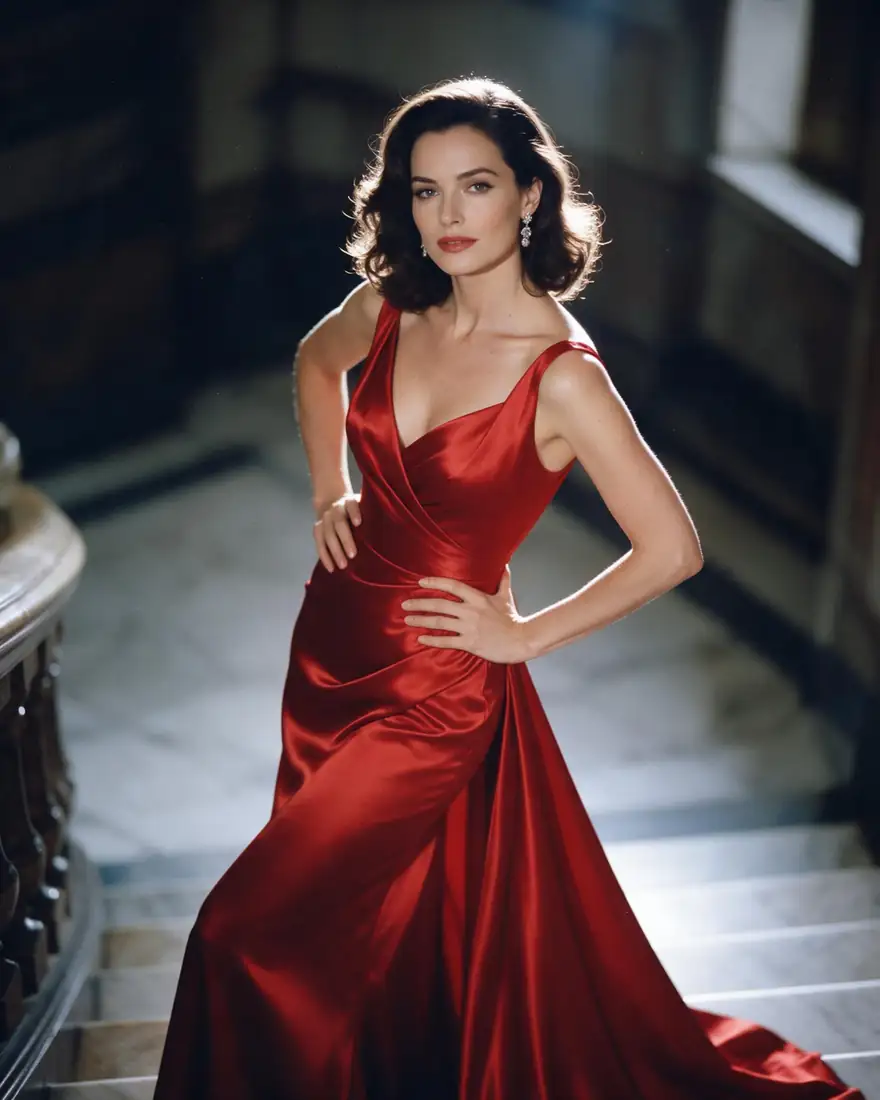
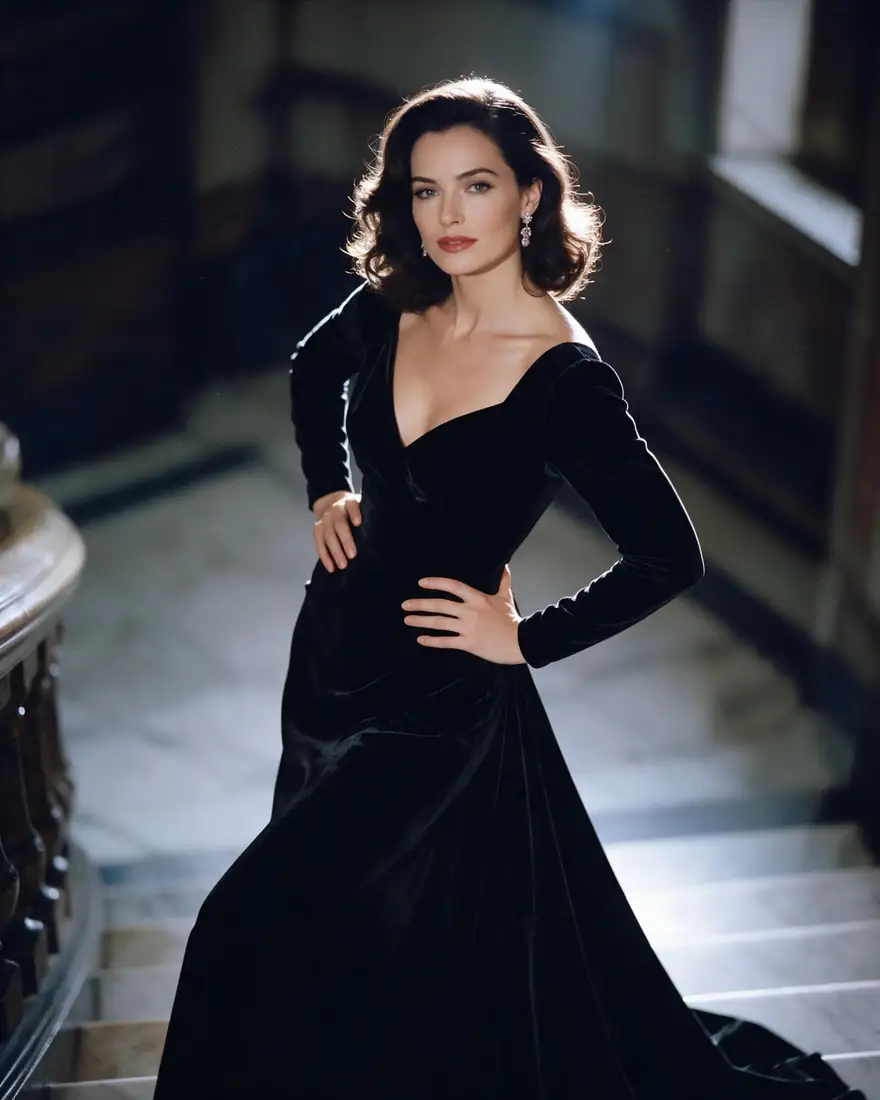
  1. Before: woman in a red gown on a staircase. After: the same woman in a black velvet gown — before
    Before: woman in a red gown on a staircase. After: the same woman in a black velvet gown — after
    BeforeAfter

    01Outfit

    New outfit, same person

    One sentence swapped the red satin for black velvet. Face, hair, pose and the staircase stayed put because the prompt said so.

    Prompt
    Change her red satin gown to a black velvet gown with long sleeves. Keep her face, hair, pose, the staircase and the lighting exactly the same.

    Seedream 5.0 Pro edit · 2K

    Edit a photo like this
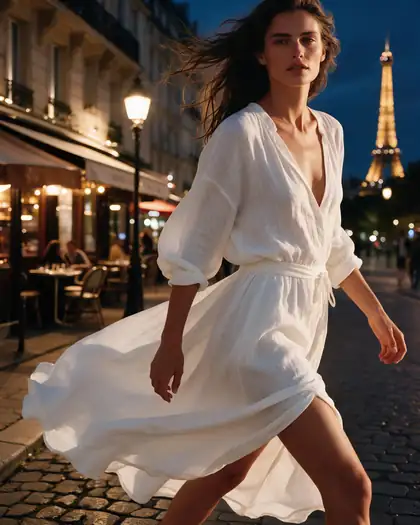
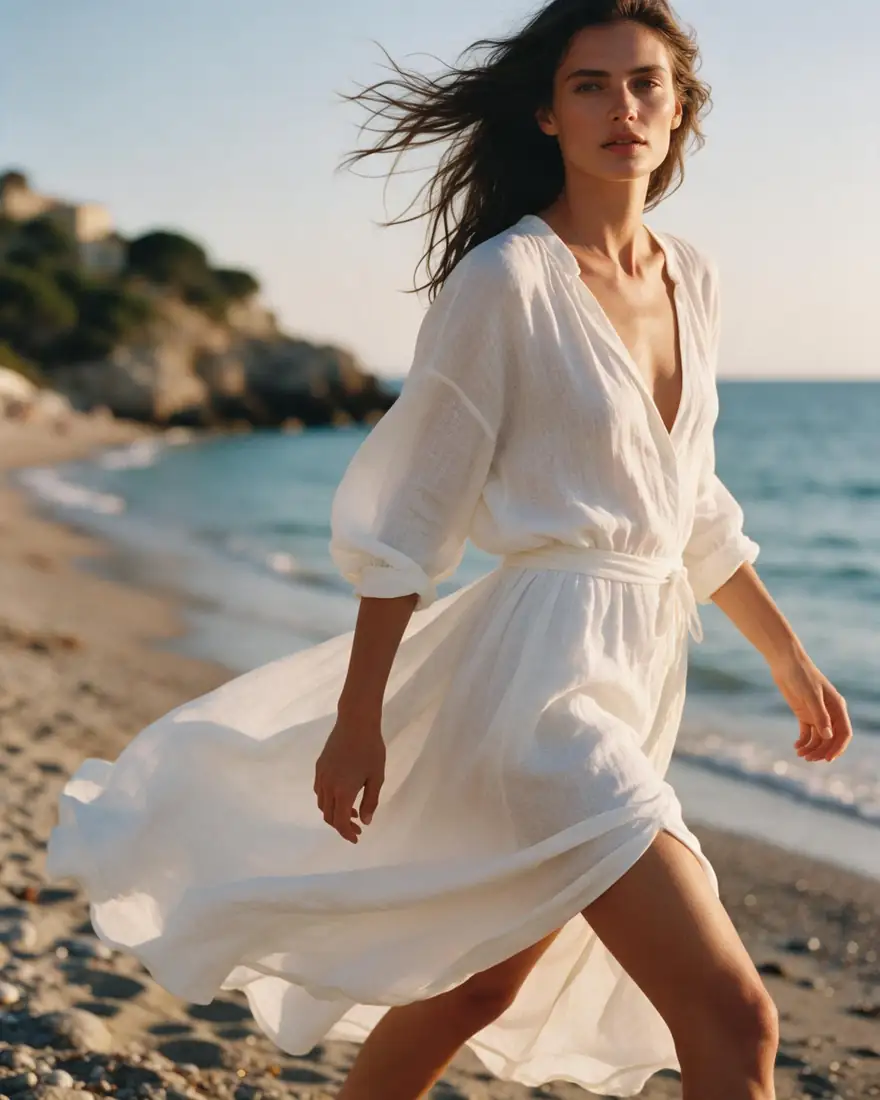
  2. Before: woman on a beach. After: the same woman on a Paris street at night — before
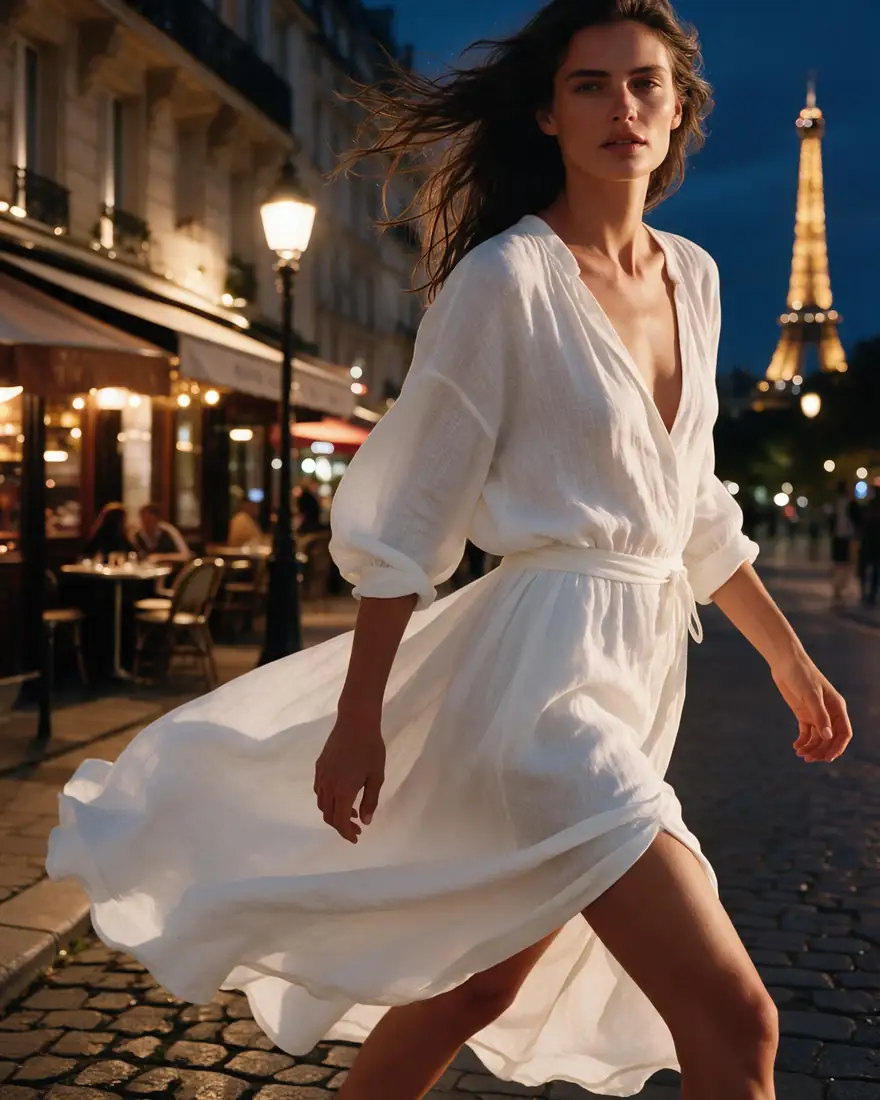
    Before: woman on a beach. After: the same woman on a Paris street at night — after
    BeforeAfter

    02Background

    From the beach to Paris at night

    The subject stays; the world around her changes, with lighting that matches the new scene.

    Prompt
    Replace the beach background with a Paris street at night with warm cafe lights and the Eiffel Tower in the distance. Keep the woman, her dress and her pose unchanged.

    Seedream 5.0 Pro edit · 2K

    Edit a photo like this
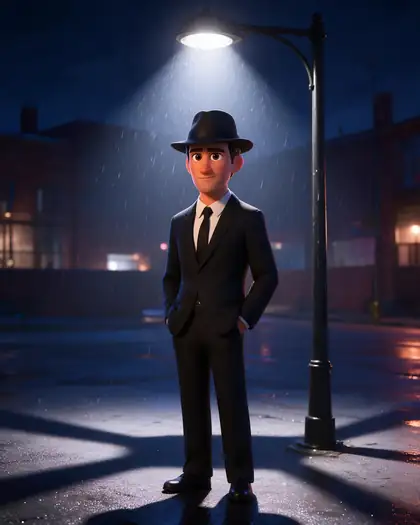
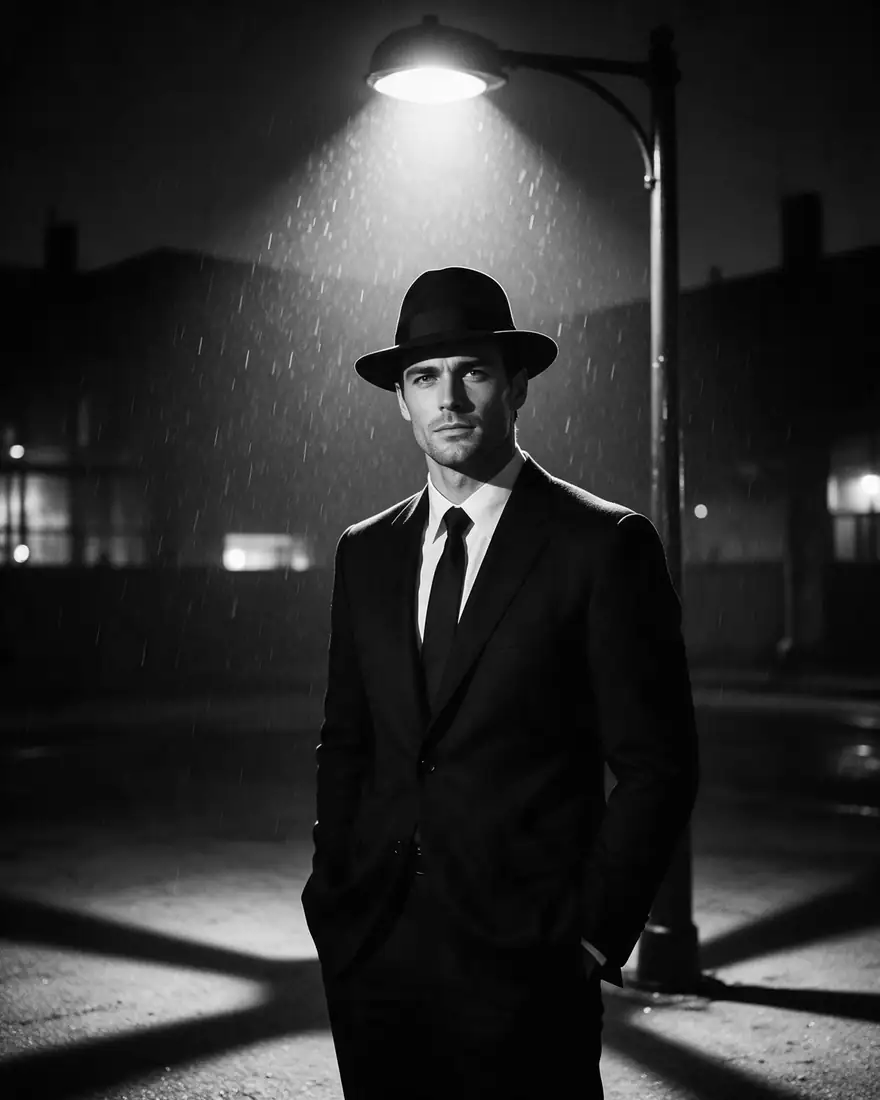
  3. Before: black-and-white film noir photo of a man in a fedora. After: colourful 3D animated version — before
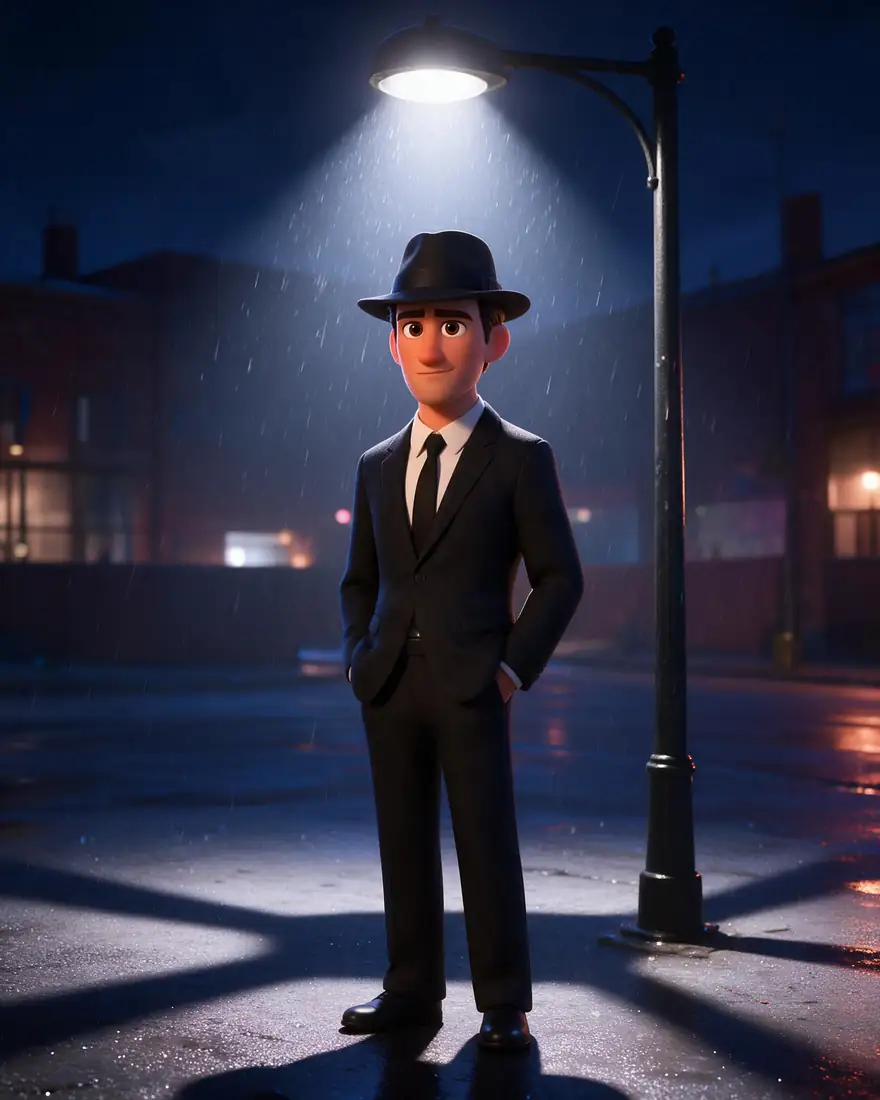
    Before: black-and-white film noir photo of a man in a fedora. After: colourful 3D animated version — after
    BeforeAfter

    03Style

    Photo to 3D animation

    Keep the composition, change the medium — film noir in, colourful 3D render out.

    Prompt
    Turn this photo into a colorful Pixar-style 3D animated render. Keep the man, the suit, the fedora and the street lamp composition.

    Seedream 5.0 Pro edit · 2K

    Edit a photo like this
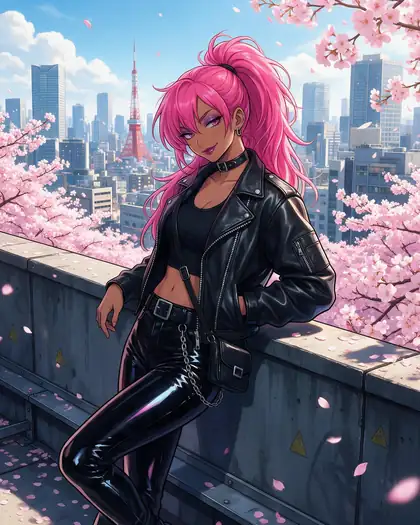
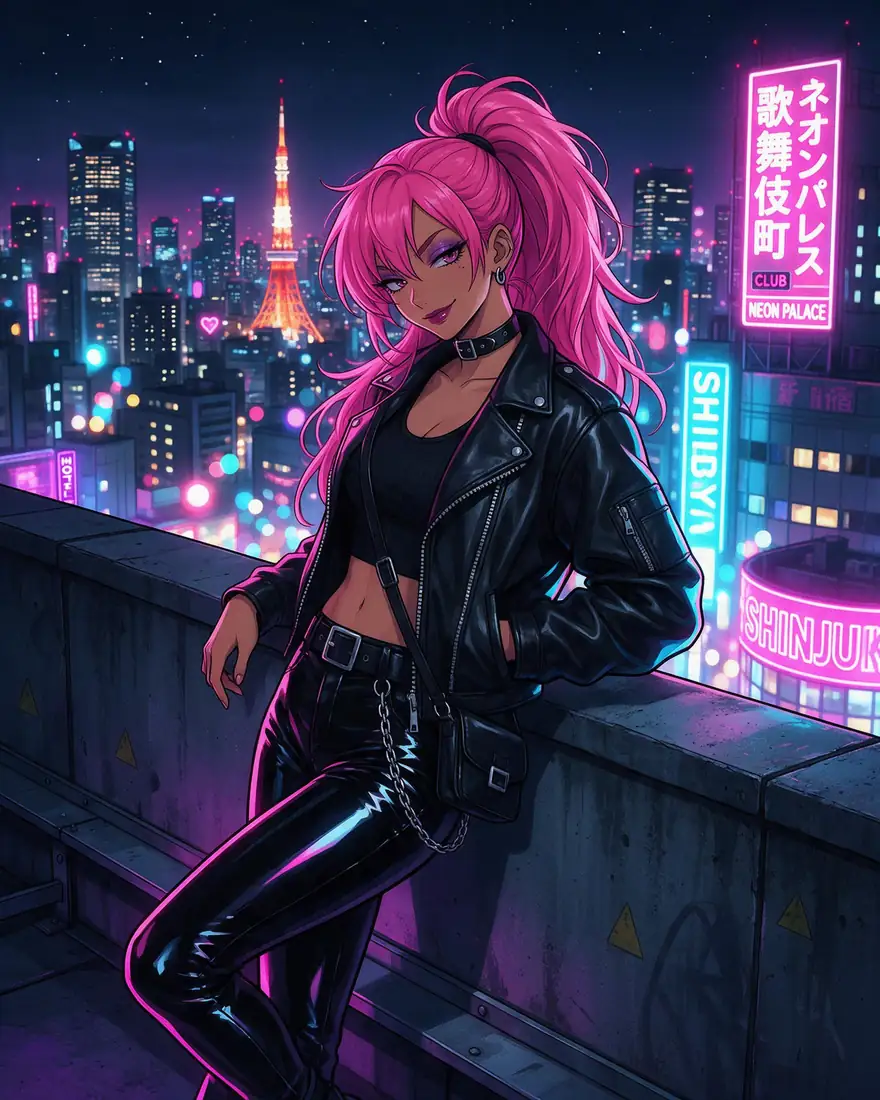
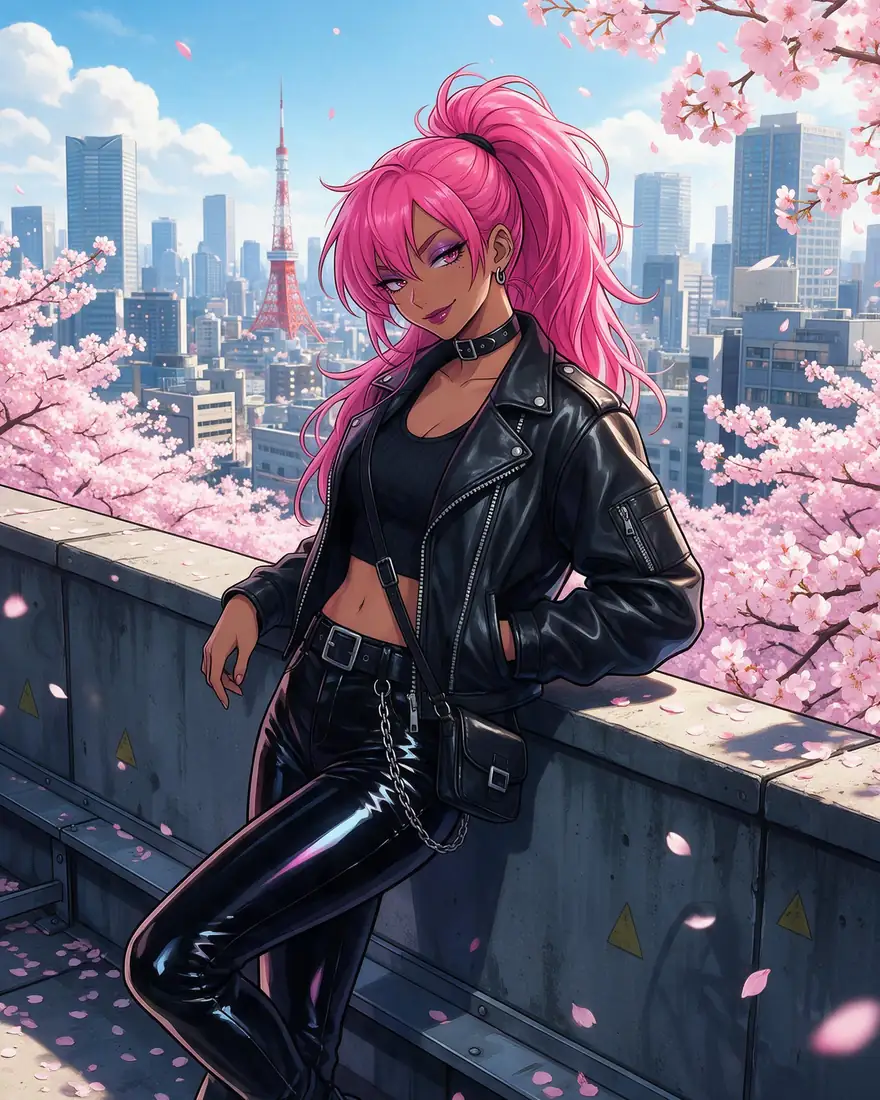
  4. Before: anime woman on a neon rooftop at night. After: the same scene on a sunny afternoon with cherry blossoms — before
    Before: anime woman on a neon rooftop at night. After: the same scene on a sunny afternoon with cherry blossoms — after
    BeforeAfter

    04Lighting

    Night becomes day

    Time of day, weather and season are one instruction away.

    Prompt
    Make it a sunny spring afternoon with pink cherry blossoms instead of the neon night. Keep the same character, outfit and pose.

    Seedream 5.0 Pro edit · 2K

    Edit a photo like this
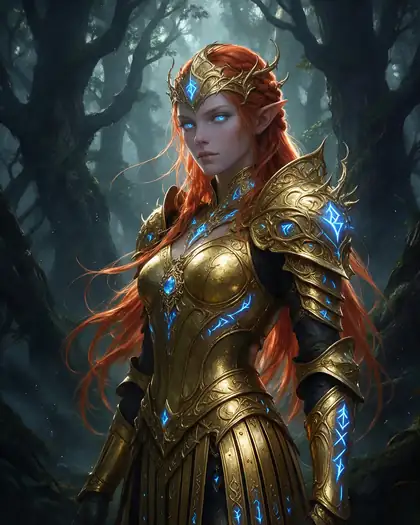
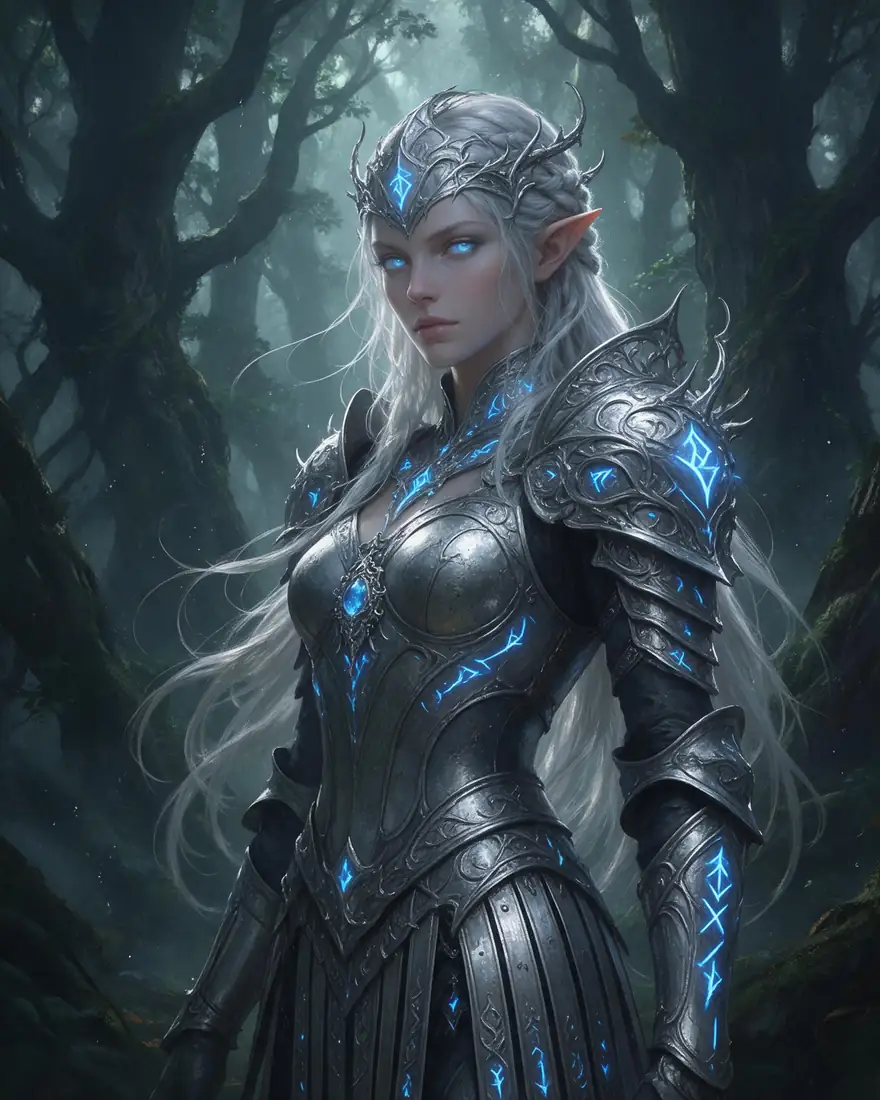
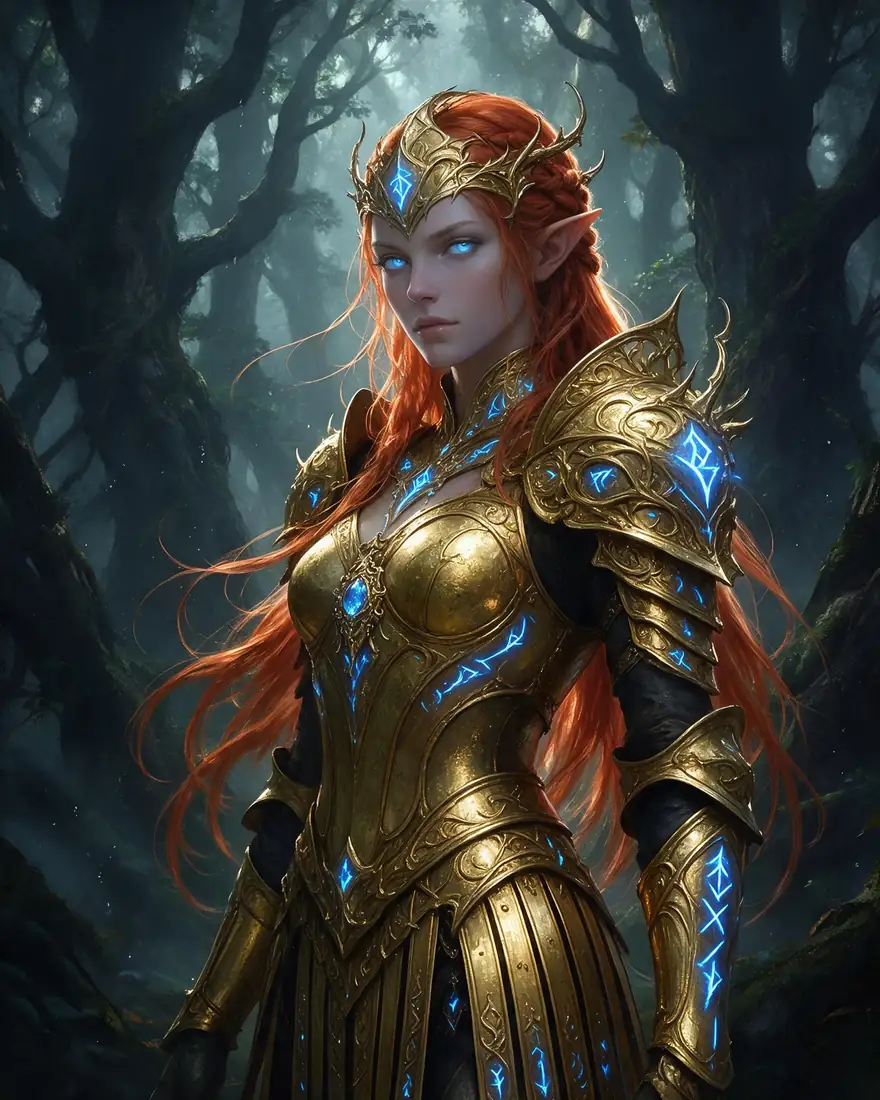
  5. Before: elf with silver hair and armour. After: copper-red hair and gold armour — before
    Before: elf with silver hair and armour. After: copper-red hair and gold armour — after
    BeforeAfter

    05Colour

    Recolour hair and outfit

    Change colours without repainting the whole character.

    Prompt
    Change her hair to fiery copper red and her armor to polished gold. Keep her face, the runes and the forest unchanged.

    Seedream 5.0 Pro edit · 2K

    Edit a photo like this
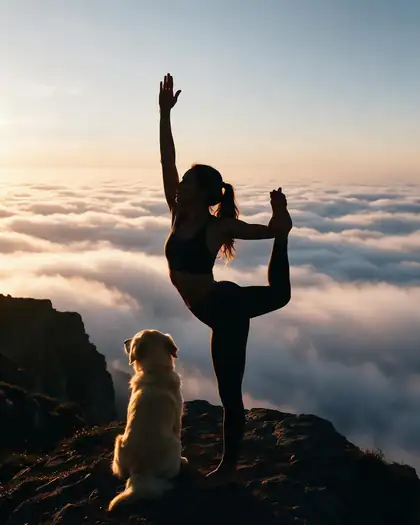
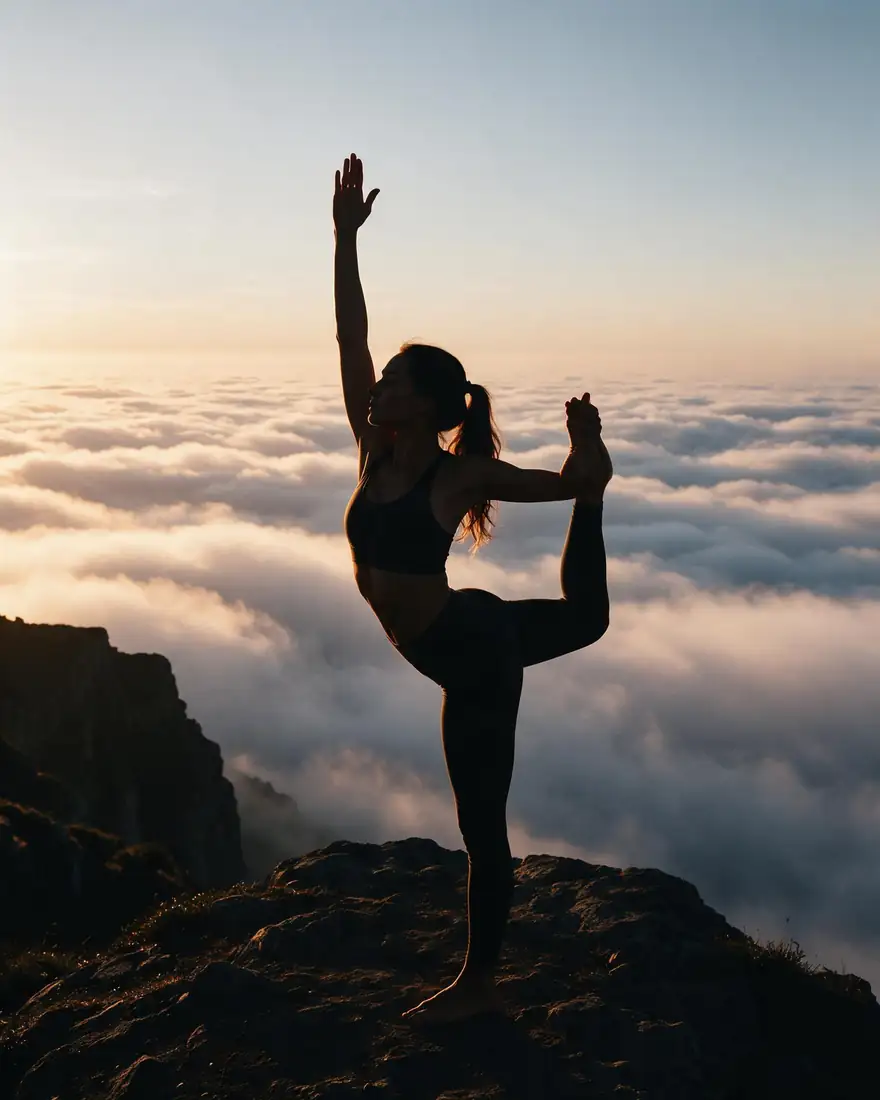
  6. Before: woman in a yoga pose on a cliff. After: a golden retriever sitting beside her — before
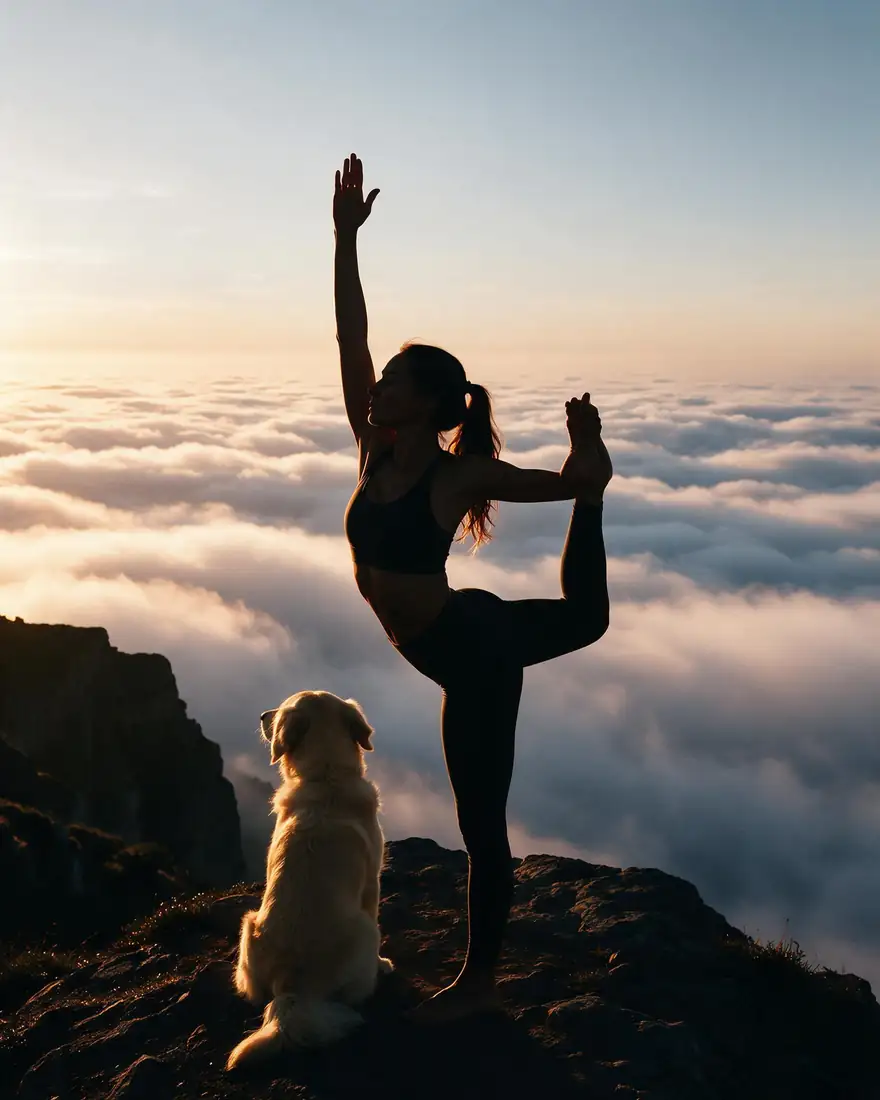
    Before: woman in a yoga pose on a cliff. After: a golden retriever sitting beside her — after
    BeforeAfter

    06Add object

    Add something to the scene

    New objects arrive in the same light and perspective as the rest of the photo.

    Prompt
    Add a golden retriever sitting calmly next to her on the cliff, lit by the same sunrise. Change nothing else.

    Seedream 5.0 Pro edit · 2K

    Edit a photo like this

Multi-image edit

Combine two photos into one scene

Upload more than one image and describe how they fit together. Seedream 5.0 Pro takes up to 10 references; GPT Image 2 up to 16.

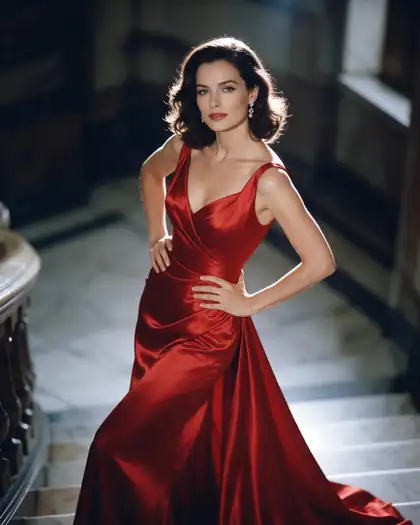
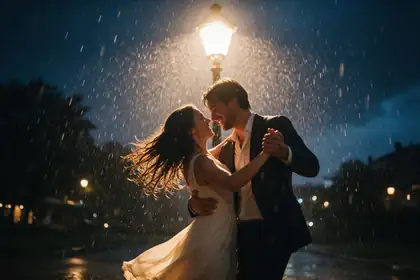
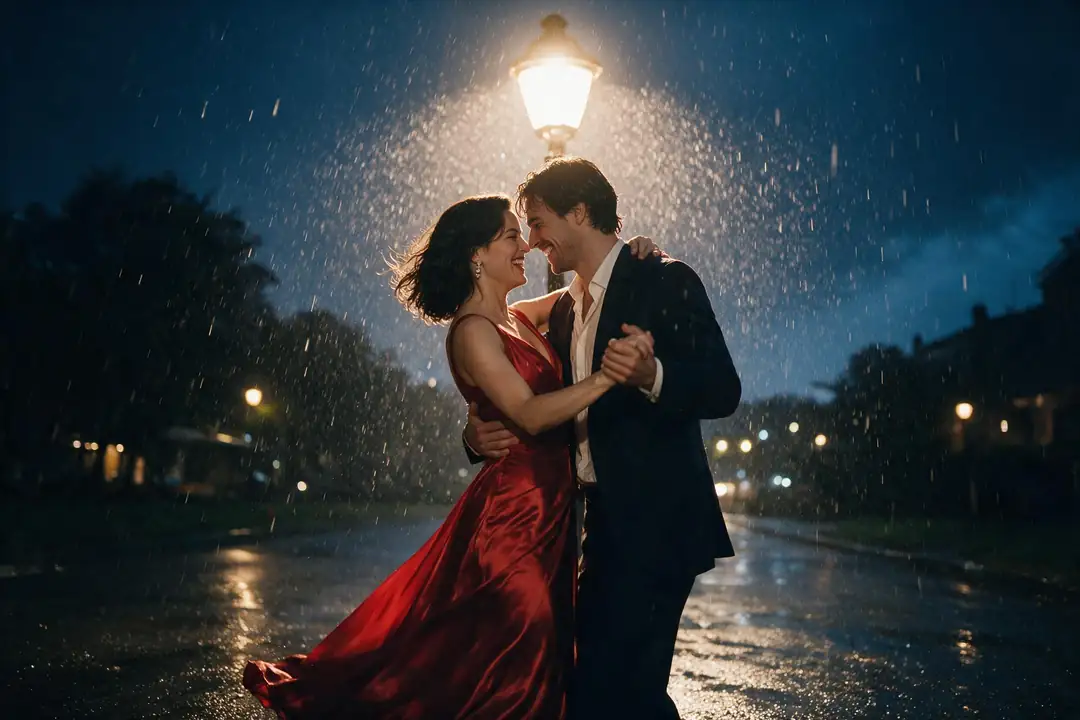
Woman in a red satin evening gown on a marble staircase, soft rim lightCouple dancing in the rain under a street lamp at nightTwo references combined: the woman in the red gown dancing in the rainy street scene
Prompt
Place the woman in the red gown from the first image into the rainy street scene from the second image, dancing with the man under the street lamp. Match the rain and lighting.
Try a two-image edit

Seedream 5.0 Pro edit · 2K

How to

How to edit a photo with AI (18+)

Four steps, all in the browser.

  1. Step 1: Sign up free

    Create an account and verify your email — you get 25 credits. Adult edits are for users 18 and older.
  2. Step 2: Upload the image

    Open the image generator and drop, paste or upload the picture. Seedream 5.0 Pro takes up to 10 images, GPT Image 2 up to 16, each up to 50 MB.
  3. Step 3: Describe the change

    Write one clear instruction and say what to keep: “Change the red dress to black velvet. Keep her face, hair and pose.”
  4. Step 4: Compare, keep private, download

    Check the result against the original, switch on Private if you don't want it in the public feed, and download — no watermark.

Models

Which model should you edit with?

Open any model in the generator, or Edit Studio for brush tools.

Which model should you edit with?
ModelReference imagesMax sizeGood forOpen
Seedream 5.0 ProByteDanceUp to 102KKeeps faces and layout well — the edits on this pageOpen
GPT Image 2OpenAIUp to 164KPrecise edits and text; OpenAI's filter appliesOpen
Nano Banana 2GoogleUp to 14Standard sizesFast multi-image edits; Google's filter appliesOpen
Qwen Image 3.0AlibabaFree planUp to 32KGood text editsOpen
Flux 2 DevBlack Forest Labs (open weights)Free planUp to 32048 pxOpen weights; strength sliderOpen
Change RegionEdit Studio · Z-Image inpaintBrush maskKeeps sizeRepaint only the area you brushOpen
Remove BG · UpscaleEdit Studio—Upscale to 4K / 8KFinish: cut out, then enlargeOpen

Closed models (OpenAI, Google, ByteDance) run their own content filters and may refuse explicit edits. Open-weight models such as Flux 2 Dev follow the instruction more literally. Child-safety terms are blocked on every model.

Edit Studio

Finishing tools after the edit

Cut out the subject, enlarge the result or erase a stranger — real Kenerate results.

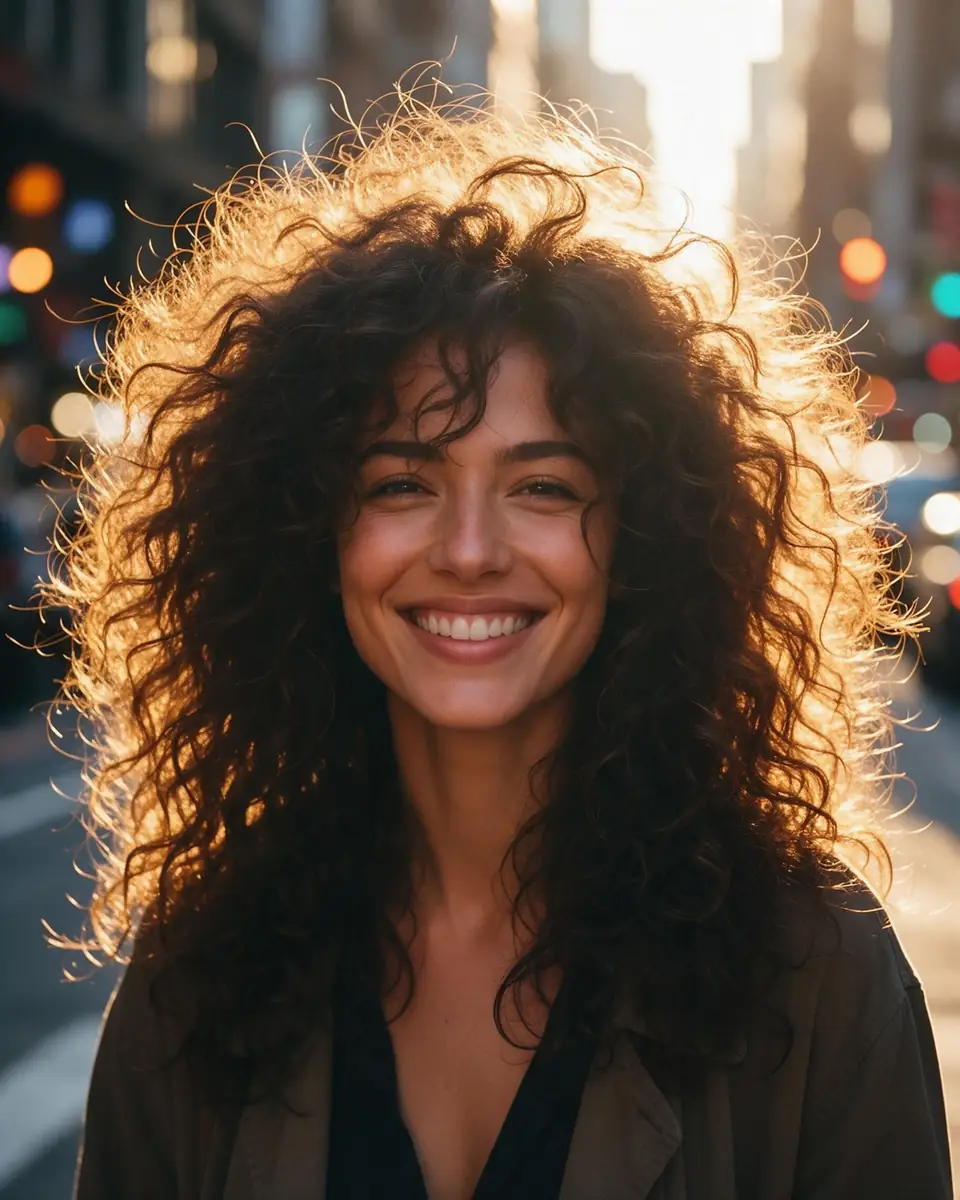
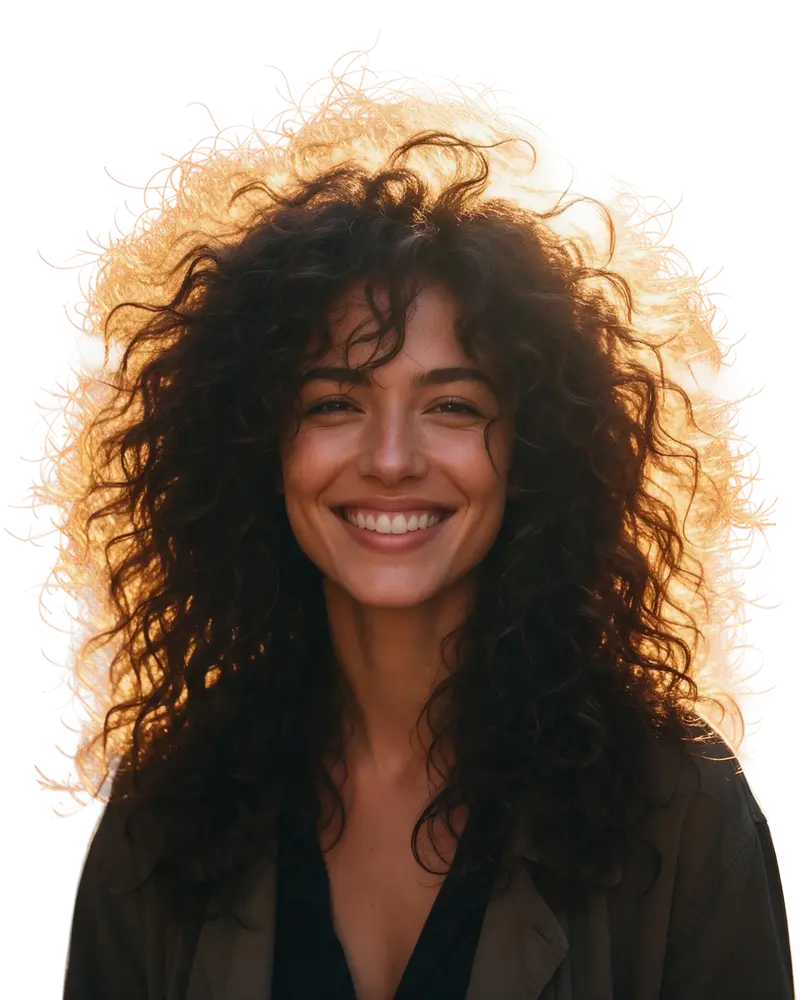
  • Woman with big curly backlit hair on a city street — before
    Woman with big curly backlit hair on a city street — after
    BeforeAfter

    Remove background

    Hair-level cut-outs

    Backlit curls separated strand by strand, exported as a transparent PNG.

    Kenerate Cutout HD

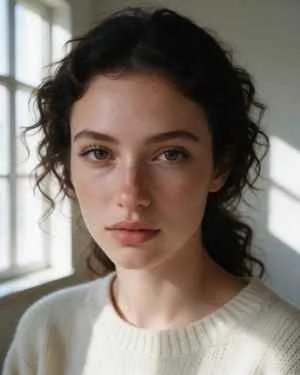
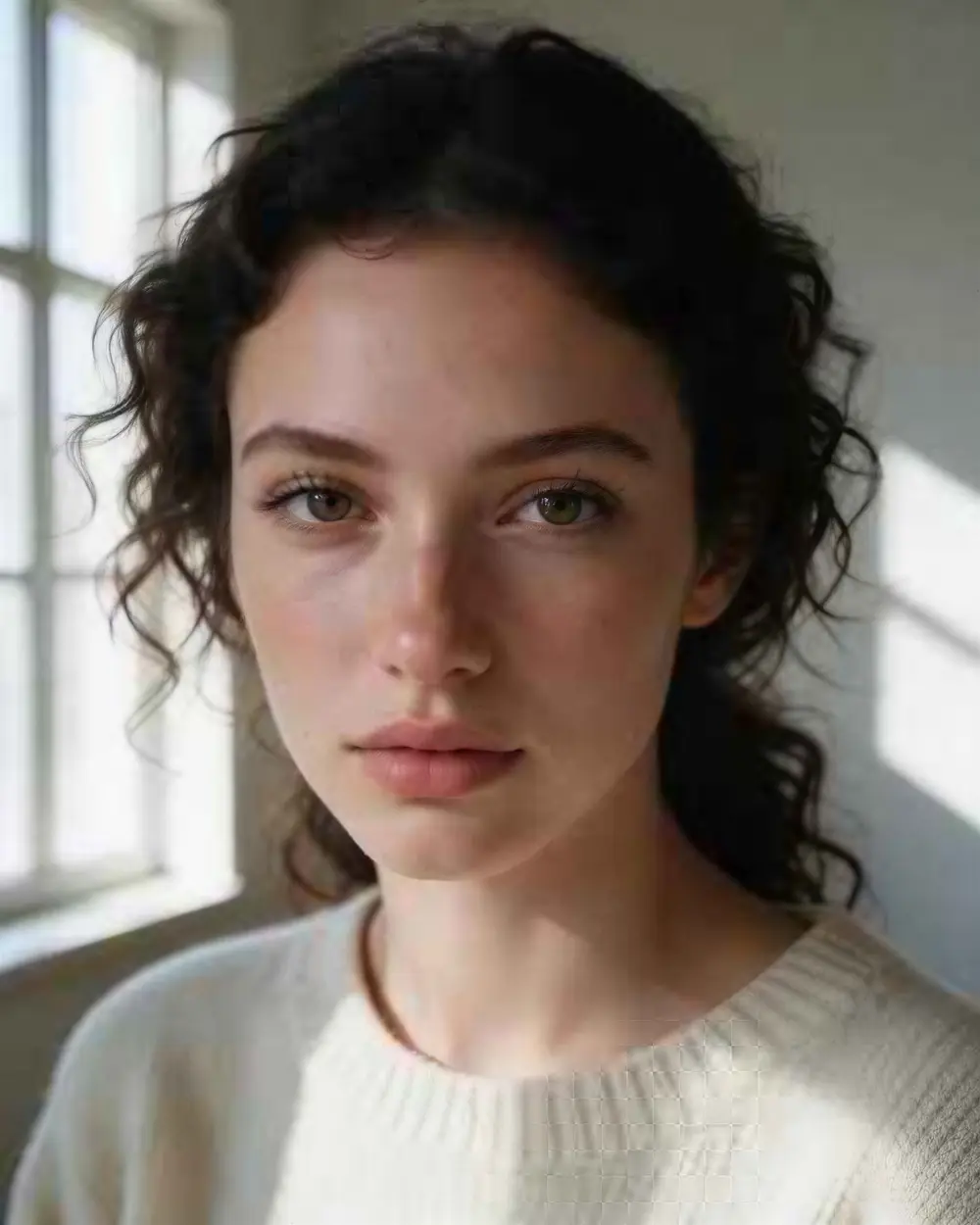
  • Close-up portrait of a young woman with freckles and dark curly hair — before
    Close-up portrait of a young woman with freckles and dark curly hair — after
    BeforeAfter

    Upscale

    300 px to 4K

    A tiny portrait enlarged to 3664 × 4579 — sharper, and still the same person.

    Image Upscaler · 300 px JPEG → 4K · 3664 × 4579

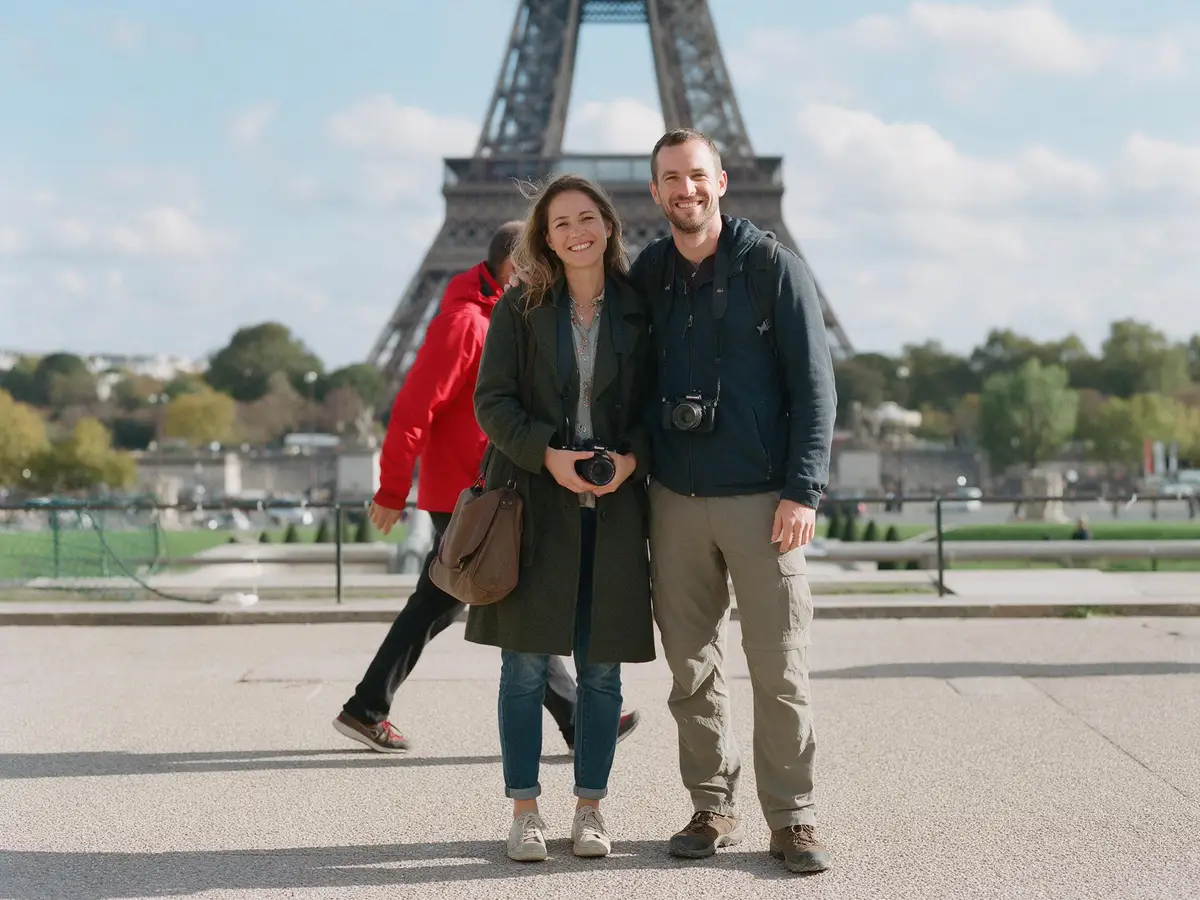
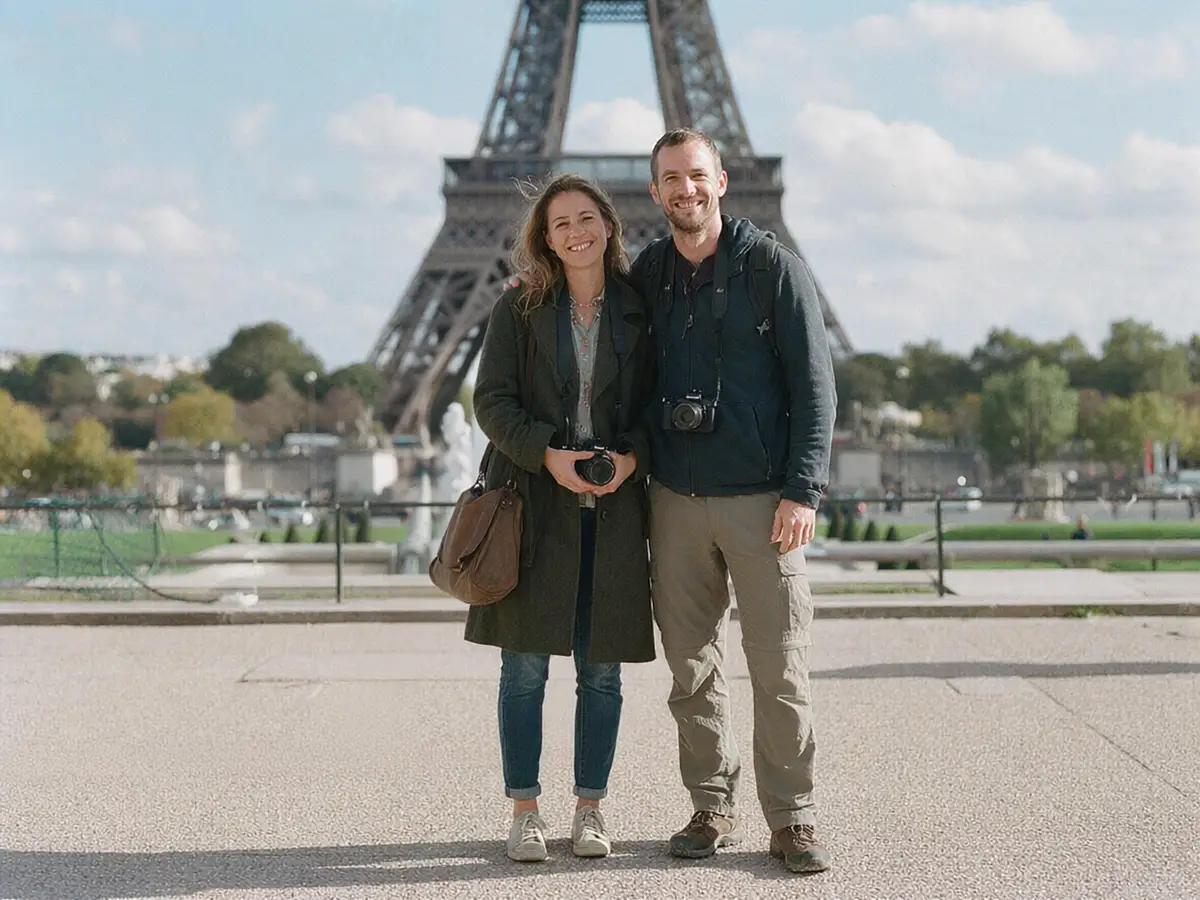
  • Couple at the Eiffel Tower with a stranger in a red jacket walking behind them — before
    Couple at the Eiffel Tower with a stranger in a red jacket walking behind them — after
    BeforeAfter

    Remove objects

    Photobomber, gone

    A stranger erased from a travel photo and the background rebuilt.

    AI Edit

Bahasa Indonesia

Edit foto 18+ dengan AI, gratis untuk mulai

Unggah foto, tulis perubahan yang kamu mau — misalnya ganti baju, ganti latar belakang, atau ubah gaya jadi anime — dan AI mengeditnya dalam beberapa detik. Akun baru dapat 25 kredit gratis, tanpa watermark, dan langsung jalan di browser HP, jadi tidak perlu unduh aplikasi.

Khusus pengguna 18 tahun ke atas. Gunakan hanya untuk karakter fiktif atau gambar buatanmu sendiri, dan jangan mengedit foto orang lain menjadi konten dewasa.

Mulai edit foto

Rules and privacy

Adult edits are for fictional adults and images you made yourself.

  • 18+ and fictional adults only

    Adult prompts are for adults. Every character you create must be a fictional adult.

  • Blocked and not allowed

    Kenerate's prompt filter blocks prompts involving minors on every model, and it can't be switched off. Sexual images of real people aren't allowed.

  • Blurred by default

    Results flagged as adult are shown blurred in your gallery grid.

  • Private switch

    Turn on Private in Advanced settings to keep a generation out of the public feed.

Have a photo to change? Your first 25 credits are free.

Start free

Start editing free

25 free credits on sign-up, then one-time credit packs shared across every Kenerate tool. Credits never expire.

  • 25 free credits on sign-up

    Test on your own images before you buy anything.

  • Credits never expire

    One-time packs — use them this week or next year.

  • No subscription, no watermark

    Nothing to cancel. Free results download clean.

  • One balance, every tool

    The same credits work across images, video, voice and 3D.

In depth

AI photo editing, explained

How instruction editing works, how to keep faces, and which models suit adult edits.

How text-instruction editing works

Classic editors need masks and layers. Instruction-based editors take the image plus a sentence and redraw only what the sentence asks for. The idea was popularised by InstructPix2Pix in 2022, which trained a diffusion model on pairs of images and written edit instructions so it could follow a request like “make it winter” without per-image tuning [1].

Today's models go further: Seedream 5.0 Pro and GPT Image 2 accept several reference images at once, so you can put a person from one picture into the scene of another. When you need pixel-level control, a brush mask (Change Region in Edit Studio) limits the change to the area you paint.

Getting edits that keep the face

Identity drift is the most common complaint. What helps:

  • Say what must stay: “keep her face, hair and pose exactly the same”.
  • Change one thing per run — outfit first, then background.
  • Work at 2K when the face is small in the frame.
  • Compare with the original before you download; run it again if the face has shifted.

Open vs closed models for adult edits

Every closed model reaches Kenerate through its provider, and providers keep their own safety filters: GPT Image (OpenAI), Nano Banana (Google) and Seedream (ByteDance) may decline explicit edits even though Kenerate doesn't block adult themes. Open-weight models such as Flux 2 Dev, which is also on the free plan, follow the instruction more literally.

Keeping adult edits private

Switch on Private in Advanced settings before you generate and the edit stays out of the public feed. Adult-flagged results show blurred in your own gallery grid, and results are deleted after 7 days unless you save them to the cloud — download what you want to keep. Only edit fictional characters or images you created yourself.

Tried it? Tell us how it went

We only publish real, verified reviews — never invented quotes. Send a line about your result (and whether we may quote you), and it will appear here.

Send a review

FAQ

18+ AI image editor questions

8 questions

Still stuck?

A real person answers — usually within a day.

01

Is there a free 18+ AI photo editor?

Yes, to start. A free Kenerate account gets 25 credits. Free-plan accounts can edit with Flux 2 Dev and Qwen Image 3.0; Seedream 5.0 Pro and GPT Image 2 need a one-time credit pack, and credits never expire.

02

Is there an 18+ photo editing app to download?

There's nothing to install. Kenerate runs in your phone or computer browser — open kenerateai.com/app/image, upload a photo and type the change.

03

What can I change with a text instruction?

Outfits, backgrounds, hair colour, lighting, time of day and art style, or add and remove objects. Edit Studio adds brush tools — Change Region, Magic Eraser, Remove BG, Upscale and more.

04

Will the edit keep the face the same?

Usually, if you say so in the prompt (“keep her face, hair and pose”) and change one thing at a time. Seedream 5.0 Pro and GPT Image 2 hold identity best; always compare with the original.

05

Which models work for adult edits?

Kenerate doesn't add an adult-content filter, but closed models — GPT Image, Nano Banana, Seedream — run their provider's own filters and may refuse explicit edits. Open-weight models such as Flux 2 Dev follow the prompt more freely.

06

Can I edit a photo of someone else?

Not into sexual or nude content — that isn't allowed on Kenerate. Edit fictional characters or images you made yourself. Kenerate's filter also blocks prompts involving minors.

07

Are my edits private?

Turn on Private in Advanced settings to keep an edit out of the public feed. Adult-flagged results show blurred in your gallery grid, and results are kept for 7 days unless you save them to the cloud.

08

Does it add a watermark?

No. Free and paid edits download without a watermark.

See more of Kenerate AI in your Google resultsAdd kenerateai.com as a preferred source — Google shows more from your preferred sources in Top Stories and AI answers.

Explore

Every Kenerate image tool

Generators, design tools, photo edits, models and comparisons — all in one studio, on one credit balance.

Written by the Kenerate AI team

We build and run the Kenerate image generator and Edit Studio. Every edit here is a real, SFW Seedream 5.0 Pro result on one of our own images; facts about the app were checked against its code. Last updated 27 September 2026. Corrections: hello@kenerateai.com.

Sources

Ready when you are

Edit your first photo free

25 free credits on sign-up. 18+ only. No watermark, nothing to install.

  • 25 free credits
  • No watermark
  • Credits never expire