

Comic panel generator · comic strip maker
AI Comic Generator for Panels, Strips & Webtoons
Write what happens in each panel and what everyone says, and get a finished, lettered comic — a single panel, a four-panel strip, a vertical webtoon, a manga page or a cover — with the words in the speech bubbles.
- Multi-panel pages
- Text in bubbles
- Manga to webcomic
- No watermark
Updated by the Kenerate AI team




Made with Kenerate
On this page
Quick answer

What is an AI comic generator?
An AI comic generator turns a written script into finished comic panels: you number the panels, describe the action and put the dialogue in quotes, and the model draws them with speech bubbles, captions and sound effects. On Kenerate AI it works as a comic panel generator (one panel at a time) and an AI comic strip maker (2×2 strips, three-panel strips, vertical webtoons). GPT Image 2.5 Sunburst lettered every test correctly; Qwen Image 3.0 is on the free plan.
Key facts
- Best model
- GPT Image 2.5 Sunburst
- Free-plan model
- Qwen Image 3.0 (strip tested)
- Free credits
- 25 on sign-up
- Dense lettering
- GPT Image 2
- Same character
- Character sheet as a reference
- Panels per image
- Up to 4 tested
- Layouts tested
- Panel, 2×2 strip, 3-panel strip, webtoon, manga page, cover, character sheet
- Watermark
- None
Gallery
Panels, strips, webtoons and covers
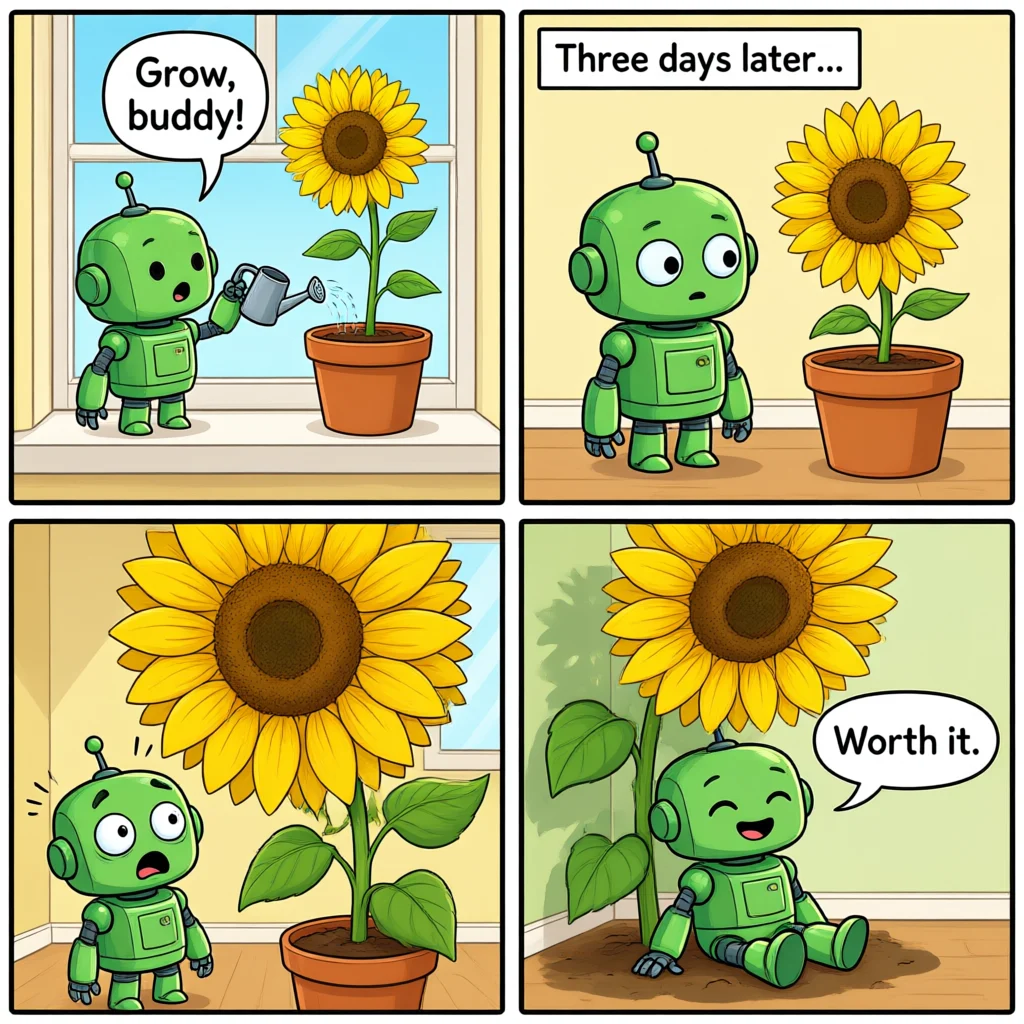
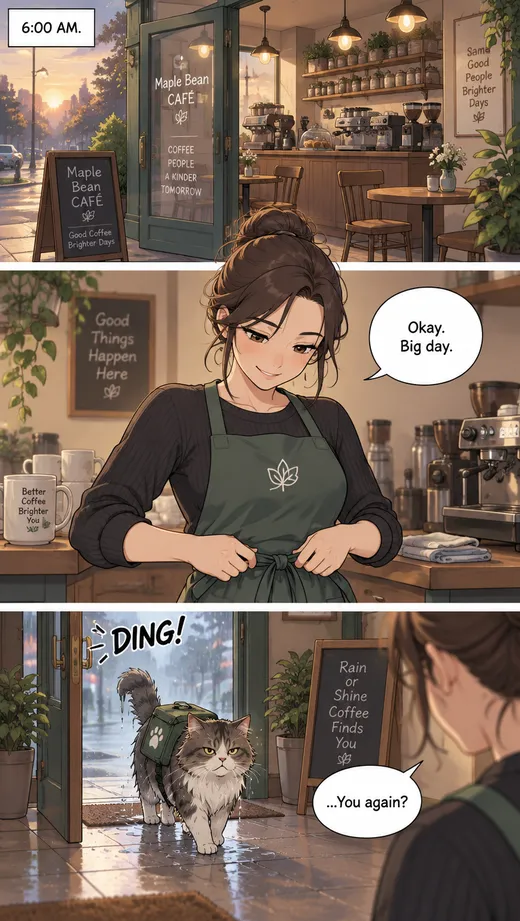
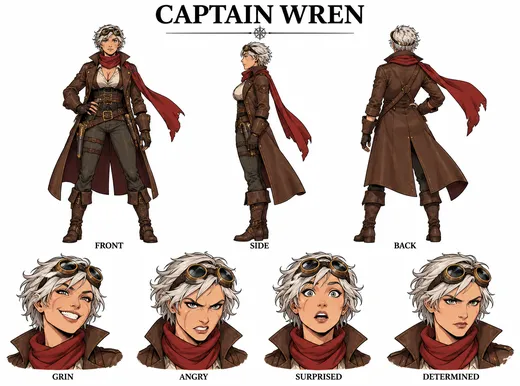
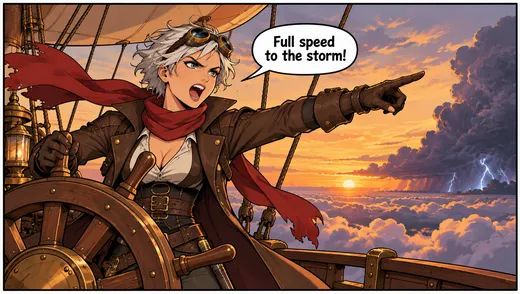
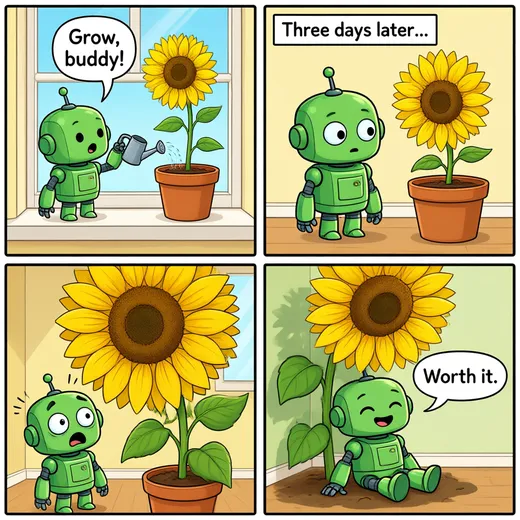
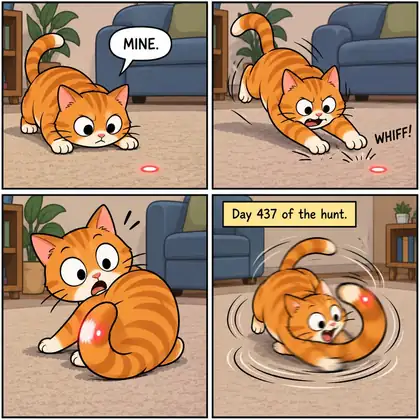
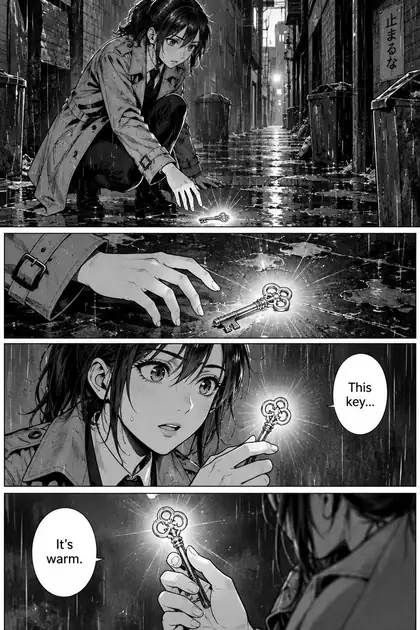
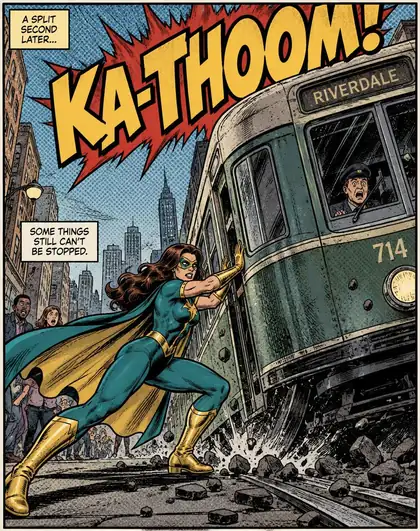
Nine real outputs, one prompt each — eight from GPT Image 2.5 Sunburst and one robot strip from Qwen Image 3.0 on the free plan. Open any one to copy the prompt.
How to
How to use the AI comic generator
- Time needed
- Steps
- 4 steps
Step 1
Pick a model
In /app/image: GPT Image 2.5 Sunburst for clean lettering, GPT Image 2 for dense text, or Qwen Image 3.0 on the free plan.
Step 2
Write the panels
Layout first, then “Panel 1: … Panel 2: …” with every line of dialogue in quotes.
Step 3
Choose a shape
1:1 for a 2×2 strip, 16:9 for a three-panel strip or a wide panel, 2:3 for a page or cover, 9:16 for a webtoon.
Step 4
Download
No watermark.
See it in the app

Open Image Studio and type what you want to see — subject, style, lighting and mood.


Watch the tour · 1:23
Prompts, styles, references, edit, Arena & chat
Chapters
Tips
Comics that read right
What worked in our tests.
Number the panels: “Panel 1: … Panel 2: …”.
Put every line of dialogue in quotes.
Keep bubbles short — under ten words each.
Name the layout: 2×2 grid, three horizontal panels, one splash panel.
Name the style: manga screentone, American halftone, flat webcomic.
Use original characters, not existing ones.
Models
Models for comics
What each model is good at. Open any one straight in the generator.

OpenAI
GPT Image 2.5 Sunburst
- Reference images
- Up to 16
- Output
- 1K–4K
Open GPT Image 2.5 SunburstBest for
Accurate text in images

Google
Nano Banana 2
- Reference images
- Up to 14
- Output
- Up to 1536 px
Open Nano Banana 2Best for
Keeps a character across pages with references
- Free plan

Alibaba
Qwen Image 3.0
- Reference images
- Up to 3
- Output
- 1K · 2K
Open Qwen Image 3.0Best for
Free plan; lettered our 2×2 strip correctly
Example uses
How creators use AI comic generator
Illustrative examples of typical workflows, not customer reviews.
Webcomic creator
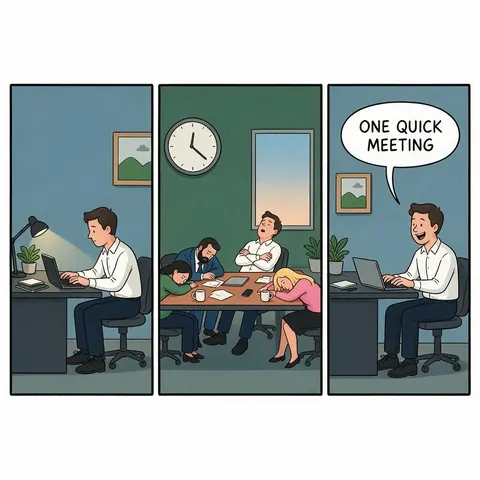
A webcomic creator writes three panels with dialogue in quotes and posts a strip a week.
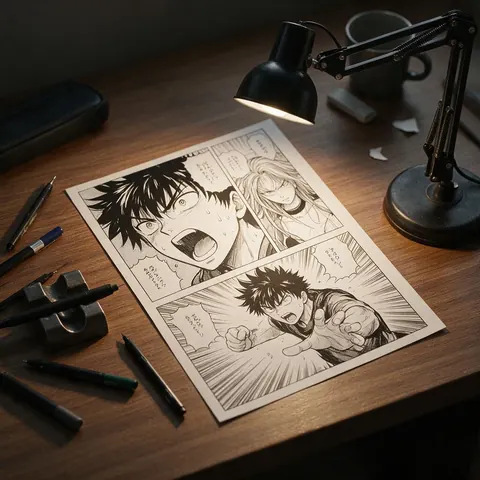
Manga artist
A manga artist drafts page layouts with screentone and speed lines before inking by hand.
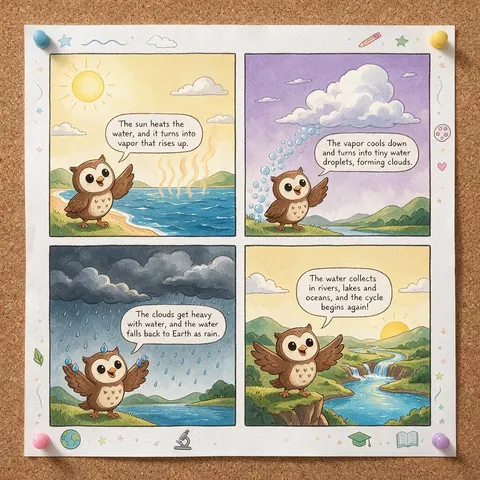
Teacher
A teacher turns a short lesson into a four-panel comic with original characters for the class.
FAQ
AI Comic Generator questions
9 questions

Can AI make a comic with speech bubbles?
Yes. Describe each panel and put every line of dialogue in quotes; GPT Image 2.5 Sunburst drew readable speech bubbles, captions and sound effects in our tests. Keep each bubble under ten words, number the panels — “Panel 1: … Panel 2: …” — and name the layout. GPT Image 2 is the alternative for denser lettering.
Link to this answerHow many panels can one image have?
Four worked well in our tests, such as the 2×2 cat and robot strips on square images. Three horizontal panels on 16:9 made a clean webcomic, three stacked panels on 9:16 made a webtoon scroll, and a 2:3 page suited manga. For longer stories, make one page at a time and keep the same character description, or upload earlier pages as references.
Link to this answerWhat is a comic panel generator?
A comic panel generator draws one panel at a time — a single scene with its speech bubble, caption or sound effect — instead of a whole page. It's the most controllable way to build a comic: you can redo one panel without touching the rest, then lay the panels out yourself. On Kenerate, ask for “a single comic panel”, give the shot (wide, close-up, low angle) and put the dialogue in quotes; the superhero splash and the airship panel above were made that way.
Link to this answerHow do I make a comic strip with AI?
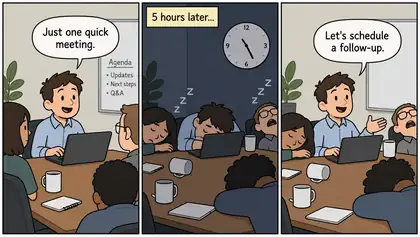
Use the AI comic strip maker structure: name the layout (“four-panel comic strip in a 2×2 grid” or “three horizontal panels”), then write Panel 1 to Panel 4 as setup, beat, turn and punchline, with each line of dialogue in quotes and under ten words. Pick 1:1 for a 2×2 strip or 16:9 for a three-panel row. The robot strip above was a first try on the free plan, with every bubble and caption lettered as written.
Link to this answerCan it make a vertical webtoon?
Yes. Ask for “vertical webtoon scroll, three panels stacked top to bottom with white gutters” and pick 9:16. GPT Image 2.5 Sunburst made the cafe webtoon above with every caption, bubble and sound effect lettered as written. For a longer episode, make several 9:16 images with the same character description and stack them in order.
Link to this answerHow do I keep the same character across pages?
Upload your first page or a character sheet as a reference and describe the character the same way each time. Nano Banana 2 accepts up to 14 references and is the pick for keeping a character across pages, while GPT Image 2.5 Sunburst accepts up to 16. Use original characters rather than existing ones, and reuse the exact style words too.
Link to this answerIs the AI comic generator free?
Yes, to start. A new Kenerate account gets 25 credits, and Qwen Image 3.0 — on the free plan — costs 9 credits per image, so you can make two comics free; the robot strip above is one. GPT Image 2.5 Sunburst, GPT Image 2 and Nano Banana 2 need a one-time credit pack (no subscription; credits never expire). Comics download with no watermark.
Link to this answerCan I make manga?
Yes. Ask for black and white with screentone shading and speed lines, and pick a 2:3 portrait shape for a manga page. GPT Image 2.5 Sunburst made a manga detective page with readable bubbles in our tests. Number the panels, put the dialogue in quotes and keep bubbles short so the lettering stays clean.
Link to this answerWhich model is best for a comic book?
GPT Image 2.5 Sunburst for most comic book pages — it lettered readable speech bubbles, captions and sound effects in our tests, from a superhero splash panel to a manga page. GPT Image 2 suits pages with denser lettering, and Nano Banana 2 is the pick for keeping the same character across pages with up to 14 reference images. All three download without a watermark.
Link to this answerIn depth
AI Comic Generator, explained
What works, what to avoid, and how to pick a model.
On this page
Writing prompts like a script
Comic prompts work best when written like a script: layout first, then each panel's action, then the exact dialogue. The model follows the order you give.
Comic layouts and the shape to pick
The aspect ratio decides how the panels fit. These are the shapes we tested on this page:
- Single panel or splash — 4:5 or 16:9. Best when one moment carries the joke or the action.
- 2×2 comic strip — 1:1. Four beats: setup, beat, turn, punchline.
- Three-panel strip — 16:9, panels side by side. The classic newspaper or webcomic row.
- Vertical webtoon — 9:16, three panels stacked with white gutters. Made for phone scrolling.
- Manga or comic page — 2:3, four panels. Ask for screentone and right-to-left reading for manga.
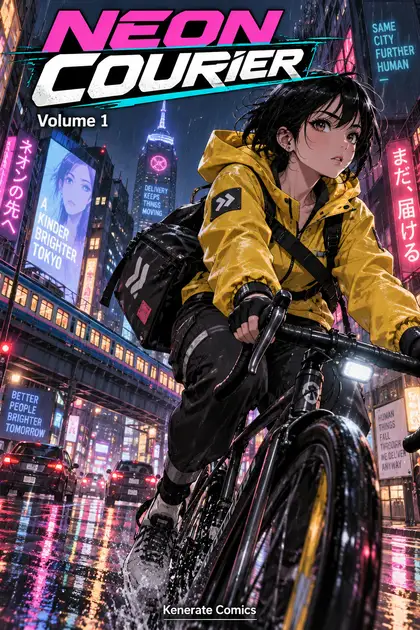
- Cover — 2:3 with a title, issue number and one hero image.
- Character sheet — 4:3: front, side and back views plus expressions, with labels.
Comic panel generator: build the story one panel at a time
Whole pages are quick, but single panels give you control. Generate each panel on its own, keep the ones that work and redo only the ones that don't. Give every panel a shot type — wide establishing shot, medium shot, close-up on the eyes, low angle — so the pacing reads like a comic and not a row of portraits.
Put sound effects in quotes too (“KA-THOOM!”, “DING!”) and say where they go; the models letter them as part of the art.
AI comic strip maker: a four-beat formula
Most short strips follow the same rhythm. Write one sentence per panel:
- Panel 1, setup: who, where, what they want — one short line of dialogue.
- Panel 2, beat: something happens or time passes — a caption box works well here.
- Panel 3, turn: the surprise — show it, with few or no words.
- Panel 4, punchline: the reaction, in five words or fewer.
AI comic generator with consistent characters
For a series, design the character once as a character sheet — front, side and back views plus a few expressions — then upload that sheet as a reference for every new panel and describe the character with the same words each time.
That is how the airship panel above was made: the Captain Wren sheet went in as the only reference, and GPT Image 2.5 Sunburst kept her silver hair, goggles, red scarf and brass-buttoned coat in a new scene. GPT Image 2.5 Sunburst takes up to 16 references and Nano Banana 2 up to 14, so you can add earlier panels for a recurring cast. For anime-style comics, ask for manga screentone on a 2:3 page.
What you can make free
A new account gets 25 credits. Qwen Image 3.0 is on the free plan at 9 credits an image, so that's two free comics — the robot strip above was one, with every bubble and caption spelled right. GPT Image 2.5 Sunburst, which handled the webtoon, the character sheet and the reference panel, needs a one-time credit pack.
By the Kenerate AI teamLast updated and reviewed
We build and run the Kenerate generator. Every example is a real output of the model named under it; models and presets were checked against the app's code.
Sources: Kenerate Image Studio · ImaStudio — AI comic generator (competitor page, read 1 Nov 2026)
