

Alibaba's Qwen team
Qwen Image Edit & Qwen Image 3.0 — Alibaba's image models, online
Qwen Image is Alibaba's image generation and editing family, known for text inside images. Edit a photo online with Qwen Image 3.0, Kenerate's default model on the free plan, or with Qwen-Image-Edit-2511 through Qwen Image 2512, with no GPU or ComfyUI setup.
- Latest
- Qwen Image 3.0 — announced 21 July 2026
- What it's for
- Images with real text: posters, infographics, UI mock-ups, multi-panel layouts
- Prompts
- Up to about 4,500 tokens; 12 languages
- Weights
- 3.0: API only at launch. The original Qwen-Image (Aug 2025) is open under Apache 2.0
- On Kenerate
- 3.0, 3.0 Pro, Max, 2.0, 2.0 Pro, 2512, original — 3.0 is the default
- Editing on Kenerate
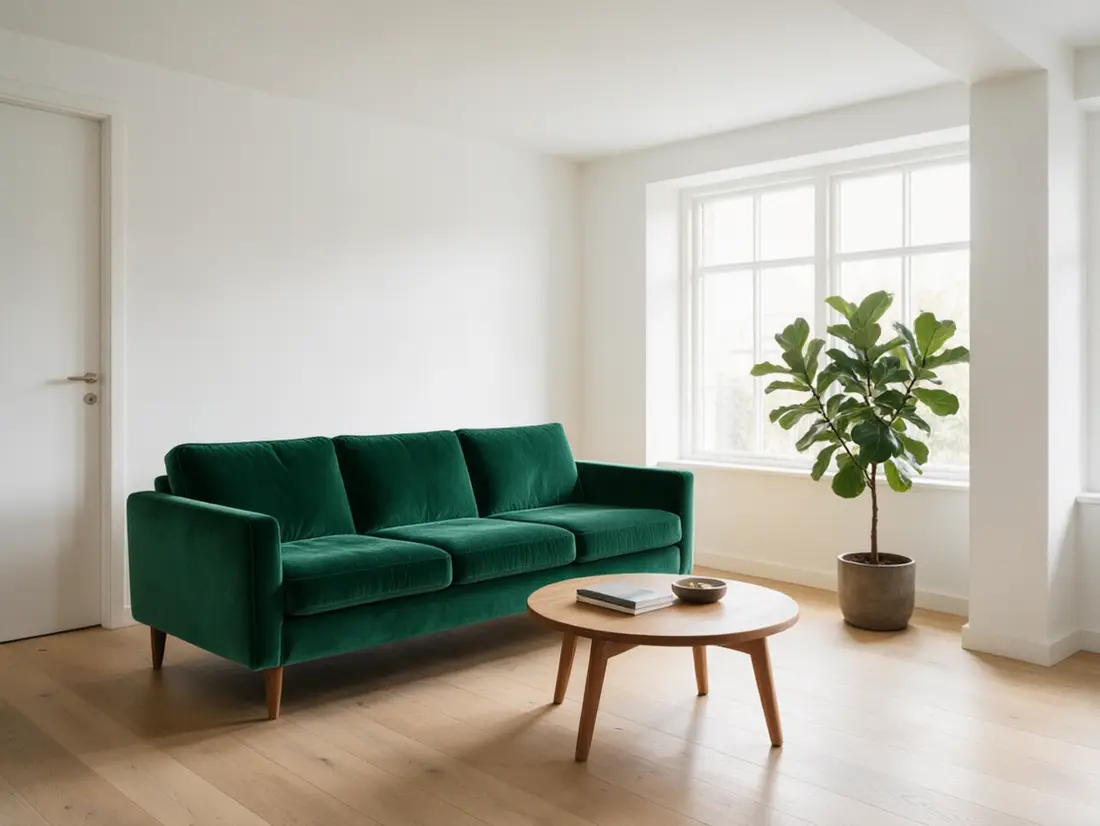
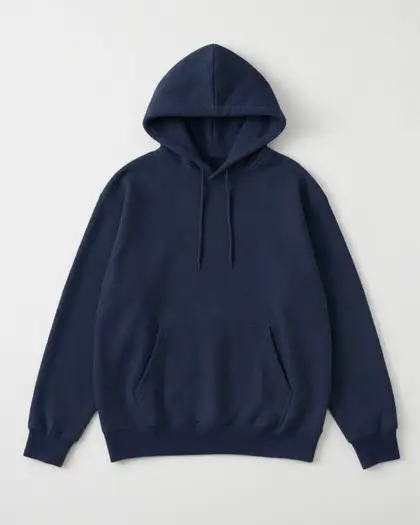
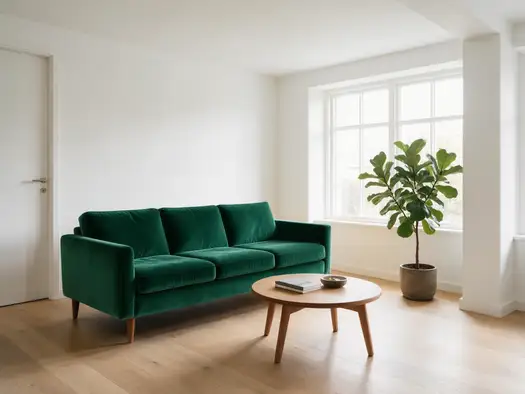
- Upload a picture and every version switches to its edit model: 3.0, 3.0 Pro and Max take up to 3 references, Qwen Image 2512 runs Qwen-Image-Edit-2511 with up to 3, the original takes 1


- Real outputs
- Official sources
- Free to start
- No watermark
Updated by the Kenerate AI team




Made with Kenerate


On this page
What is Qwen Image?

What is Qwen Image?
Qwen Image Edit is the editing side of Alibaba's Qwen Image family: you give it a picture and a plain-language instruction, and it changes what you describe while keeping the rest of the image. The open-weight line is Qwen-Image-Edit and its 2509 and 2511 updates; the latest generation, Qwen Image 3.0, announced on 21 July 2026, generates and edits in one hosted model. On Kenerate AI you edit in the browser with no GPU: Qwen Image 3.0 (the default model, on the free plan, 9 credits plus 0.9 per reference, up to 3), Qwen-Image-Edit-2511 through Qwen Image 2512 (6 credits, up to 3 references), or the original Qwen Image with one reference.
Key facts
- Maker
- Alibaba Qwen
- 3.0 announced
- 21 Jul 2026
- Prompt length
- Up to ~4,500 tokens
- Languages
- 12
- Output
- 1K or 2K
- References
- Up to 3
- Weights
- 3.0 API only · original Apache 2.0
- Free plan
- 3.0 · 2.0 · 2.0 Pro
- Editing
- 3.0 · 3.0 Pro · Max · Edit 2511 · original
Gallery
Qwen Image examples
Real outputs made on Kenerate. Open any image to copy its prompt and run it yourself.
Same prompt
Qwen Image 3.0 vs Flux 2 Dev vs Flux 2 Klein
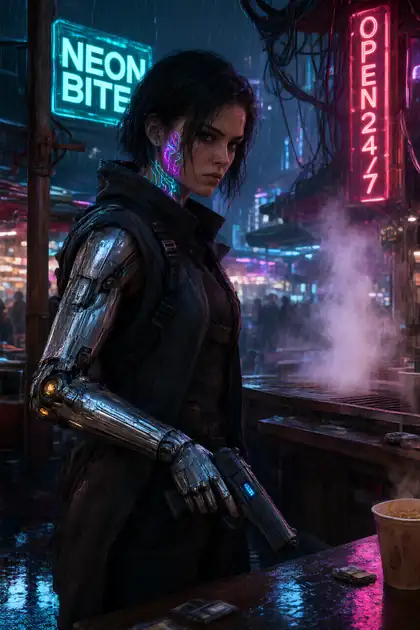
The same prompt on three free-plan models. Qwen Image 3.0 packs in the most scene detail.
PromptCyberpunk mercenary woman with neon tattoos and a chrome arm in a rainy night market, cinematic
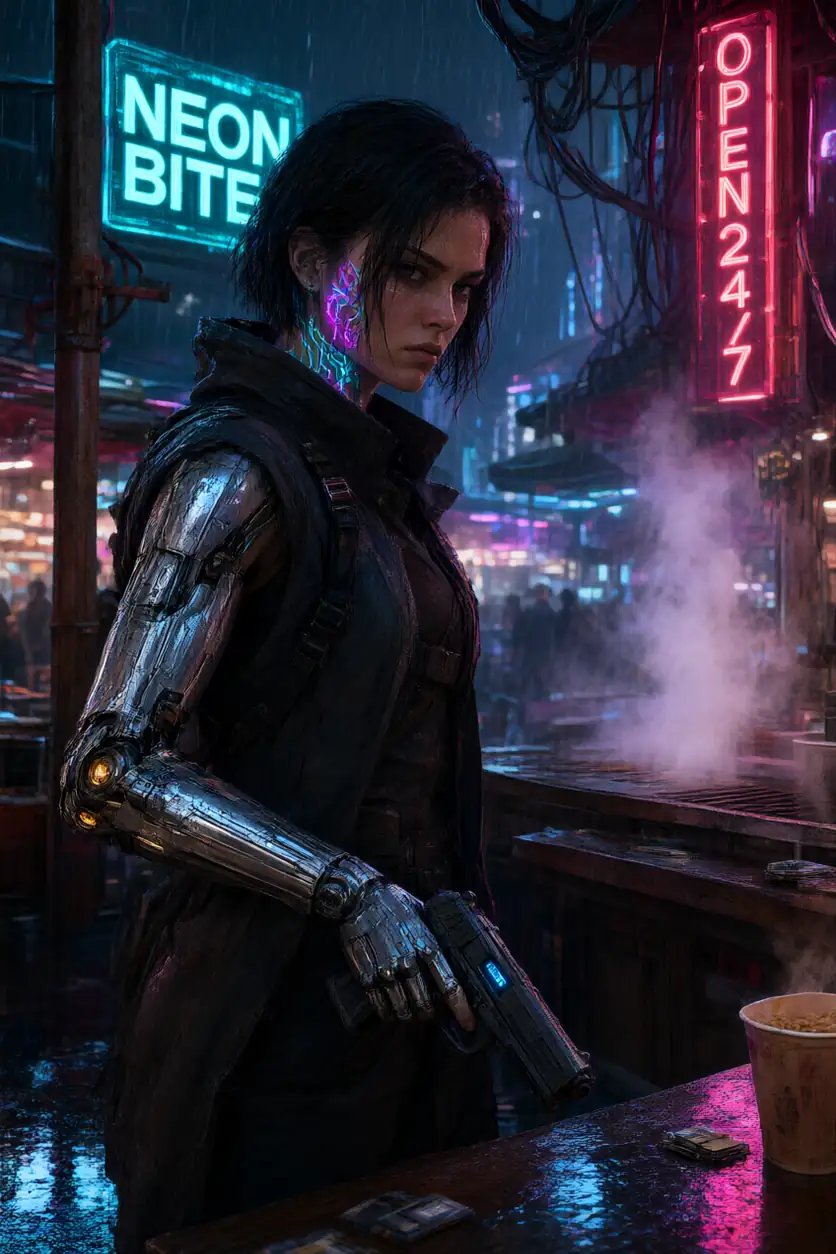 Qwen Image 3.0Free plan
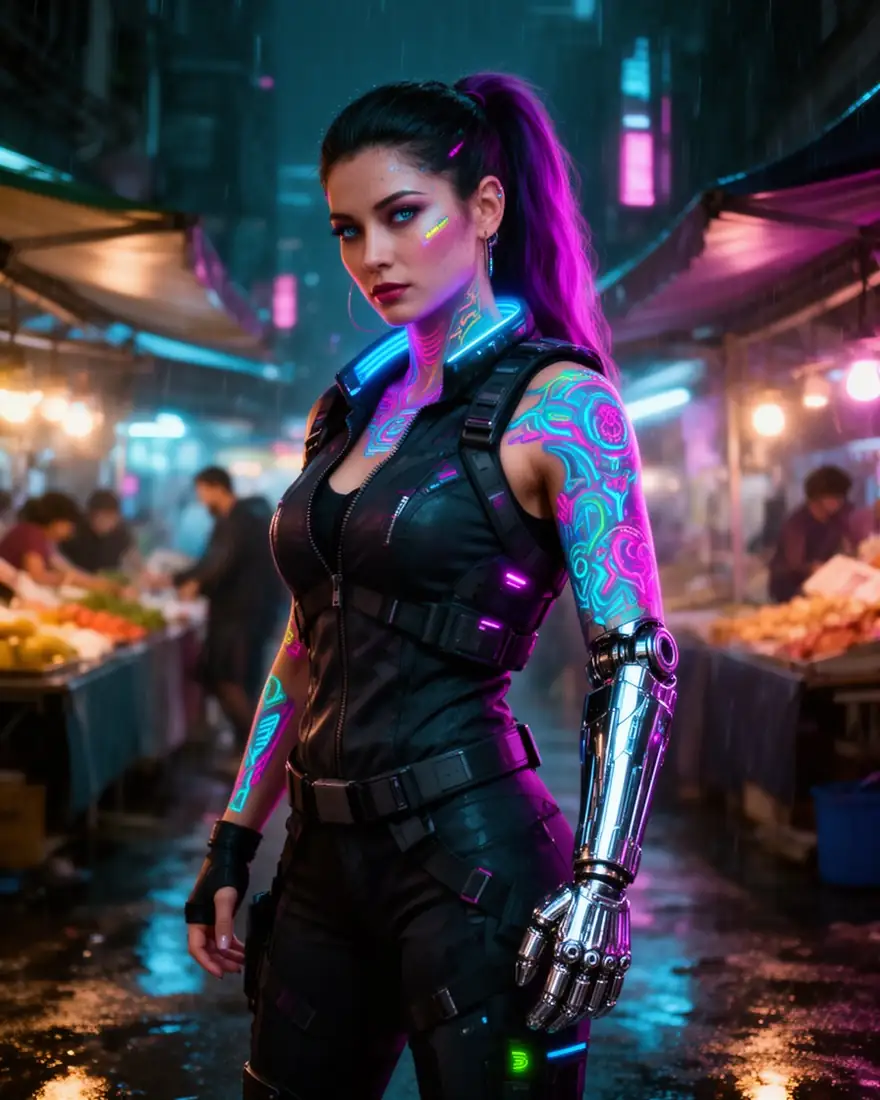 Flux 2 DevFree plan
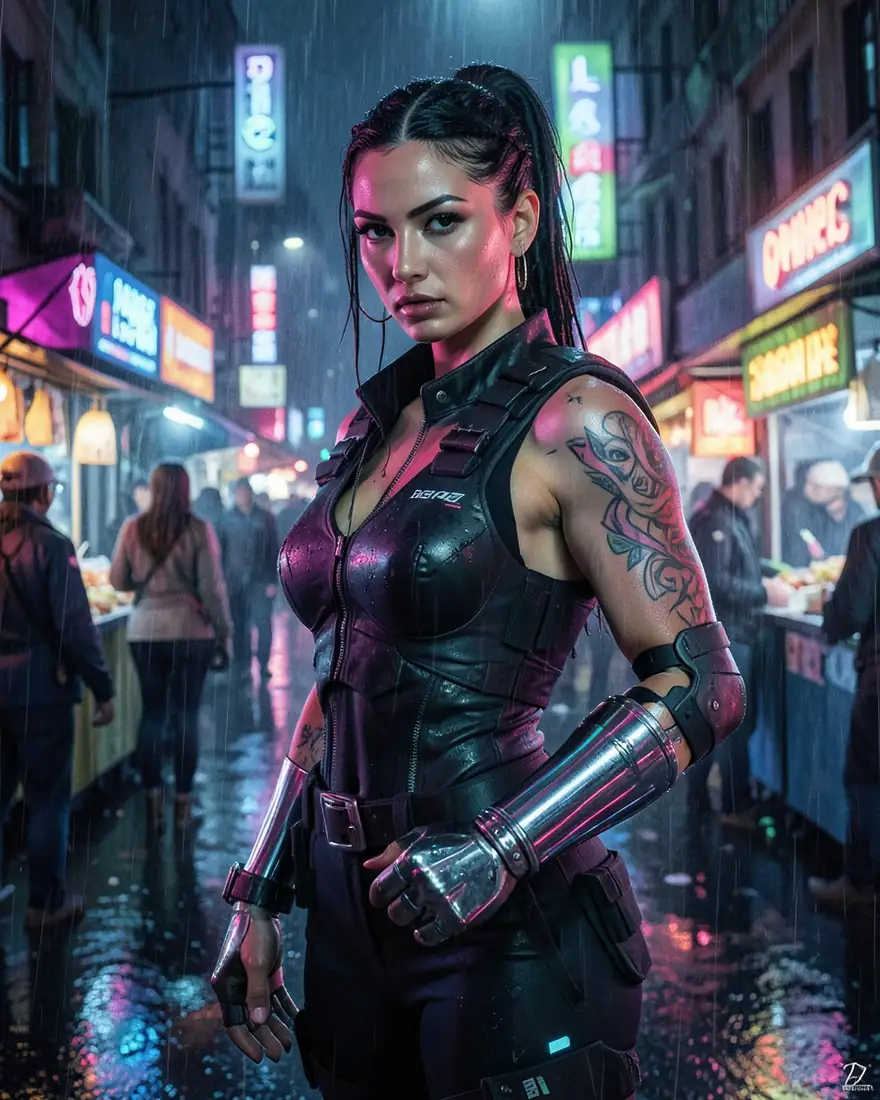 Flux 2 KleinFree plan
Models
Qwen Image on Kenerate
Every version in the generator, and what each is good at.
- Free plan

Alibaba
Qwen Image 3.0 Pro
- Reference images
- Up to 3
- Output
- 1K or 2K
Open Qwen Image 3.0 ProBest for
Sharper detail and text
Alibaba
Qwen Image Max
- Reference images
- Up to 3
- Output
- —
Open Qwen Image MaxBest for
Strongest prompt following
- Free plan
- Free plan
Alibaba
Qwen Image 2.0 Pro
- Reference images
- Up to 3
- Output
- —
Open Qwen Image 2.0 ProBest for
Previous-generation Pro
Alibaba
Qwen Image 2512
- Reference images
- Up to 3
- Output
- —
Open Qwen Image 2512Best for
Edits run Qwen-Image-Edit-2511
All models (7)
From our tests
Strengths and limits
Good at

- Packs a lot of scene detail into one image — busy markets, candlelit halls.
- Built for readable text in images: signs, posters, labels.
- The same price at 1K and 2K on Kenerate, and on the free plan.
- Handles long, structured prompts.
Limits
- Costs more than Flux 2 Dev for everyday images.
- Up to 3 reference images, fewer than Seedream (10) or GPT Image 2 (16).
- No model card or benchmark was published with 3.0.
- Kenerate's prompt box sends the first 800 characters, so keep edit instructions short.
How to
How to use Qwen Image on Kenerate
Step 1
Open Image Studio
Qwen Image 3.0 is already selected — it's the default and on the free plan. Sign in free for starter credits.
Step 2
Upload the picture
Add up to 3 images. An upload switches the model to editing.
Step 3
Describe only the change
Say what to change and what to keep: “Recolor only the sofa emerald green, keep the room exactly the same.” Put any new text in quotes.
Step 4
Pick the model and size
1K or 2K on 3.0 at the same price. Switch to Qwen Image 2512 for Qwen-Image-Edit-2511, or 3.0 Pro for sharper detail.
See it in the app

Open Image Studio and type what you want to see — subject, style, lighting and mood.


Watch the tour · 1:23
Prompts, styles, references, edit, Arena & chat
Chapters
Example uses
How creators use Qwen Image
Illustrative examples of typical workflows, not customer reviews.
Teacher
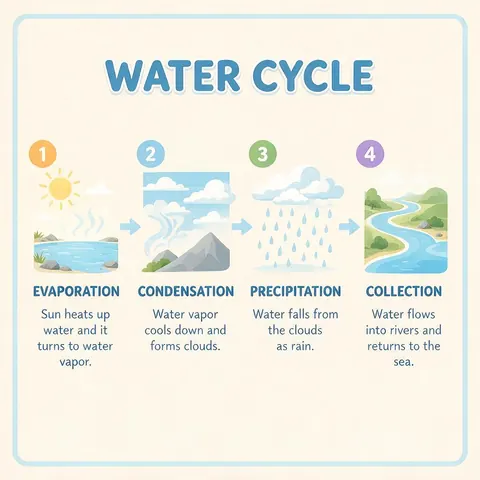
A teacher could describe a simple infographic section by section, with each label in quotes, and get it on the free plan.
Storyboard artist
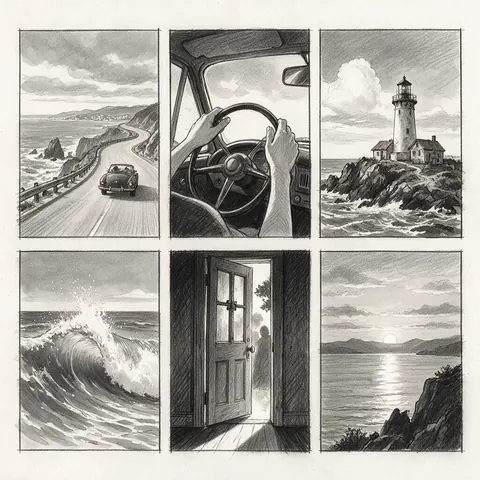
A storyboard artist could write a long structured prompt that lays out six shots in order.

Cafe owner
A cafe owner could make a shop sign mock-up with the name spelled out before ordering a real one.
FAQ
Qwen Image questions
9 questions

What is Qwen Image Edit?
Qwen Image Edit is Alibaba Qwen's image editing model: it takes a picture plus an instruction and changes only what you ask, such as a colour, an object, the background or text in the image. The open-weight Qwen-Image-Edit was followed by the 2509 and 2511 updates, and Qwen Image 3.0 now generates and edits in one hosted model. On Kenerate you can edit with Qwen Image 3.0, 3.0 Pro, Max, Qwen-Image-Edit-2511 (through Qwen Image 2512) or the original.
Link to this answerHow do I use Qwen Image Edit?
Open Kenerate's Image Studio, keep Qwen Image 3.0 or pick another Qwen version, upload the picture (up to 3) and describe only the change and what must stay the same. Generate, compare, and re-run with a tighter instruction if something else moved. A Qwen Image 3.0 edit costs 9 credits plus 0.9 per reference and is on the free plan; an Edit 2511 edit through Qwen Image 2512 costs 6 credits.
Link to this answerHow do I run Qwen Image Edit locally?
Download the open weights, such as Qwen/Qwen-Image-Edit-2511 on Hugging Face, and run them with diffusers in Python or a ComfyUI workflow. It's built on the 20B-parameter Qwen-Image, so you need a GPU with plenty of memory, or smaller fp8 files. Kenerate doesn't run your local install; it's the no-install route, with Edit 2511 and the hosted Qwen Image 3.0 in the browser. Qwen Image 3.0 itself has no public weights to run locally.
Link to this answerQwen-Image-Edit-2511 or Qwen Image 3.0 for edits?
Try Qwen Image 3.0 first: it's on the free plan, takes up to 3 references and is strongest with text in the image. Use Qwen-Image-Edit-2511 through Qwen Image 2512 when you want the open model's behaviour, which Qwen says keeps faces and multi-person scenes more consistent than Edit 2509, or for the lower price. Edit-2509 itself isn't offered on Kenerate.
Link to this answerWhat is Qwen Image 3.0?
Qwen Image 3.0 is Alibaba's third-generation image model, announced on 21 July 2026 and designed for images with real text and complex layouts. It accepts prompts of up to about 4,500 tokens in 12 languages, so it can lay out posters, infographics, storyboards and newspaper-style pages in one pass. On Kenerate it is the default model, at 1K or 2K.
Link to this answerIs Qwen Image free?
Yes, to start. Qwen Image 3.0, 2.0 and 2.0 Pro are on Kenerate's free plan, and a new account's free starter credits let you try Qwen Image 3.0 without paying. It costs the same at 1K and 2K. The other versions, such as 3.0 Pro and Max, need a one-time credit pack with no subscription required, and downloads carry no watermark.
Link to this answerIs Qwen Image 3.0 open source?
Not at launch. Qwen Image 3.0 was released through APIs without open weights, a model card or benchmark numbers. The original Qwen-Image from August 2025 is open under Apache 2.0, and Kenerate offers it as the plain Qwen Image version. If you need an open model you can run yourself, that first version is the one to look at.
Link to this answerCan Qwen Image edit pictures?
Yes. Upload up to 3 reference images to Qwen Image 3.0 and describe the change in plain words; the three recolour edits on this page are real Qwen Image 3.0 results. Every Qwen version on Kenerate takes up to 3 references except the original Qwen Image, which takes one. That is fewer than Seedream (10) or GPT Image 2 (16), so pick one of those when an edit needs many source images.
Link to this answerQwen Image 3.0 or Pro?
Start with 3.0. It is the default, on the free plan and the same price at 1K or 2K, and it already handles text and long prompts well. Re-run on Qwen Image 3.0 Pro when a final image needs sharper detail and text, since Pro costs more, especially at 2K. For the strongest prompt following, Qwen Image Max is the other option.
Link to this answerIn depth
Qwen Image, in depth
Background, how to prompt it, and when to pick something else.
What Qwen Image 3.0 is built for
Alibaba pitched 3.0 as a working tool rather than an art toy: newspaper pages, storyboards, infographics and exam papers generated in one pass, with prompts of up to about 4,500 tokens and support for 12 languages [1]. Unlike the first Qwen-Image, it launched without open weights, a model card or benchmark numbers [2].
Prompting for text
Put the exact words you want in quotes, say where they go (“headline at the top”, “label on the bottle”), and keep each text block short. For long layouts, describe the sections in order.
By the Kenerate AI teamLast updated and reviewed
We run these models in the Kenerate generator. Model facts come from the makers' own pages; specs and limits were checked against our code; the examples are our own outputs.
Sources: Decrypt — Alibaba's new Qwen Image 3 AI wants to be useful, not just pretty · Unite.AI — Alibaba launches Qwen-Image-3.0 without benchmarks or weights
