

Skip to content
80+ models · compare side by side

Text to Image AI

Describe it, generate it. 80+ text-to-image models in one place — run a prompt on one, or on up to five side by side in Arena.

  • 80+ models
  • Up to 4K
  • 25 free credits
  • No watermark

Quick answer

Updated

Kenerate's text to image AI turns a written prompt into an image with 80+ models — including Seedream 5.0 Pro, GPT Image 2, Nano Banana 2, Flux 2 and Qwen Image 3.0. Describe the subject, style and light, or press Enhance to expand a short idea. Arena runs one prompt on up to 5 models side by side. A free account gets 25 credits, seven models are on the free plan, and downloads have no watermark.

Models
80+
Max size
Up to 4K
Compare
Up to 5 models at once
Free start
25 credits

Real prompts

Text in, image out

Real prompts and the Seedream 5.0 Pro images they made.

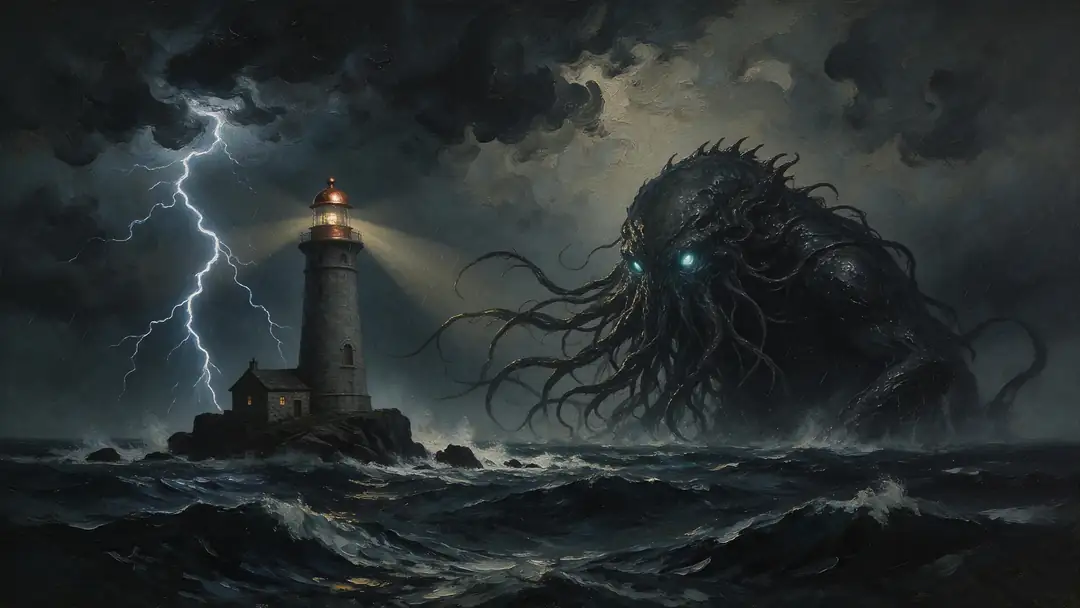
  1. Cosmic horror at sea

    01Painting

    Name the medium first

    “Dark oil painting” up front sets the whole look before the subject arrives.

    Prompt
    Lovecraftian cosmic horror creature with glowing eyes rising from a stormy sea at night beside a lighthouse, dark oil painting, dramatic lightning

    Seedream 5.0 Pro · 2K

    Use this prompt
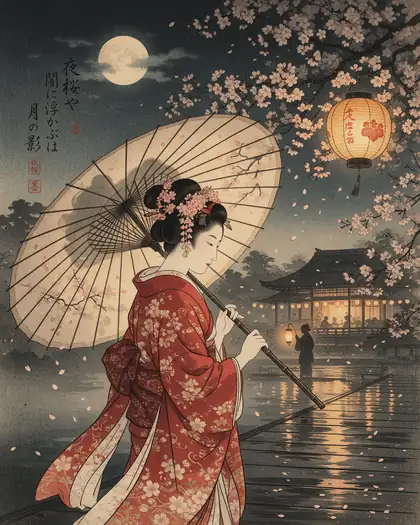
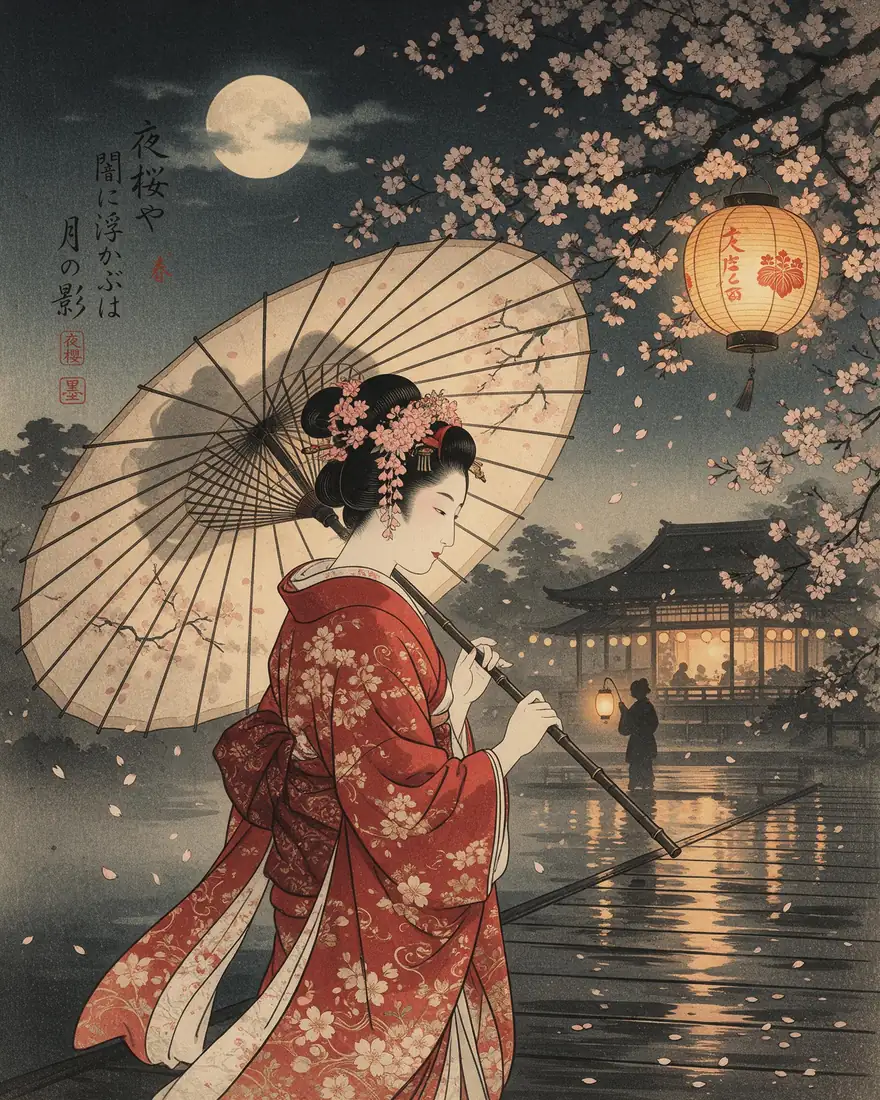
  2. Geisha under blossoms

    02Illustration

    Borrow an art tradition

    “Ukiyo-e inspired” gives the model a whole visual language in two words.

    Prompt
    Elegant geisha in a crimson silk kimono holding a paper umbrella under cherry blossoms at night, ukiyo-e inspired illustration, soft lantern glow

    Seedream 5.0 Pro · 2K

    Use this prompt
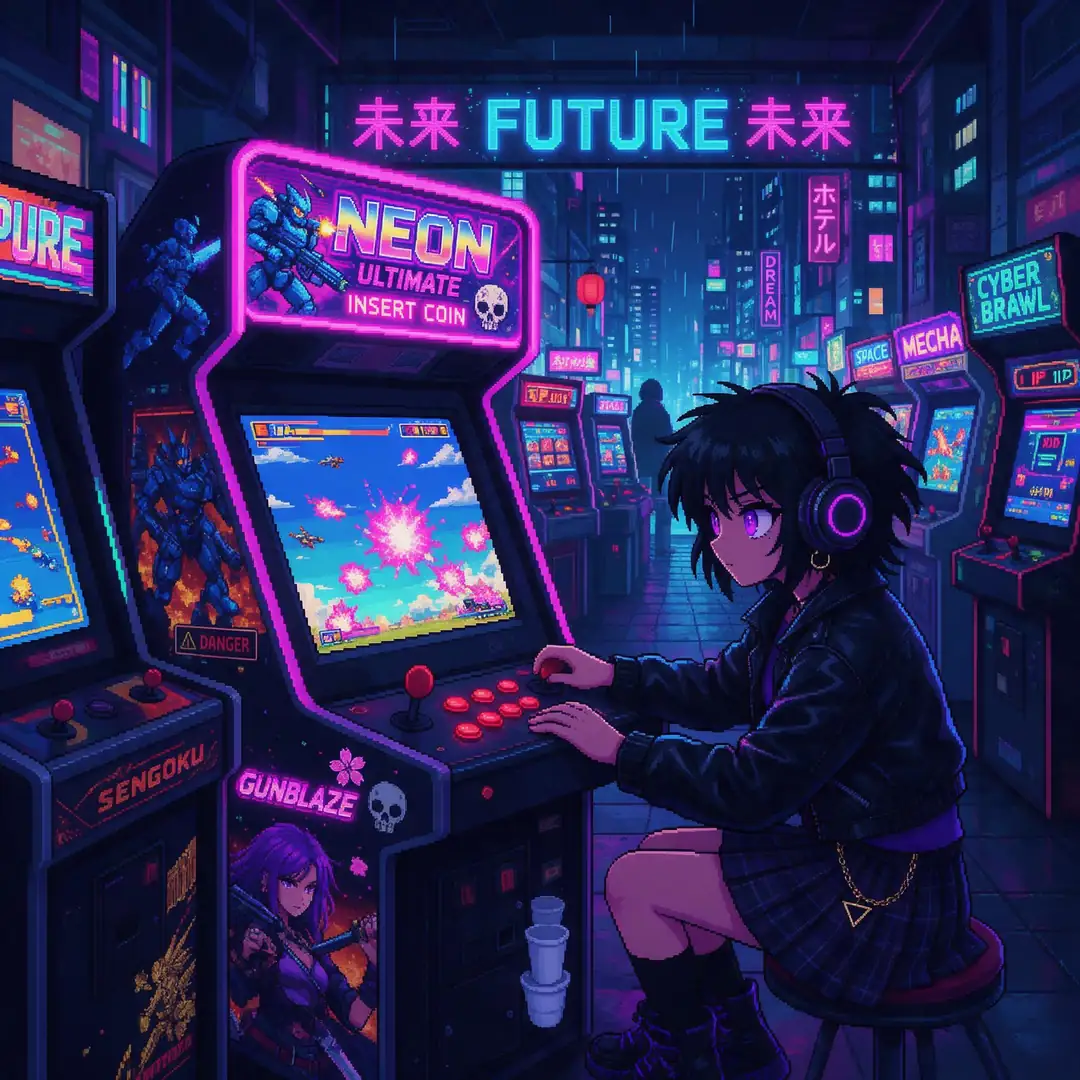
  3. Pixel-art arcade

    03Pixel art

    Be exact about the format

    “16-bit pixel art” gets you pixels, not a painting of pixels.

    Prompt
    Pixel art of a neon cyberpunk arcade at night with a girl playing a retro arcade cabinet, 16-bit style, vibrant palette

    Seedream 5.0 Pro · 2K

    Use this prompt

Same subject, eight styles

Change the style with a few words

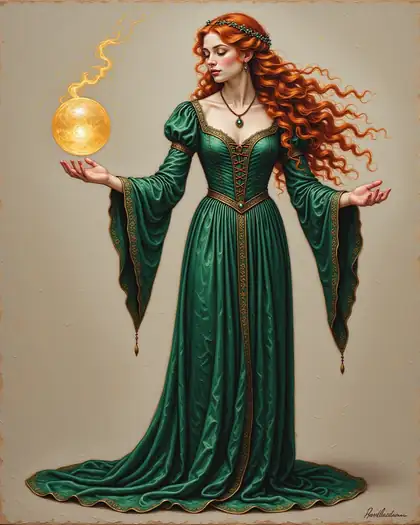
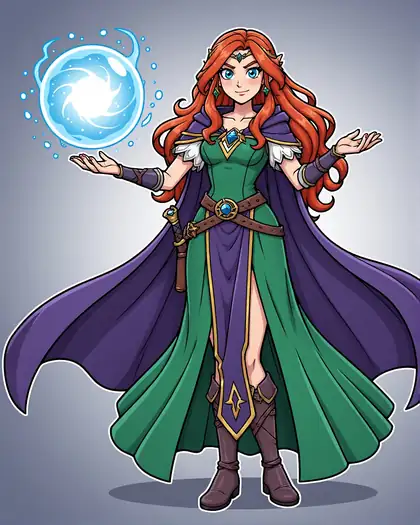
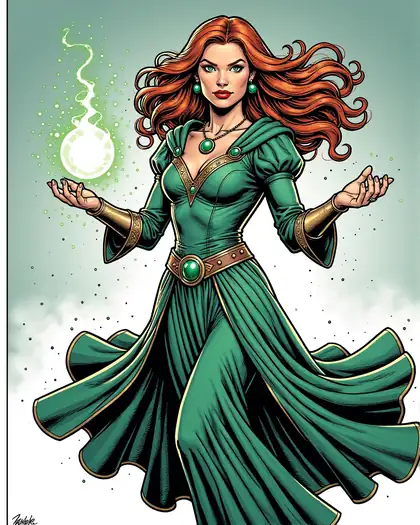
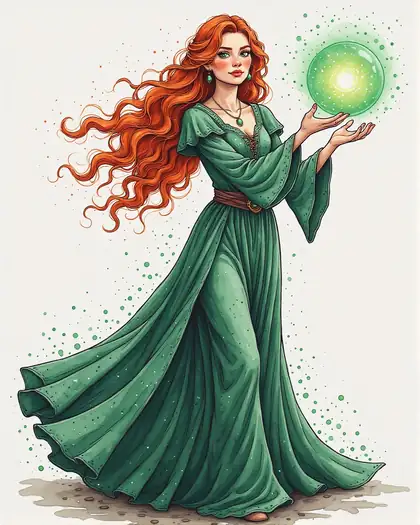
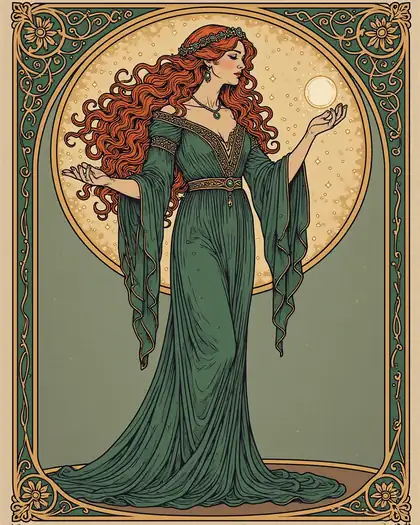
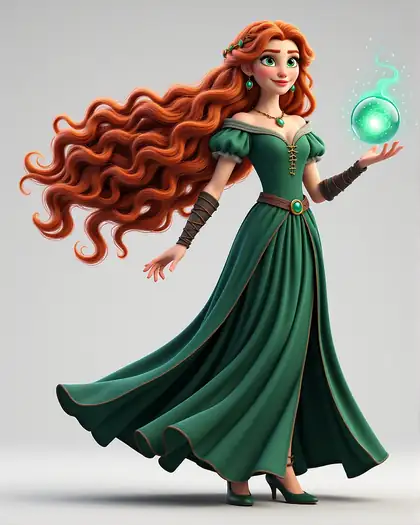
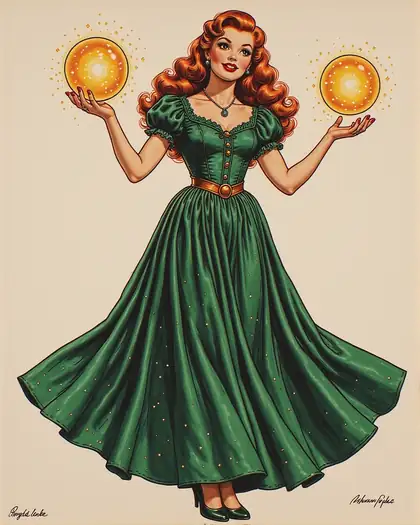
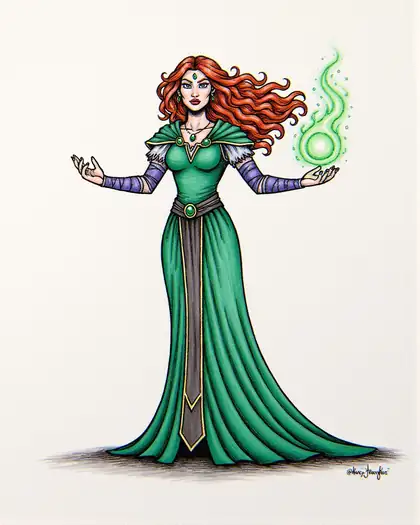
Every tile is the same subject — a sorceress with long red hair in a flowing emerald dress holding a glowing orb — with a different first line, on Chroma.

  • Sorceress as oil painting, made with text to image AI

    Oil painting

  • Sorceress as anime, made with text to image AI

    Anime

  • Sorceress as comic book, made with text to image AI

    Comic book

  • Sorceress as watercolor, made with text to image AI

    Watercolor

  • Sorceress as art nouveau, made with text to image AI

    Art nouveau

  • Sorceress as 3d render, made with text to image AI

    3D render

  • Sorceress as pin-up poster, made with text to image AI

    Pin-up poster

  • Sorceress as charcoal, made with text to image AI

    Charcoal

Short on ideas? The free prompt enhancer adds style, light and camera details for you.

Arena

One prompt, several models

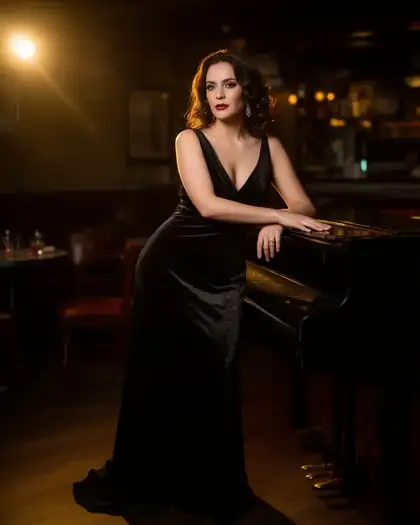
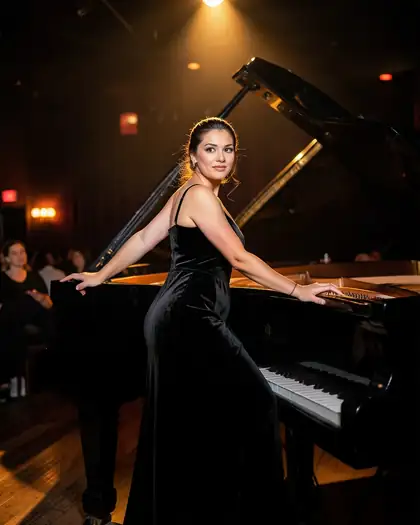
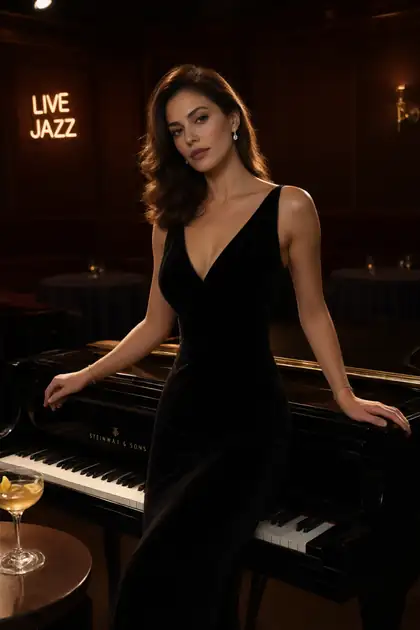
Arena runs your prompt on your model plus up to 4 more, side by side. Here's one prompt on three free-plan models.

  • Glamour portrait made with Flux 2 Dev
    Flux 2 DevFree plan
  • Glamour portrait made with Flux 2 Klein
    Flux 2 KleinFree plan
  • Glamour portrait made with Qwen Image 3.0
    Qwen Image 3.0Free plan
Prompt
Glamour photo of a woman in a black velvet evening dress leaning on a grand piano in a dim jazz lounge, warm spotlight, 50mm

How to

How to turn text into an image

Four steps, about a minute.

  1. Step 1: Sign in free

    25 free credits are added, and seven models are on the free plan.
  2. Step 2: Describe the image

    Subject, setting, style, light and camera. Short idea? Press Enhance for a detailed prompt.
  3. Step 3: Pick a model — or several

    Choose one of 80+ models, or open Arena to run the same prompt on up to 4 more side by side.
  4. Step 4: Download

    Pick the best result and download it without a watermark.

Models

Popular text to image models

Reference images, max size and what each model is best at. 80+ more in the generator.

Popular text to image models
ModelReference imagesMax sizeGood forOpen
Seedream 5.0 ProByteDanceUp to 102KPolished detail and portraitsOpen
GPT Image 2OpenAIUp to 16Up to 4KBest with text in imagesOpen
Nano Banana 2GoogleUp to 141K (square today)Smart edits and referencesOpen
Qwen Image 3.0AlibabaFree planUp to 32KText in images; free planOpen
Flux 2 DevBlack Forest LabsFree planUp to 32048 pxDrafts; free planOpen
Seedream 5.0 LiteByteDanceUp to 10Up to 4KUp to 4K outputOpen
ChromaOpen model—1536 pxSwitches art styles from the promptOpen

Type your idea and see it — 25 free credits on sign-up.

Start free

Start free, top up only when you need to

25 free credits on sign-up. One-time credit packs, shared across every Kenerate tool — no subscription.

  • 25 free credits on sign-up

    Test on your own images before you buy anything.

  • Credits never expire

    One-time packs — use them this week or next year.

  • No subscription, no watermark

    Nothing to cancel. Free results download clean.

  • One balance, every tool

    The same credits work across images, video, voice and 3D.

In depth

Text to image AI, explained

How diffusion models turn words into pictures, the prompt formula, and why comparing models pays off.

How text to image AI works

Most modern image models are diffusion models: they start from random noise and remove it step by step, guided by your text, until an image appears. Latent diffusion — the approach behind Stable Diffusion — does this in a compressed space so it runs fast enough for everyday use [1]. Newer models add better text understanding, so they follow long, specific prompts more faithfully.

The prompt formula

Most strong prompts answer the same questions, in this order:

  • Style or medium — photo, oil painting, anime, 3D render, poster.
  • Subject — who or what, with one or two defining details.
  • Action and setting — what's happening, and where.
  • Light — golden hour, softbox, neon, candlelight.
  • Camera or composition — lens, angle, framing.

Why compare models

Every model has a personality: some are photographic, some painterly, some great with text, some fast. Running the same prompt on several models in Arena is the quickest way to find the one that suits your idea — then keep the seed and refine.
Tried it? Tell us how it went

We only publish real, verified reviews — never invented quotes. Send a line about your result (and whether we may quote you), and it will appear here.

Send a review

FAQ

Text to image AI questions

7 questions

Still stuck?

A real person answers — usually within a day.

01

What is text to image AI?

AI that turns a written description into an image. You describe the subject, style and mood; the model draws a new picture that matches.

02

What is the best text to image AI?

No single model wins everything. Seedream 5.0 Pro and GPT Image 2 are strongest for polished and photoreal images, GPT Image 2 for text inside images, and Flux 2 Dev for drafts on the free plan. Arena lets you compare them on your own prompt.

03

Is there a free text to image AI generator?

Yes, to start: a free account gets 25 credits to test, and seven models are on the free plan. Bigger jobs use one-time credit packs that never expire.

04

How do I write a good text-to-image prompt?

Lead with the style or medium, then the subject and what it's doing, the setting, the light and the camera. Six clear details beat a long list of adjectives.

05

Can I compare models on the same prompt?

Yes. Arena runs your prompt on your chosen model plus up to 4 more at once, side by side. Each image counts as a separate generation.

06

Can it put text in the image?

Yes. GPT Image 2 and Qwen Image 3.0 are good at readable text such as signs, posters and labels.

07

Does it add a watermark?

No. Images download without a watermark.

See more of Kenerate AI in your Google resultsAdd kenerateai.com as a preferred source — Google shows more from your preferred sources in Top Stories and AI answers.

Explore

Every Kenerate image tool

Generators, design tools, photo edits, models and comparisons — all in one studio, on one credit balance.

Written by the Kenerate AI team

We build and run the Kenerate image generator. Every example is a real output of the model named under it; features were checked against the app's code. Last updated 27 September 2026. Corrections: hello@kenerateai.com.

Sources

Ready when you are

Type it. See it.

25 free credits on sign-up. 80+ models. No watermark.

  • 25 free credits
  • No watermark
  • Credits never expire