

Album art generator · artist name + title · 1:1
Album Cover Maker with AI
Describe your sound and get a square album, EP or single cover with your artist name and title spelled out — synthwave, folk, hip-hop, jazz, lo-fi, rock. Up to 4K for streaming uploads.
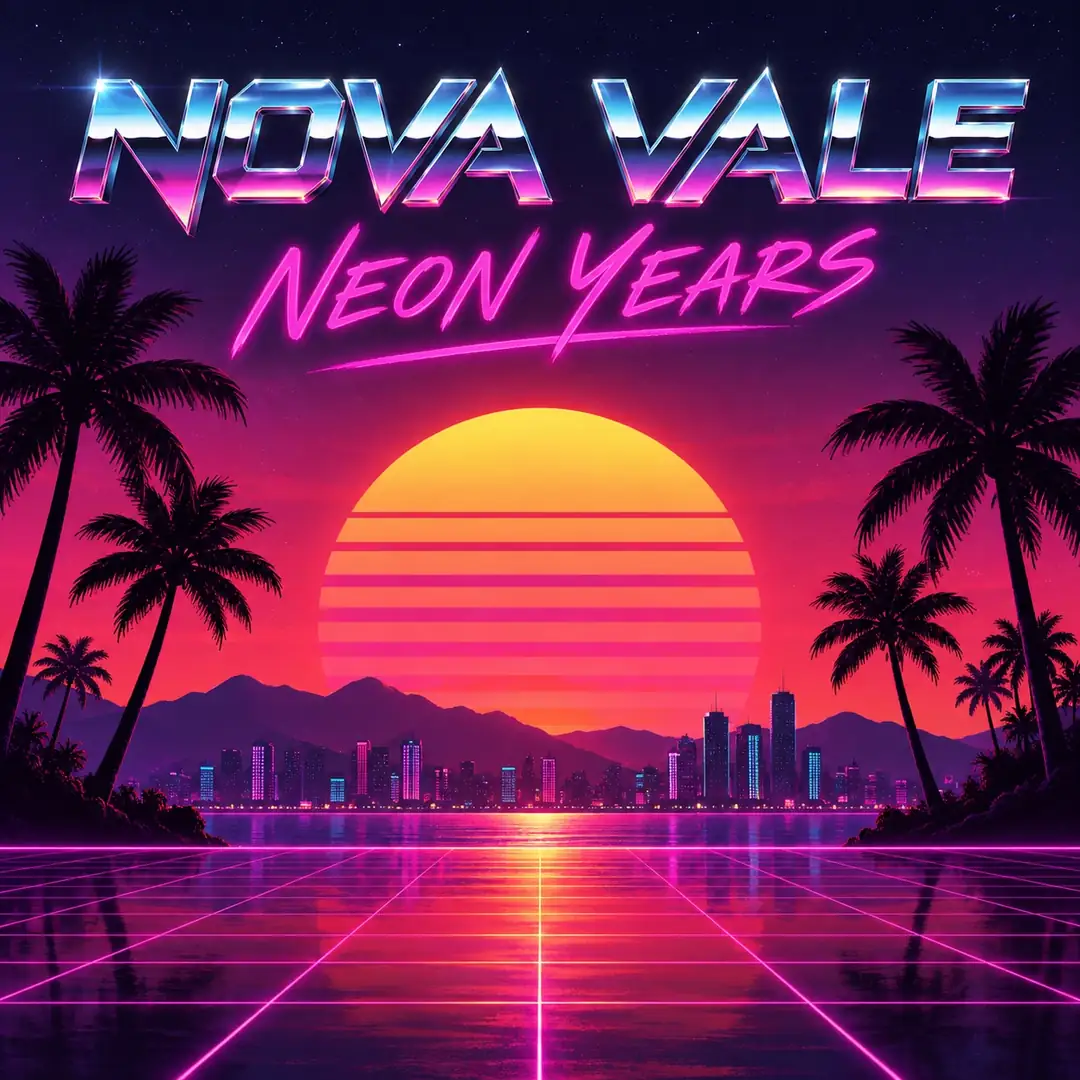
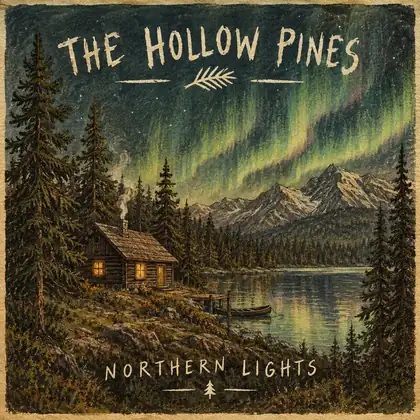
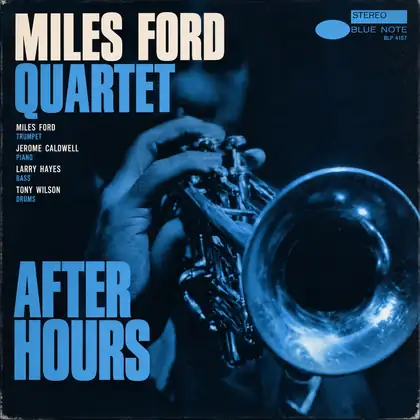
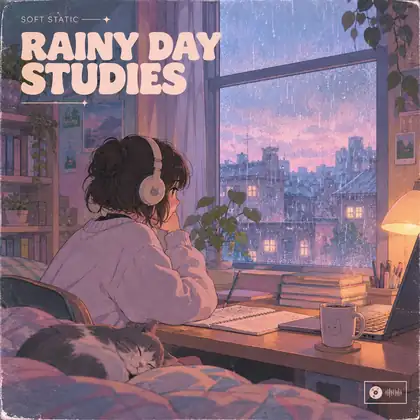
- Artist and title in the image
- Square 1:1, up to 4K
- Free credits to start
- No watermark
Updated by the Kenerate AI team




Made with Kenerate
On this page
Quick answer

What is an AI album cover maker?
An album cover maker is a tool that turns your idea into a square album, EP or single cover. On Kenerate AI you describe the cover in words — artist name and title in quotes, genre, one image idea — and an AI album art generator such as GPT Image 2 draws it with the type already in the image; it spelled every name and title right in our six-genre test. For the release file, Seedream 4.5 renders a native 4096 × 4096 square — above Apple Music's 3000 × 3000 px recommendation — and every cover downloads with no watermark.
Key facts
- Shape
- Square 1:1 (album, EP, single)
- Apple Music
- 3000×3000 px recommended · 1400 min
- Spotify
- 640–10000 px · 1:1 · don't upscale
- Best for text
- GPT Image 2 · GPT Image 2.5 Sunburst
- Free-plan model
- Qwen Image 3.0
- Watermark
- None
Gallery
Album covers made with AI, for fictional artists
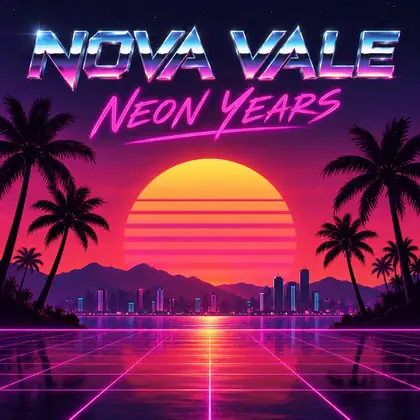
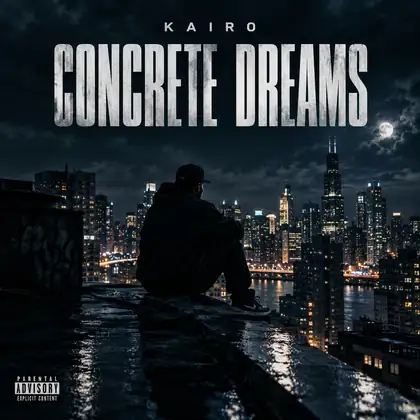
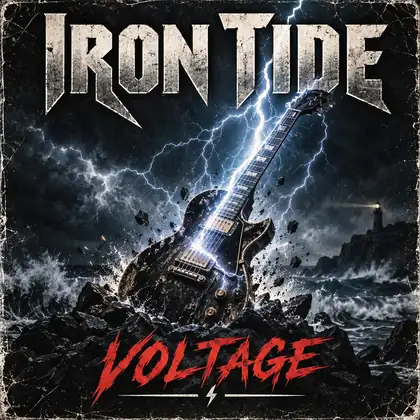
Real GPT Image 2 covers at 1K, one per genre. Every artist name and title was generated in the image — no text added afterwards.
How to
How to use the album cover maker
- Time needed
- Steps
- 4 steps
Step 1
Open the cover maker
In /app/image pick GPT Image 2 (or Seedream 4.5) and the Square 1:1 ratio.
Step 2
Write the cover brief
Artist and title in quotes, genre and era, one image idea, type style.
Step 3
Draft, then render large
Try ideas cheaply at 1K, then re-run the keeper at 4K — Seedream 4.5 gives a 4096 × 4096 square — for the release file.
Step 4
Download and upload
PNG or JPG, no watermark. Check your distributor's spec before you submit.
See it in the app

Open Image Studio and type what you want to see — subject, style, lighting and mood.


Watch the tour · 1:23
Prompts, styles, references, edit, Arena & chat
Chapters
Tips
Brief it like a record label
What worked in our tests.
Put the artist name and title in quotes, and say where each goes.
Name the genre and an era: 1960s jazz, 80s synthwave, 90s grunge.
Pick one strong image idea, not five.
Keep the type short and large so it reads as a small thumbnail.
Render the release file large (Seedream 4.5 makes 4096 × 4096) — Spotify asks you not to upscale.
Use your own artist name and original ideas — don't copy other covers.
Models
Models for album covers and album art
What each model is good at. Open any one straight in the generator.
OpenAI
GPT Image 2
- Reference images
- Up to 16
- Output
- 1K–4K
Open GPT Image 2Best for
Most reliable artist name and title

OpenAI
GPT Image 2.5 Sunburst
- Reference images
- Up to 16
- Output
- 1K–4K
Open GPT Image 2.5 SunburstBest for
Text-capable, lower cost per cover
ByteDance
Seedream 4.5
- Reference images
- Up to 10
- Output
- 2K–4K
Open Seedream 4.5Best for
Poster type, 4096×4096 square

ByteDance
Seedream 5.0 Pro
- Reference images
- Up to 10
- Output
- 1K–2K
Open Seedream 5.0 ProBest for
Photographic and illustrated covers

Example uses
How creators use album cover maker
Illustrative examples of typical workflows, not customer reviews.
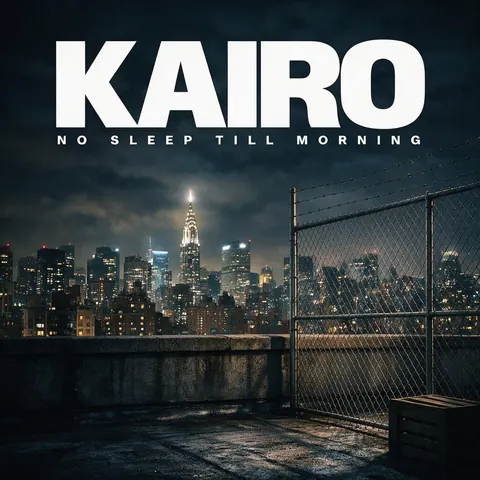
Independent rapper
An independent rapper could describe a moody night-rooftop concept with the artist name and title in quotes and get a square single cover ready to upload.
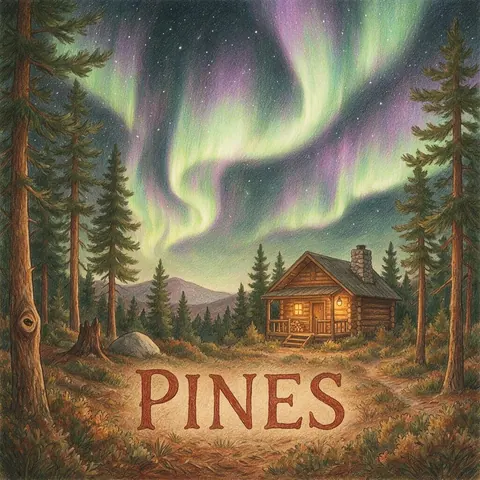
Folk band
A folk band could brief a hand-drawn forest cover with handwritten type for a new album and generate at 2K for streaming.
Rock band
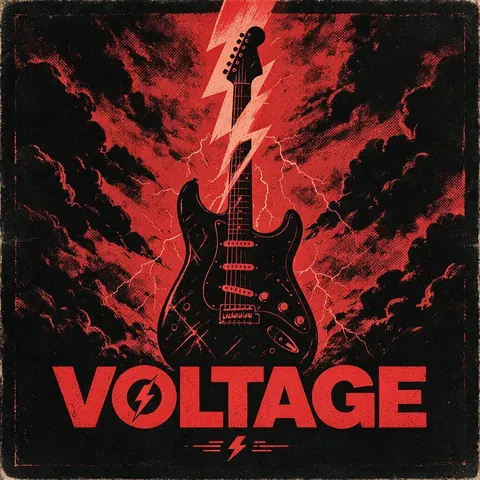
A rock band could try a gritty poster-style cover idea, such as a guitar struck by lightning, before settling on the final artwork.
FAQ
Album Cover Maker questions
9 questions

What is the best album cover maker?
It depends on whether you want templates or a cover drawn from your idea. Template editors give you stock layouts to fill in; an AI album cover maker such as Kenerate draws a new cover from a text brief, with the artist name and title in the image. On Kenerate, GPT Image 2 spelled every name and title correctly across six genres in our tests, and Seedream 4.5 renders a native 4096 × 4096 square.
Link to this answerIs there a free album cover maker?
You can start free. A new Kenerate account gets 25 credits on sign-up, and free-plan models such as Qwen Image 3.0 (9 credits a cover) can put a short title in the image. GPT Image 2, GPT Image 2.5 and Seedream 4.5 need a one-time credit pack rather than a subscription. Covers download with no watermark.
Link to this answerWhat size should an album cover be?
Square, 1:1. Apple's release guide recommends 3000 × 3000 pixels or larger with a 1400 × 1400 minimum, in JPEG or PNG. Spotify accepts 640 to 10000 pixels on each side in TIFF, PNG or JPG, in sRGB, and asks you not to upscale. On Kenerate, Seedream 4.5 renders a native 4096 × 4096 square for 12 credits, so you start from a large original instead of upscaling; check the pixel size of any other model's 4K output, and your distributor's current spec, before you submit.
Link to this answerHow do I make an album cover with AI?
Open /app/image, pick GPT Image 2 or Seedream 4.5 and the square ratio, then write a brief: the artist name and title in quotes, the genre and an era, one image idea and the type style. Draft at 1K, re-run the best idea at 4K, and download the PNG or JPG.
Link to this answerCan AI put my artist name and title on the cover?
Yes. Put both in quotes in the prompt and say where they go — for example "artist name at the top in condensed capitals, title at the bottom". GPT Image 2 and GPT Image 2.5 Sunburst are the most reliable for text on Kenerate. Keep names short; long subtitles and track lists are where any image model is most likely to slip, so check every letter before release.
Link to this answerIs an album art generator the same as an album cover maker?
Mostly, yes. "Album art" and "cover art" usually mean the same square front cover. An album art generator draws the picture from a prompt; an album cover maker may also mean a template editor where you place text yourself. On Kenerate the model does both: it draws the art and sets the type in one pass.
Link to this answerCan I use a photo of the band?
Yes. Upload the band photo as a reference and describe the cover around it — genre, type style and where the name and title go. GPT Image 2 accepts up to 16 reference images and Seedream 4.5 up to 10. Only use photos you have permission to use.
Link to this answerCan I use AI album covers commercially?
Yes. Kenerate's terms say it claims no ownership of what you generate and that you may use it commercially, subject to the terms and the law, and covers carry no watermark. Read your distributor's artwork rules before you submit, and use your own artist name and original ideas rather than copying an existing cover or a real person's likeness.
Link to this answerHow do I make an iconic album cover?
Start with one strong image idea, not five, and keep the type short, large and high-contrast so the cover still reads as a small square in a music app. Name the genre and an era — 1960s jazz, 80s synthwave — to set the look, and test the cover at thumbnail size before you commit.
Link to this answerIn depth
Album Cover Maker, explained
What works, what to avoid, and how to pick a model.
On this page
Album cover size for Spotify and Apple Music
Every major store wants a square cover. These are the numbers from each store's own help pages, read on 2 November 2026 — your distributor may add its own rules on top.
- Apple Music: 3000 × 3000 px or larger recommended, 1400 × 1400 px minimum, square, JPEG or PNG at 100% quality.
- Spotify: 1:1, between 640 and 10000 px wide and tall, TIFF, PNG or JPG, sRGB — and don't upscale.
- On Kenerate: render the final cover large instead of upscaling a small draft. Seedream 4.5 makes a native 4096 × 4096 square for 12 credits; GPT Image 2 (54 credits) and GPT Image 2.5 Sunburst (21) also have a 4K setting — check the downloaded file's pixel size against your store's spec.
Album cover styles by genre
Name the genre and an era in the prompt; these are the cues that set the look in our tests.
- Synthwave: sunset grid, palm silhouettes, chrome or neon type.
- Folk: hand-drawn landscapes, earthy colours, handwritten type.
- Jazz: 1960s photo-and-type-block layouts, one instrument, a single tint.
- Lo-fi: anime-style rooms, rain on a window, pastel colours.
- Hip-hop: night city scenes, bold condensed type.
- Rock and metal: gritty poster textures, lightning, heavy distressed type.
- Classical and ambient: lots of empty space, one object, thin serif type.
Album cover maker vs template editors
Template editors start from a stock layout and stock photos that other artists may also use. An AI album cover maker starts from your brief, so the image is new each time, and a text-capable model sets the artist name and title for you. Use a template editor when you want to place every letter by hand; use AI when you want an original image fast.
Covers that work at thumbnail size
Most people first see a cover as a small square in an app. One bold image, high contrast and short, large type survive that; busy scenes and long subtitles don't.
Which model makes the best AI album cover?
GPT Image 2 is the pick when the artist name and title must be spelled right; GPT Image 2.5 Sunburst does the same job for fewer credits. Seedream 4.5 suits poster-style type and renders a 4096 × 4096 square, Recraft V4.1 suits graphic, design-led covers, and Seedream 5.0 Pro suits photographic and illustrated ones. To make an album cover from a photo, upload it as a reference and describe the cover around it.
By the Kenerate AI teamLast updated and reviewed
We build and run the Kenerate generator. Every example is a real output of the model named under it; models and presets were checked against the app's code.
Sources: Spotify for Artists — Cover art requirements · Apple — Prepare your release (artwork specs)
