


Skip to content
18+ · open-weight models · real before/after edits

Uncensored AI Image Editor — edit any photo with one sentence

Change outfits, backgrounds, hair, lighting or style by typing what you want. Flux 2 Dev — an open-weight model on the free plan — follows adult edits literally, with no provider filter on top.

  • 25 free credits
  • Open-weight models
  • Up to 3 references
  • No watermark

Quick answer

Updated

An uncensored AI image editor edits a photo from a written instruction without the extra content filters that mainstream editors add. On Kenerate, Flux 2 Dev — an open-weight model from Black Forest Labs, on the free plan — edits your photo (plus up to 2 more reference images) and follows adult edits literally; Qwen Image 2.0 Edit and Change Region (brush inpainting) are in Edit Studio. Kenerate's only built-in block is prompts involving minors; closed models such as GPT Image 2 and Seedream keep their providers' filters. You need a free account (25 credits), downloads have no watermark, and adult edits are for adults 18+.

Main model
Flux 2 Dev (open weights)
Free to start
25 credits · free plan
References
Up to 3 images
Watermark
None

Real edits

Real uncensored edits, one sentence each

Drag the handle to compare. Every edit is a real Flux 2 Dev result on one of our own SFW images.

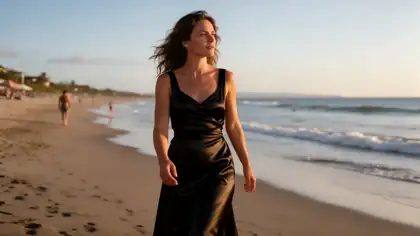
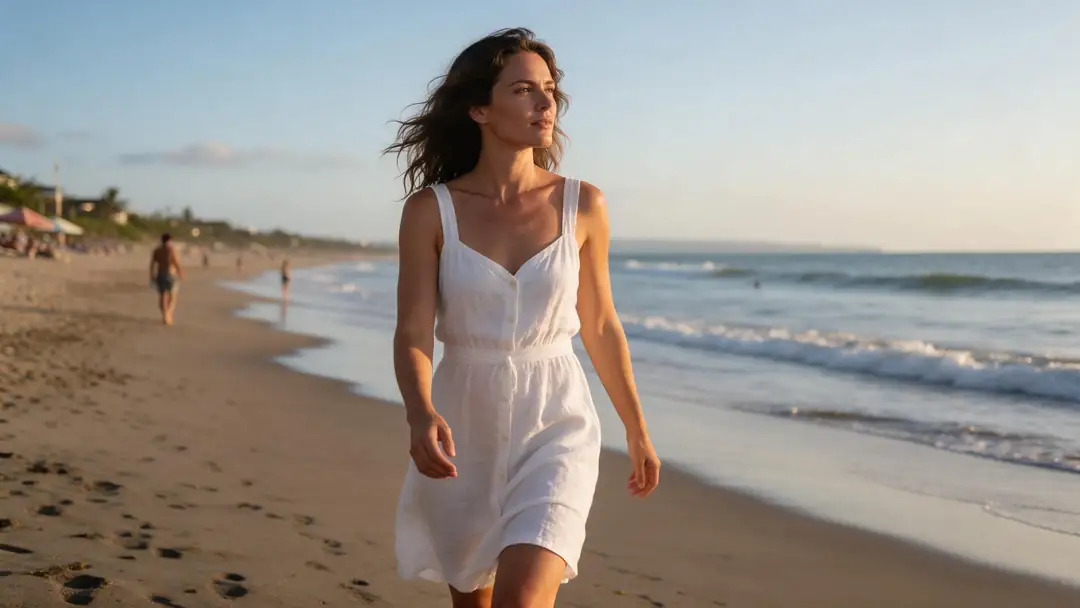
  1. Before: woman in a white linen dress on a beach. After: the same woman in a black satin evening dress — before
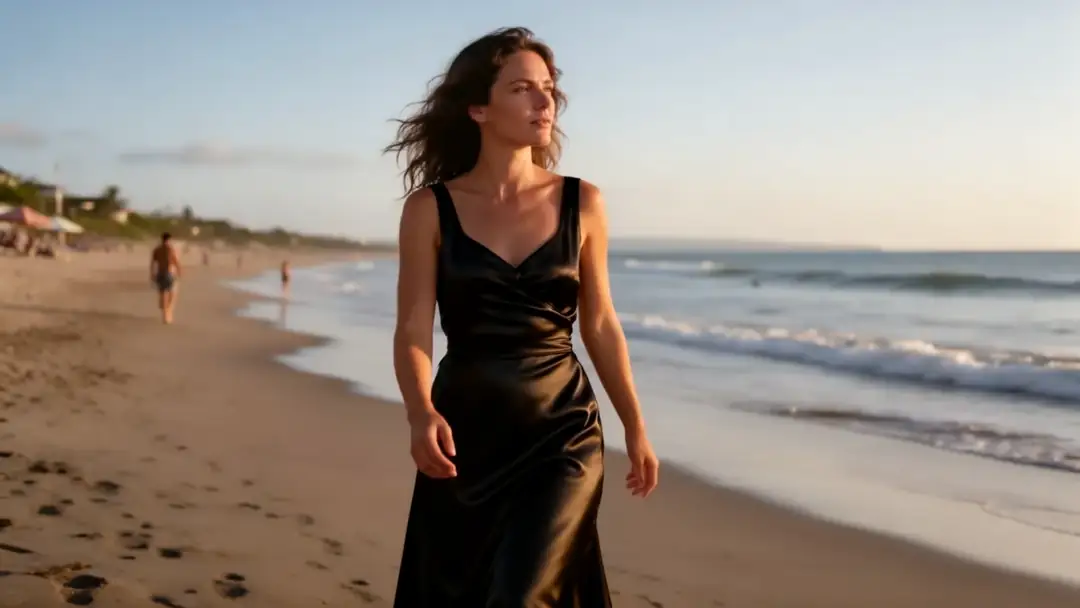
    Before: woman in a white linen dress on a beach. After: the same woman in a black satin evening dress — after
    BeforeAfter

    01Outfit

    Linen dress to black satin

    One sentence swapped the dress; face, hair, pose and the sunset stayed because the prompt said so.

    Prompt
    Change her white linen dress to a black satin evening dress. Keep her face, hair, pose, the beach and the sunset light exactly the same.

    Flux 2 Dev edit · open weights

    Edit a photo like this
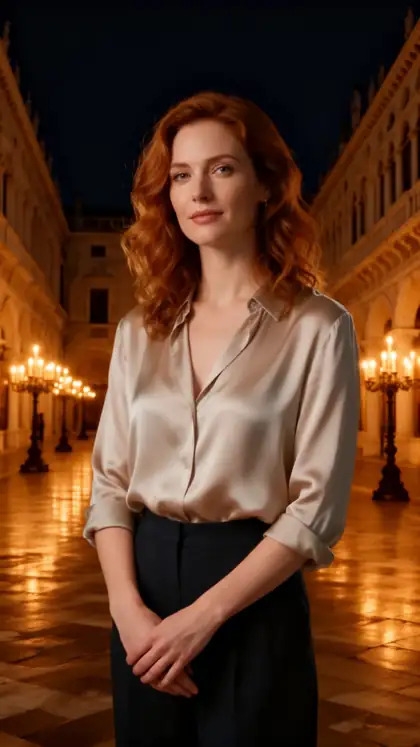
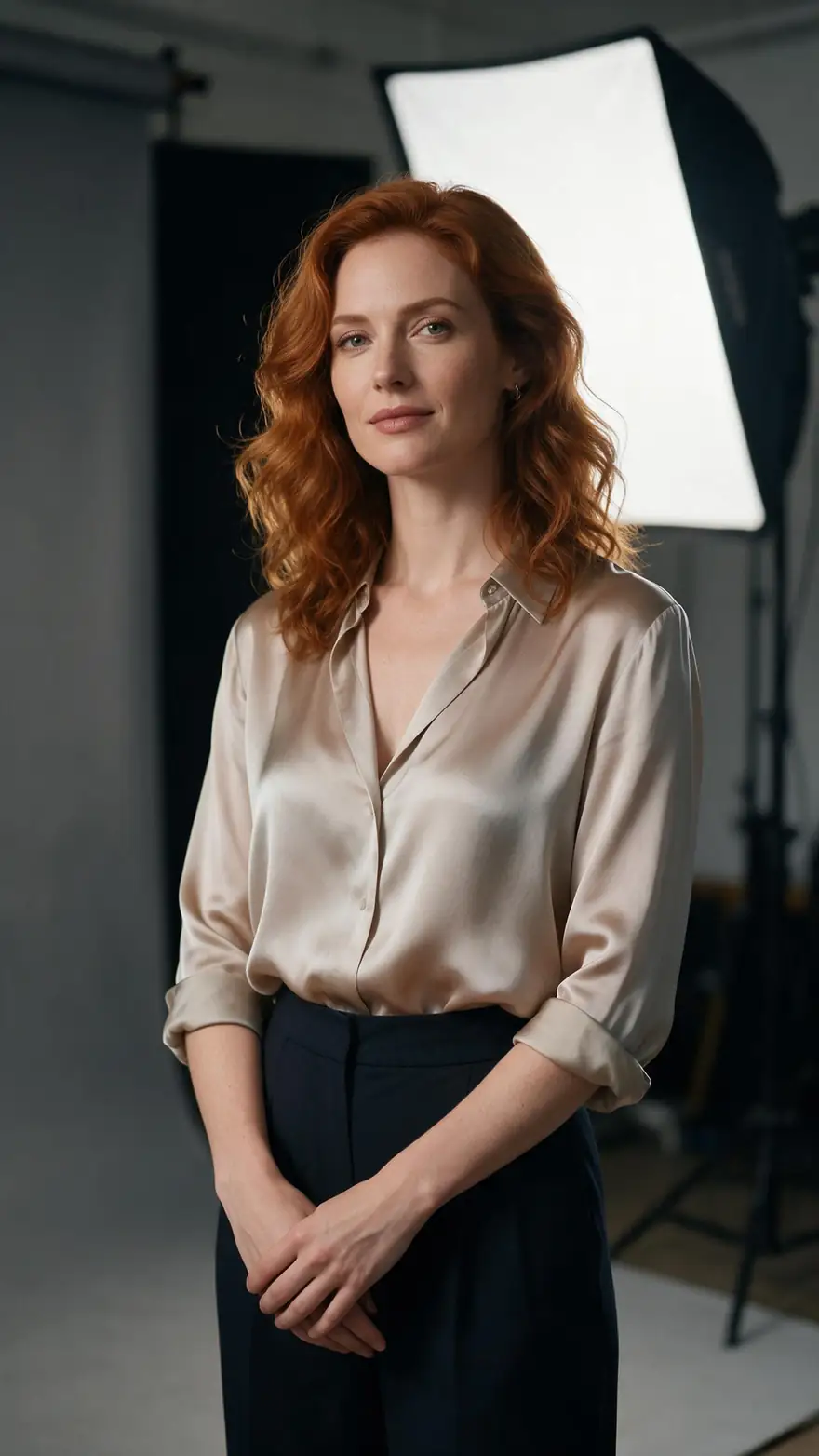
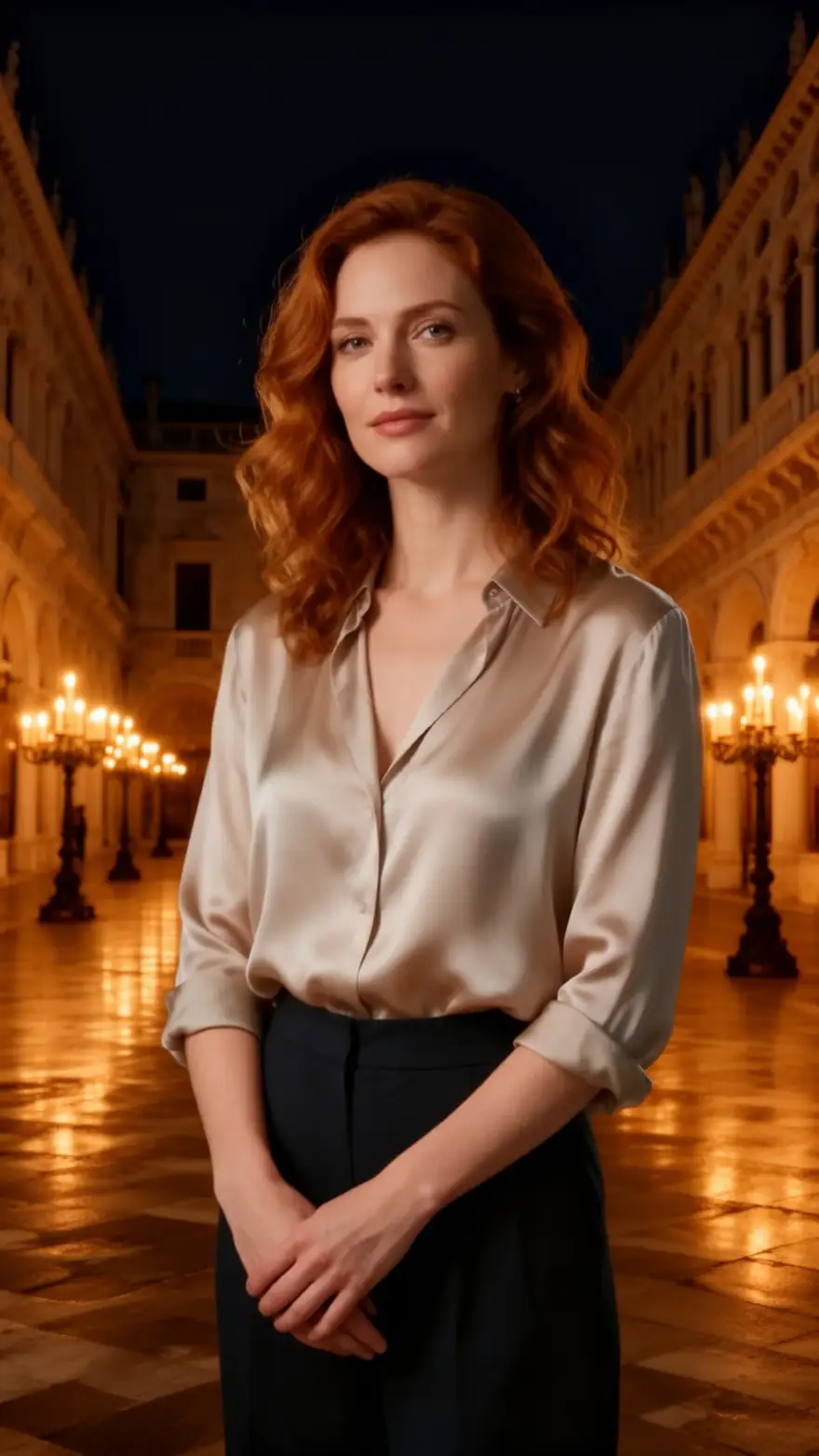
  2. Before: studio portrait. After: the same woman in a candlelit Venetian palazzo — before
    Before: studio portrait. After: the same woman in a candlelit Venetian palazzo — after
    BeforeAfter

    02Background

    Studio to a Venetian palazzo

    The subject stays; the world around her changes, with light that matches the new room.

    Prompt
    Replace the studio background with a candlelit Venetian palazzo at night. Keep her face, hair, blouse and pose unchanged.

    Flux 2 Dev edit · open weights

    Edit a photo like this
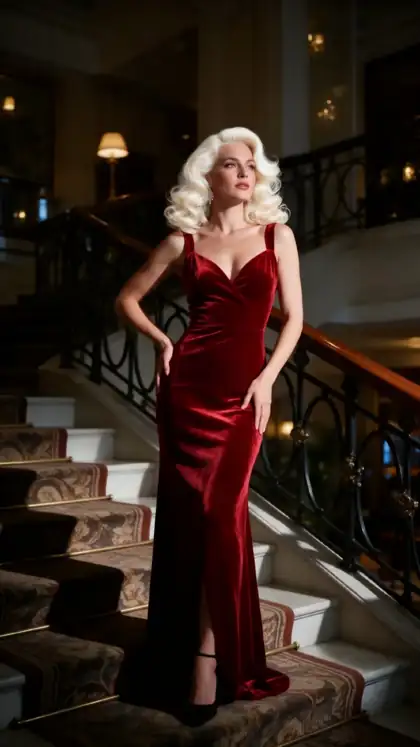
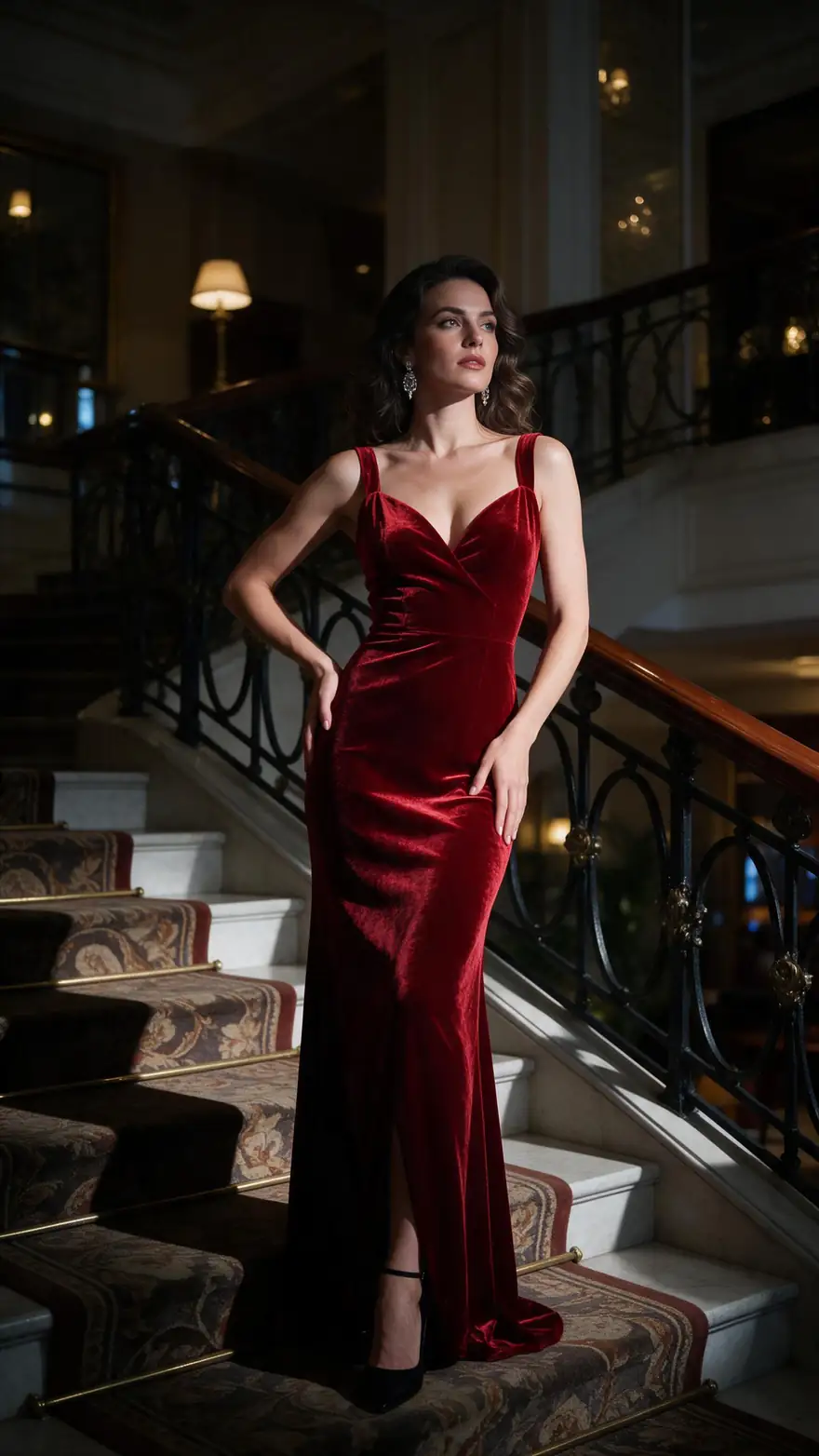
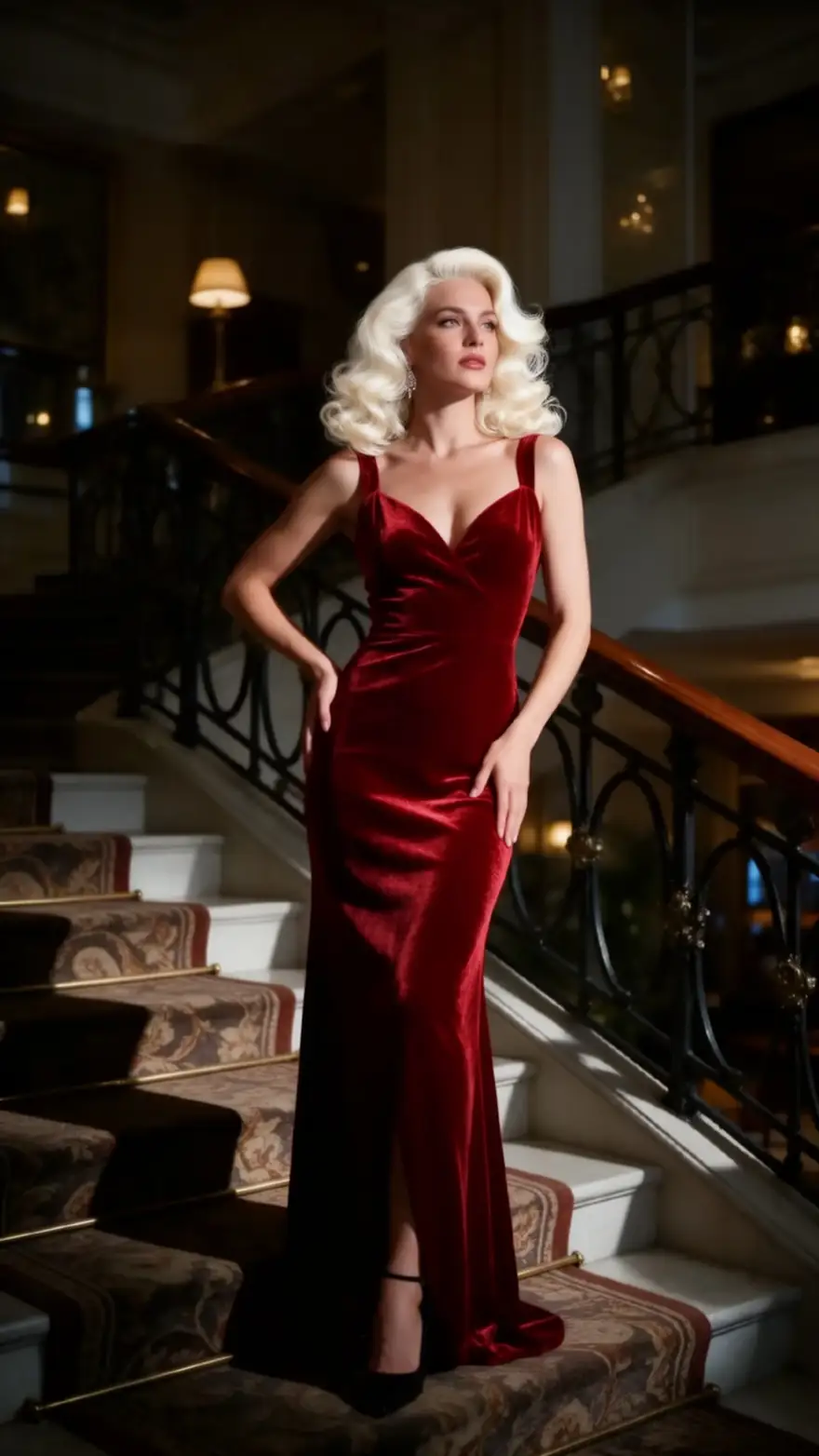
  3. Before: brunette woman in a red velvet gown. After: platinum blonde Hollywood waves — before
    Before: brunette woman in a red velvet gown. After: platinum blonde Hollywood waves — after
    BeforeAfter

    03Hair

    Brunette to platinum waves

    Hair colour and style change without touching the gown or the staircase.

    Prompt
    Change her hair to platinum blonde in loose Hollywood waves. Keep her face, the red velvet gown, the staircase and the light the same.

    Flux 2 Dev edit · open weights

    Edit a photo like this
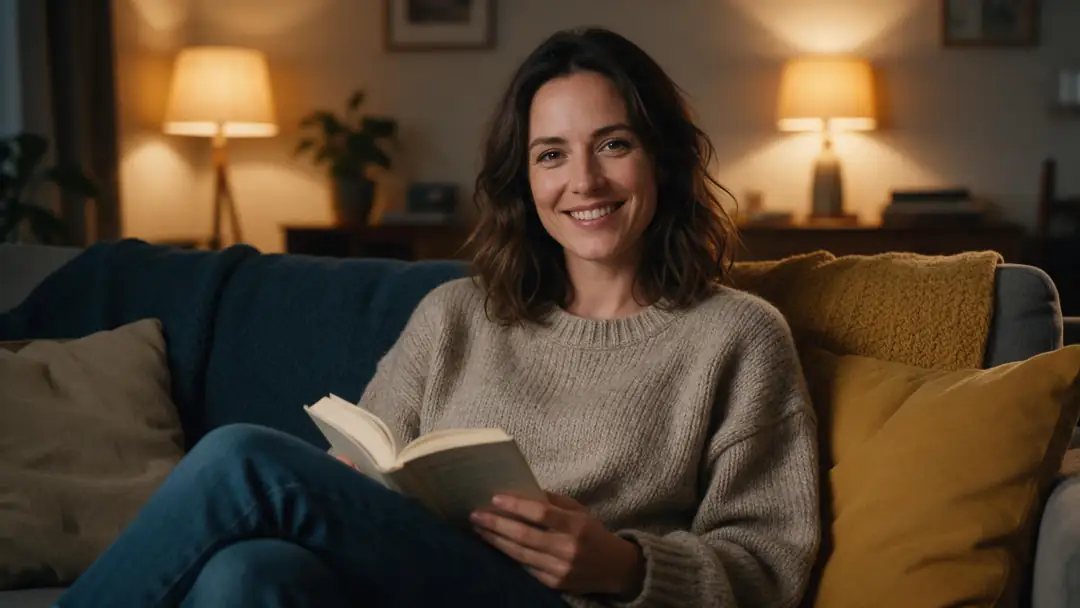
  4. Before: evening lamp light. After: golden-hour sunlight with long shadows — before
    Before: evening lamp light. After: golden-hour sunlight with long shadows — after
    BeforeAfter

    04Lighting

    Lamp light to golden hour

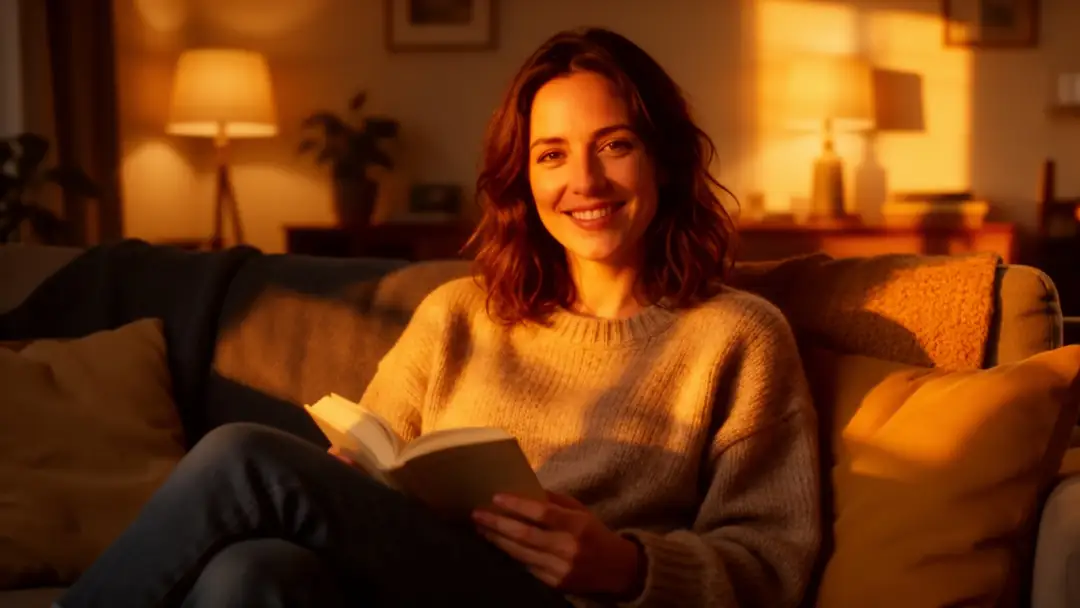
    Time of day is one instruction away — the sofa, the book and her pose stay put.

    Prompt
    Relight the room as a warm golden-hour sunset coming through a window, with long soft shadows. Keep the woman, the sofa and the book the same.

    Flux 2 Dev edit · open weights

    Edit a photo like this
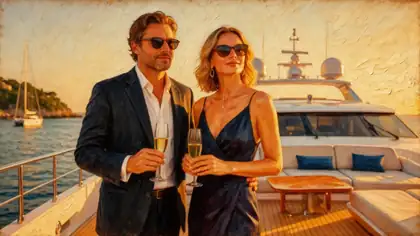
  5. Before: couple on a yacht, photo. After: the same scene as a 1950s oil painting — before
    Before: couple on a yacht, photo. After: the same scene as a 1950s oil painting — after
    BeforeAfter

    05Style

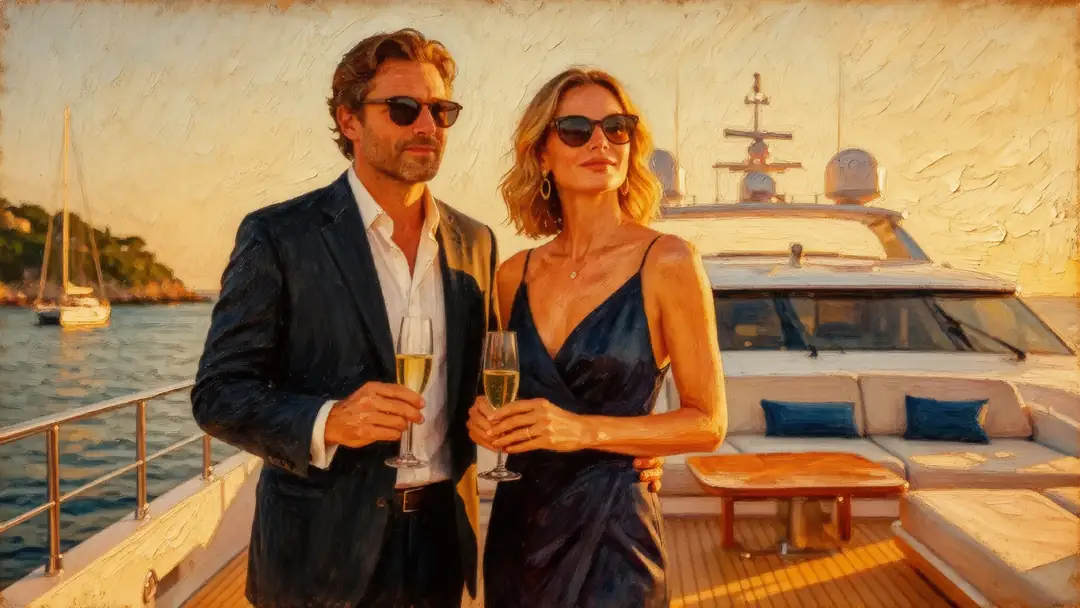
    Photo to 1950s oil painting

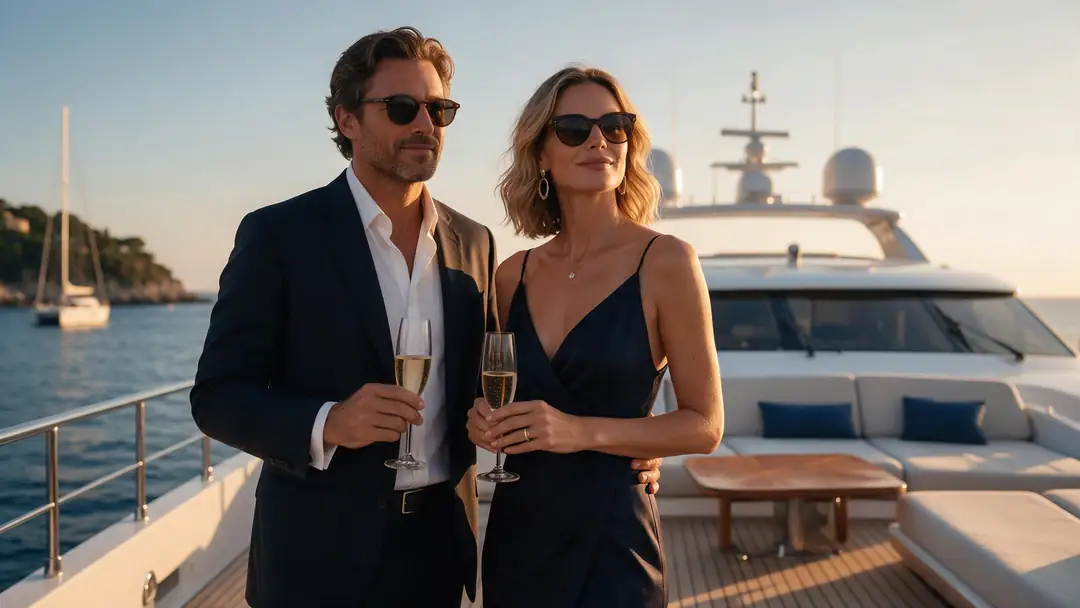
    Keep the composition, change the medium.

    Prompt
    Repaint this entire photo as a classic oil painting on canvas with thick, visible brush strokes and a warm 1950s palette. Keep the couple, their poses and the yacht in the same places.

    Flux 2 Dev edit · open weights

    Edit a photo like this
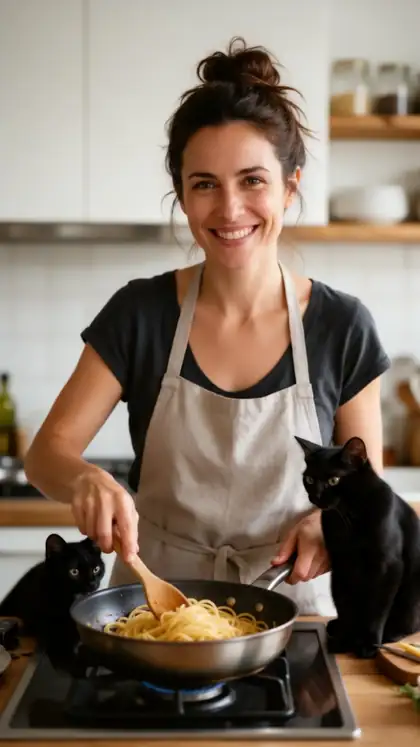
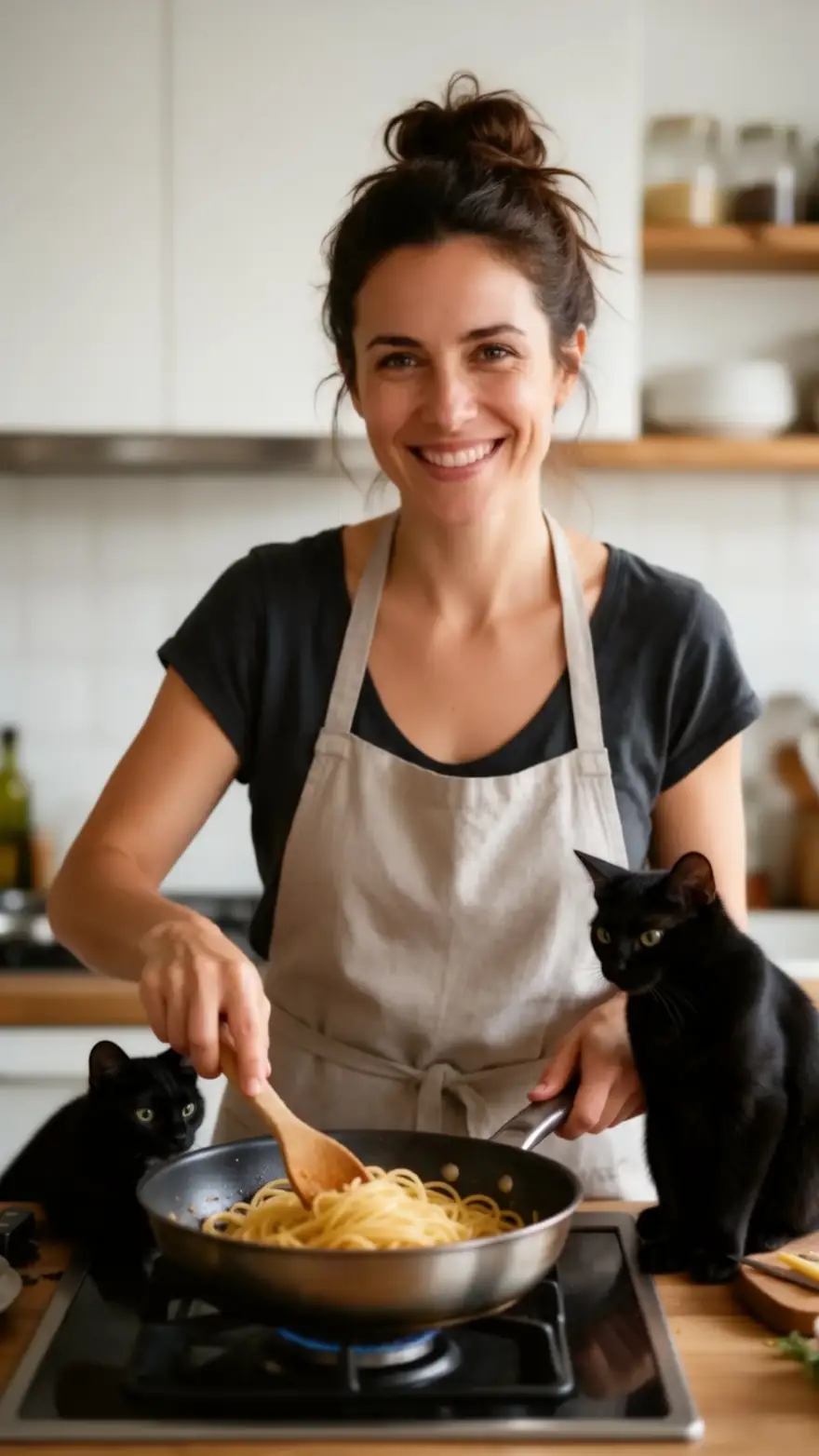
  6. Before: woman cooking. After: a black cat sitting on the counter watching her — before
    Before: woman cooking. After: a black cat sitting on the counter watching her — after
    BeforeAfter

    06Add object

    A black cat joins the scene

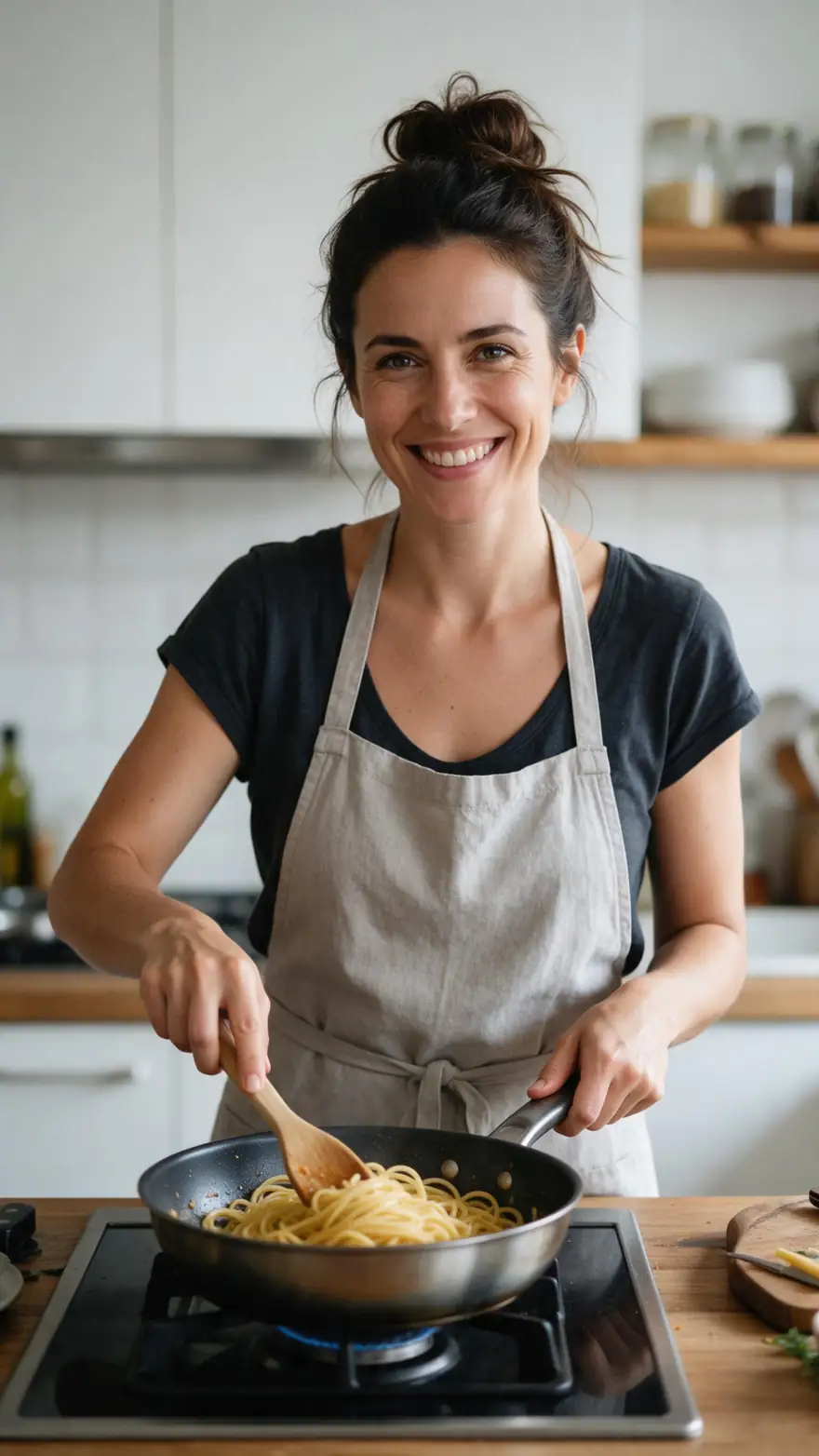
    New objects arrive in the same light and perspective.

    Prompt
    Add a small black cat sitting on the counter next to the stove, looking at her. Change nothing else.

    Flux 2 Dev edit · open weights

    Edit a photo like this

How to

How to edit a photo without filters

Four steps, all in the browser.

  1. Step 1: Sign in (18+ for adult edits)

    A free account gets 25 credits. Adult edits are for adults 18+.
  2. Step 2: Upload your photo

    Your own photo or an image you made. Add up to 2 more references on Flux 2 Dev, or up to 5 on Qwen Image 2.0 Edit.
  3. Step 3: Type the change

    One sentence: what changes, and what must stay — 'keep her face, pose and the background'.
  4. Step 4: Pick the model and download

    Flux 2 Dev for literal adult edits, Qwen Image 2.0 or Seedream for polish. No watermark.

Models

Which model should you use for uncensored edits?

From the app's own model lists. Open-weight models follow adult edits most literally.

Which model should you use for uncensored edits?
ModelReference imagesMax sizeGood forOpen
Flux 2 DevBlack Forest Labs (open weights)Free planUp to 3Up to 2048 pxFollows the instruction literally; free planOpen
Qwen Image 2.0 EditAlibabaUp to 5Custom sizesEdit Studio's default AI Edit model; keeps faces wellOpen
Change RegionEdit Studio · Z-Image Turbo inpaintBrush maskKeeps sizeRepaint only the area you brushOpen
Qwen Image 3.0AlibabaFree planUp to 32KGood text editsOpen
Seedream 5.0 ProByteDanceUp to 102KMost polish; ByteDance's filter appliesOpen
GPT Image 2OpenAIUp to 164KPrecise edits and text; OpenAI's filter appliesOpen

Kenerate adds one filter of its own: prompts involving minors are blocked on every model. Closed models (OpenAI, Google, ByteDance) also run their providers' filters and may refuse adult edits; open-weight models such as Flux 2 Dev follow the instruction more literally.

Rules and privacy

Uncensored means fewer filters, not no rules: adults 18+, your own photos or fictional adults.

  • 18+ and fictional adults only

    Adult prompts are for adults. Every character you create must be a fictional adult.

  • Blocked and not allowed

    Kenerate's prompt filter blocks prompts involving minors on every model, and it can't be switched off. Sexual images of real people aren't allowed.

  • Blurred by default

    Results flagged as adult are shown blurred in your gallery grid.

  • Private switch

    Turn on Private in Advanced settings to keep a generation out of the public feed.

Have a photo to change? Your first 25 credits are free.

In depth

Uncensored AI image editing, explained

What it is, how it works, who it's for — and what's still not allowed.

What is an uncensored AI image editor?

It's an instruction editor — you describe a change in words and the model repaints the photo — served without the extra safety layers mainstream apps add. Most editors from big platforms refuse adult or dark edits outright; an uncensored editor leaves that decision to the model and to clear rules about who and what is allowed.

On Kenerate that means open-weight models such as Flux 2 Dev, which the app runs without an added provider filter, alongside closed models that keep their own.

How does it work?

The model reads your photo and your instruction together and regenerates the image with the change applied. Saying what must stay — 'keep her face, pose and background' — is what keeps everything else intact. Adding a second or third reference image (Flux 2 Dev takes up to three) lets you borrow an outfit, a face or a place from another picture.

What can you do with it?

Outfit and fabric changes, new backgrounds, hair colour and style, relighting, style transfer (painting, anime, 3D), adding or removing objects, and multi-image composites. With Change Region in Edit Studio you can brush exactly where the change should happen.

  • Change outfits and fabrics
  • Swap or extend backgrounds
  • Recolour and restyle hair
  • Relight — golden hour, candlelight, neon
  • Turn photos into paintings or anime
  • Add or remove objects

Who is it for?

Adult creators refining their own images, artists working on mature or dark themes, and anyone whose edits keep getting refused by mainstream editors — as long as the subject is a fictional adult or themselves.

Why Kenerate instead of a one-model site?

You can see and choose the model: Flux 2 Dev for literal edits, Qwen Image 2.0 for faces, Seedream or GPT Image 2 when you want polish and the edit is within their providers' rules. Every result on this page is real and labelled with the model that made it.

What's still not allowed?

Prompts involving minors are blocked on every model and can't be switched off. Sexual edits of real people without their consent aren't allowed. Results flagged as adult are blurred in your gallery grid, and a Private switch keeps generations out of the public feed.

Sources

    Español

    Editor de imágenes IA sin censura

    Lee esta página en español: ediciones reales con Flux 2 Dev, modelos, pasos y preguntas frecuentes.

    Ver en español

    Start free

    Start editing free

    25 free credits on sign-up, then one-time credit packs shared across every Kenerate tool. Credits never expire.

    • 25 free credits on sign-up

      Test on your own images before you buy anything.

    • Credits never expire

      One-time packs — use them this week or next year.

    • No subscription, no watermark

      Nothing to cancel. Free results download clean.

    • One balance, every tool

      The same credits work across images, video, voice and 3D.

    Tried it? Tell us how it went

    We only publish real, verified reviews — never invented quotes. Send a line about your result (and whether we may quote you), and it will appear here.

    Send a review

    FAQ

    Uncensored AI image editor questions

    10 questions

    Still stuck?

    A real person answers — usually within a day.

    01

    Is there a free uncensored AI image editor?

    Yes — a free Kenerate account gets 25 credits, and Flux 2 Dev (open weights) is on the free plan.

    02

    What makes it uncensored?

    Kenerate adds no filter beyond blocking prompts involving minors, and open-weight models like Flux 2 Dev have no provider filter on top. Closed models (GPT Image 2, Seedream, Nano Banana) keep their providers' filters.

    03

    Is it an NSFW AI image editor?

    It can make adult edits for adults 18+, using your own photos or fictional adults. Every example on this page is SFW.

    04

    Do I need to sign up?

    Yes — a free account is needed to edit and download. There's nothing to install.

    05

    Is there a watermark?

    No — downloads have no watermark.

    06

    Can I use a reference picture?

    Yes — Flux 2 Dev takes up to 3 images; Qwen Image 2.0 Edit up to 5; Seedream 5.0 Pro up to 10.

    07

    Can I edit only part of the image?

    Yes — Change Region in Edit Studio repaints only the area you brush.

    08

    Does it work on phones?

    Yes, in the mobile browser.

    09

    Are my edits private?

    Turn on Private to keep a generation out of the public feed; adult results are blurred in your grid.

    10

    What isn't allowed?

    Prompts involving minors are blocked on every model. Editing a real person into sexual content without their consent isn't allowed — use your own photos or fictional adults.

    See more of Kenerate AI in your Google resultsAdd kenerateai.com as a preferred source — Google shows more from your preferred sources in Top Stories and AI answers.

    Explore

    Every Kenerate image tool

    Generators, design tools, photo edits, models and comparisons — all in one studio, on one credit balance.

    Written by the Kenerate AI team

    We build and run the Kenerate image generator and Edit Studio. Every edit here is a real Flux 2 Dev edit result on one of our own SFW images; facts about the app were checked against its code. Last updated 28 September 2026. Corrections: hello@kenerateai.com.

    Sources

    Ready when you are

    Edit your first photo free

    25 free credits on sign-up. 18+ for adult edits. No watermark, nothing to install.

    • 25 free credits
    • No watermark
    • Credits never expire