

Tensor.Art alternative · checked 4 Nov 2026
TensorArt Alternative
Tensor.Art, also written TensorArt or Tensor Art, is a huge community model hub with free daily credits. Kenerate is a curated studio: 80+ image and video models, editing tools, 25 free credits on sign-up and one-time credit packs with no subscription.


- Free to start
- 80+ models
- No subscription required
- No watermark
Checked
Made with Kenerate



On this page
Quick answer

What is the best TensorArt alternative?
The best TensorArt alternative if you want fewer, better models in one app is Kenerate AI: 80+ curated models, including Seedream 5.0 Pro, Nano Banana 2.1, GPT Image 2, Flux 2 and the anime model Neta Lumina, plus video with Seedance 2.5 and Wan 3.0 (paid plan). New accounts get 25 credits; packs start at $15 for 1,300 credits. Tensor.Art still wins on free daily credits (50 a day), LoRA training and its library of over a million models.
Key facts
- Tensor.Art free
- 50 daily credits
- Tensor.Art models
- Over 1 million, incl. LoRAs
- Kenerate free
- 25 sign-up credits
- Kenerate models
- 80+ curated
- Checked
- 4 Nov 2026
Side by side
Tensor.Art vs Kenerate
What each offers, from Tensor.Art's own pages and Kenerate's code.
| Tensor.Art | Kenerate | |
|---|---|---|
| What it is | Community hub: run, host, download and train models online | Curated generator and editor: pick a model and prompt |
| Free plan | Starter: 50 credits every day | 25 credits once on sign-up, for Flux 2 and Qwen Image |
| Paid plans | Pro: $9.90 a month, $21.90 a quarter or $69.90 a year, with 300 daily credits plus bonus credits; renews automatically | One-time credit packs from $15 for 1,300 credits; no subscription required |
| Models | Over 1 million models and LoRAs; 1,000+ exclusive models and tools on Pro | 80+ curated: Seedream 5.0 Pro, Nano Banana 2.1, GPT Image 2, Flux 2, Neta Lumina |
| LoRA training | Yes, on Starter too; up to 1,000 images on Pro | No LoRA training in the studio; reference images instead |
| ComfyUI workflows | Yes, shared and run on the site | No; prompt-based studio |
| Max resolution | 1536×1024 on Starter, up to 3840×2160 on Pro | Up to 4K on GPT Image 2 and Nano Banana 2.1 |
| Image storage | Up to 7 days on Starter, up to 30 days on Pro | 7 days unless you save to the cloud |
| Video | Image and video generation, including Wan models | Seedance 2.5, Wan 3.0 and more, up to 30 s (paid plan) |
| Editing | AI Tools section and inpaint workflows | One-sentence edits, Edit Studio brushes, background removal, upscaling |
Tensor.Art facts checked 4 November 2026. Plans change; confirm on their site.
Sources: Tensor.Art
Honest verdict
Kenerate or Tensor.Art: which should you pick?
Tensor.Art is a good product. Here is when each one is the better choice.
Pick Kenerate if…
- Curated models
- Editing built in
- No subscription required
- Video in the same app
When to pick Tensor.Art
- You want 50 free credits every day rather than a one-time bonus.
- You like browsing and remixing a huge library of community models and LoRAs.
- You train your own LoRAs.
- You build ComfyUI workflows.
Why people switch
Why try Kenerate instead of Tensor.Art
Curated models
80+ models chosen for quality instead of a million to sort through, including top closed models such as Seedream 5.0 Pro, Nano Banana 2.1 and GPT Image 2.
Editing built in
Change one detail with a sentence, repaint a region with a brush, remove a background or upscale.
No subscription required
One-time credit packs from $15 for 1,300 credits, instead of a plan that renews.
Video in the same app
Animate a finished image with Seedance 2.5 or Wan 3.0, up to 30 seconds (paid plan).
Gallery
What Kenerate makes
Real, SFW outputs from Kenerate. Open any image to copy its prompt and run it yourself.
Switching
How to switch from Tensor.Art
Bring your prompts and start free.
Step 1
Sign in free
One click with Google, GitHub or Discord, and 25 credits are added.
Step 2
Bring your prompt
Write it as a sentence for Flux 2 or Seedream 5.0 Pro. Turn long tag lists into plain description first.
Step 3
Add reference images
Upload character images as references on a multi-reference model such as GPT Image 2 or Nano Banana 2.1.
Step 4
Polish and animate
Upscale, edit with a sentence, then turn the image into a clip in the video studio (paid plan).
See it in the app

Open Image Studio and type what you want to see — subject, style, lighting and mood.


Watch the tour · 1:23
Prompts, styles, references, edit, Arena & chat
Chapters
Example uses
How creators use Kenerate
Illustrative examples of typical workflows, not customer reviews.
Character artist
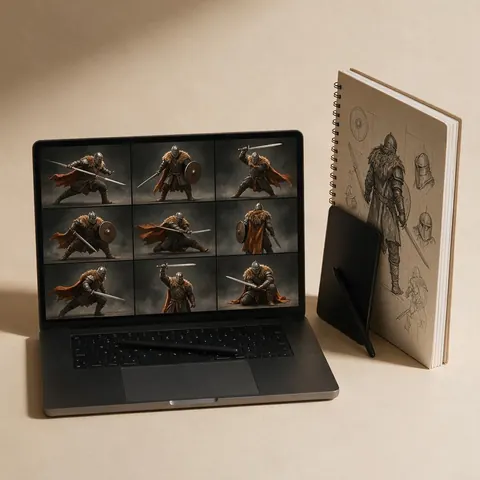
An artist could upload reference images of a character and keep it consistent on a multi-reference model.
Game designer
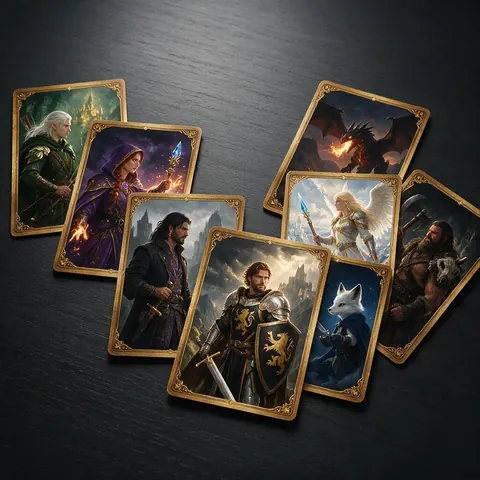
A game designer could pick from 80+ curated models for card art instead of sorting through a million.

Fantasy writer
A fantasy writer could keep a novel's character art in one studio with editing built in.
FAQ
Tensor.Art alternative questions
8 questions

What is TensorArt?
Tensor.Art, also written TensorArt or Tensor Art, is an online image generator and model hosting site. You can run, host, download and train community models and LoRAs in the browser, share ComfyUI workflows, and generate images and video. Its website is tensor.art.
Link to this answerIs Kenerate part of Tensor.Art?
No. Kenerate AI is a separate product and isn't affiliated with Tensor.Art. If you're looking for the Tensor.Art site or your account there, go to tensor.art.
Link to this answerWhat is the best TensorArt alternative?
Kenerate AI, if you want a curated set of models and editing tools in one app. Its 80+ models include Seedream 5.0 Pro, Nano Banana 2.1, GPT Image 2 and Flux 2, plus Neta Lumina for anime and video models such as Seedance 2.5. A free account gets 25 credits, then one-time credit packs from $15.
Link to this answerIs Tensor.Art free?
Yes, with limits. Its Starter plan gives 50 credits every day, up to 1536×1024 images and storage for up to 7 days. Kenerate gives 25 free credits once on sign-up, then one-time credit packs with no subscription required. If you want a daily refill, Tensor.Art fits better.
Link to this answerHow much is Tensor.Art Pro?
On 4 November 2026 its pricing page showed $9.90 a month, $21.90 a quarter or $69.90 a year, with 300 daily credits and permanent bonus credits. Its terms describe the membership as a subscription that renews automatically, and daily credits don't carry over.
Link to this answerCan I use Tensor.Art prompts on Kenerate?
Yes, with some rewriting. Plain-language prompts work on Flux 2 and Seedream 5.0 Pro, so turn long tag lists into a description first. If your prompt relied on a character LoRA, upload your character images as references instead; GPT Image 2 takes up to 16.
Link to this answerDoes Kenerate train LoRAs?
No. The studio has no LoRA training. To keep a character or product consistent, use reference images on a multi-reference model such as GPT Image 2 or Nano Banana 2.1. If training your own LoRAs is the main thing you do, stay with Tensor.Art.
Link to this answerCan I use Kenerate images commercially?
Yes. Kenerate's Terms say you own what you generate and can use it for commercial work.
Link to this answerIn depth
Tensor.Art vs Kenerate, in depth
How we compared, and what matters when you choose.
On this page
A model hub vs a curated studio
Tensor.Art is a community hub first: over a million models and LoRAs, shared ComfyUI workflows and free daily credits. That breadth is its strength, and also means sorting through a lot. Kenerate curates 80+ models, open ones such as Flux 2 and Neta Lumina and closed ones such as Seedream 5.0 Pro, Nano Banana 2.1 and GPT Image 2, and adds editing and image to video around them.
Daily credits vs one-time packs
Tensor.Art refills 50 free credits every day, or 300 on Pro, and daily credits don't carry over. Kenerate gives 25 credits once, then one-time packs from $15 for 1,300 credits with no subscription, which suits people who create in bursts rather than every day.
TensorArt, Tensor Art or Tensor.Art?
They all mean the same site. The company writes its name Tensor.Art, its model page says TensorArt, and many people search for tensor art. Kenerate isn't connected to it, and this page is a comparison from its public pages.



By the Kenerate AI teamLast updated and reviewed
We build Kenerate, so we're not neutral — which is why every Tensor.Art fact here links to Tensor.Art's own site, and we list when Tensor.Art is the better choice.
Sources: Tensor.Art — membership plans · Tensor.Art — membership terms · Tensor.Art — models · Tensor.Art — workflows
