Skip to content

Explainers · ads · e-learning · trailers · demos

AI Voice Over Generator for videos, ads & courses

Turn a script into a finished voice-over without a microphone or a booth: paste the text, pick a voice that fits the video, set the pace and download a clean take. Change a line later and regenerate just that clip.

Try
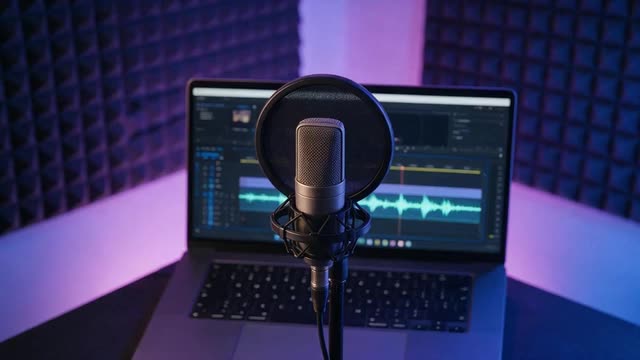
Microphone in front of a laptop timeline with a softly pulsing voice waveform
  • 555 preset voices
  • Up to 10,000 characters per clip
  • Speed, pitch & emotion
  • MP3 · WAV · FLAC

Updated by the

Quick answer

Updated

What is an AI voice over generator?

An AI voice over generator turns a written script into spoken narration for videos, ads, courses and presentations, with no microphone or recording session. In Kenerate AI's Voice Studio you paste up to 10,000 characters per clip, choose from 555 preset voices by four makers, set speed, pitch or emotion, and download the AI voiceover as MP3, WAV or FLAC.

Key facts

Preset voices
555 across MiniMax, ElevenLabs, Qwen3 and Kling
Per clip
Up to 10,000 characters (MiniMax, Multilingual v2); 5,000 on Eleven v3
Languages
40 on MiniMax; up to 70 on ElevenLabs Eleven v3
Controls
Speed 0.5–2×, pitch −12 to +12, 7 emotions (MiniMax)
Formats
MP3 · WAV · FLAC (MiniMax); MP3 (others)
Your own voice
Instant clone from a 3–15 s sample
Free start
Starter credits, no watermark

Listen first

Six voice-overs, six jobs

Real outputs: an explainer, an ad read, a trailer, a training module, a documentary line and a social hook. Press play and follow the words.

Explanatory Man

MiniMax Speech 2.8 HD · MiniMax

EnglishExplainerClear

Here's the short version. Solar panels turn sunlight into direct current. An inverter turns that into the alternating current your home uses, and anything you don't use can flow back to the grid.

0:11
Use this voice

Magnetic-Voiced Man

MiniMax Speech 2.8 HD · MiniMax

EnglishAd readSmooth

Welcome to the future of home coffee. One touch, thirty seconds, and the perfect cup.

0:05
Use this voice

Movie Trailer

MiniMax Speech 2.8 HD · MiniMax

EnglishTrailerDeep

In a world where any voice can be made from a single sentence... one creator dares to ask: what should it sound like?

0:06
Use this voice

Explanatory Man

MiniMax Speech 2.8 HD · MiniMax

EnglishTrainingClear

Before you start, make sure your safety badge is visible. In this module, we'll cover the three emergency exits on this floor.

0:07
Use this voice

Brian

ElevenLabs Multilingual v2 · ElevenLabs

EnglishDeepDocumentary

Deep, steady and clear. This is the voice for documentaries, audiobooks and anything that needs to sound certain.

0:06
Use this voice

Social Media Host

MiniMax Speech 2.8 HD · MiniMax

EnglishHookSocial host

Stop scrolling! This one kitchen trick saves you ten minutes every single morning. Watch this.

0:05
Use this voice

How to

How to make an AI voice over

Time needed
Steps
4 steps
  1. Step 1

    Write or paste the script

    Up to 10,000 characters per clip on MiniMax and Multilingual v2; split a long video into scenes.

  2. Step 2

    Pick a voice that fits the video

    A clear explainer voice for tutorials, a smooth read for ads, a deep voice for trailers; preview before you generate.

  3. Step 3

    Set pace and tone

    About 0.9–1.0× speed for courses, 1.1× for ads; emotion on MiniMax, audio tags like [excited] on Eleven v3.

  4. Step 4

    Generate, download and place it

    Download MP3, WAV or FLAC with no watermark and drop it on your video timeline.

Kenerate AI Voice Studio text to speech script box with a narration script typed in

Open Voice Studio in Text to speech and type the words you want spoken, or start from a script template.

1 / 5 · Write or paste your script

Watch the tour · 1:41

Text to speech, emotions & tags, Hindi, voice design, cloning & chat

Chapters

Use cases

Where AI voice-overs get used

Any video or deck that needs a clear voice, and needs it again when the script changes.

  • YouTube explainers & tutorials

    Narrate screen recordings and how-tos; keep one voice across every upload.

  • Ads & product demos

    Short, punchy reads; try three voices on the same line and keep the one that sells.

  • E-learning & training

    Course modules that are easy to update — regenerate one lesson, not the whole course.

  • Documentary & brand films

    Steady, authoritative reads for longer pieces.

  • Trailers & promos

    Deep trailer voices and dramatic openings for launches and games.

  • Other languages

    Paste a translated script and voice the same video in another language.

Engines

Engines for voice-over work

Facts from the Voice Studio's code.

  • MiniMax Speech 2.8 HD title card — a high-fidelity studio microphone with seven waves in seven emotion colours radiating from it

    MiniMax

    MiniMax Speech 2.8 HD

    Languages
    40 languages
    Per clip
    10,000 characters per clip

    Most natural MiniMax voice; 7 emotions, (laughs)/(sighs) interjections, pronunciation dictionary

    Open MiniMax Speech 2.8 HD
  • ElevenLabs Multilingual v2 title card — a long

    ElevenLabs

    ElevenLabs Multilingual v2

    Languages
    29 languages
    Per clip
    10,000 characters per clip

    Lifelike and consistent over long reads

    Open ElevenLabs Multilingual v2
  • ElevenLabs Eleven v3 title card — a fictional adult voice actor's silhouette in a recording booth

    ElevenLabs

    ElevenLabs Eleven v3

    Languages
    70 languages
    Per clip
    5,000 characters per clip

    Most expressive; audio tags like [whispers], [laughs], [excited]

    Open ElevenLabs Eleven v3
  • MiniMax Speech 2.8 Turbo title card — a sleek studio microphone with a fast waveform and speed streaks shooting past it

    MiniMax

    MiniMax Speech 2.8 Turbo

    Languages
    40 languages
    Per clip
    10,000 characters per clip

    Near-HD quality, faster; same emotions and interjections

    Open MiniMax Speech 2.8 Turbo
  • Qwen3 Voice Design title card — a pair of hands sculpting a glowing voice waveform out of light like clay

    Alibaba Qwen

    Qwen3 Voice Design

    Languages
    10 languages
    Per clip
    5,000 characters per clip

    Describe a voice in words and hear it

    Open Qwen3 Voice Design
  • Qwen3 Voice Clone title card — two mirrored waveforms on a dark studio desk

    Alibaba Qwen

    Qwen3 Voice Clone

    Languages
    10 languages
    Per clip
    5,000 characters per clip

    Instant clone from a 3–15 s sample, no training

    Open Qwen3 Voice Clone

Controls

Direct the read

A voice-over has to fit the edit. These controls set the pace and tone.

  • Speed · 0.5× – 2×

    MiniMax voices. 1× is the natural pace; 0.85–0.95× suits narration and learners, 1.1–1.2× suits ads and recaps.

  • Pitch · −12 to +12

    MiniMax voices, in semitones. A few steps down sounds bigger and older; a few up sounds lighter and younger.

  • Emotion · 7 moods

    MiniMax: neutral, happy, sad, angry, fearful, disgusted, surprised — the same words, a different read.

  • Interjections & tags · (laughs) · [whispers]

    MiniMax 2.8 reads 13 cues like (laughs), (sighs), (breath); ElevenLabs Eleven v3 reads audio tags like [whispers], [excited], [sarcastic].

  • Stability · 0 – 1

    ElevenLabs. Lower = more expressive and varied between takes; higher = steadier and more even.

  • Output · MP3 · WAV · FLAC

    MiniMax lets you pick the format and sample rate (16–44.1 kHz); every clip downloads without a watermark.

Scripts

Voice-over scripts to try

Short scripts for common jobs — open any in the Voice Studio and swap in your own words.

  • Tutorial intro

    Hi, and welcome back. Today we're setting up the whole thing from scratch, step by step, so you can follow along at your own pace.

  • 15-second ad

    Your mornings, simplified. One app for your calendar, your lists and your notes. Try it free today.

  • App walkthrough

    Tap the plus button to start a new project. Give it a name, choose a template, and you're ready to go.

  • Documentary opener

    High in the mountains, where the air is thin and the winters are long, a small village keeps a very old promise.

  • Excited promo (v3 tags)

    [excited] It's finally here! [pause] The update you've been asking for, and it's even better than we hoped.

Tips

Voice-overs that sound produced

Most of the polish comes from the script and the edit.

  • Write for the ear: short sentences, one idea each, and numbers written the way you'd say them.

  • Check the length with the speech time calculator before you lock the edit.

  • Generate one clip per scene so a script change never means redoing the whole video.

  • Keep the same voice and settings across a series so episodes match.

  • Use commas and full stops to place pauses where the visuals change.

  • Leave room under the voice for music, and lower the music while the voice speaks.

Example uses

How creators use AI voice over generator

Illustrative examples of typical workflows, not customer reviews.

  • Desk with a tutorial on the monitor, a script outline notebook and headphones

    YouTube educator

    A YouTube educator could voice every tutorial with the same clear explainer voice and regenerate only the lines that change when a video is updated.

  • Meeting room screen showing a training slide with a laptop on the table

    Course designer

    A course designer could narrate each training module from its script, keep one voice across the course and update a single lesson without a re-record.

  • Fantasy concept art of a lantern-lit tower on a cliff under stars

    Indie game studio

    An indie game studio could try a deep trailer voice and a calm narrator on the same launch script and keep the read that fits the trailer.

FAQ

AI Voice Over Generator questions

What is the best AI voice over generator?

There is no single best voice for every video; it depends on the job. In Kenerate AI, MiniMax Speech 2.8 HD is the default for natural reads with emotion control, ElevenLabs Multilingual v2 stays steady over long narration, and Eleven v3 is the most expressive with audio tags. Generate the same line on two or three and keep the one that fits.

Link to this answer

Is the AI voice over generator free to try?

Yes, you can start free. A new Kenerate account comes with starter credits, enough to try several voices on your own script, and every clip downloads without a watermark. When you need more, one-time credit packs top you up, and credits never expire.

Link to this answer

How long can an AI voice over be?

Each clip can be up to 10,000 characters on MiniMax and ElevenLabs Multilingual v2, and up to 5,000 on Eleven v3 and Qwen3. For a longer video, split the script by scene, generate each clip with the same voice and settings, and join them in your editor. The speech time calculator shows how long a script runs.

Link to this answer

Can I use an AI voiceover on YouTube?

Yes, many creators use AI voiceovers for YouTube explainers, tutorials and faceless channels. Download the clip, place it under your visuals and keep one voice across uploads so the channel sounds consistent. Check YouTube's current rules on labelling synthetic content, and only clone a voice you have permission to use.

Link to this answer

Can I make a voice over in another language?

Yes. Paste a translated script and pick a voice that speaks that language: MiniMax voices cover 40 languages, ElevenLabs Multilingual v2 covers 29 and Eleven v3 covers 70. If the video is already recorded in one language, the AI video translator and dubbing tool can translate the speech for you.

Link to this answer

Can I use my own voice for a voice over?

Yes. Upload a clean 3–15 second sample and Qwen3 Voice Clone reads your script in that voice straight away, with no training step. You can also describe a brand-new voice in words with Voice Design. Only clone your own voice or one you have clear permission to use — never clone someone without their consent.

Link to this answer

What is the difference between an AI voice over and text to speech?

They use the same technology. Text to speech is the general tool that reads any text aloud; an AI voice over is speech made for a video, ad or course, where pacing, tone and timing against the picture matter most. This page focuses on voice-over work; the text to speech page covers everyday reading and accessibility.

Link to this answer

What a voice-over is

A voice-over is a voice heard over the picture by someone who isn't speaking on screen — the narrator of a documentary, the announcer in an ad, the guide in a tutorial [1]. An AI voice-over replaces the recording session with a script and a synthetic voice, so every revision is a regeneration rather than a re-record.

By Last updated and reviewed

We build and run the Kenerate Voice Studio. Every demo on this page is a real output of the engine and voice named on it, made from the script shown; engine facts were checked against the app's code.

Sources: Kenerate Voice Studio (engines, voices and limits from the app's code) · MiniMax Speech 2.8 HD on WaveSpeed · ElevenLabs Eleven v3 on WaveSpeed · ElevenLabs — text to speech documentation · ElevenLabs — Eleven v3 audio tags · Qwen3 TTS Voice Clone on WaveSpeed · Qwen3 TTS Voice Design on WaveSpeed

Make your AI voice over

Free to start. No watermark. Download every clip.

Tried it? Tell us how it went