Paint it or name it
AI Object Remover — erase anything from a photo
Remove tourists, power lines, clutter or a stray bin from any photo. Paint over it with Magic Eraser, or just write “remove the two people on the left” — the AI fills the gap with matching background.


- Paint or describe
- Fills the background
- Free-plan model works
- No watermark
Updated by the Kenerate AI team
On this page
Quick answer
How do you remove an object from a photo with AI?
An AI object remover erases something from a photo and fills the gap with matching background. On Kenerate AI you can paint over it with Magic Eraser in Edit Studio, or describe it — “remove the two tourists and the trash bin, keep everything else”. In our tests Seedream 5.0 Pro cleanly removed people, power lines and desk clutter from text alone.
Key facts
- Removals tested
- 4 (text only, no mask)
- Removed
- People · power lines · clutter · a bin
- Paint mode
- Magic Eraser in Edit Studio
- Text mode
- Describe what to remove
- Free-plan model
- Qwen Image 3.0 matched it on the beach
- Watermark
- None
Gallery
Four removals, no masks
Real text-only edits of three photos — people on a beach, wires over a street and clutter on a desk. Open any one to copy the prompt.
Same prompt
Before and after
The original street, then the same street with every power line, the wall cables and the traffic cone gone — from one sentence. The tram and houses didn't move.
PromptRemove all the overhead power lines and cables crossing the sky, and the orange traffic cone on the road. Fill with clear blue sky and the same road surface. Keep the houses, balconies, the yellow tram, the light and the framing exactly the same.
 OriginalPower lines and a cone
 CleanedSeedream 5.0 Pro edit
 Desk, beforeCable, notes, receipts
 Desk, afterSeedream 5.0 Pro edit
How to
How to use the AI object remover
- Time needed
- Steps
- 4 steps
Step 1
Upload your photo
Open Edit Studio (/app/edit) or Image Studio (/app/image). Sign in free for starter credits.
Step 2
Paint or describe
Magic Eraser: brush over the object. Or write “remove the trash bin, keep everything else the same”.
Step 3
Say what fills the gap
“Fill with the same sand and sky” keeps the background believable.
Step 4
Compare and download
Check edges and shadows, then download with no watermark.
See it in the app

Open Edit Studio and upload an image, or pick one from your history.


Watch the tour · 1:23
Prompts, styles, references, edit, Arena & chat
Chapters
Tips
Get a clean removal
What worked in our tests.
Name each thing to remove and where it is: “the two tourists on the left”.
Say what should fill the gap: “empty sand and sea”, “clear blue sky”.
End with “keep everything else exactly the same” and list what matters.
Several similar objects, or a tiny one? Paint over it with Magic Eraser instead of describing it.
Remove shadows and reflections too — they give a removed object away.
Only edit photos you have the right to change, and don't remove watermarks from other people's work.
Models
Models for removing objects
What each model is good at. Open any one straight in the generator.

ByteDance
Seedream 5.0 Pro
- Reference images
- Up to 10
- Output
- Up to 2K
Open Seedream 5.0 ProBest for
Used here; Magic Eraser default
- Free plan

Alibaba
Qwen Image 3.0
- Reference images
- Up to 3
- Output
- 1K · 2K
Open Qwen Image 3.0Best for
Free plan; matched it on the beach
Google
Nano Banana 2.1

OpenAI
GPT Image 2
- Reference images
- Up to 16
- Output
- Model default
Open GPT Image 2Best for
Also in Magic Eraser
FAQ
AI Object Remover questions
7 questions
How do I remove an object from a photo with AI?
Upload the photo to Kenerate's Edit Studio and either paint over the object with Magic Eraser or describe it: “remove the green trash bin, fill with the same sand, keep everything else the same”. Seedream 5.0 Pro removed people, power lines and desk clutter this way in our tests, with no mask. Download the result with no watermark.
Link to this answerCan AI remove a person from a photo?
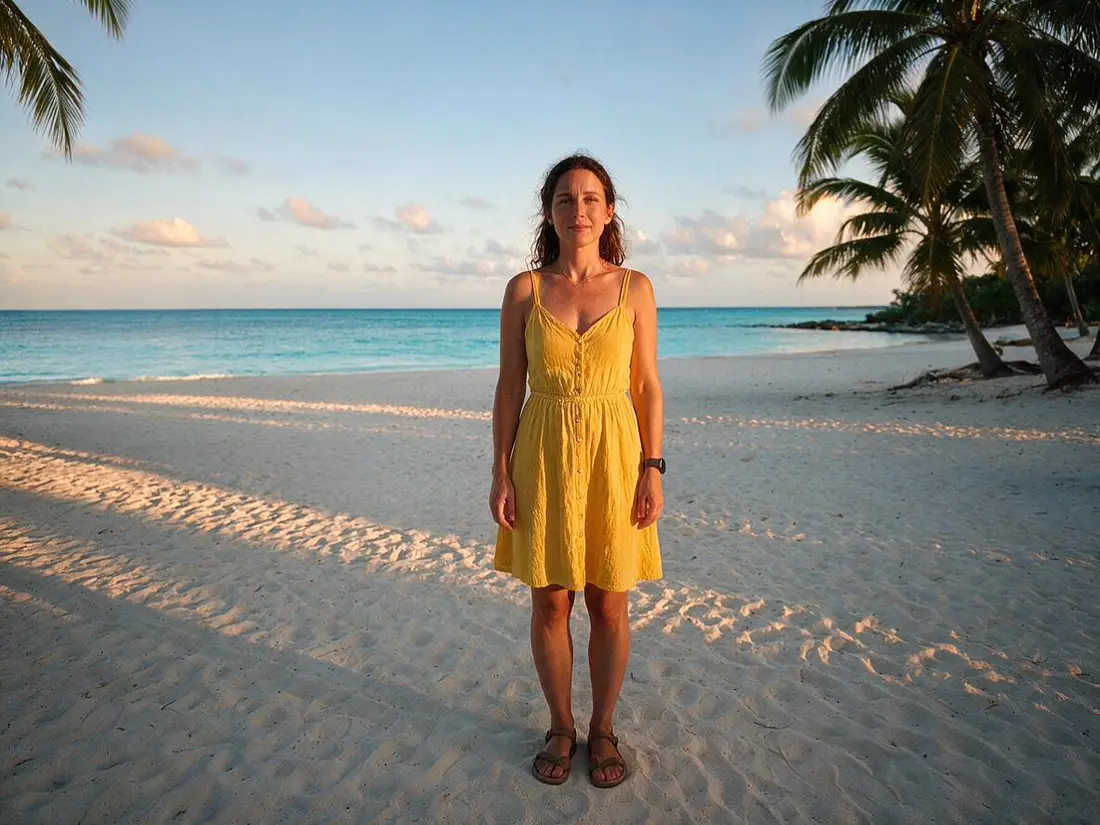
Yes. Our beach example lost two background tourists from one sentence while the woman in front stayed exactly the same. Say where the person is (“the man on the left”) and what should fill the space. For step-by-step methods on iPhone and in Photoshop, see our guide to removing a person from a photo.
Link to this answerIs the AI object remover free?
Free to start. A new Kenerate account gets starter credits on sign-up, and Qwen Image 3.0 — a free-plan model — removed the tourists and bin from our beach photo as cleanly as Seedream 5.0 Pro did. After that, edits use one-time credit packs that never expire, with no subscription. Downloads carry no watermark.
Link to this answerShould I paint over the object or describe it?
Describe it when it's easy to name — “the traffic cone”, “all the power lines”. Paint over it with Magic Eraser when there are several similar things and you want only one gone, or when it's too small to name clearly. Both run on the same editing models.
Link to this answerCan it remove power lines and wires?
Yes. In our street photo one sentence removed every overhead line, the thin cables running along the walls and a traffic cone, and the sky behind them came back clear blue. Ask for “all the power lines and cables” so none are left behind.
Link to this answerWill the background look fake?
Not in our four tests — sand, sky, road and wood grain were filled to match. It works best when you say what the background should be. Very large removals over complex scenes can need a second pass or a smaller painted area.
Link to this answerCan I remove a watermark or logo?
Only from images you own or have the right to edit. Removing someone else's watermark to reuse their photo can break copyright law, so we don't recommend it. For text you added yourself, the remove-text-from-image tool is a better fit.
Link to this answerIn depth
AI Object Remover, explained
What works, what to avoid, and how to pick a model.
Two ways to erase: paint or describe
Magic Eraser in Edit Studio lets you brush over what should go; the brushed area and the photo go to the editing model, which repaints only that part. Text editing skips the brush — you name the object and the model finds it.
Both are instruction-based image editors, so the same rule applies: say what to remove, what should replace it, and what must stay the same.
What we removed, and how it went
Four text-only edits, no masks:
- Two tourists and a trash bin on a beach — clean sand and sea, the woman in front unchanged (Seedream 5.0 Pro).
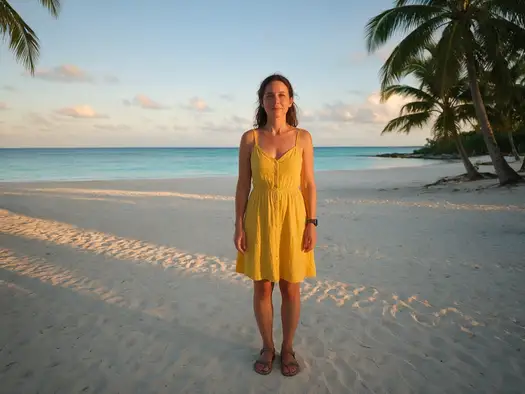
- The same beach with Qwen Image 3.0, the free-plan model — just as clean.
- Power lines, wall cables and a traffic cone over a Lisbon street — clear sky, tram and balconies untouched.
- A charger cable, sticky notes and receipts on a desk — matching oak grain, mug and notebook untouched.