

Flux AI Image Generator — Online & Free to Try
Flux AI Image Generator Online — Flux 2, Flux Dev and Flux Schnell
Flux AI Image Generator Online by Kenerate AI gives browser access to Black Forest Labs' Flux models — Flux 2 Pro, Flux 2 Max, Flux 2 Flex, Flux 2 Dev, Flux Dev and Flux Schnell — for photorealistic portraits, product renders, architectural visuals and digital art. Upscale up to 8K, download without a watermark, and start free.
- Flux models
- Flux 2 Max, Pro, Flex, Dev · Flux Dev, Schnell
- Maker
- Black Forest Labs
- Upscaling
- Up to 8K or 128 MP
- Watermark
- None
- Start
- Free credits, no subscription required

- Free to start
- No Watermarks
- No Subscription Required
- Credits never expire
Updated by the Kenerate AI team
On this page
Real results
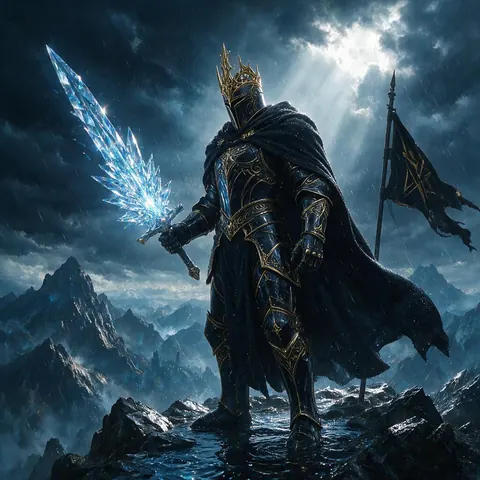
Flux AI image generator online — showcase
Real outputs from Kenerate AI — no watermarks.
Every Flux model in one browser studio
One studio for images, video, voice and 3D.
Flux 2 and Flux Dev
Use Black Forest Labs' Flux models directly from your browser, with nothing to install.
Fast cloud GPUs
Flux runs on cloud GPUs — no GPU setup, no installation. Flux Schnell is the fastest Flux for drafts.
Photorealism and text
Flux is known for photorealism and legible text; Flux 2 Flex is tuned for typography and fine detail. Upscale any result up to 8K.
Multiple Flux Variants
Choose from Flux 2 Max, Flux 2 Pro, Flux 2 Dev, Flux Dev and Flux Schnell for different speed/quality tradeoffs.
Every Art Style
Photorealism, product renders, anime, architectural visualization — Flux handles all.
Commercial Rights Included
Full commercial ownership on every Flux-generated image.
Comparison
Flux online on Kenerate vs running Flux yourself
The open-weight Flux models can run locally; here is what changes.
| Feature | Kenerate AI (online) | Running Flux locally |
|---|---|---|
| Setup | Nothing to install | GPU drivers, Python or ComfyUI, model downloads |
| Models | Flux 2 Pro, Max, Flex, Dev · Flux Dev · Flux Schnell | Open-weight versions only (Flux Dev, Schnell, Flux 2 Dev) |
| Hardware | Cloud GPUs | A powerful local GPU with plenty of video memory |
| Cost | Credits per image; free credits to start | Free software, your own hardware and power |
| Other tools | Upscaling to 8K, image editor, video, music, 3D | Add-ons you install yourself |
| Watermark | None | None |
What's inside Kenerate AI
One studio, many models
80+ image models and 57 video models — Seedream, GPT Image, Flux, Veo 3.1, Kling 3.0, Seedance 2.5, Wan 3 and more — plus a voice studio, talking photos, motion control, dubbing and upscaling, all on one account.
How credits work
New accounts get free credits. After that, one-time credit packs that never expire — no subscription required to cancel. Results download without a watermark.
In the studio
Image upscaling up to 8K or 128 MP Video upscaling up to 4K Text to speech, voice cloning and voice design Reference images for consistent characters No watermarks Credits that never expire
How it works
How it works in the app
Step 1
Describe your image
Open Image Studio and type what you want to see — subject, style, lighting and mood.
Step 2
Pick an image model
Tap the model card to browse every image model, filter by use case and choose one.
Step 3
Set the aspect ratio and size
Open Output to choose a ratio such as 1:1, 9:16 or 16:9 and the resolution you need.
Step 4
Click Create
Choose how many images to make, then press Create — results land in your gallery.
See it in the app

Open Image Studio and type what you want to see — subject, style, lighting and mood.


FAQ
Frequently Asked Questions
14 questions
What is Flux AI image generator?
Flux AI is a family of text-to-image models by Black Forest Labs, known for photorealism, legible text and close prompt adherence. On Kenerate AI you can run Flux 2 Max, Flux 2 Pro, Flux 2 Flex, Flux 2 Dev, Flux Dev and Flux Schnell in the browser.
Link to this answerIs Flux AI image generator free online?
Yes, to start. Kenerate AI gives new accounts free credits, which you can spend on Flux models such as Flux 2 Dev. After that, one-time credit packs never expire, and there is no subscription required.
Link to this answerWhat makes Flux better than DALL-E 3 or Midjourney?
Flux is known for accurate text in images, realistic hands and faces, and complex multi-subject compositions. Which model is best depends on the prompt, so on Kenerate AI you can run the same prompt on Flux 2, GPT Image or Seedream and compare.
Link to this answerCan I use Flux AI without downloading anything?
Yes. Kenerate AI runs Flux in the cloud — accessible from any browser or mobile device with no GPU or software installation.
Link to this answerWhat resolutions can Flux AI generate?
Size depends on the Flux model and the aspect ratio you pick. The upscaler then takes any result up to 8K or 128 MP, and downloads have no watermark.
Link to this answerIs there a Flux AI image generator without watermarks?
Yes. Kenerate AI provides Flux-generated images with zero watermarks on every tier.
Link to this answerWhat's the difference between Flux 1.1 Pro, Dev, and Schnell?
Kenerate AI runs the newer Flux 2 Pro and Flux 2 Max in place of Flux 1.1 Pro for top quality. Flux Dev is the classic FLUX.1 Dev for reliable, detailed images, and Flux Schnell is the fastest, cheapest Flux, made for quick drafts.
Link to this answerCan I use Flux AI images for commercial projects?
Yes. All Kenerate AI generated images include full commercial rights.
Link to this answerCan I edit images with Flux AI?
Yes. Flux 2 models edit with up to 3 reference images, and Flux Dev and Flux Schnell remix an uploaded image with a strength slider. The editor at /app/edit adds inpainting and style tools.
Link to this answerHow much does Flux AI cost on Kenerate AI?
Free credits on signup, then one-time credit packs with no subscription required.
Link to this answerIs Flux AI better than Stable Diffusion?
For many tasks, yes: Flux models generally handle photorealism, text and prompt adherence better than SDXL. SDXL-based models such as Pony XL are still popular for stylised anime.
Link to this answerHow fast does Flux generate?
Flux runs on fast cloud GPUs, and Flux Schnell is the fastest Flux model, made for instant drafts. Speed also depends on the image size.
Link to this answerIs Flux AI open source?
Partly. Black Forest Labs publishes open weights for some Flux models — Flux Dev, Flux Schnell and Flux 2 Dev — while Flux 2 Pro, Flux 2 Max and Flux 2 Flex are closed models offered through an API. Open weights come with their own licences, so check them if you run the models yourself. Kenerate AI runs both kinds in the browser.
Link to this answerCan I run Flux AI locally?
Yes, the open-weight versions. Flux Dev, Flux Schnell and Flux 2 Dev can run on your own computer with tools such as ComfyUI, but they need a powerful GPU with plenty of video memory and some setup. Kenerate AI runs the same models online with nothing to install, plus the closed Flux 2 Pro, Max and Flex.
Link to this answerIn depth
Flux AI Image Generator, explained
What is the Flux AI image generator, and why do creators use it?
Flux AI (developed by Black Forest Labs, founded by Stability AI alumni) is a family of text-to-image models used widely by professional creators, with open-weight versions such as Flux Dev and Flux Schnell and the newer Flux 2 line.
Flux models are known for three strengths: precise text rendering (signs, labels, typography in images), photorealistic human anatomy (accurate hands, faces, skin textures), and complex scene composition (multi-subject prompts with accurate spatial relationships).
Kenerate AI provides cloud-hosted access to Flux 2 Max, Flux 2 Pro, Flux 2 Flex, Flux 2 Dev, Flux Dev and Flux Schnell without any local GPU setup, Replicate API keys or Fal.ai accounts. Type your prompt and generate on fast cloud GPUs from any browser or mobile device.
Flux sits next to 80+ other image models on one account, so you can compare it with Seedream, GPT Image or Qwen Image on the same prompt. New accounts get free credits; after that, one-time credit packs never expire.


Start Creating for Free Today
Free credits to start. No watermarks. No subscriptions. Credits never expire.
Tried it? Tell us how it went