Sage Woman
MiniMax Speech 2.8 HD · MiniMax
EnglishNarrationWarm
The lighthouse had not been lit in forty years. Yet every night at nine, a single window glowed at the top of the tower, and the fishermen stopped talking as they rowed past.
0:11
Voice-over files · 555 voices · 70 languages
Speechify is built for listening to your documents. If what you actually need is a natural voice-over file — for a video, course, podcast or announcement — Kenerate's Voice Studio makes downloadable audio in 555 voices.
Updated by the Kenerate AI team
On this page
Quick answer
Updated
The best Speechify alternative if you need audio files rather than a reader app is Kenerate AI's Voice Studio. Speechify is mainly a text-to-speech reader: its free plan has 10 robotic-sounding voices, and Premium adds 1,000+ natural voices. Kenerate generates downloadable MP3, WAV or FLAC in 555 voices, with voice cloning and 70 languages.
Checked 29 September 2026
Speechify facts from its pricing page (checked 29 September 2026). They're different tools: Speechify reads to you; Kenerate makes audio files.
| Kenerate | Speechify | |
|---|---|---|
| Built for | Generating voice-over audio files | Listening to documents, web pages and books |
| Free voices | The full library on free credits | 10 robotic-sounding voices (Free plan) |
| Paid voices | 555 voices, 4 makers | 1,000+ voices, 60+ languages (Premium) |
| Speed | 0.5–2× set per clip (MiniMax) | Up to 1.5× free, 5× Premium (listening speed) |
| Voice cloning & design | Instant clone, saved clones, Voice Design | Not listed on the pricing page |
| Output | MP3 · WAV · FLAC downloads, you own them (Terms) | In-app listening; voice-overs are a separate Speechify Studio product |
No prices listed — plans change. Check each provider's pricing page.
Sources: Speechify — pricing page (checked 29 September 2026) · Kenerate — Terms of Service (ownership of generated content) · Kenerate Voice Studio (engines, voices and limits from the app's code) · MiniMax Speech 2.8 HD on WaveSpeed · ElevenLabs Eleven v3 on WaveSpeed · ElevenLabs — text to speech documentation
Listen first
Real outputs from the Voice Studio — each one downloads as an audio file.
MiniMax Speech 2.8 HD · MiniMax
The lighthouse had not been lit in forty years. Yet every night at nine, a single window glowed at the top of the tower, and the fishermen stopped talking as they rowed past.
MiniMax Speech 2.8 HD · MiniMax
Here's the short version. Solar panels turn sunlight into direct current. An inverter turns that into the alternating current your home uses, and anything you don't use can flow back to the grid.
ElevenLabs Multilingual v2 · ElevenLabs
For forty million years, these forests have grown in silence. Today, they are home to more species than anywhere else on Earth.
MiniMax Speech 2.8 HD · MiniMax
Welcome. This short guided session will help you slow down, relax your shoulders and bring your attention back to your breath.
ElevenLabs Multilingual v2 · ElevenLabs
Good evening. Tonight's forecast: light rain across the west, clearing by midnight, with a crisp, bright start tomorrow morning.
How to
Step 1
An article, notes or a chapter — up to 10,000 characters per clip.
Step 2
555 voices; filter by gender, language and use case.
Step 3
Speed, pitch and emotion are saved into the audio file.
Step 4
MP3, WAV or FLAC — listen anywhere, or use it in a project.
See it in the app

Open Voice Studio in Text to speech and type the words you want spoken, or start from a script template.
Text to speech, emotions & tags, Hindi, voice design, cloning & chat
Chapters
Use cases
And when Speechify is.
Download the audio and drop it into your editor.
Consistent voices you can regenerate per lesson.
Chapter-sized clips up to 10,000 characters.
Files for phone systems and venues.
…reading PDFs, web pages and books aloud as you go, on phone and browser.
70 on Eleven v3 and native voices in 40 on MiniMax.
Engines
Facts from the app's code.
ElevenLabs
Lifelike and consistent over long reads
Open ElevenLabs Multilingual v2
ElevenLabs
Most expressive; audio tags like [whispers], [laughs], [excited]
Open ElevenLabs Eleven v3
MiniMax
Most natural MiniMax voice; 7 emotions, (laughs)/(sighs) interjections, pronunciation dictionary
Open MiniMax Speech 2.8 HD
Alibaba Qwen
9 characterful voices plus a free-text style prompt
Open Qwen3 TTSControls
Settings are baked into the audio you download.
MiniMax voices. 1× is the natural pace; 0.85–0.95× suits narration and learners, 1.1–1.2× suits ads and recaps.
MiniMax voices, in semitones. A few steps down sounds bigger and older; a few up sounds lighter and younger.
MiniMax: neutral, happy, sad, angry, fearful, disgusted, surprised — the same words, a different read.
MiniMax 2.8 reads 13 cues like (laughs), (sighs), (breath); ElevenLabs Eleven v3 reads audio tags like [whispers], [excited], [sarcastic].
ElevenLabs. Lower = more expressive and varied between takes; higher = steadier and more even.
MiniMax lets you pick the format and sample rate (16–44.1 kHz); every clip downloads without a watermark.
Scripts
Paste your own, or try these.
Blog post
Today I want to talk about the one habit that changed how I work: writing tomorrow's plan before I close my laptop.
Lesson
Let's review the three branches of government: the legislative, the executive and the judicial.
Story
She opened the attic door, and for the first time in twenty years, the music box began to play.
Summary
In short: sleep more, walk daily, and drink water before coffee. Everything else is a bonus.
Tips
A different workflow — files instead of live reading.
Split long documents into sections of up to 10,000 characters.
Pick one voice for a whole book or course.
Set speed in the studio; the file plays at that pace everywhere.
Download MP3 to listen offline on any player.
Kenerate doesn't scan photos of text; paste the text instead.
Keep Speechify if you mainly listen to PDFs and web pages on the go.
Example uses
Illustrative examples of typical workflows, not customer reviews.
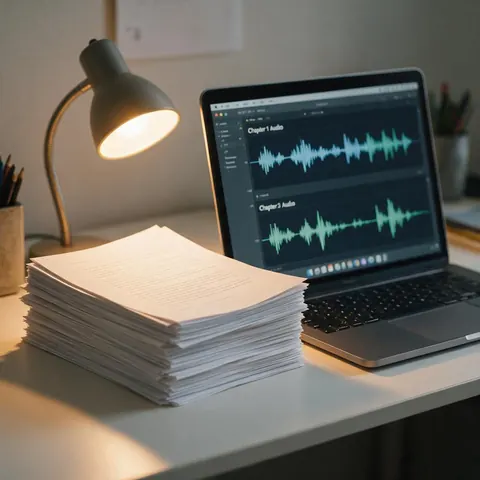
An author could turn chapters into clips of up to 10,000 characters with one voice for the whole book.
A course creator could regenerate a single lesson's narration without re-recording the rest.
A shop owner could make a greeting or announcement file for a phone system or venue.
FAQ
Speechify has a Free plan. According to its pricing page (checked 29 September 2026), it offers 10 robotic-sounding voices at up to 1.5× speed; Premium adds 1,000+ natural voices, 60+ languages and up to 5× speed.
Link to this answerFor downloadable audio files, Kenerate's Voice Studio starts you with free credits that never expire and gives access to 555 natural voices. For reading documents aloud on the go, a reader app or your device's built-in screen reader may suit you better.
Link to this answerKenerate generates audio from text you paste. Copy the PDF's text into the Voice Studio (up to 10,000 characters per clip) and download the audio.
Link to this answerNo. Kenerate runs in the browser at kenerateai.com and produces audio files you can play anywhere.
Link to this answerYes — instant cloning from a 3–15 second sample, or a saved MiniMax clone for regular use.
Link to this answerKenerate's Terms give you ownership of what you generate.
Link to this answerIn depth
What works, what to avoid, and how the pieces fit.
Speechify's core product reads your documents, web pages and books aloud while you listen, with speed controls and scanning features; voice-overs are handled by a separate Speechify Studio product [1]. Kenerate works the other way round: you paste text, choose a voice and download an audio file you can use anywhere.
If you want to listen to your reading list faster, a reader app is the right tool. If you're making something — a video, a course, an audiobook, a greeting — you need audio files with consistent voices, which is what the Voice Studio is for.
Free to start. No watermark. Download every clip.
Tried it? Tell us how it went