

56 looks · by mood · by occasion
Photo Filters — 56 AI looks for any picture, picked by mood
Warm golden hour, soft watercolour, 1940s noir, a Polaroid snapshot, a pixel-art sprite: choose a look for the mood or the place the photo is going, and AI Filter redraws it while keeping the same face, pose and framing.
- 56 looks in 7 groups
- Keeps the face and pose
- Mix two looks
- No watermark
Updated by the Kenerate AI team
On this page
Quick answer
Updated
What are AI photo filters?
Photo filters change how a picture looks; Kenerate AI Filter goes further and redraws one photo in any of 56 looks — Golden Hour, Film Noir, Watercolor, Polaroid, Pixel Art and more — while keeping the same face, pose and framing. Pick a look by mood or by where the photo is going, and get one restyled image back.
Key facts
- Looks
- 56 in 7 groups of 8
- Input
- One photo · JPG, PNG or WebP · up to 20 MB
- Engines
- 4 — Qwen Image 3 is the default
- Speed
- About 10–20 s on the default engine
- Combine
- Mix two looks, or stack one on another
- Result
- One image per run, compare slider, no watermark
Looks
Nine photo filters to start with
Classic photo moods first, then painted and retro looks. Each card opens AI Filter with that look picked.
Golden Hour
Warm low sun from behind, glowing hair edges, lens flare and creamy bokeh. Told to keep the face exactly as it is.
Studio Headshot
A neutral grey backdrop, soft key and rim light, natural retouching — a profile picture without a photo shoot.
Film Noir
Black and white with hard venetian-blind shadows across the face: a 1940s film still.
Polaroid
An instant snapshot with a white frame, soft flash, faded warm tones and light leaks.
Watercolor
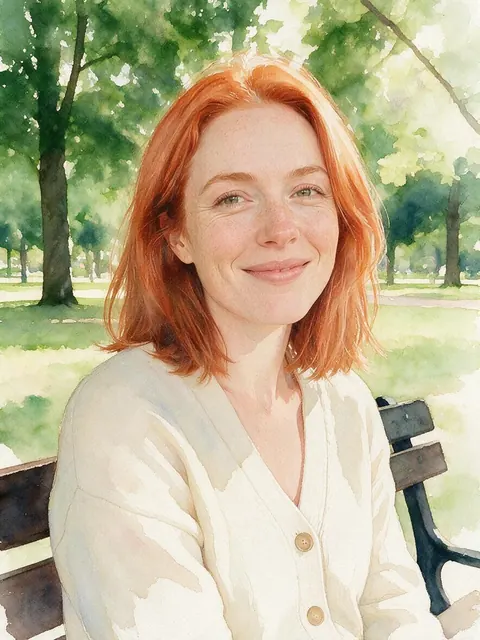
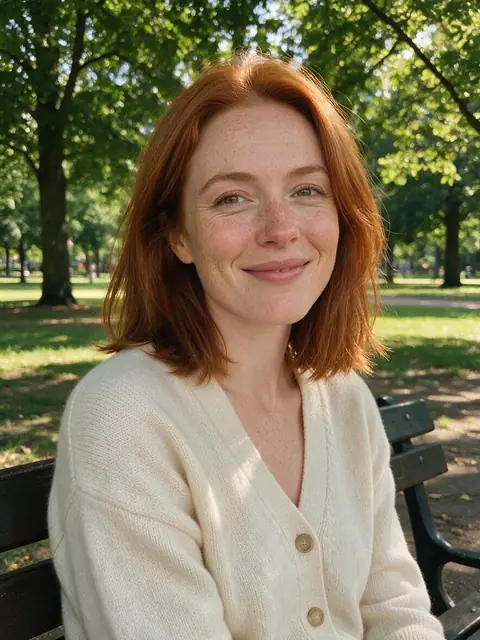
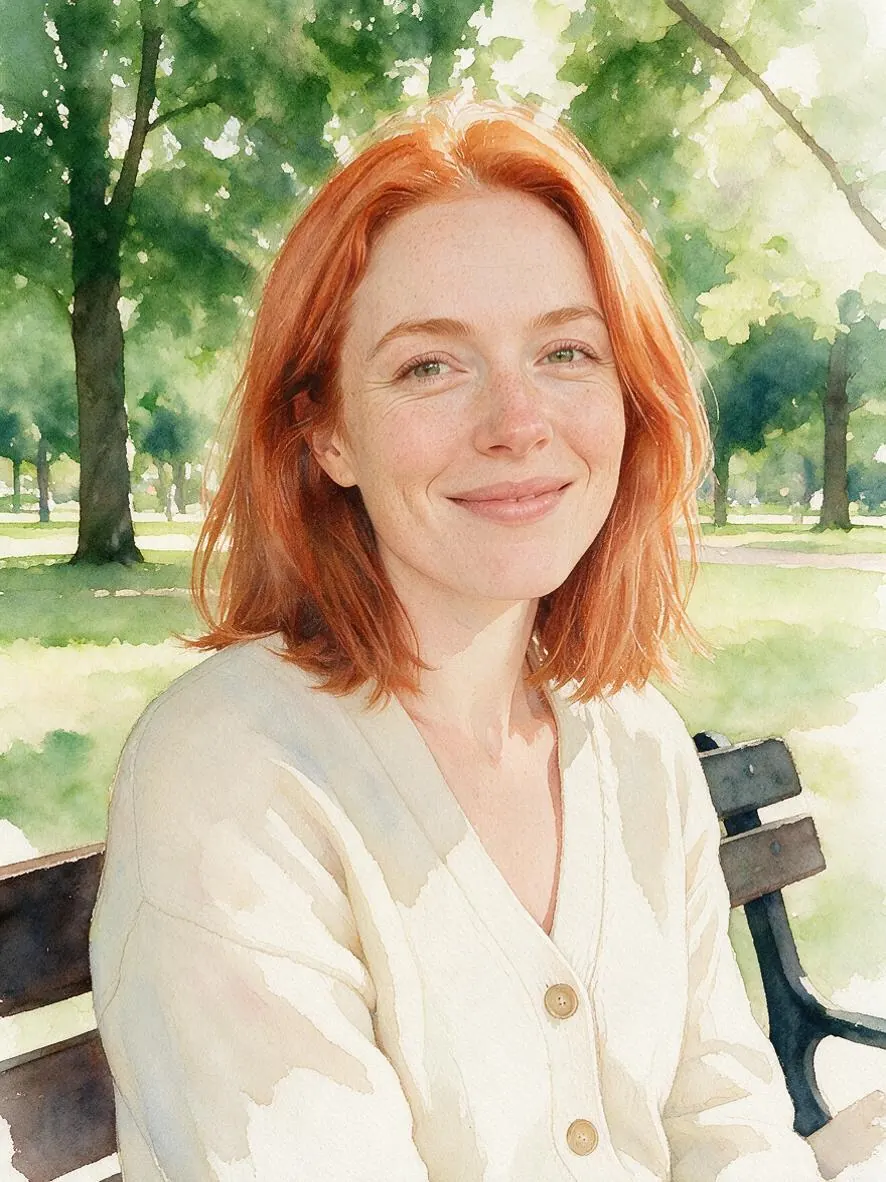
Loose translucent washes, bleeding edges and white paper showing through. The look in the before/after above.
Oil Painting
Thick impasto brushstrokes, Rembrandt lighting and a dark background, with canvas texture.
Vaporwave
Pink-and-cyan gradient sky, neon grid floor, palm silhouettes and VHS scanlines.
Pixel Art
A 16-bit game sprite: chunky pixels, a limited palette and dithered shading.
Die-cut Sticker
A glossy die-cut vinyl sticker with a thick white outline on a plain background.
How to
How to put a filter on a photo
Four steps in the browser. The Watercolor card above opens the tool with that look already chosen.
- Time needed
- Steps
- 4 steps
- You need
- A web browser · One photo (JPG, PNG or WebP)
Step 1
Add one photo
Upload, snap with the camera, paste, or pick from History or your Library — JPG, PNG or WebP up to 20 MB. Links from other sites are refused.
Step 2
Pick a filter
Browse 7 groups of 8 looks, search the drawer by mood (“warm”, “noir”, “retro”), or press Surprise me. Mix with a second look if you like.
Step 3
Add a Twist if you want
One extra instruction of up to 300 characters, such as “keep my own background” or “add falling snow”. It's optional.
Step 4
Apply and compare
Drag the Compare slider, then Download, Upscale, Tweak the look, or use the result as the next photo to stack another filter.
See it in the app

Open AI Filter and upload the photo you want to restyle.


Watch the tour · 1:46
56 looks in 7 groups, four engines, before / after, mix two looks, add a twist, hand-offs & chat
Chapters
Engines
Which engine for which photo filter?
All four engines can run every look. Start on the default and switch when a filter needs more texture or a bigger change.
- Default
Alibaba
Qwen Image 3
- Strength
- Fast, faithful to the face · best value (default)
- Typical time
- About 10–20 s
Start here for selfies and portraits: quickest, and the closest likeness — ideal for Studio Headshot and Golden Hour.
Open Qwen Image 3 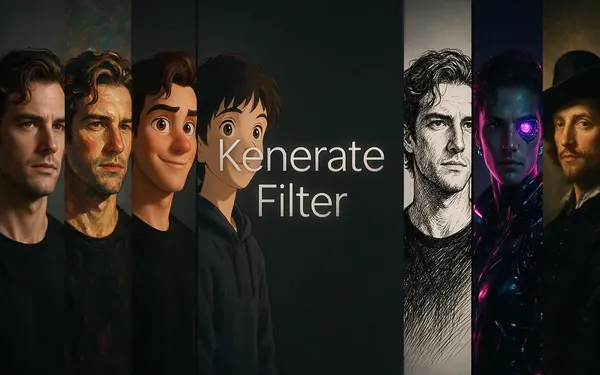
Kenerate
Kenerate Filter
- Strength
- Identity-locked re-render · bold style changes
- Typical time
- About 15–30 s
For filters that reshape you — Plush Toy, Vinyl Figure, Chibi, Zombie — while you stay recognisable.
Open Kenerate Filter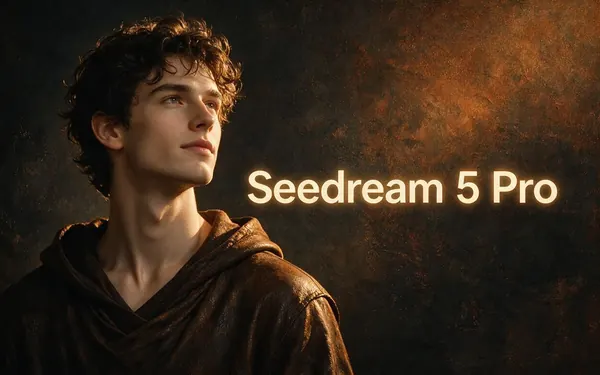
ByteDance
Seedream 5 Pro
- Strength
- Painterly & cinematic looks · rich texture
- Typical time
- About 20–40 s
For painted and film filters: Watercolor, Oil Painting, Film Noir, Infrared. The engine in the demo above.
Open Seedream 5 Pro
OpenAI
GPT Image 2
- Strength
- Smartest with complex mixes · toys & posters
- Typical time
- About 30–60 s
For two-look mixes and filters with frames or lettering, such as Polaroid's caption strip.
Open GPT Image 2
Times are typical, not promised. Every engine returns one image per run, and a failed run is refunded automatically.
Compared
Best photo filter for each kind of picture
Where the photo is going decides the look. These pairings follow the tool's looks and the engine strengths it lists.
| Filters to try | Engine to start on | |
|---|---|---|
| Profile picture, CV, LinkedIn | Studio Headshot, Fashion Editorial | Qwen Image 3 |
| Holiday and outdoor shots | Golden Hour, Watercolor, Ghibli | Seedream 5 Pro |
| Moody black and white | Film Noir, Comic Noir, Charcoal Sketch | Seedream 5 Pro |
| Retro and nostalgic | Polaroid, Y2K, Vaporwave, Pixel Art | GPT Image 2 for Polaroid; Qwen Image 3 for the rest |
| Gifts and wall prints | Oil Painting, Renaissance, Royal Portrait | Seedream 5 Pro |
| Pets | Plush Toy, Pixar 3D, Chibi | Kenerate Filter |
| Halloween and parties | Zombie, Superhero, Astronaut | Kenerate Filter |
| Stickers and avatars | Die-cut Sticker, Chibi, Vinyl Figure | Kenerate Filter |
Looks from src/lib/filter-styles.ts; engine strengths as the AI Filter picker lists them, checked 6 October 2026. Any engine can run any look.
Sources: Kenerate AI Filter (the tool)
Example uses
How creators use photo filters
Illustrative examples of typical workflows, not customer reviews.

Job seeker
A job seeker could run a casual selfie through the Studio Headshot filter on Qwen Image 3 for a clean profile picture with a grey backdrop, keeping their own face.
Pet owner
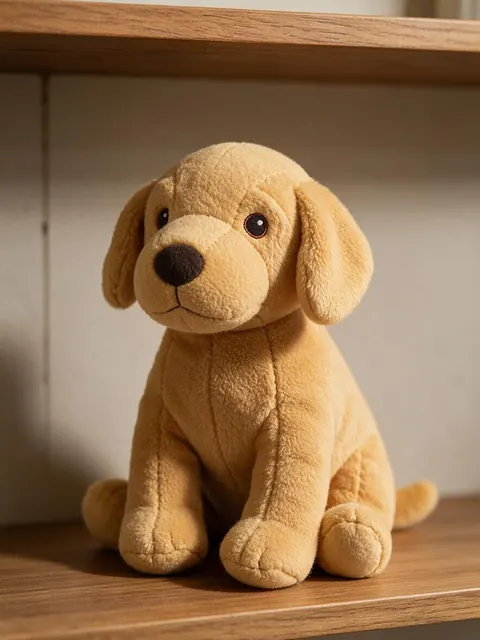
A pet owner could turn a photo of their dog into a Plush Toy portrait on Kenerate Filter for a birthday card, then upscale it for printing.
Couple planning a gift
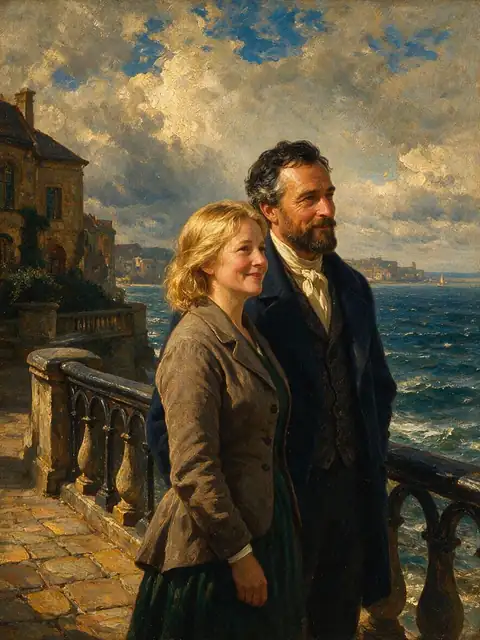
A couple could turn a holiday snapshot into an Oil Painting on Seedream 5 Pro and print it for their wall, mixing in Golden Hour if they want warmer light.
Every AI Filter page
Photo filter pages by look
Each page covers one family of looks in depth, with its own real before/after.
AI Filter
The tool: all 56 looks, mixes and the Twist
Anime filter
90s Anime, Shonen Manga, Shoujo Sparkle, Chibi, Webtoon
Cartoon filter
Classic hand-drawn 2D, flat TV toons, 3D and stickers
Ghibli filter
Hand-painted, Ghibli-inspired anime frames
Pixar filter
A Pixar-style 3D character from your photo
Action figure AI
The boxed-toy trend, plus vinyl, brick and plush
Zombie filter
A cinematic undead makeover for Halloween
FAQ
Photo filter questions
8 questions
What are the best photo filters?
It depends on the photo and where it's going. For a profile picture, Studio Headshot; for a holiday shot, Golden Hour or Watercolor; for something moody, Film Noir; for nostalgia, Polaroid or Y2K. Kenerate AI Filter has 56 looks in seven groups, so you can try several on the same photo and compare each with the slider.
Link to this answerAre there free photo filters?
You can try AI Filter without a subscription: new Kenerate accounts get starter credits, every look and engine is open to every account, and a failed run is refunded automatically. Sign in with a verified email to apply a look. Browsing the looks and this page needs no account, and results download without a watermark.
Link to this answerWhat's the difference between a photo filter and an AI filter?
A classic photo filter shifts colour, contrast and grain but leaves the picture itself alone. An AI filter redraws the photo in a new style — painting, film still, toy, sprite — while it's told to keep the same person, expression, pose and framing. Use a classic filter for a quick tint and an AI filter to change the look.
Link to this answerWhich filter makes a selfie look professional?
Studio Headshot. It places you in front of a neutral grey seamless backdrop with soft key and rim light, natural retouching and business-casual attire, and adds an instruction to keep your face exactly as it is. Run it on Qwen Image 3, the default engine, and upscale the result if you need a larger file.
Link to this answerCan I use two filters on one photo?
Yes, in two ways. Mix with a second look fuses two styles into one picture, with a Balance of 70/30, Even or 30/70. Or apply one filter, choose Use as next photo, and apply another on top to stack them. GPT Image 2 is the engine the tool describes as smartest with complex mixes.
Link to this answerDo photo filters work on pets?
Yes. Every look is written for the person or subject in the photo, so a dog or cat is restyled the same way, with its pose kept. Plush Toy, Pixar 3D and Chibi suit pets especially well. Use a sharp photo where the animal fills a good part of the frame.
Link to this answerWhat kind of photo works best with a filter?
A clear, well-lit photo where the subject fills a good part of the frame. AI Filter takes JPG, PNG or WebP up to 20 MB. On the default engine, photos larger than 2048 px are scaled down and photos under 384 px are blocked. Links from other sites are refused, so save the picture first and upload it.
Link to this answerDoes the filtered photo have a watermark?
No. The restyled photo downloads without a watermark, on any of the four engines. From the result you can also send it to Upscale for a larger print-ready file, open it in Edit, Tweak the look and run again, or use it as the next photo to stack another filter.
Link to this answerIn depth
Photo filters, explained
How AI photo filters differ from the classic kind, how to choose one, and how to keep the result looking like you.
On this page
Classic photo filters vs AI photo filters
A classic photo filter — the presets in a phone camera or photo app — adjusts the pixels you already have: warmer tones, faded blacks, more contrast, some grain. It never changes what's in the picture. An AI photo filter redraws the picture in a new medium or mood: the same photo as a watercolour, a 1940s film still or a pixel-art sprite, with new lines, textures and light.
Kenerate AI Filter sends every look as an edit instruction with the same rule attached: keep the same person or subject, their identity, facial features, expression, pose, framing and composition, and don't add or remove people. If you only need a colour tweak, a classic filter is quicker; if you want the photo to look like something else, that's what AI Filter is for.
Choosing a filter by mood
The look drawer can be searched by mood as well as by name. Some starting points:
- Warm and glowing: Golden Hour, Polaroid, Ghibli
- Soft and artistic: Watercolor, Charcoal Sketch, Ukiyo-e
- Dark and dramatic: Film Noir, Neo-Noir Film, Comic Noir
- Bright and playful: Pop Art, Die-cut Sticker, Balloon Art
- Nostalgic: Polaroid, Y2K, Vaporwave, Pixel Art
- Classic and grand: Oil Painting, Renaissance, Royal Portrait
Filters that keep you looking like you
The closer a look stays to a photograph, the closer the likeness. Studio Headshot and Golden Hour go further and add an extra instruction to keep the person's face exactly as it is. Looks that change proportions — Chibi, Vinyl Figure, Plush Toy — trade some likeness for the style by design. For portraits, start on the default engine, Qwen Image 3, which the tool describes as fast and faithful to the face.
Filters that change the frame on purpose
Most filters keep your crop. A few can't: Polaroid adds a white instant-film border with a caption strip, Action Figure puts you in a blister-pack box, Die-cut Sticker sets you on a plain background with a white outline, and Egyptian Relief turns you side-on. Pick these knowing the composition will change.
Mixing and stacking filters
Mix with a second look blends two filters into one picture at 70/30, Even or 30/70 — Golden Hour with Watercolor gives a warm painted portrait; Film Noir with Comic Noir pushes the ink. To layer instead of blend, choose Use as next photo and apply a second filter on top, such as a Polaroid of a Watercolor result.
Using filters on other people's photos
Filter photos of yourself, of people who have agreed, or pictures you own the rights to. Don't use a look to mock or deceive anyone, and don't present a filtered image of a real person as something that really happened. The optional Twist is moderation-checked like every text field in the app.
Find the filter for your photo
New accounts get starter credits. No subscription required. No watermark.
Tried it? Tell us how it went