

Skip to content
Portrait guide · free black backgrounds

Black background portrait: in camera or in one click

The dramatic, dark-background look — how to shoot it with one light, the iPhone setting that fakes it, and how to put any existing photo on pure black in a few seconds.

  • One-light method
  • iPhone Stage Light
  • AI in about 5 s
  • Free solid black PNGs
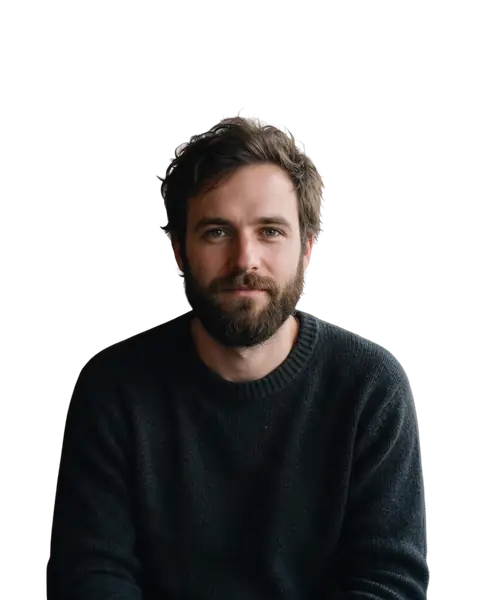
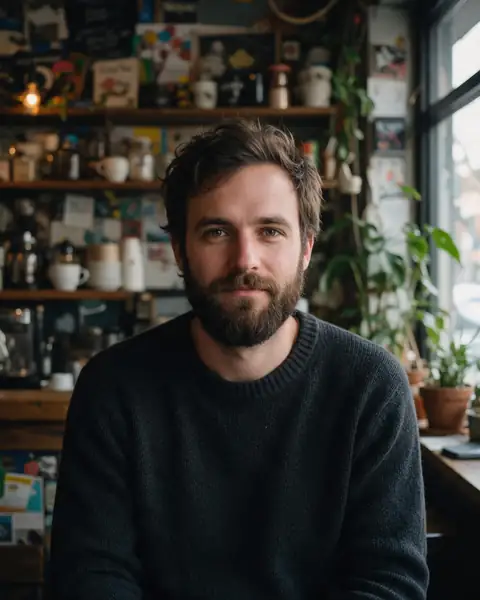
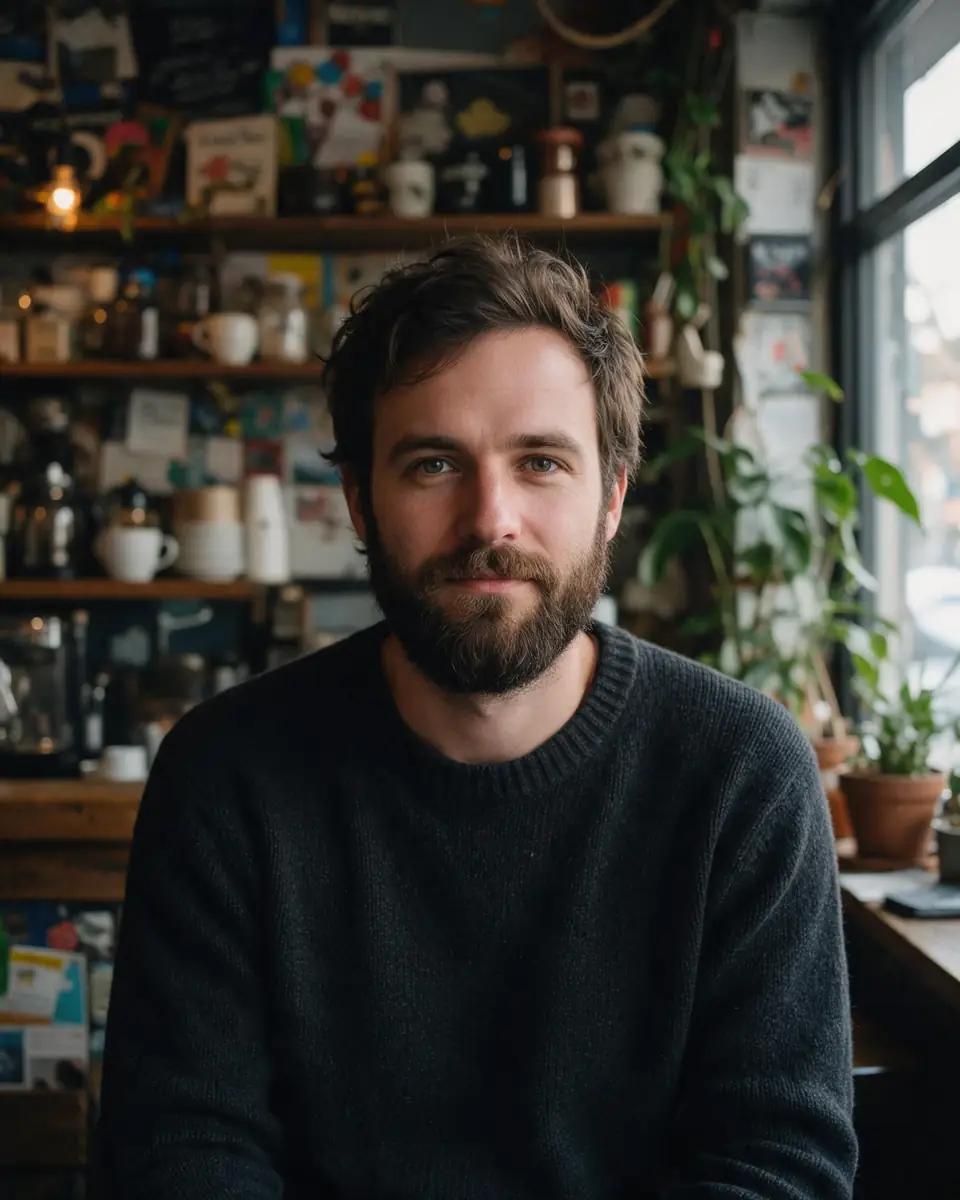
Bearded man in a knit sweater in a busy cafe — original photo
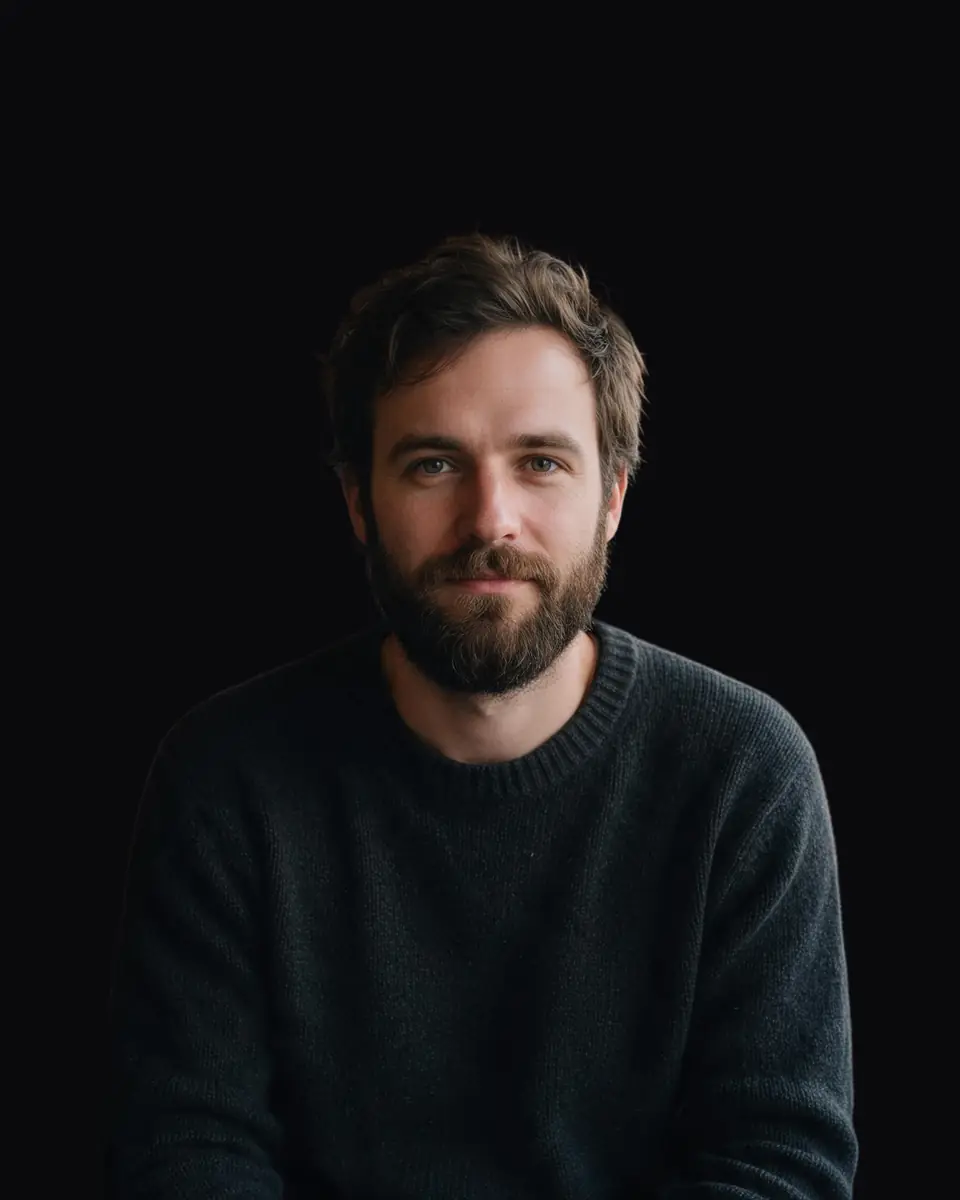
Bearded man in a knit sweater in a busy cafe — background removed
BEFOREAFTER

Kenerate Cutout HD · Portrait

Try this photo
  • Kenerate Cutout
  • Cutout HD · hair & glass
  • Object Pick · keep what you name
  • Magic Eraser
  • AI Edit · Qwen Image 2.0
  • Edit Text in Image · GPT Image 2
  • White, black & colour backdrops

Quick answer

Updated

For a black background portrait, keep the subject 2–3 m from the background, light only the subject with one light from the side, and expose for the face (for example 1/200 s, ISO 100, f/8) so the background falls to black. For a photo you already have, cut the subject out with AI and place it on pure black (#000000) — Kenerate does it in a few seconds, with Cutout HD for hair edges.

Distance
Subject 2–3 m from the background
Starting settings
1/200 s · ISO 100 · f/8
iPhone
Portrait mode → Stage Light
AI option
Cutout HD + black backdrop, about 5 s

Real results

See it on real photos

Every slider is a real Kenerate result. Drag to compare, then run the same photo yourself.

  1. Bearded man in a knit sweater in a busy cafe — before
    Bearded man in a knit sweater in a busy cafe — after
    BeforeAfter

    01Portraits

    Busy café to studio black

    A portrait taken anywhere, placed on pure black for an editorial look.

    Kenerate Cutout HD

    Cut this photo out
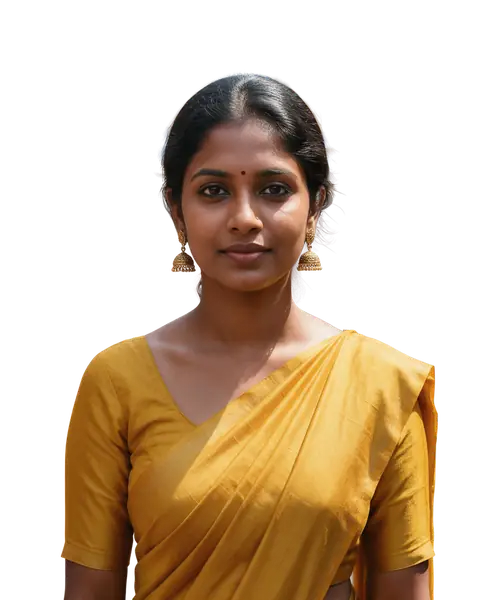
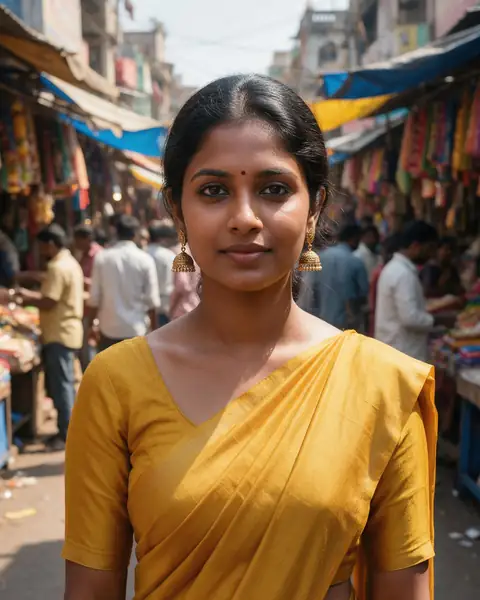
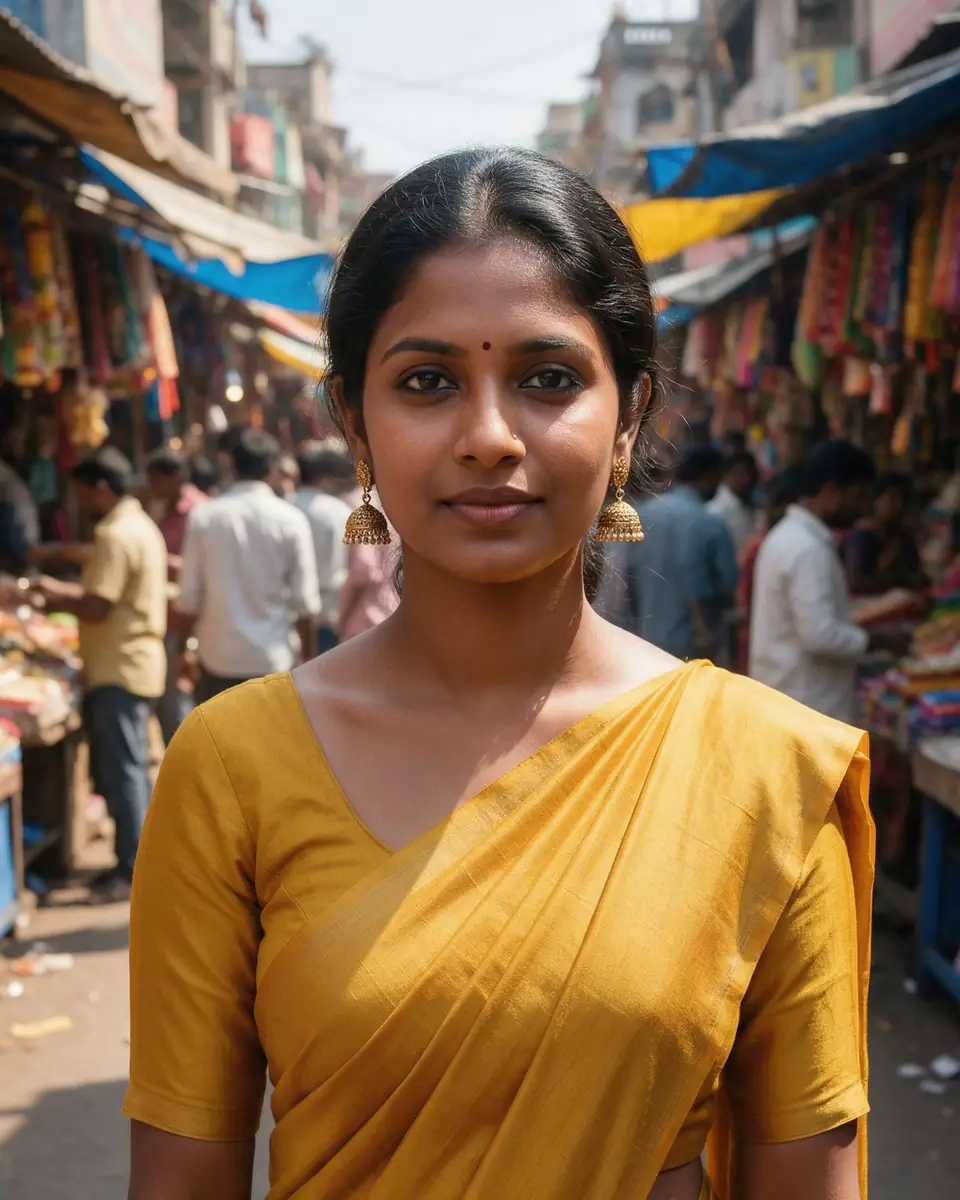
  2. Woman in a mustard saree at an Indian street market — before
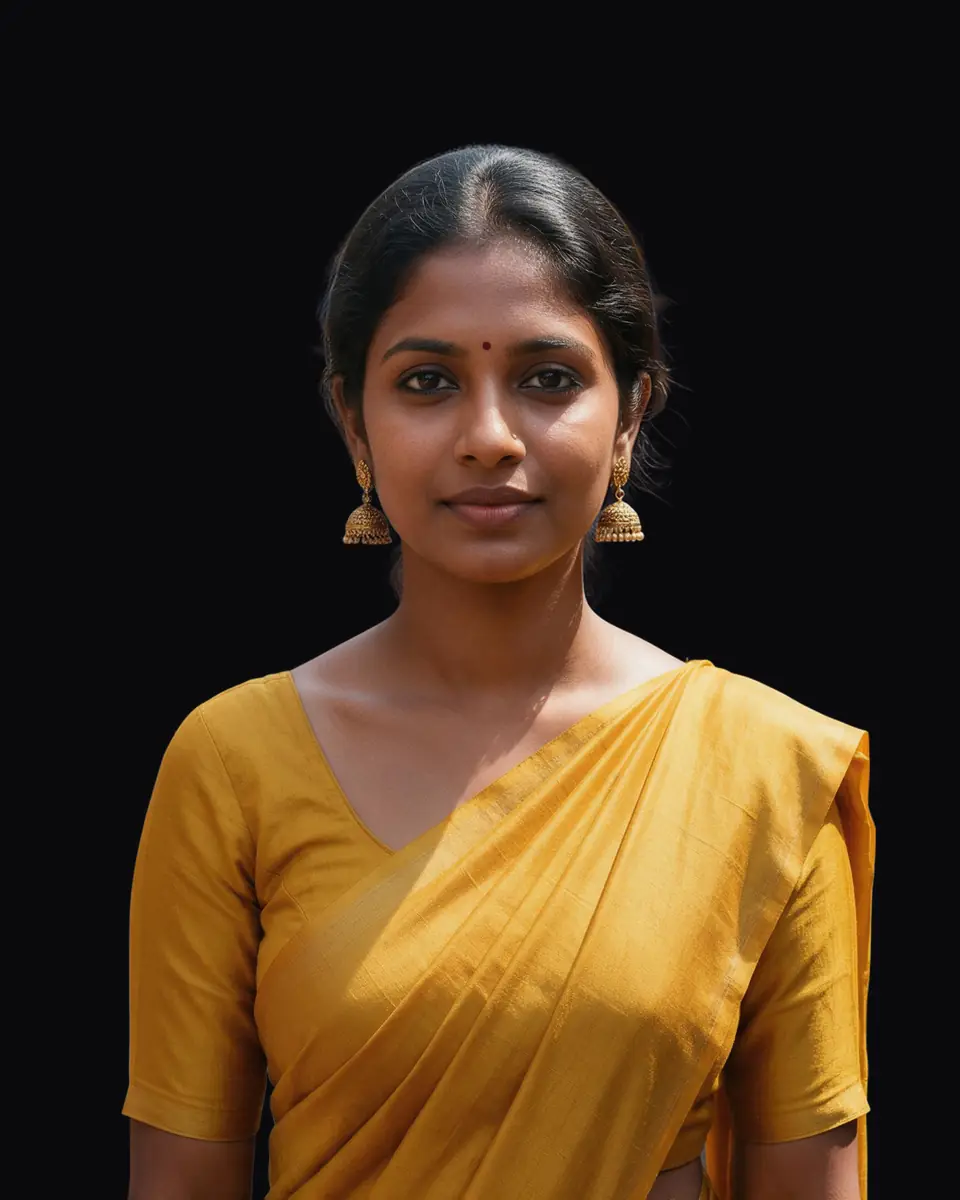
    Woman in a mustard saree at an Indian street market — after
    BeforeAfter

    02Portraits

    Market backdrop, removed

    A saree portrait lifted from a crowded street market.

    Kenerate Cutout HD

    Cut this photo out
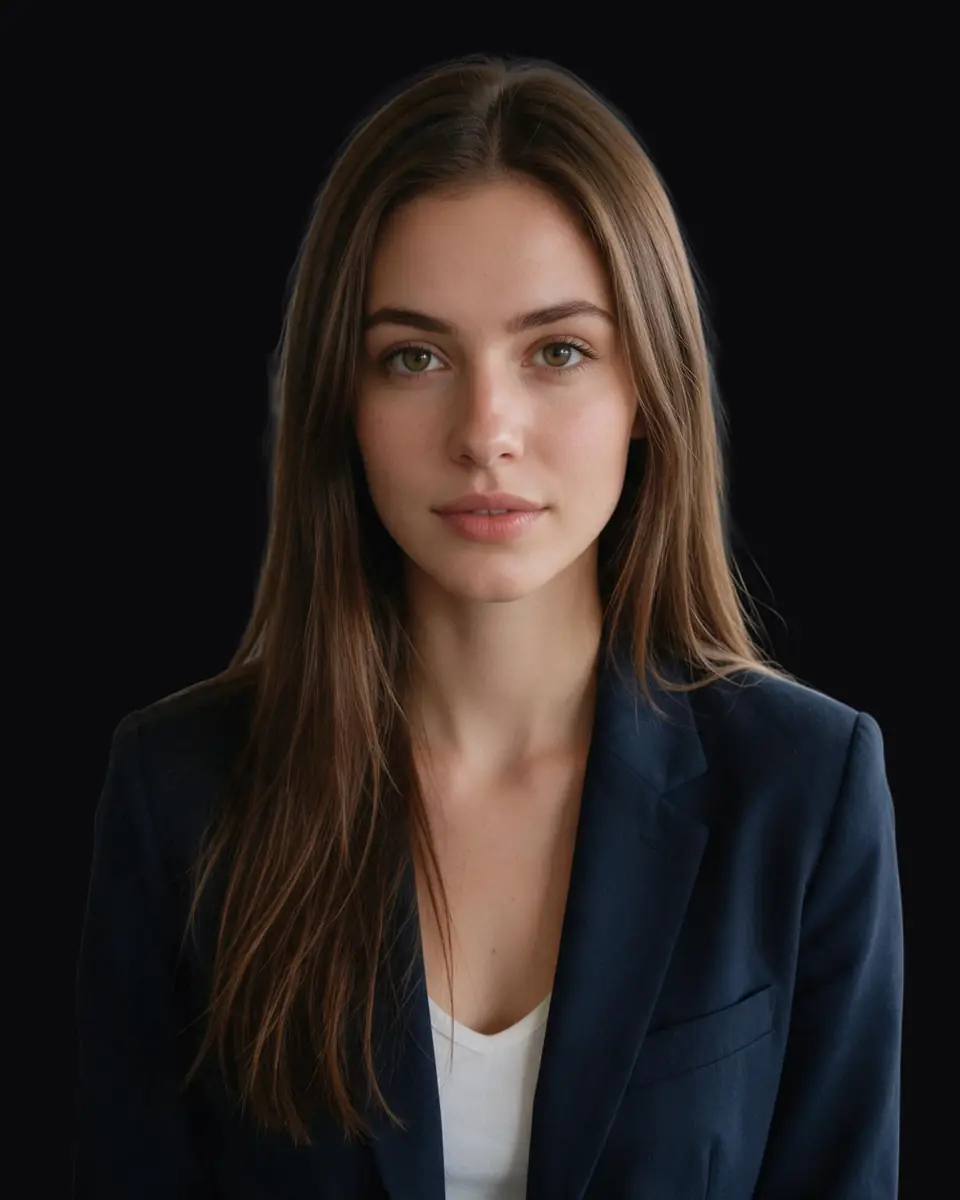
  3. Woman in a navy blazer in a busy office — before
    Woman in a navy blazer in a busy office — after
    BeforeAfter

    03Headshots

    Office background, gone

    A professional headshot without the open-plan office behind it.

    Kenerate Cutout HD

    Cut this photo out
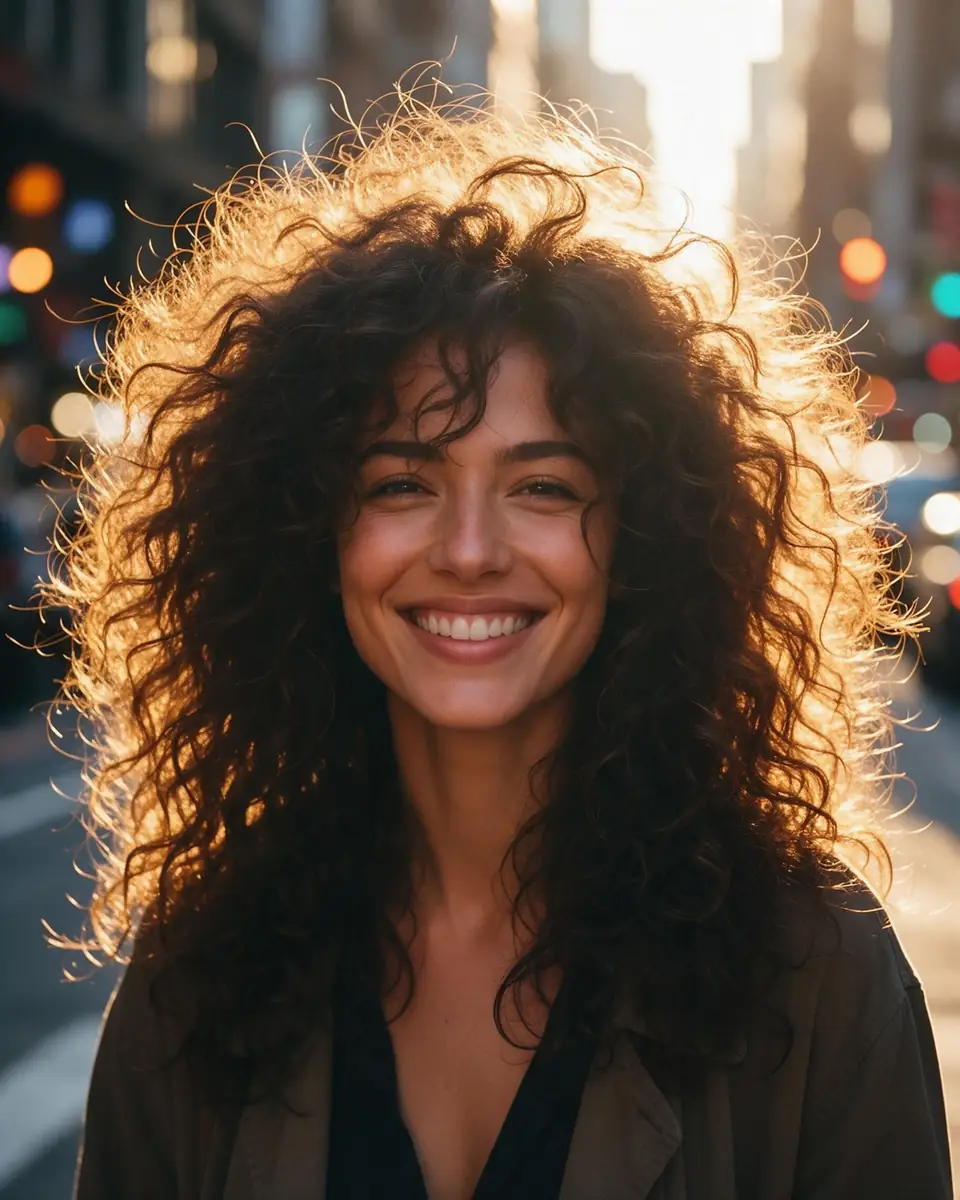
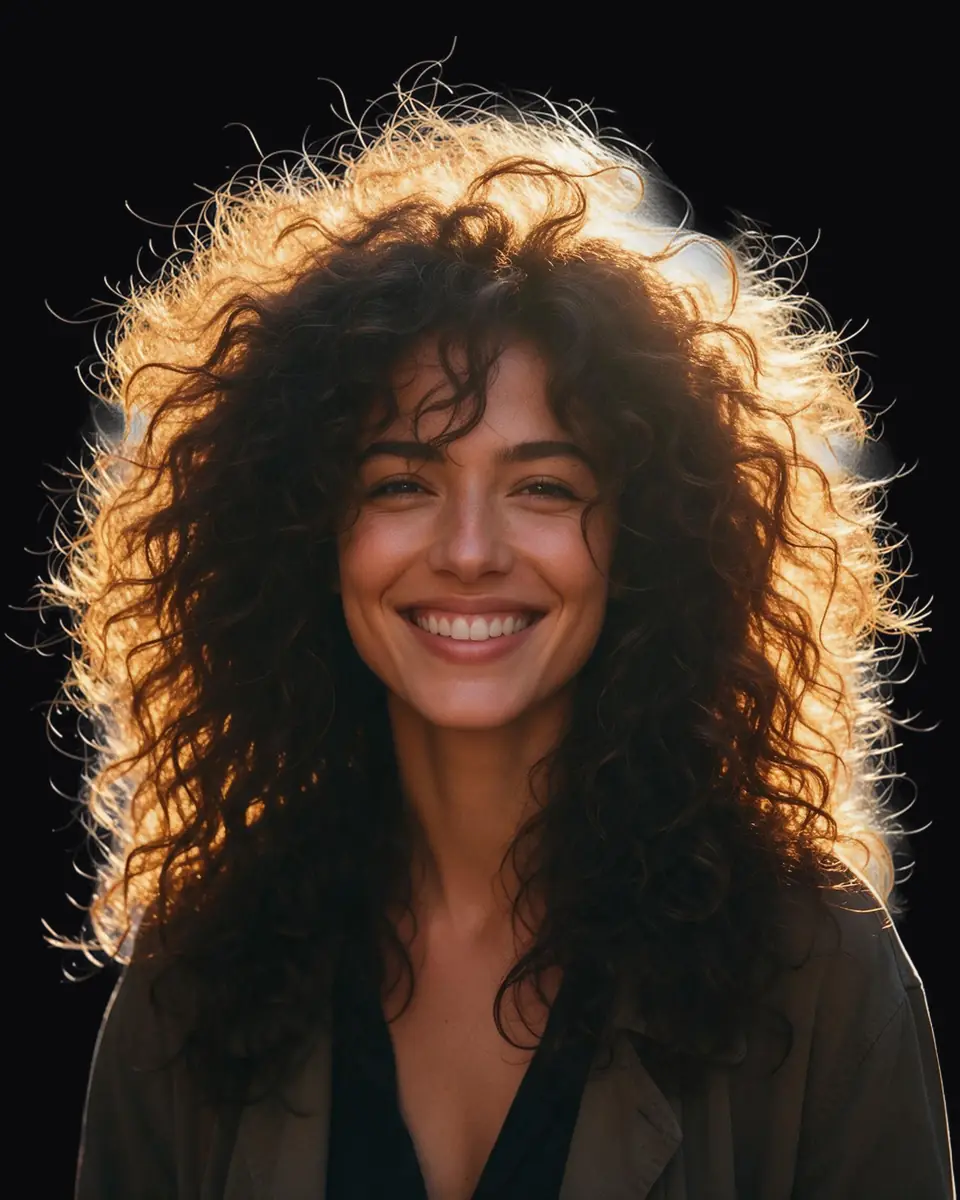
  4. Woman with big curly backlit hair on a city street — before
    Woman with big curly backlit hair on a city street — after
    BeforeAfter

    04Hair

    Every curl, not a helmet

    Backlit curly hair separated strand by strand from a city street.

    Kenerate Cutout HD

    Cut this photo out

Moved onto black

Can AI turn any photo background black?

A cafe, an office, a street market and a city street — each cut out with Cutout HD and put on pure black. Tap “Original” to see the scene.

Try it free
  • Bearded man in a knit sweater in a busy cafe — background removed with Kenerate Cutout HDCutout HD

    Portrait

  • Woman in a mustard saree at an Indian street market — background removed with Kenerate Cutout HDCutout HD

    Saree portrait

  • Woman in a navy blazer in a busy office — background removed with Kenerate Cutout HDCutout HD

    Headshot

  • Woman with big curly backlit hair on a city street — background removed with Kenerate Cutout HDCutout HD

    Curly hair

Method 1 · in camera

How to shoot a portrait on a black background

No black backdrop needed — just control where the light goes.

  1. Step 1: Make distance your friend

    Put the subject at least 2–3 m (6–10 ft) in front of the background. Light falls off with the square of distance, so doubling the gap leaves the background with about a quarter of the light.

    Tip: A dark wall helps, but distance matters more than the colour of the wall.

  2. Step 2: Use one light, from the side

    A single lamp, flash or window placed 45–90° to the side of the face. Side light carves out the features and keeps light off the background.
  3. Step 3: Expose for the face

    Start around 1/200 s, ISO 100 and f/8, then adjust until the face looks right. The ambient room light — and the background — drops to black.

    Tip: With flash, a fast shutter speed kills room light without darkening the face.

  4. Step 4: Stop the spill

    Block light from reaching the background with a piece of card, a door or black fabric between the light and the wall (a “flag”).
  5. Step 5: Check and finish

    Look at the histogram: the background should sit hard left. In editing, pull the black point down with Levels or Curves to clean up any grey.
Bearded man in a knit sweater in a busy cafe — original photo
Bearded man in a knit sweater in a busy cafe — background removed
BEFOREAFTER

No studio? Cut out an existing portrait and put it on black instead.

Method 2 · phone

The iPhone setting for a black background

iPhone Portrait mode has two lighting effects that put the subject on black: Stage Light (colour) and Stage Light Mono (black and white). Take the photo in Portrait mode, then choose the effect — you can also switch to it later in Edit.

  • It needs a clear outline — good light on the face and a simple background help.
  • Hair and glasses edges can look cut out. If they do, use Cutout HD on the original photo instead.

Method 3 · with AI

Make any photo's background black in one click

For photos you've already taken — no reshoot.

  1. Upload the portrait

    Add a JPG, PNG or WEBP. Any background works — a cafe, an office, a street market.

  2. Cut out with Cutout HD

    Cutout HD keeps hair and soft edges, so the subject doesn't look pasted on.

  3. Choose a black backdrop

    Pick black as the backdrop and download. Transparent PNG is available too.

Pick a method

Camera vs iPhone vs AI: which black background method?

All three work. The right one depends on whether you are shooting now or fixing a photo you already have.

  • In cameraone light

    Works on photos you already have
    No
    What you need
    Camera or phone + one light
    Hair edges
    Natural
    Time
    A photo session
  • iPhone Stage LightPortrait mode

    Works on photos you already have
    Portrait-mode photos only
    What you need
    iPhone with Portrait mode
    Hair edges
    Can look cut out
    Time
    Seconds
  • Kenerate AIany photo

    Works on photos you already have
    Yes
    What you need
    Any JPG, PNG or WEBP
    Hair edges
    Clean with Cutout HD
    Time
    About 5 s

Look closer

Curly hair on pure black, up close

Dark backgrounds show every bad edge. Zoom in: the backlit curls stay separated instead of sitting in a grey halo.

  • No bright fringe from the original street
  • Flyaway strands kept against the black
  • Pure #000000 behind the subject

Move your pointer over the image to zoom into the edge.

Woman with big curly backlit hair on a city street — cut out with Kenerate Cutout HD. The checkerboard is transparent.

Put your own portrait on black — 25 free credits on sign-up.

Free downloads

Where can I download a solid black background?

Pure black (#000000) PNGs in common sizes — free for any use.

Hex #000000 · RGB 0, 0, 0. For screens where shadow detail matters, a very dark grey like #0A0A0A looks less harsh.

Use cases

Who wants a black background

Three common reasons, with the real before and after.

  • Actor

    Casting profiles

    Has daylight headshots from a busy office. A black version gives the dramatic look casting profiles and press kits often use — no reshoot.

    Black backdrop · Cutout HD

  • Musician

    Cover art

    Wants a single cover with the face floating in darkness. The city background disappears and the backlit curls stay.

    Black backdrop · Cutout HD

  • Festival photographer

    Portrait series

    Shoots at a busy street market and turns selected portraits into a consistent black-background series for an exhibition.

    Black backdrop · Cutout HD

Example workflows built on real Kenerate outputs — not customer reviews.

In depth

Getting a true black background

How photographers do it in camera, and why cutting out works when they can't — with sources.

Light the subject, not the background

Adobe's guide sums it up: the key is making sure your subject is more lit than your backdrop. It suggests apertures around f/1.4–4 (up to about f/6 if the background still shows), ISO 100–125, and black fabric or seamless paper behind the subject [1]. Moving the subject further from the backdrop helps too — light falls off quickly with distance.

When the room won't cooperate

At events, in offices or outdoors you can't control the background. Cutting the subject out and compositing it “over” pure black — the operation Porter and Duff defined for the alpha channel [2] — gives the same look after the fact. Hair and soft edges matter most here, because any leftover light background shows as a bright halo against black.

Black vs transparent

If you'll place the portrait on different colours later, keep a transparent PNG master — PNG stores the soft edge alpha that makes hair look natural [3] — and export black versions from it.
Start free

Start free, top up only when you need to

25 free credits on sign-up. The same credits work in every Kenerate tool.

  • 25 free credits on sign-up

    Test on your own images before you buy anything.

  • Credits never expire

    One-time packs — use them this week or next year.

  • No subscription, no watermark

    Nothing to cancel. Free results download clean.

  • One balance, every tool

    The same credits work across images, video, voice and 3D.

Tried it? Tell us how it went

We only publish real, verified reviews — never invented quotes. Send a line about your result (and whether we may quote you), and it will appear here.

Send a review

FAQ

Black background questions

8 questions

Still stuck?

A real person answers — usually within a day.

01

How do you take a portrait with a black background?

Put plenty of distance between the subject and the background, light only the subject with one light from the side, and set the camera for the face (for example 1/200 s, ISO 100, f/8). The background gets so little light that it records as black.

02

Can I get a black background portrait without a studio?

Yes. Shoot in a large room at night with one lamp or window beside the subject, or cut the subject out afterwards with an AI background remover and put them on pure black.

03

How do I make a photo background black in one click?

Upload it to Kenerate's background remover, use Cutout HD, choose a black backdrop and download. It takes a few seconds; new accounts get 25 free credits.

04

Can my iPhone do black background portraits?

Yes. In Portrait mode, choose the Stage Light or Stage Light Mono lighting effect. It works best with good light on the face and a simple background.

05

What is the hex code for black?

Pure black is #000000 (RGB 0, 0, 0). Some designers use a very dark grey such as #0A0A0A on screens so shadows keep a little detail.

06

Where can I download a solid black background?

Use the free solid black PNGs on this page: 1920×1080, 3840×2160 (4K), 1080×1920 for phones and 1080×1080 for square posts.

07

Why does my black background look grey?

Too much light is reaching it. Move the subject further from the background, flag the light so it doesn't spill, or lower exposure. When editing, pull the black point down with Levels or Curves.

08

Is a black background good for headshots?

It gives a dramatic, editorial look that suits creative profiles, artists and actors. For corporate headshots, grey or white is more common.

Clean edges. Every time.

Hair, fur, glass and white-on-white — cut out in seconds, with no watermark.

Cut-out modes
4
Cut-out modes
Backdrops: clear, white, black
3
Backdrops: clear, white, black
Free credits to start
25
Free credits to start
Watermarks, ever
0
Watermarks, ever

Explore the toolkit

More background and photo-fix tools

Every Kenerate tool, guide and comparison for removing and replacing backgrounds.

Written by the Kenerate AI team

Written by the Kenerate team; the black-background examples are real Cutout HD results. Last updated 26 September 2026. Corrections: hello@kenerateai.com.

Sources

Ready when you are

Put your portrait on black

Upload a photo, pick black, download. 25 free credits on sign-up.

  • 25 free credits
  • No watermark
  • Credits never expire