


One chat · 23 tools · 6 chat models
Kenerate Agent: the AI creative agent for images, video and more
Tell one chat what you need and it plans the job, then makes it: images, video, music, voice, talking avatars, 3D models, dubs, Genjutsu video edits and montages, plus PDF, DOCX, PPTX and XLSX files.
- Images, video, music, voice, 3D
- PDF, DOCX, PPTX and XLSX files
- Claude, GPT-6 or Gemini
- Ask first or Auto
Updated by the Kenerate AI team
On this page
Quick answer
Updated
What is Kenerate Agent?
Kenerate Agent is one AI chat with 23 creative and file tools. It plans a job, then makes images, video, music, voice, talking avatars, 3D models, dubs, Genjutsu video edits and montages, plus PDF, DOCX, PPTX and XLSX files and web searches. You pick the chat model (Claude, GPT-6 or Gemini) and whether it asks first.
Key facts
- Where
- kenerateai.com/app/chat
- Chat models
- Claude Opus 5.5 · Claude Fable 5.1 · GPT-6 Astra · GPT-6 Sol · GPT-6 Luna · Gemini 3.6 Flash
- Makes
- Images · video · music · speech · talking avatars · 3D · montages
- Edits
- Upscale · remove background · expand · camera angle · filters · layers · subtitles · dub · restyle · Genjutsu
- Files
- PDF, DOCX or Markdown · PPTX (16:9) · XLSX or CSV
- Modes
- Ask first (plan and approval) · Auto (within a per-chat budget)
- Attachments
- Up to 8 images, videos or audio files, called by @name
- Paid-plan tools
- Video generation and 3D
Gallery
What people make with Kenerate Agent
Images, clips and files made from a single chat request.
How to
How to use the Kenerate agent
- Time needed
- Steps
- 4 steps
Step 1
Open the chat and sign in
Go to /app/chat. Guests can look around; sending a message needs sign-in and a verified email.
Step 2
Pick a chat model and a mode
Choose Claude, GPT-6 or Gemini in the model menu, then Ask first (see the plan) or Auto (just make it).
Step 3
Describe the job
Type or dictate what you need. Attach up to 8 images, videos or audio files and call them by @name.
Step 4
Approve, remix and share
Edit the model, ratio, length or prompt on the approval card, remix any result, and share a read-only link.
See it in the app

Open Kenerate Chat and type what you want to make, or tap a starter to drop a prompt in the box.


Watch the tour · 1:22
Starters, models & Ask first, approval cards, image → edit → new camera angle, one-tap actions, files, history & mobile
Chapters
Tips
How to get the most from one chat
What works best with the agent's planner and approval cards.
Describe the whole job in one message: the agent plans the steps.
Use Ask first for big jobs, so you can untick steps before anything runs.
Use Auto for quick edits, with a per-chat budget as the ceiling.
Attach your own photos or clips and call them by @name in the prompt.
Change the model, ratio or length on the approval card instead of retyping.
Tap a remix action on a result: variations, animate, 9:16, upscale, dub.
Best for
Kenerate Agent or a Kenerate studio?
Both make the same media with the same models. Pick by how you like to work.
| Kenerate Agent (chat) | A single studio | |
|---|---|---|
| Best for | Jobs with several kinds of media, or when you'd rather describe than click | One kind of media with every control in view |
| How you ask | In your own words, typed or dictated, in your language | Prompt box, model picker and settings panel |
| Multi-step jobs | Plans them (2–14 steps) and runs them in order | One generation at a time |
| Files | Writes PDF, DOCX, PPTX and XLSX files | Media only |
| Where results go | The chat and the matching studio's history | That studio's history |
From Kenerate's own app code, checked 6 October 2026.
Models
Chat models and creative models inside Kenerate Agent
Pick the chat model in the model menu; the media models come from the agent's recommended picks.
Anthropic
Claude Opus 5.5
Anthropic
Claude Fable 5.1
OpenAI
GPT-6 Astra
- Output
- Replies, plans, tool calls
OpenAI's most powerful chat model in the menu
Open GPT-6 AstraOpenAI
GPT-6 Luna
Google
Gemini 3.6 Flash

ByteDance
Seedream 5.0 Pro
- Reference images
- Up to 10
- Output
- Images
Default image pick: photoreal detail
Open Seedream 5.0 Pro
All models (9)
Example uses
How creators use Kenerate agent
Illustrative examples of typical workflows, not customer reviews.

Small-business owner
A candle maker could ask for four product shots, a 9:16 clip and a short jingle in one message, untick the jingle on the plan, and post the rest.
Teacher
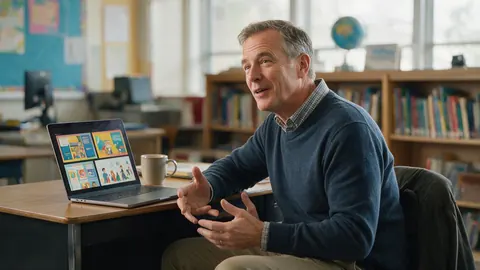
A teacher could ask for an illustrated lesson deck as a PPTX file and a matching worksheet as a PDF, then remix one picture into a short animated clip.
Independent musician
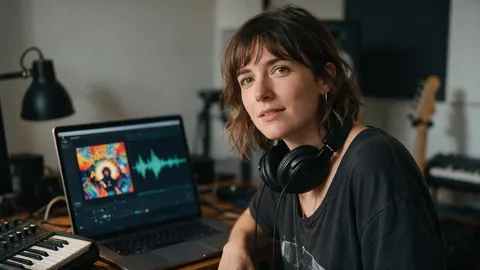
An independent musician could get a song draft, three cover-art options and a looping visualiser clip from the same chat, then share the chat as a read-only link with a collaborator.
Every Kenerate Agent page
Pick the page for your question
Each page looks at one job the agent does, and how it compares.
All-in-one AI platform
One workspace, many models
AI aggregator
Many models behind one login
ChatGPT alternatives
Which assistant for which job
Can ChatGPT create images?
And when to use an image agent
AI content creation platform
Posts, clips and files in one place
AI presentation maker
PPTX decks from a chat
AI document generator
DOCX and Markdown files
AI PDF generator
PDFs in any language
AI spreadsheet generator
XLSX workbooks and CSV
Excel formula generator
Formulas inside real sheets
FAQ
Kenerate Agent questions
8 questions
What is Kenerate Agent?
Kenerate Agent is the AI chat inside Kenerate AI. You describe what you need and it uses 23 creative and file tools to make it: images, video, music, speech, talking avatars, 3D models, dubs, video restyles, Genjutsu edits and montages, plus PDF, DOCX, PPTX and XLSX files. It can also search the web before it writes.
Link to this answerIs Kenerate Agent an AI agent or a chatbot?
Both. It talks like a chatbot, but it acts like an agent: for a job with three or more paid steps it first shows a checklist plan, then runs the approved steps in order and finishes with a short summary. In Ask first mode every paid step waits for your approval; in Auto mode it runs within a per-chat budget you set.
Link to this answerWhich AI models does Kenerate Agent use?
For the conversation you pick one of six chat models: Claude Opus 5.5, Claude Fable 5.1, GPT-6 Astra, GPT-6 Sol, GPT-6 Luna (the default for new chats) or Gemini 3.6 Flash. None is locked to a plan. For media it uses the studios' models, for example Seedream 5.0 Pro, GPT Image 2.5 Sunburst and Nano Banana 2 for images, Ken 1, Seedance 2.5, Veo 3.1 and Kling 3.0 Pro for video, and Tripo H3.1 or Meshy 7.1 for 3D.
Link to this answerCan it make videos?
Yes, on a paid plan. The agent can make clips from text or animate an image (1 to 30 seconds depending on the model), upscale video, add subtitles, dub a video into 33 languages, restyle a clip, swap a character or background with Genjutsu, and join 2 to 20 clips into a montage of up to 3 minutes with music or a voiceover.
Link to this answerCan Kenerate Agent create documents and slides?
It writes files: PDF documents in any language (Hindi included), DOCX and Markdown, PowerPoint PPTX decks in 16:9, and Excel XLSX workbooks with up to 10 sheets and formulas, or CSV. It cannot read uploaded documents or PDFs; attachments are images, video and audio only.
Link to this answerCan I use my own photos and clips?
Yes. Attach up to 8 files per message: images up to 50 MB, video up to 500 MB and audio up to 50 MB. Rename them and refer to them as @name in your prompt, for example to animate @product or dub @interview.
Link to this answerIs Kenerate Agent free?
You can open the chat and look around as a guest. To send a message you need to sign in with a verified email; new accounts get free credits on sign-up, and every reply and generation uses credits from your balance. Video generation and 3D need a paid plan.
Link to this answerIn depth
Kenerate Agent, explained
What works, what to avoid, and how to pick a model.
On this page
What the agent can do in one chat
Every tool below runs through the same pipeline as the matching Kenerate studio, so the same models, moderation and history apply.
- Images: generate 1–4 images (up to 10 reference images), edit, upscale, remove the background, expand, change the camera angle, apply a filter, split into layers.
- Video: generate clips (paid plans), upscale, add subtitles, dub into 33 languages, restyle, Genjutsu swaps, motion control, montages of 2–20 clips.
- Sound: songs with Ken Music 1.5, ElevenLabs Music v2.5, Mureka v9.5 or MiniMax Music 3.0, and speech for voiceovers.
- People: talking avatars from a photo and a script or audio.
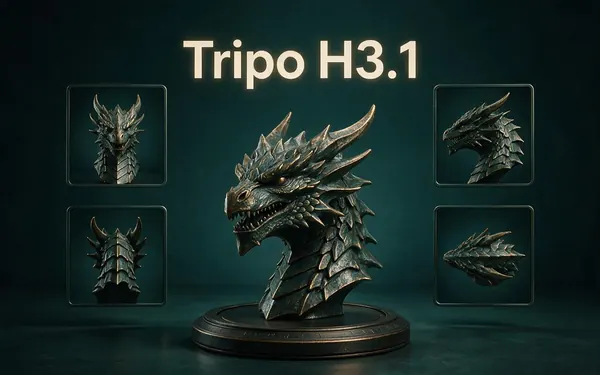
- 3D: models from text or an image (paid plans) with Tripo H3.1, Meshy 7.1, Rodin 2.5 or Hunyuan 3D 3.1.
- Files: PDF, DOCX or Markdown documents, PPTX decks, XLSX or CSV spreadsheets.
- Research: web search before it writes or plans.
Plans, approvals and budgets
For a job with three or more paid steps, such as an ad made of images, clips, a voiceover, music and a montage, the agent first shows a checklist of 2 to 14 steps. Untick anything you don't want, approve once, and it runs the rest in order.
In Ask first mode each paid step shows an approval card where you can change the model, aspect ratio, duration and prompt before it runs. In Auto mode it makes things straight away, within a credit budget you set per chat.
Picking models
The chat model is your choice in the model menu, and none is plan-gated. For media, the first time you make a kind of media the agent asks which model to use by default and remembers it; you can name another model in any message or switch it on the approval card.
Languages
The agent replies in the language you write in, Hinglish included, and can write PDFs in any language, Hindi included. Dubbing covers 33 target languages.


Try the Kenerate agent
Free credits on sign-up. Video and 3D need a paid plan.
Tried it? Tell us how it went