Text to video · Image to video · Kling 3.0 · Veo 3.1 · Wan 3
Haiper alternative — text and image to video on 57 models
When we checked haiper.ai on 2 October 2026 it showed only its logo: no generator, sign-in or pricing. If you need a place to keep making text and image to video, Kenerate AI runs 57 models in one studio.

- 57 video models
- Text or image to video
- Sound on many models
- Clips up to 30 s
Updated by the Kenerate AI team
Made with Kenerate




On this page
Quick answer
Updated
What is the best Haiper alternative?
If you used Haiper for text or image to video, Kenerate AI is a Haiper alternative with 57 video models in one studio, including Kling 3.0, Veo 3.1, Seedance 2.5 and Wan 3, with sound on many. When we checked haiper.ai on 2 October 2026, it showed only a logo page, with no generator or sign-in.
Key facts
- haiper.ai on 2 Oct 2026
- Logo page only
- Video models on Kenerate
- 57
- Longest clip
- 30 s
- Top resolution
- 4K
- Inputs
- Text, image or references
Real demo
One prompt, four video models
The same text prompt on Veo 3.1, Kling 3.0, Seedance 2.5 and Wan 3. Turn the sound on and switch.
- Veo 3.1. 6 s at 720p with sound (Veo makes 4, 6 or 8 s).
- Kling 3.0. 5 s with sound (Kling sets its own resolution).
- Seedance 2.5. 5 s at 720p with sound.
- Wan 3. 5 s at 720p with sound.
Prompt: "A golden retriever puppy in a tiny yellow raincoat splashes through puddles on a cobblestone street in the rain, slow motion, cinematic, rain and happy barks". Unedited outputs.
Run your own promptReal results
Text and image to video
Five real Wan 3 clips (5 s, 720p, with sound), two from text only and three from a start image.
Real Wan 3 clips. Open one to copy the prompts.
How to
How to make a video on Kenerate
- Time needed
- Steps
- 4 steps
Step 1
Write a prompt or add an image
Text to video, or a start image to animate.
Step 2
Pick a model
Wan 3 for long clips, Veo 3.1 for dialogue, Kling 3.0 for expressive motion.
Step 3
Describe the motion and sound
What moves, how the camera moves, what you hear.
Step 4
Extend or edit
Add seconds to a clip you like, or change it with one sentence.
See it in the app

Open Video Studio in Text to Video mode and write the shot — subject, action, camera move and light.


Watch the tour · 1:19
Text, image & reference to video, models, edit, extend & chat
Chapters
Checked 2 October 2026
Haiper vs Kenerate
From haiper.ai itself, checked 2 Oct 2026. Kenerate is our product.
| Kenerate AI | Haiper (haiper.ai) | |
|---|---|---|
| What the site shows | Video studio at /app/video | A logo page titled "Haiper - AI Video Generator" |
| Generator or sign-in | Yes | None shown |
| Video models | 57, incl. Kling 3.0, Veo 3.1, Seedance 2.5, Wan 3 | Not shown |
| Pricing | One-time credit packs, no subscription required | Not shown |
Haiper's page gives no explanation. If you had an account, check Haiper's official channels.
Sources: Kenerate video studio · haiper.ai (checked 2 Oct 2026)
Engines
Models you can switch between
A few of the 57 video models in Kenerate's studio.
- Used here

Alibaba
Wan 3
- Input
- Text, image or 10 references
- Output
- 2–30 s · up to 1080p · sound
Long clips; edit and extend
Open Wan 3 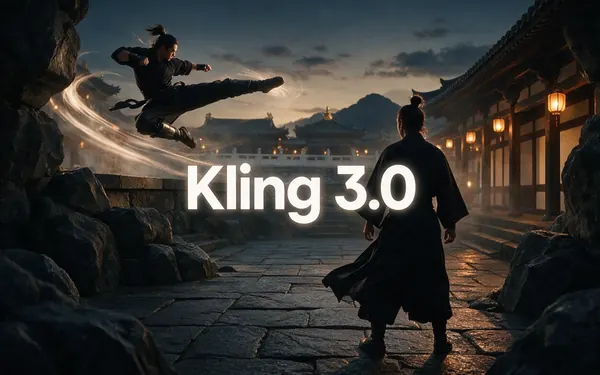
Kuaishou
Kling 3.0
- Input
- Text or image
- Output
- 3–15 s · up to 4K · sound
Expressive motion, martial arts, dance
Open Kling 3.0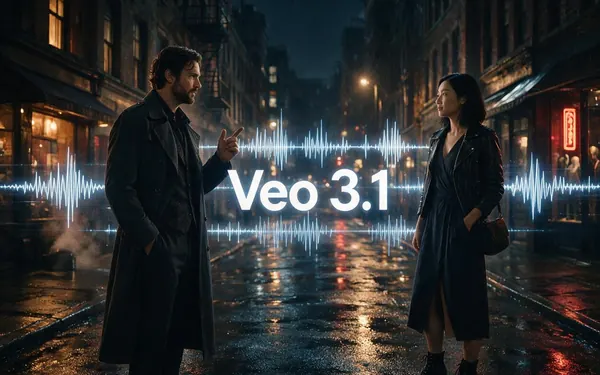
Google
Veo 3.1
- Input
- Text, image or 3 references
- Output
- 4, 6 or 8 s · up to 4K · sound
Dialogue and cinematic sound
Open Veo 3.1
ByteDance
Seedance 2.5
- Input
- Text, image or 30 references
- Output
- 4–30 s · up to 4K · sound
Multi-shot action and references
Open Seedance 2.5
PixVerse
PixVerse v6
- Input
- Text, image or 10 references
- Output
- 1–15 s · up to 1080p · sound
Punchy social-style motion
Open PixVerse v6
Luma
Luma Ray 3.2
- Input
- Text or image
- Output
- 5 or 10 s · up to 1080p
Smooth, dreamy camera motion
Open Luma Ray 3.2
The gallery uses Wan 3; the comparison uses Veo 3.1, Kling 3.0, Seedance 2.5 and Wan 3.
Tips
Prompts that work
What worked in our tests.
Describe one shot per prompt.
Name the camera move: dolly-in, orbit, tracking shot.
Add a sound line: rain, crowd, music.
Start from an image when the look matters.
Compare two models on the same prompt.
Real people need their permission.
Example uses
How creators use Haiper alternative
Illustrative examples of typical workflows, not customer reviews.
Short-film hobbyist
A hobbyist could move their prompts over and compare the same shot on two or three models.

Social creator
A creator could turn a still image into a short clip with sound for a vertical post.
Teacher
A teacher could make a short clip of a space scene to open a lesson.
FAQ
Haiper Alternative questions
What is the best Haiper alternative?
For text and image to video, Kenerate AI runs 57 video models in one studio, including Kling 3.0, Veo 3.1, Seedance 2.5 and Wan 3, with sound on many and clips up to 30 seconds. You pick the model per clip and can compare several on one prompt.
Link to this answerIs Haiper still available?
When we checked haiper.ai on 2 October 2026, it showed only a logo page titled "Haiper - AI Video Generator", with no generator, sign-in or pricing. The page doesn't explain why, so check Haiper's official channels for its status.
Link to this answerWhich model is closest to Haiper?
Haiper's page title still calls it an AI video generator. For an all-round text and image to video model, try Wan 3 or Seedance 2.5 for longer clips, Kling 3.0 for expressive motion, or Luma Ray 3.2 for smooth camera moves.
Link to this answerCan I turn an image into a video like on Haiper?
Yes. Upload an image in Kenerate's video studio, describe the motion and pick a model. Most models take a start image, and many also take an end frame.
Link to this answerIs Kenerate free?
Kenerate gives free sign-up credits for images and tools. Video models need a one-time credit pack; packs never expire and there is no subscription required.
Link to this answerIn depth
Haiper Alternative, explained
What we found on haiper.ai
On 2 October 2026, haiper.ai returned a single page with its logo and the title "Haiper - AI Video Generator". There was no way to sign in, generate or see plans. We report only what the site shows; we have not verified any reason for it.
Moving your workflow
Keep your prompts: they work on most models. Start with Wan 3 or Seedance 2.5 for general clips, compare on Kling 3.0 and Veo 3.1, and keep the version you like. If you have past Haiper videos you want to continue, use them as reference clips on Wan 3.
Explore
Every Kenerate video tool
Generators, tools, models and guides — all in one studio.