Boom-bap · 80 BPMInstrumental80 BPM
Stoop Session
Made with Ken Music 1.5 · Set the metronome to 80
—
PromptLaid-back boom-bap hip-hop instrumental at 80 bpm, dusty drums, deep bass, mellow Rhodes chords, head-nod groove
Free · 40–240 BPM · tap tempo · no account needed
A free metronome that runs in your browser: pick a preset or set any tempo from 40 to 240 BPM, tap along to find a song's speed, choose the beats per bar and practise. When the tempo feels right, make an original track at that BPM with Ken Music.
100
BPM
Updated by the Kenerate AI team
On this page
Quick answer
Updated
A metronome is a tool that clicks at a steady tempo, measured in beats per minute (BPM), so musicians keep time while they practise. The free online metronome above runs in your browser: set 40–240 BPM or tap a tempo, choose 2/4 to 6/4, accent beat one, then press Start or download a WAV click.
Listen first
Real AI generations at four tempos. Set the metronome to the BPM on a card and play along — engines land close to the tempo they were asked for, not always exactly.
Made with Ken Music 1.5 · Set the metronome to 80
PromptLaid-back boom-bap hip-hop instrumental at 80 bpm, dusty drums, deep bass, mellow Rhodes chords, head-nod groove
Made with MiniMax Music 3.0 · Set the metronome to 90
PromptClassic boom-bap hip-hop beat, dusty kick and snare, chopped soul sample, deep bass, head-nod groove, 90 bpm
Made with MiniMax Music 3.0 · Set the metronome to 120
PromptGroovy house instrumental at exactly 120 bpm, four-on-the-floor kick, warm bassline, piano chords, steady and danceable
Made with Ken Music 1.5 · Set the metronome to 132
PromptJazz piano trio, swinging piano solo, upright bass, brushed drums, late-night club, 132 bpm
How to
Step 1
Tap a preset, drag the slider, use − and +, or press Tap tempo in time with a song.
Step 2
2/4, 3/4, 4/4 or 6/4; keep Accent beat 1 on to hear where each bar starts.
Step 3
Turn on 8th-note clicks for fast passages and tight strumming.
Step 4
A WAV from 30 seconds to 3 minutes for a DAW or practice app.
See it in the app

Open Music Studio and pick a song from a prompt, a song from your lyrics, or an instrumental.
Prompt & lyrics to song, instrumentals, models, your tracks & chat
Chapters
Engines
Ken Music 1.5 is the Music Studio's default engine. Facts from the app's engine list.

Kenerate
Default engine: full songs with vocals in any language; can take an image as inspiration
Open Ken Music 1.5
MiniMax
Follows [Verse]/[Chorus] section tags closely
Open MiniMax Music 3.0
ElevenLabs
Set the exact duration; clean studio mix
Open ElevenLabs Music v2.5
Mureka
Writes its own lyrics from a prompt; style chips; MP3/WAV/FLAC
Open Mureka V9.5Prompt recipe
Each opens the Music Studio with the tempo in the prompt — change the number to match your metronome.
Practice groove
Simple practice backing track, drums and bass only, steady groove, 90 bpm
Slow ballad
Slow piano ballad backing track, soft strings, gentle and steady, 70 bpm
Pop
Bright pop backing track, punchy drums, synth chords, no vocals, 110 bpm
House
House instrumental, four-on-the-floor kick, warm bassline, piano stabs, 124 bpm
Drum & bass
Drum and bass instrumental, fast breakbeats, deep rolling bass, 174 bpm
Tempo
Where to set the metronome for common styles. Tap a card with a page to hear that tempo and the music around it.
40–66 BPM
70–90 BPM · 80 BPM guide
85–110 BPM
110–130 BPM · 120 BPM guide
125–150 BPM
160–200 BPM
Tips
Small habits that make practice stick.
Use headphones when you record so the click doesn't bleed into the take.
Turn off the accent now and then to check you still feel beat one.
Treat the click as beats 2 and 4 to practise a swing or backbeat feel.
Half-time at 140 BPM feels like 70 — handy for trap and slow grooves.
Write down the BPM you reached each day so progress is visible.
Example uses
Illustrative examples of typical workflows, not customer reviews.
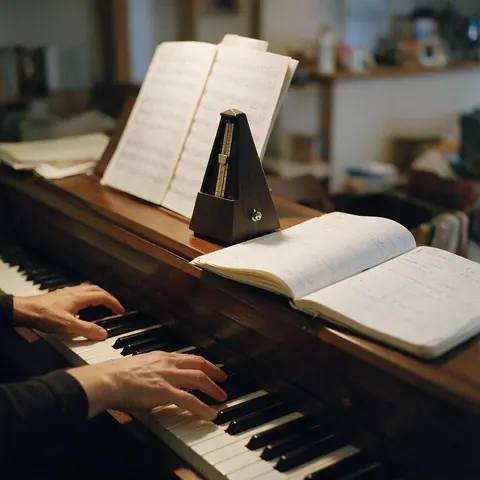
A piano student could tap the tempo of a piece, practise it slowly with the metronome, and raise the BPM a few beats at a time until it reaches performance speed.
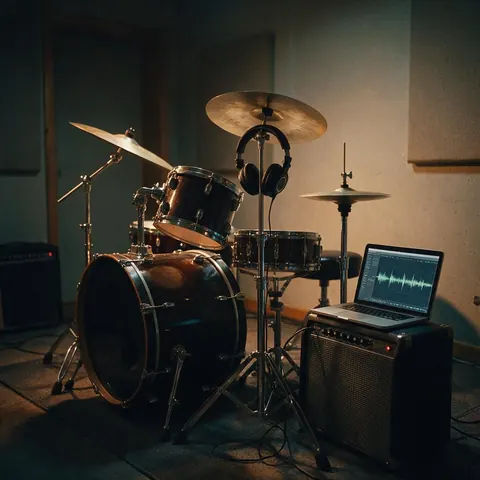
A drummer could set the metronome to the band's song tempo, download a WAV click for rehearsal, and make a backing track at the same BPM with Ken Music.
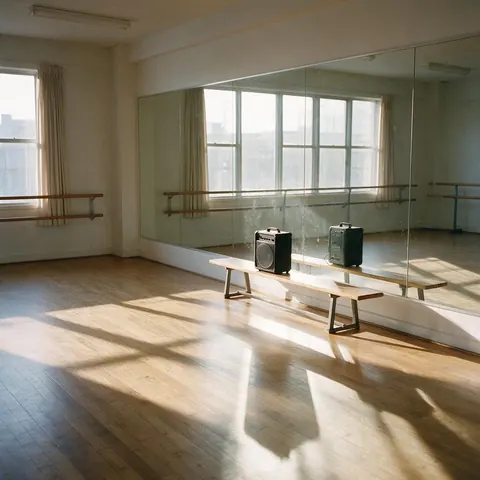
A dance teacher could tap the beat of a routine, set the metronome to match, and make an original track at that tempo for class.
FAQ
7 questions
Yes. The metronome is free and runs in your browser with no account: start and stop it, tap a tempo, change the time signature and download a WAV click as often as you like. Only making an original track in the Music Studio uses credits, and a new Kenerate account comes with starter credits to try it.
Link to this answerPress Tap tempo in time with the beat a few times, ideally four to six. The metronome averages the gaps between your recent taps and sets the BPM, which you can fine-tune with the − and + buttons. If you have the song as an audio file, the BPM & key finder estimates the tempo and key for you.
Link to this answerPractise at a tempo where you can play the passage cleanly, often well below the target, then raise it a few BPM at a time. As a rough guide, ballads sit around 60–80 BPM, hip-hop around 85–100, pop and house around 100–130, and drum & bass around 170–176 BPM.
Link to this answerIt plays 2/4, 3/4, 4/4 and 6/4, with an optional accent on beat one so you always hear where the bar starts. Use 4/4 for most pop, rock and dance music, 3/4 for waltzes, 2/4 for marches and 6/4 for slow six-beat ballads. 8th-note clicks add a softer click between the beats.
Link to this answerYes. Choose 30 seconds, 1, 2 or 3 minutes and press WAV to download a 16-bit WAV at your current tempo, time signature, accent and subdivision. It is rendered offline in your browser, so the timing is exact and the file is ready for a DAW, a video editor or a practice app.
Link to this answerThey make the same steady pulse. A metronome is the tool you practise with in real time; a click track is that pulse recorded or sent to headphones so a band, a recording session or a live show stays on one tempo. This page is for practice; the click track generator page covers recording and live use.
Link to this answerYes. Open the Music Studio, describe the style and include the tempo, for example “lo-fi beat at 80 bpm”, and Ken Music makes an original track. Engines usually land close to the BPM you ask for rather than exactly, so check the result with the BPM & key finder before you sync it to a video or a click.
Link to this answerIn depth
What works, what to avoid, and how the pieces fit.
A metronome sounds a regular pulse at a chosen number of beats per minute. The mechanical, wind-up pendulum version was patented by Johann Maelzel in 1815, which is why old scores mark tempos as “M.M.” (Maelzel's Metronome) followed by a number [1]. Today most musicians use electronic or app metronomes like the one above.
Classical Italian tempo terms map roughly to these speeds; ranges vary between sources [2]:
Browser timers can drift when a page is busy, so the metronome schedules each click slightly ahead on the audio clock (a “lookahead” scheduler) instead of firing them one by one. WAV downloads are rendered offline, click by click, so the file is exact at any length.
Free to start. No watermark. Download every track.
Tried it? Tell us how it went