Prompt-based AI photo editor
Free AI Photo Editor Online Free Photo Tools, AI Edits from 25 Free Credits
Yes — there is a free AI photo editor, with limits. In Kenerate's Edit Studio, 12 browser tools (crop, adjust, filters, blur, text, draw, collage and more) cost 0 credits, and a free account gets 25 credits for the AI tools — about 20 background removals, 8 upscales to 8K or 2 AI edits from a plain-text instruction. After that, AI edits are priced per photo from one-time packs; downloads have no watermark.
- Tools
- 27 in the Edit Studio, 12 free
- Edit by
- Text, brush or both
- Upscaling
- Up to 8K or 128 MP
- Formats
- JPEG · PNG · WebP · AVIF
- Watermark
- None
- Free to start
- No Watermarks
- Image and video models
- No subscription required
Updated by the Kenerate AI team




On this page
Real results
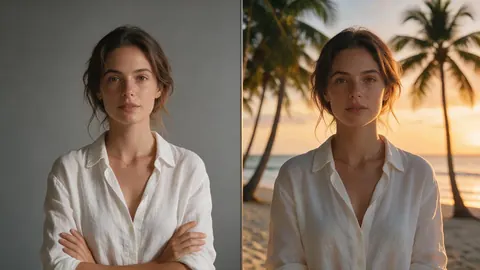
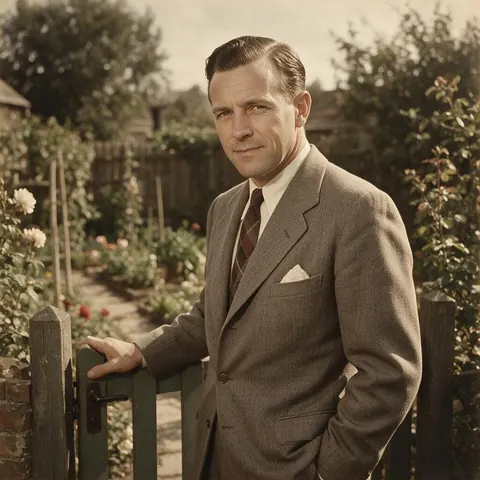
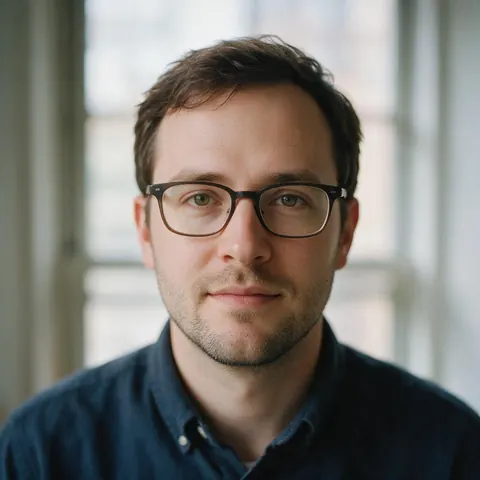
Free AI photo editor online — examples
Generated with the AI models in Kenerate. No watermarks.
The AI photo editor's tools
AI Edit
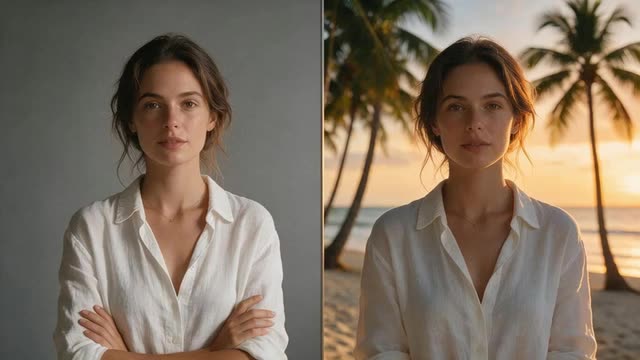
Describe the change — “make it golden hour”, “put him in a navy suit” — and the photo is edited from your sentence.
Change Region
Brush over one area and say what should go there; the rest of the photo stays untouched.
Magic Eraser
Paint over a stranger, a cable or a blemish and the background is rebuilt.
Edit Text in Image
Replace, translate or remove text printed in a photo, such as a sign or a label.
Relight and restyle
Change Lighting relights a photo from a prompt; Style Transfer and Color Palette change the look.
Upscale, expand, convert
Upscale up to 8K or 128 MP, expand to a new ratio, and convert to JPEG, PNG, WebP or AVIF.
Comparison
AI photo editor vs manual editing
Where a sentence beats layers and brushes, and where it doesn't.
| Feature | Kenerate Edit Studio | Manual editing (layers and brushes) |
|---|---|---|
| Remove an object | Paint over it with Magic Eraser | Clone and heal by hand |
| Change the background | One sentence, or AI Background | Mask, cut out and composite |
| Change clothes or light | Describe it in AI Edit | Repaint by hand |
| Fix printed text | Edit Text in Image | Retype and match the font |
| Pixel-level control | Less precise; results can vary | Full control |
AI photo editor free
Is there a free AI photo editor? What's free here, and what costs credits
Yes, with one honest limit. Twelve tools in Kenerate's Edit Studio run in your browser and cost 0 credits; the AI tools cost a few credits per photo, and a free account starts with 25 credits — enough for about 20 background removals, 8 upscales to 8K or 2 AI edits. Every edit model works with those credits: the Edit Studio has no plan lock.
Free: 0 credits, no limit
- Crop & Rotate
- Adjust (brightness, contrast, saturation, warmth)
- Filters
- Blur & Pixelate
- Text layers
- Draw
- Shapes
- Stickers
- Templates
- Magic Resize
- Collage (2–9 photos)
- Brand kit
You need a free account to upload and download; the tools themselves never touch your credits.
Costs credits: anything the AI redraws
Background removal, upscaling, AI Edit, Magic Eraser, Change Region, AI Expand, relighting, restyling, Edit Text in Image and format conversion run on Kenerate's servers, so each run is priced per image. Credits are charged only when you run a tool, and you see the price first. The same 25 credits also work in the Image Studio, where the free plan includes models such as Flux 2 Dev at 3 credits per image.
| Tool | Model | Credits per run | With 25 sign-up credits |
|---|---|---|---|
| Crop, adjust, filters, text, collage | Runs in your browser | 0 | Unlimited |
| Remove background | Remove Background | 1.2 | 20 cutouts |
| Upscale | Real-ESRGAN (default) · Image Upscaler to 8K | 0.72 · 3 | 34 upscales, or 8 to 8K |
| AI Edit (describe the change) | Qwen Image 3.0 · Nano Banana 2 Fast | 9.9 · 8 | 2 edits, or 3 on Nano Banana 2 Fast |
| Magic Eraser / Change Region | Seedream 5.0 Pro · Nano Banana 2 Fast | 13.5 · 8 | 1 erase, or 3 on Nano Banana 2 Fast |
| Edit Text in Image | GPT Image 2 · Qwen Image 3.0 | 21 · 9.9 | 1 on GPT Image 2, or 2 on Qwen Image 3.0 |
| AI Background (new scene) | Bria Background | 12 | 2 backgrounds |
| Camera Angle | Multiple Angles | 7.5 | 3 new angles |
Credits from Kenerate's edit price list for one photo, updated 27 October 2026. Extra reference images add a little on some models. $0.10 = 30 credits; packs are one-time and credits never expire.
How to edit a photo with AI for free, step by step
- Sign in with Google, GitHub or Discord — no card. A new account gets 25 credits.
- Open the Edit Studio and upload a photo.
- Use the free tools first: crop, straighten, adjust the light and colour, add a filter, text or a logo. None of them use credits.
- For a change you can only describe — a new background, a removed stranger, a different outfit — pick an AI tool. The credit price shows on the button before you run it.
- Download without a watermark. When the 25 credits run out, a one-time pack starts at $15 for 1,300 credits; there is no subscription.
Only need a cut-out or a bigger file? The free AI background remover and the AI image upscaler pages show those two tools in detail.
Built in
Free AI photo editor tools, with real results
Remove a background, upscale a small photo or erase a stranger — each tool paid per image, free credits to start.
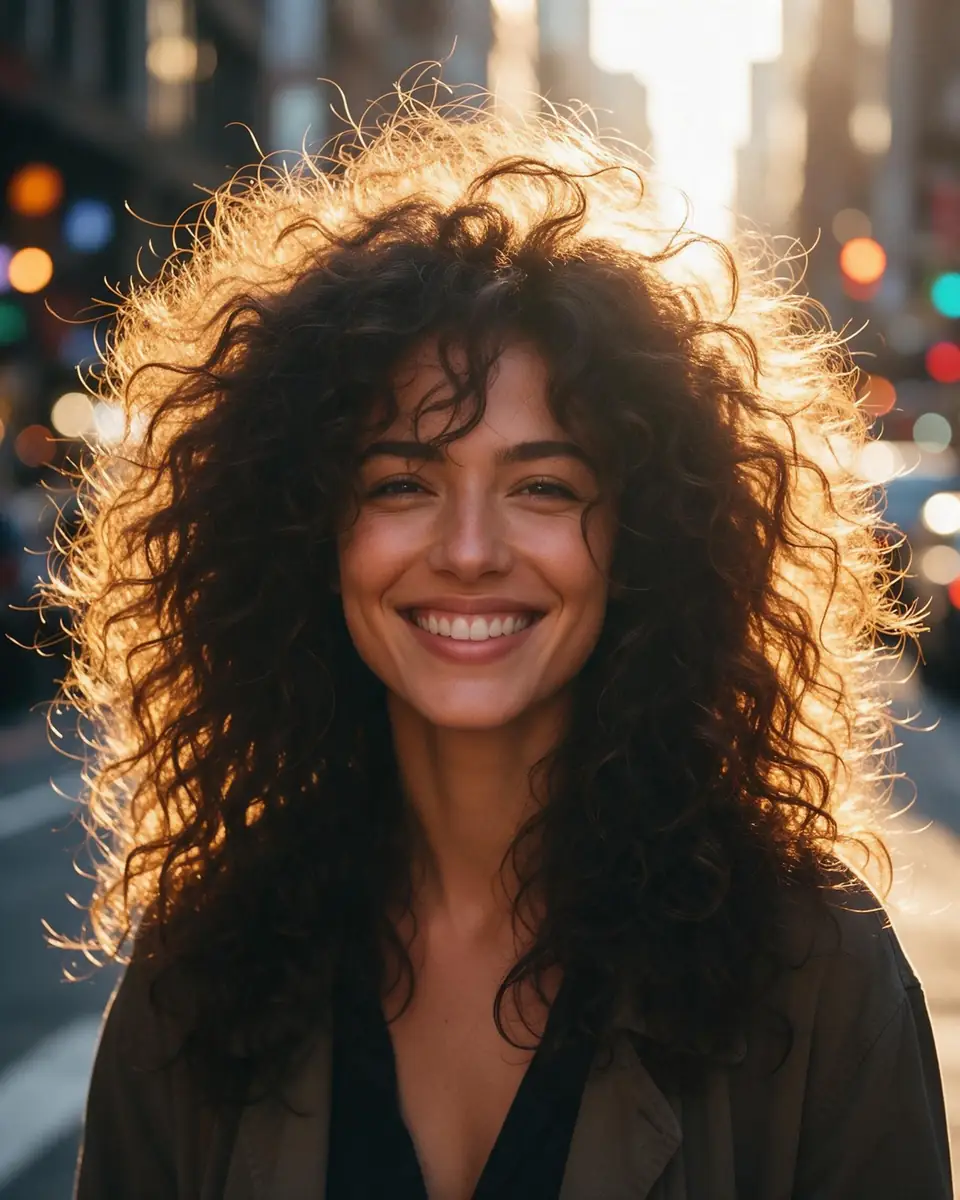 BeforeAfter
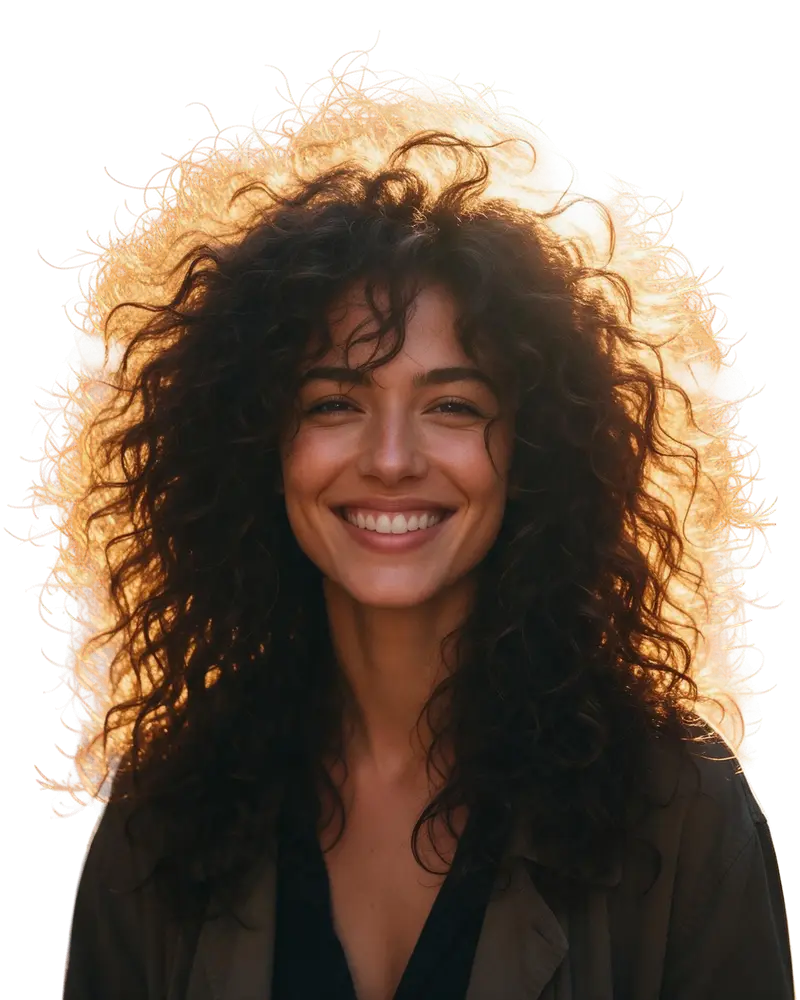
Remove background
Hair-level cut-outs
Backlit curls separated strand by strand, exported as a transparent PNG.
Kenerate Cutout HD
 BeforeAfter
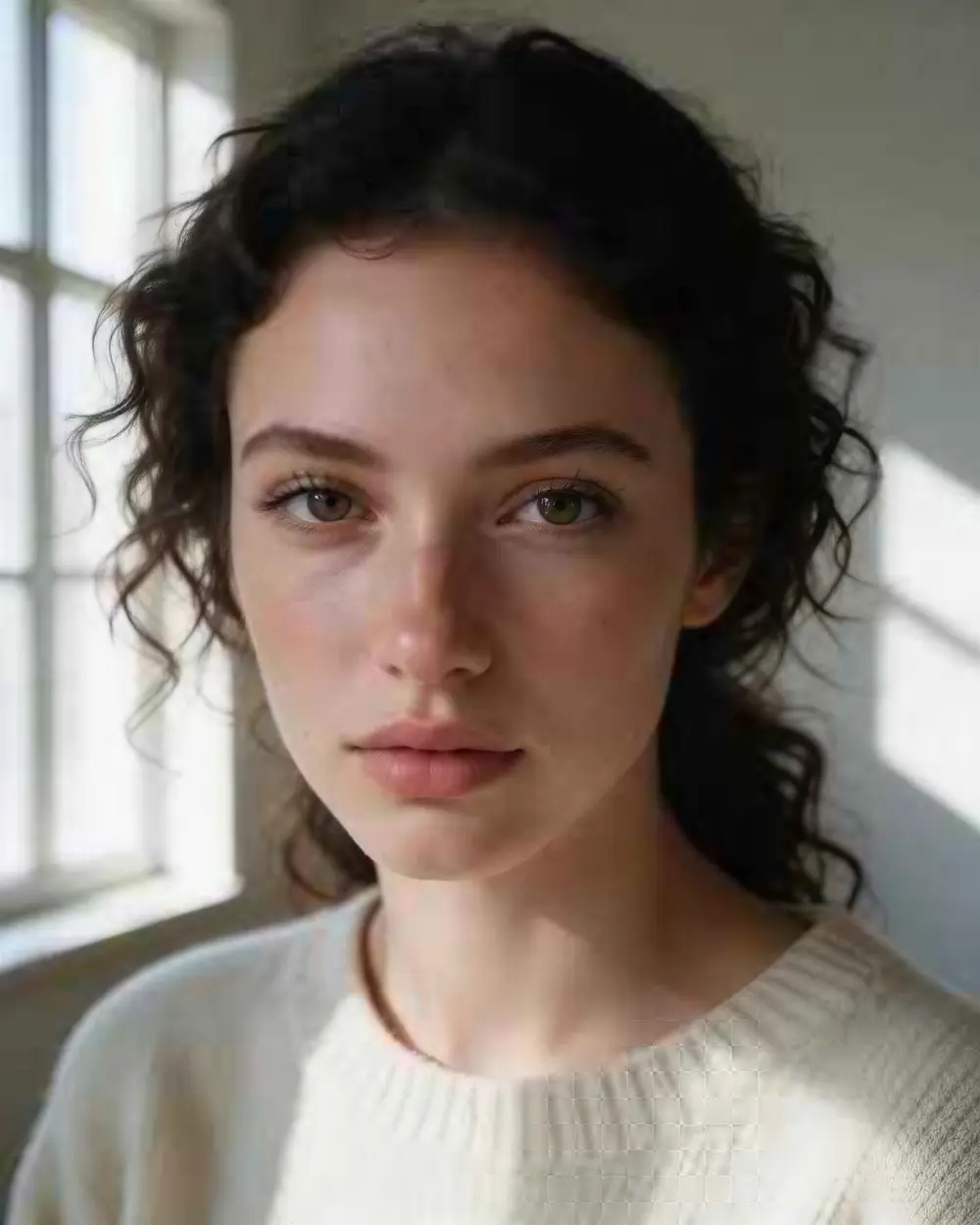
Upscale
300 px to 4K
A tiny portrait enlarged to 3664 × 4579 — sharper, and still the same person.
Image Upscaler · 300 px JPEG → 4K · 3664 × 4579
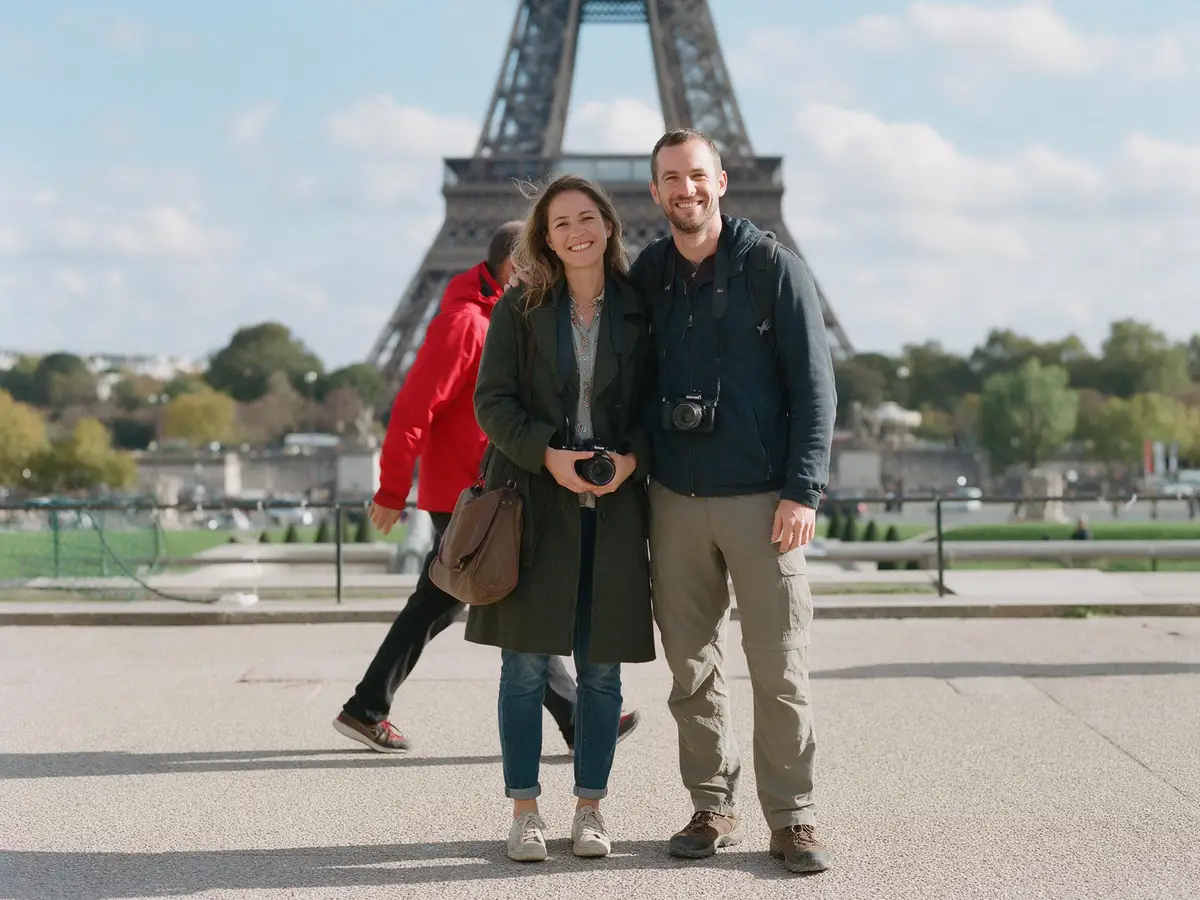 BeforeAfter
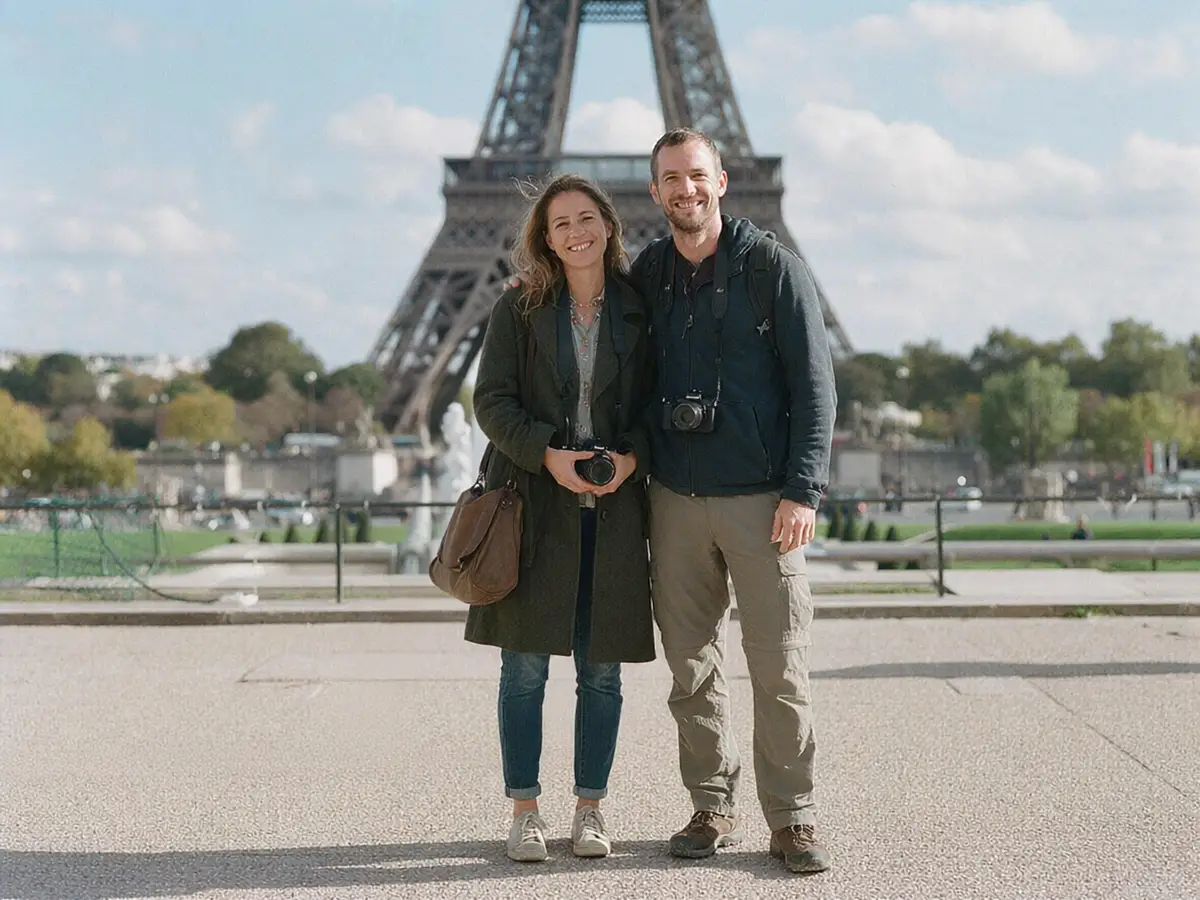
Remove objects
Photobomber, gone
A stranger erased from a travel photo and the background rebuilt.
AI Edit
How it works
How it works in the app
Step 1
Upload the photo to edit
Open Edit Studio and upload an image, or pick one from your history.
Step 2
Describe the change
In AI Edit, write what should change in plain words — the rest of the photo stays the same.
Step 3
Paint an area (optional)
Use the brush to mark just the region to change, and the eraser to refine the mask.
Step 4
Click Generate
Choose 1, 2 or 4 variations and press Generate to apply the edit.
See it in the app

Open Edit Studio and upload an image, or pick one from your history.


FAQ
Frequently Asked Questions
7 questions

Is the AI photo editor free?
Partly, and we say exactly which part. Twelve browser tools in the Edit Studio — crop and rotate, adjust, filters, blur and pixelate, text, draw, shapes, stickers, templates, Magic Resize, collage and brand kit — cost 0 credits. The AI tools are priced per image, and a new account gets 25 free credits for them. After that, one-time credit packs start at $15 for 1,300 credits; there is no subscription, credits never expire and downloads have no watermark.
Link to this answerHow many AI edits do 25 free credits buy?
It depends on the tool. 25 credits cover about 20 background removals (1.2 credits each), 8 upscales to 8K with Image Upscaler (3 each), 2 AI Edits on the default Qwen Image 3.0 (9.9 each) or 3 on Nano Banana 2 Fast (8 each), or one Magic Eraser run on Seedream 5.0 Pro (13.5). The price of each run shows in the studio before you start it.
Link to this answerDo I need a credit card or a paid plan for the AI photo editor?
No. You sign in with Google, GitHub or Discord, with no card, and the 25 sign-up credits work on every edit model — the Edit Studio has no plan lock, so GPT Image 2, Nano Banana 2.1 and Seedream 5.0 Pro are all available on a free account if you have the credits.
Link to this answerWhat can an AI photo editor do?
It changes a photo from a description instead of manual brushwork. In the Kenerate Edit Studio you can change the background, swap outfits, remove people or objects, relight a scene, change the camera angle, expand the frame, replace text in the image and upscale up to 8K — 27 tools in one place, 12 of them free.
Link to this answerHow do AI photo editors work?
They use image models that read your photo and your instruction together, then redraw the parts that should change and keep the rest. Brush tools such as Change Region limit the edit to the area you paint. Results can vary, so make a couple of versions in Kenerate and keep the best one.
Link to this answerAre AI photo editors safe to use?
On Kenerate AI, your uploads and results are tied to your account, and a design is shown to others only if you turn on its public link. Only edit photos you own or have permission to use, and never edit real people into explicit or misleading images — that is against our content rules.
Link to this answerWhat is the best free AI image editor?
It depends on the edit. For whole-photo changes from a sentence, AI Edit works well; for one area, Change Region; for clean-ups, Magic Eraser; for printed text, Edit Text in Image. Kenerate AI puts all of these in one free-to-start Edit Studio with no watermark, so you can try each on your own photo.
Link to this answerIn depth
Free AI Photo Editor Online, explained
Free AI image editor: which tool for which job
Whole-photo changes. Use AI Edit for anything you can say in one sentence: a new background, a different outfit, a change of season.
One area only. Use Change Region or Magic Eraser when the rest of the photo must stay exactly as it is.
Finishing. Upscale up to 8K for print, expand the frame to a new aspect ratio and convert to the format your site or shop needs. The guides below show each tool step by step.
By the Kenerate AI teamLast updated and reviewed

Edit your first photo free
Free credits to start. No watermarks. No subscriptions.
Tried it? Tell us how it went