

Product shots · UGC · video ads · posters · motion
Marketing Studio AI
Turn one product into ready-to-post marketing: studio product shots, creator-style UGC videos, video ads, posters, marketplace images and motion graphics, all in one AI marketing studio on Kenerate AI.
- Headphones hypermotion ad
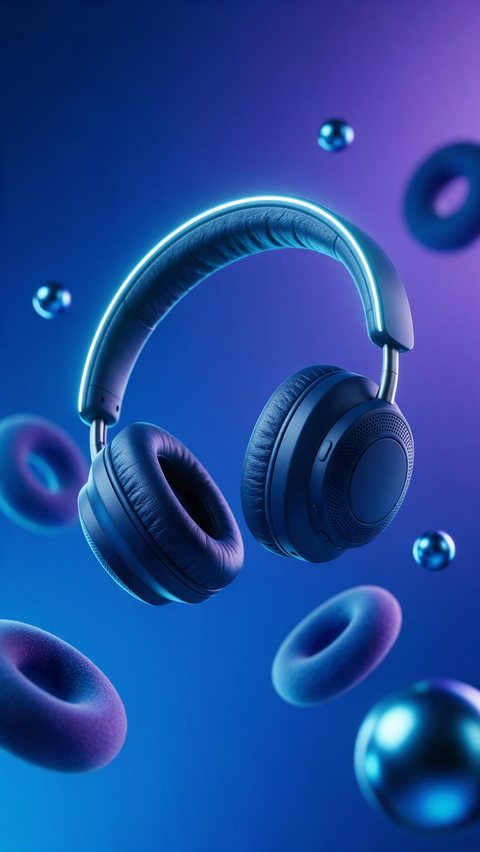
- Sunscreen color pop motion
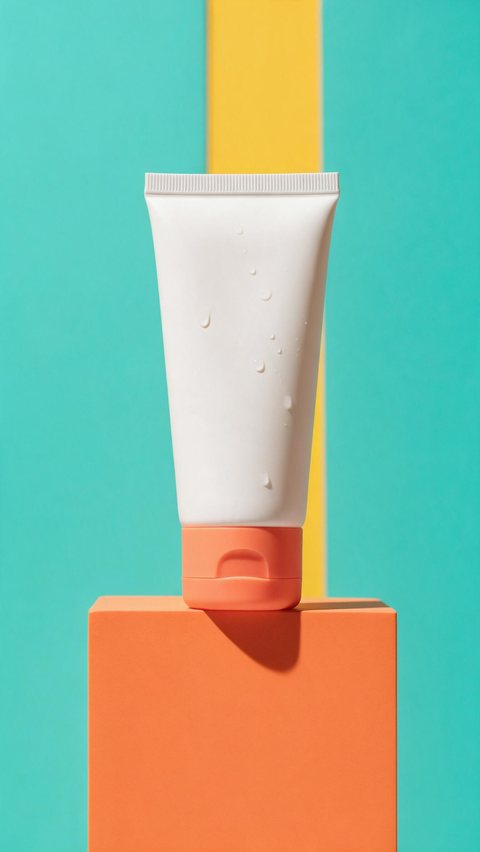
- Granola testimonial-style ad
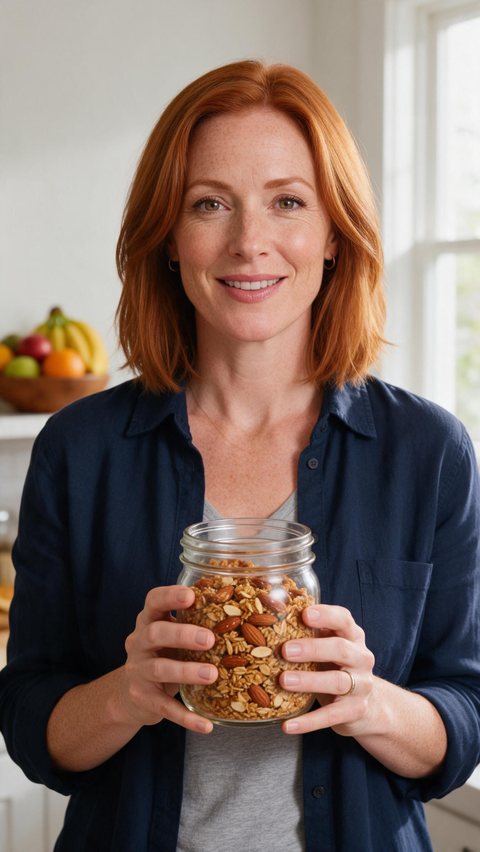
Made in Marketing Studio · Seedream 5.0 Pro + Wan 3.0
- 50 styles, 75 templates
- Image and video in one studio
- Your product kept as it is
- No invented reviews or stats
Updated by the Kenerate AI team
On this page
Quick answer
Updated
What is Marketing Studio AI?
Marketing Studio AI is Kenerate AI's studio for AI marketing content. You add a product (a photo, a product-page link or one from your library), pick a style or a template, and it makes product shots, UGC videos, video ads, posters, marketplace images and motion graphics with models such as Seedream 5.0 Pro and Seedance 2.0. It runs on a paid plan or a one-time credit pack.
Key facts
- Modes
- Image · Video
- Image styles (20)
- Product shot · Ads · Marketplace · Posters
- Video styles (30)
- UGC · Motion · Ads
- Templates
- 75, each one Recreate-able with your product
- Your product
- Library, a product-page link, or 1–9 photos
- People
- An avatar from the library or your own presenter photo
- Tools
- Product link · Ad reference (a reference ad up to 60 s)
- Default models
- Seedream 5.0 Pro (image) · Seedance 2.0 (video, 720p)
- Ad sizes
- 9:16 · 4:5 · 1:1 · 3:4 · 16:9
- Access
- Paid plan or a one-time credit pack, no subscription required
Ad showcase
122 ad videos made in Marketing Studio
Every ad clip from the Marketing Studio pages: fictional, unbranded products, each started as a Seedream 5.0 Pro frame and animated with Wan 3.0. Filter by UGC, Motion or Ads and open one to see its prompt.
Ad images
Marketing Studio AI examples
Ad stills of fictional, unbranded products, made with Seedream 5.0 Pro, the model Marketing Studio uses by default.
How to
How to use the marketing studio AI
- Time needed
- Steps
- 4 steps
Step 1
Open Marketing Studio
Sign in. Marketing Studio runs on a paid plan or a one-time credit pack.
Step 2
Add your product
Pick it from your library, paste the product page link, or upload 1–9 photos.
Step 3
Pick a style or a template
Image: Product shot, Ads, Marketplace or Posters. Video: UGC, Motion or Ads. Or Recreate a template.
Step 4
Write the brief and create
Hook, body, call to action, the ad size and an avatar for UGC, then make variations.
See it in the app

Open Marketing Studio and pick Image for product shots and posters, or Video for UGC and motion ads.


Watch the tour · 1:23
Prompts, styles, references, edit, Arena & chat
Chapters
Tips
How to get ads that look like real campaigns
What the 50 Marketing Studio styles are built around.
Start from a template and press Recreate: the style, model, ratio and prompt come with it.
Use a clean product photo or the product's own page link so the label stays sharp.
Give the ad one job: a hero shot, proof, a comparison, a tutorial or a launch.
Write the hook, body and call to action yourself; nothing else is put on screen.
Pick the size for the placement first: 9:16 for Reels and TikTok, 4:5 for feeds.
Make three or four variations of one idea and keep the winner, rather than one of each.
Models
Models inside Marketing Studio
What each model is good at. Open any one straight in the generator.

ByteDance
Seedream 5.0 Pro
- Reference images
- Up to 10
- Output
- 1K · 1.5K · 2K
Default image model: product shots, ads, posters
Open Seedream 5.0 Pro
OpenAI
GPT Image 2
- Reference images
- Up to 16
- Output
- 1K–4K
Ads with a headline or button in the picture
Open GPT Image 2- Free plan

Alibaba
Qwen Image 3.0
- Reference images
- Up to 3
- Output
- 1K · 2K
Free to start in the image studio for ad ideas
Open Qwen Image 3.0
Every Marketing Studio page
Pick the page for the ad you need
Each page shows its own example ads and the Marketing Studio styles that fit the job.
AI ads generator
Ads · Every Marketing Studio ad type, image and video
Product ads
Ads · Ads built around one product photo
AI Facebook ad generator
Ads · Feed, Stories and Reels ads
TikTok ad generator
Ads · 9:16 UGC and motion ads
AI banner generator
Ads · Web, display and YouTube banners
AI video ad generator
Video ads · Short video ads from a product
AI commercial generator
Video ads · TV-style spots and TVCs
AI product video generator
Video ads · Product photo to video
AI motion graphics generator
Video ads · Hypermotion, type and app launch
ViewMax AI video generator
Video ads · Viewmax alternative for AI ads and UGC
UGC ads
UGC and creators · Creator-style video ads
UGC video generator
UGC and creators · Talking product videos
AI influencer video generator
UGC and creators · One creator, every scene
AI product photo generator
Product photos · Packshot to lifestyle photo
Amazon product photography
Product photos · Marketplace listing images
Product photography prompts
Product photos · Prompts that work
AI mockup generator
Product photos · Your design on products
Clothing ads
Fashion · Apparel ads for Instagram and Facebook
AI fashion model generator
Fashion · On-model photos
Virtual try-on AI
Fashion · Garments on AI models
AI poster generator
Posters and social · Posters with real text
AI carousel generator
Posters and social · Carousel sets for feeds
AI thumbnail generator
Posters and social · YouTube thumbnails
FAQ
Marketing Studio AI questions
8 questions
What is Marketing Studio AI?
Marketing Studio AI is the part of Kenerate AI that turns a product into marketing content. Add a product photo or a product-page link, pick one of 50 styles or 75 templates, and it makes product shots, UGC videos, video ads, posters, marketplace images and motion graphics. Image and video are in the same studio, and every result keeps your product as it is.
Link to this answerWhat is a marketing studio?
A marketing studio is a place that produces a brand's marketing content: product photos, ads, videos and social posts. An AI marketing studio does that work with image and video models instead of a shoot, so one product photo can become a studio packshot, a creator-style review, a TikTok ad and a poster in the same session, ready to post.
Link to this answerIs Marketing Studio AI free?
Marketing Studio itself is not free: it runs on a paid plan or a one-time credit pack, with no subscription required. A free account can still sketch ad ideas in the image studio with Qwen Image 3.0, which is free to start, and move the best idea into Marketing Studio later.
Link to this answerHow can I create UGC ads with AI?
Open Marketing Studio, switch to Video and pick a UGC style: Review, Unboxing, Tutorial, Try-on, Testimonial, Before/after, At home, Shopping or Delivery. Add your product and choose an avatar from the library or upload your own presenter photo, write the hook and call to action, and create. The result is a creator-style, talk-to-camera clip in 9:16.
Link to this answerWhat can I make with an AI marketing studio?
Product shots (closeup, studio white, editorial, usage, full body), image ads (social proof, comparison, problem to solution), marketplace listing images, posters, banners and carousel sets, UGC videos, motion graphics (hypermotion, typography, app launch, event promo) and video ads (product showcase, unboxing, ASMR, cinematic TVC, talking presenter).
Link to this answerCan AI generated images be used for marketing?
Yes, as long as they are honest. Marketing Studio keeps your real product unchanged and only writes the words you give it, and it never invents star ratings, reviews, testimonials, statistics or prices. Check labels and small text before you publish, and follow each ad platform's rules for AI-generated content where they apply.
Link to this answerIs Kenerate a Higgsfield Marketing Studio alternative?
Both turn a product into product shots, UGC videos, ads, posters and motion graphics from a product link or photos, with avatars and ready-made templates (Higgsfield's Marketing Studio page, checked 3 October 2026). Kenerate's Marketing Studio has 50 styles across image and video, 75 templates, an Ad reference tool, and a choice of image and video models in one picker.
Link to this answerWhich video models does Marketing Studio use?
Seedance 2.0 is the default video model at 720p. Wan 3, Wan 3 Prime, Ken 1, MiniMax H3 and MiniMax H3 Pro are also in the picker. Clip length depends on the model: 4 to 15 seconds on Seedance 2.0 and up to 30 seconds on Wan 3. Images default to Seedream 5.0 Pro, with GPT Image 2, Seedream 5.0 Lite and Flash and Qwen Image 3 also offered.
Link to this answerIn depth
Marketing Studio AI, explained
What works, what to avoid, and how to pick a model.
On this page
Which Marketing Studio style to use
Match the style to the job the content has to do. Every one of these is a real style in Marketing Studio, and each links to a page with its own examples.
- A clean hero image for a store or feed: Product shot > Studio white, Closeup or Editorial (AI product photo generator).
- Marketplace listing images: Marketplace > Clean Studio, Pastel, Dark, Color pop or 3D surreal (Amazon product photography).
- Proof, comparison or a pain point: Ads > Social proof, Comparison or Problem → Solution (product ads, AI ads generator).
- A creator talking to camera: UGC > Review, Unboxing, Tutorial, Try-on or Testimonial (UGC ads, UGC video generator).
- Designed motion: Motion > Hypermotion, Typography, Color pop, App launch or Event promo (AI motion graphics generator).
- A TV-style spot or b-roll: video Ads > Cinematic TVC, Product showcase, Lifestyle b-roll or ASMR (AI commercial generator).
- Posters, banners and carousels: Posters > Scene poster, Static banner or Carousel set (AI poster and banner generators).
AI marketing videos
Video has three categories. UGC styles need a person: an avatar from the library or your own presenter photo, filmed like a phone front camera. Motion styles are designed rather than filmed: hypermotion product hero shots, kinetic typography, SaaS and app launch promos, event and menu reveals. Video Ads styles are camera-real: product showcase, lifestyle b-roll, hands-only unboxing, ASMR, cinematic and football TVCs, editorial try-on and a talking presenter.
AI generated images for marketing
Image has four categories. Product shot makes finished product photos (Closeup, Faceless, Full body, Editorial, UGC, Studio white, Color pop, Natural, Usage). Ads puts a headline in the picture (Social proof, Comparison, Problem → Solution). Marketplace makes listing images that stand out (Dark, 3D surreal, Color pop, Pastel, Clean Studio). Posters makes scene posters, static banners and carousel sets.
Templates and Recreate
The template gallery has 75 finished examples, each with its own style, model, ratio, length and prompt. Press Recreate and your product, and your avatar where the style needs one, are swapped in. It is the fastest way to a result that already looks like a campaign.
Product link and Ad reference
Product link reads a product page (Shopify, WooCommerce and most stores) and saves the photo and details to your product library. Ad reference takes an ad you like, up to 60 seconds, and writes a brief from it, so you can make your own version with your product.
What the AI keeps and what you write
The model builds the set, light and camera around your product and is told never to redesign, recolour or replace it. The words are yours: the hook, body, call to action and offer come from your brief, and nothing else is written on screen. Every style follows the same honesty rule: no invented ratings, reviews, quotes, statistics or prices.
Try the marketing studio AI
Runs on a paid plan or a one-time credit pack. No subscription required.
Tried it? Tell us how it went