Browser-based · 10 styles · nothing to install · no watermark
Caption maker — styled video captions in the browser
A caption maker for people who don't want another app on their phone: open it in a browser, upload a talking clip, and download it with captions already in the picture. Below, how that compares with installing a captions app, and setups for the places you post.
- Runs in a desktop or phone browser
- Nothing to install
- 10 ready-made caption looks
- One file for every platform
Updated by the Kenerate AI team
On this page
Quick answer
Updated
What is a caption maker?
A caption maker turns the speech in a video into on-screen captions. Some are phone apps; Kenerate's runs in the browser, so there's nothing to install. Upload a clip up to 4 minutes, pick one of 10 caption styles and a position, and download one MP4 with the captions burned in, ready for any platform.
Key facts
- Install needed
- None — browser
- Caption looks
- 10
- Positions
- Top, Middle, Bottom
- Clip limit
- 4 min, 100 MB
- Output
- One MP4
- Watermark
- None
Real demo
One podcast clip, three caption looks
The same clip made three ways. Switch tabs with the sound on to see how each look follows the voice, then compare with the original.
- Fusion. Short bursts of words, timed to the speech.
- Simple. Clean white text with a soft shadow.
- Glide Pop. The spoken word in yellow script.
Real, unedited outputs of the caption maker on one Wan 3 clip.
Make captionsReal results
Made with the caption maker
Four real Wan 3 talking clips, each run through the caption maker once in a different look. Filter by style.
Clips: Wan 3 image to video with speech (AI-generated people). Captions: Kenerate Auto Subtitles, unedited.
How to
How to make captions for a video
- Time needed
- Steps
- 4 steps
Step 1
Open Auto Subtitles in a browser
Desktop or phone; sign in with a verified email — no app download.
Step 2
Upload the clip
MP4, MOV or WebM from your device, up to 4 minutes and 100 MB.
Step 3
Choose a look
Pick from 10 style tiles, each previewed before you run it.
Step 4
Place the captions
Top, Middle or Bottom, and a text shadow from Off to Max.
See it in the app

Open Auto Subtitles and upload a clip, or pick one from your history, library or a link.


Watch the tour · 1:19
Text, image & reference to video, models, edit, extend & chat
Chapters
Checked 3 October 2026
Browser caption maker vs captions apps
From each product's own or reference pages, checked 3 October 2026. Kenerate is our product; where the others do more, the table says so.
| Kenerate (browser) | Captions app | Instagram Captions sticker | |
|---|---|---|---|
| Where it runs | Any modern browser, desktop or phone | iOS, Android and web | Instagram mobile app |
| Caption looks | 10 styles | 100+ styles | 4 presets: classic, typewriter, scroll, fade |
| What you can adjust | Style, position, shadow, resolution | Words, styles and more in its editor | A preset look and one placement |
| What you get | MP4 with captions burned in | Captioned video plus editing, dubbing and script tools | Captions on that Instagram post |
Captions details: its site and Wikipedia; Instagram sticker details: Kapwing's May 2024 guide. These can change; check before you choose.
Sources: Kenerate Auto Subtitles (tool) · Captions — AI video caption generator, checked 3 October 2026 · Captions (app) — Wikipedia, checked 3 October 2026 · Kapwing — How to add auto-captions to Instagram Reels (2 May 2024), checked 3 October 2026
Engines
Caption maker setups for each place you post
Starting points built from the tool's real settings; adjust them per clip.
- Safe default

Simple · Bottom · 1080p HD
LinkedIn video
- Input
- Landscape or square clip
- Output
- Clean white text, soft shadow
Talks, announcements, hiring videos
Open LinkedIn video 
Glass · Bottom
X (Twitter) video
- Input
- Landscape or square clip
- Output
- Words on a frosted pill
Busy or bright backgrounds
Open X (Twitter) video
Plain · Bottom
Facebook feed
- Input
- Landscape or square clip
- Output
- Clean white text
Community updates and event recaps
Open Facebook feed
Lowkey · Top
Website hero video
- Input
- Landscape clip
- Output
- Small, subtle text
Background videos where the picture leads
Open Website hero video
Rizz · Middle · Max shadow
Event or shop screen
- Input
- Landscape clip
- Output
- Heavy caps, the spoken word in yellow
Loops watched from a distance
Open Event or shop screen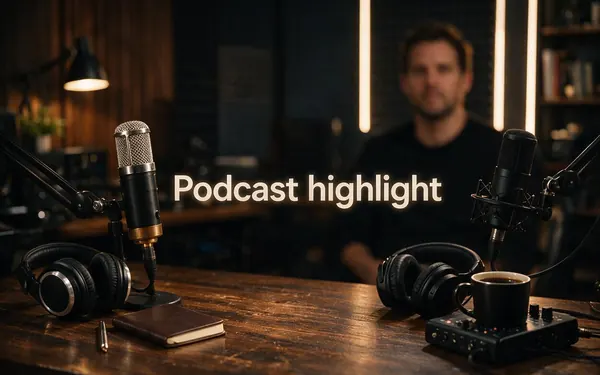
Fusion · Middle
Podcast highlight
- Input
- Vertical or square clip
- Output
- Short bursts of words
Conversation clips with quick back-and-forth
Open Podcast highlight
TikTok, Reels and YouTube have their own guides, linked at the bottom of the page.
Tips
Captions people stop for
Habits that make a caption maker's output work harder.
Lead with your strongest sentence: the first caption is the hook.
Use one look for a whole series so the posts feel like a set.
Use Rizz or Glide Pop when the speaker is selling an idea.
Use Plain or Lowkey when the visuals carry the story.
Keep music low: the caption maker writes only what it can hear.
Record in a quiet room; echo costs more accuracy than an accent does.
Example uses
How creators use Caption maker
Illustrative examples of typical workflows, not customer reviews.

Office team
A comms team can caption a CEO's short update on a locked-down work laptop, with nothing to install.

Street musician
A busker can caption a short spoken intro from a phone browser between sets and post it straight away.
Estate agent
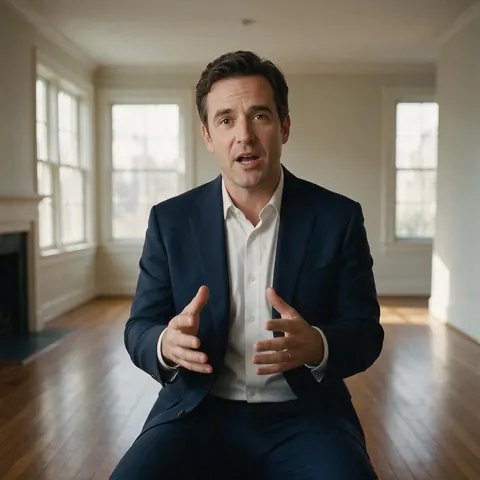
An estate agent can caption a walkthrough intro in Plain so the words never compete with the rooms.
FAQ
Caption Maker — questions
Is there a caption maker that doesn't need an app?
Yes. Kenerate's caption maker runs in the browser on a computer or a phone, so there is nothing to download: sign in, upload the clip and download it captioned. Phone apps such as Captions, or Instagram's Captions sticker, need their app installed. A browser tool is also handy on shared or work computers where you can't install software.
Link to this answerDo I need a captions app or a website?
It depends on where you edit. If you shoot and post from your phone and want to change words by hand, a captions app with an editor fits. If your clips are already finished and you just want styled captions burned in, a browser caption maker is quicker: Kenerate takes the file, captions it and returns one MP4.
Link to this answerCan I use the caption maker on my phone?
Yes, in the phone's browser. Open Kenerate, sign in, upload a clip from your camera roll and pick a style; the result downloads as an MP4 you can post straight from the phone. Keep clips under 4 minutes and 100 MB. For the clearest text on a small screen, choose 1080p HD and a Mid or Max shadow.
Link to this answerCan the caption maker add emojis or my brand font?
No. It offers 10 fixed caption styles, from Simple to Vegas, with position and text-shadow settings, but no custom fonts, colours, emojis or logos. If your brand needs an exact font, caption the video in an editor with brand kits. For most social posts, using one built-in style across a series reads as a consistent look too.
Link to this answerDoes the caption maker add a watermark?
No. The captioned MP4 has no watermark, and no subscription is required: you pay per clip with credits, priced by length in tiers up to 4 minutes, and new accounts get starter credits to try it. If a run fails, the credits are refunded automatically, so a bad upload doesn't cost you anything.
Link to this answerWhich languages can the caption maker caption?
It captions speech in English (US), English (India), Spanish, French, German, Japanese, Chinese, Italian, Portuguese and Russian, with Auto-detect as the default. The captions match the spoken language and there's no translation step, so a French speaker gets French captions. Pin the language by hand when a clip mixes languages or the accent is strong.
Link to this answerIn depth
Browser caption maker or captions app?
On this page
What people mean by a captions app
Most people searching for a captions app want something on their phone that writes captions from speech. Captions, the app now developed by Mirage, runs on iOS, Android and the web and adds editing, dubbing and script tools on top [2]. Social apps have their own: Instagram's Captions sticker transcribes Reels in the mobile app [3].
When a browser beats an app
A browser caption maker skips the install, which matters more often than you'd think.
- Work laptops where you can't install software.
- Clips edited on a computer rather than a phone.
- Several people sharing one account on different devices.
- Phones that are short on storage space.
- One-off captioning jobs that don't justify a subscription.
When an app is the better choice
If you want to fix individual words, re-time lines, add emojis or design your own caption template, a full captions app or editor does more [1]. Kenerate's caption maker is deliberately narrower: it takes a finished clip and gives back a captioned one in a few minutes, with 10 ready-made looks instead of a design canvas.
Captions that survive reposting
Because the captions are part of the image, they travel with the file: reposted, forwarded or embedded, the video still shows them. That's the main advantage over captions that live inside one app's player. The cost is that they can't be removed later, so keep your uncaptioned original as well.
Caption maker online
A caption maker you use in a web page. Kenerate's works in desktop and phone browsers and returns an MP4, so nothing is installed and nothing stays on your device but the file.
Video caption maker
A caption maker for moving pictures rather than photo captions or post text. It listens to the speech, so the clip needs a clear voice; music-only videos have nothing to caption.
Captions app
Usually a phone app with a caption editor. Choose one if you edit on your phone and fix words by hand; choose a browser caption maker if your clip is finished and you want it captioned quickly.
Explore
Every Kenerate video tool
Generators, tools, models and guides — all in one studio.