

OpenGL & DirectX · live preview · free
Normal map generator from any texture
Turn a texture photo into a normal map and a height map for Blender, Unity, Unreal or Godot. Adjust strength and smoothing, pick the green-channel convention your engine uses, and see the bumps catch the light before you download.
- Normal + height map PNGs
- OpenGL (Y+) or DirectX (Y−)
- Seamless edges for tiling
- Nothing uploaded
Updated by the Kenerate AI team
On this page
Quick answer
Updated
What is a normal map generator?
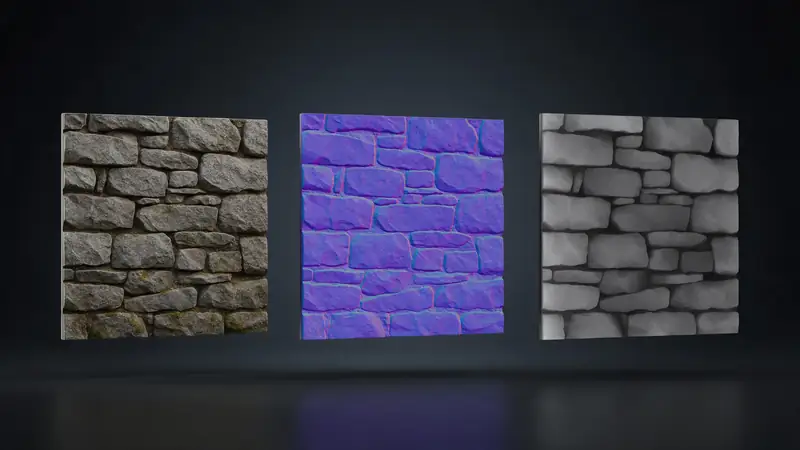
A normal map generator is a tool that turns a texture into a normal map, an RGB image storing which way each point faces so a flat surface lights up as if it had bumps. Kenerate's free generator works in your browser and downloads the normal and height maps as PNG, for OpenGL or DirectX engines.
Key facts
- Price
- Free, no account
- Files
- JPG, PNG or WebP in (max 2048 px) → normal map + height map PNG
- Controls
- Strength 0.2–12, smoothing 0–8, invert height, seamless edges
- Convention
- OpenGL Y+ (Blender, Unity, Godot, glTF) or DirectX Y− (Unreal, many DCC defaults)
- Preview
- Live 3D sphere or plane with a moving light
- Privacy
- Processed in your browser — no upload
Why this tool
Image to normal map, straight into Blender or your engine
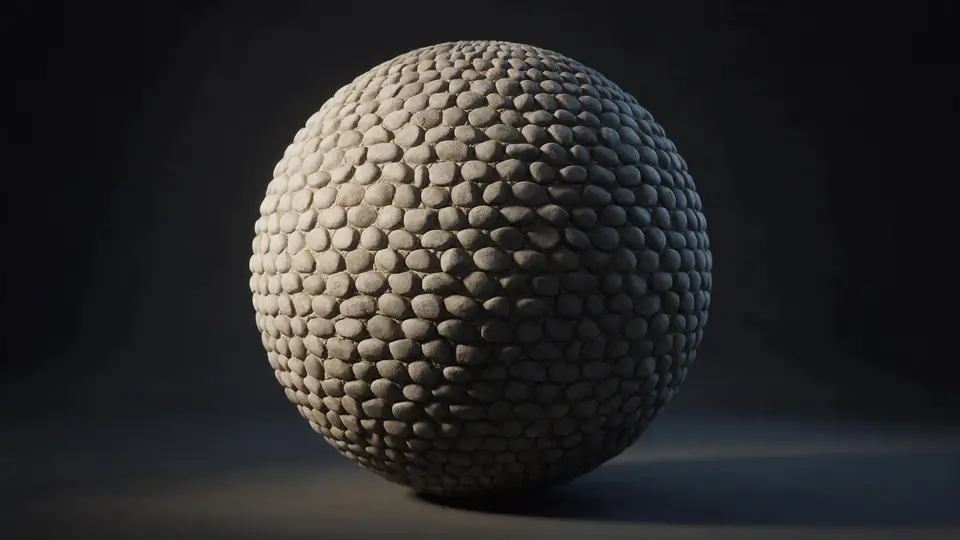
The green channel is where most normal maps go wrong. Pick the right one and check it lit before you download.
Also
What else it does
Seamless edges
Slopes are measured across the edges as if the texture repeats, so tiling textures stay seamless.
Height map too
The grey height map works as a displacement or bump map — or as a relief in the Image to STL tool.
How it works
How a normal map is computed
Four steps, in your browser.
Height
The image's luminance becomes a height field (inverted if dark should be raised).
Smooth
Optional blur removes photo noise so it doesn't become false bumps.
Slopes
A Sobel filter measures how fast height changes left–right and up–down at every pixel.
Encode
Slopes become a unit normal, stored as R = X, G = Y (flipped for DirectX), B = Z.
How to
How to use the Normal Map Generator
- Time needed
- Steps
- 4 steps
Step 1
Add a texture
Drop a texture image onto the box above, or try the cobblestone sample.
Step 2
Tune strength
Raise strength for deeper bumps; add smoothing if it looks noisy.
Step 3
Pick the convention
OpenGL for Blender, Unity, Godot, glTF; DirectX for Unreal.
Step 4
Download
Save the normal map (and height map) as PNG.
Watch the tour · 1:48
Text, photo or multi-view to a textured GLB, nine engines, the viewer & lighting, compare engines, gallery, download & chat
Chapters
Who uses it
Who uses it
Game developers
Quick normal maps for walls, floors and props.
Blender artists
Surface detail without extra polygons.
Modders
Remake textures for older games.
3D printing
Use the height map as a printable texture relief.
Compare
Which green channel does your software use?
Using the wrong one makes bumps look dented. If it looks inside-out, flip the green channel.
| Software | Convention | Note |
|---|---|---|
| glTF / GLB | OpenGL (Y+) | Defined by the glTF 2.0 spec |
| Blender | OpenGL (Y+) | Set the image to Non-Color |
| Unity | OpenGL (Y+) | Mark the texture as Normal map |
| Godot | OpenGL (Y+) | — |
| Unreal Engine | DirectX (Y−) | Or tick Flip Green Channel on import |
Example uses
How creators use the normal map generator
Illustrative examples of typical workflows, not customer reviews.
Game developer
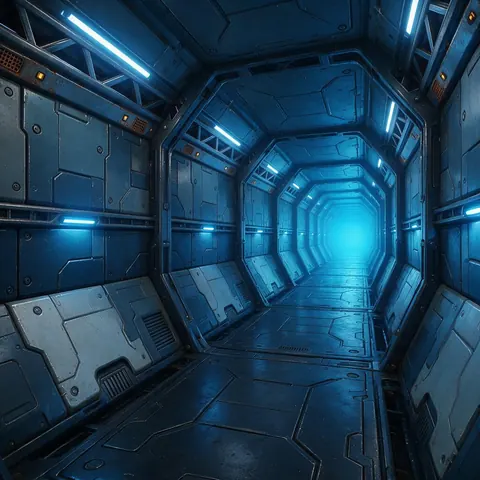
A game developer can make quick normal maps for walls, floors and props, picking OpenGL or DirectX to suit their engine.
Blender artist
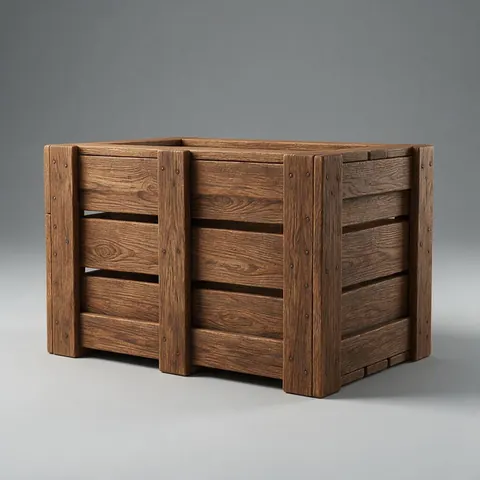
A Blender artist can add surface detail to a simple model without extra polygons, previewing the bumps under a moving light first.
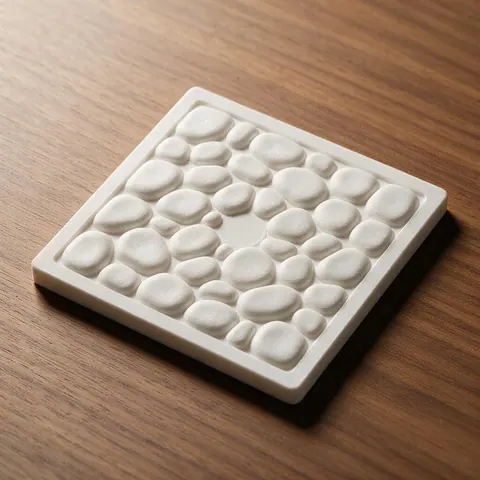
3D printing maker
A maker can take the height map from a texture and print it as a raised relief tile.
FAQ
Normal Map Generator questions
7 questions
What is a normal map?
A texture whose red, green and blue values store the X, Y and Z direction a surface faces. Renderers use it to light flat geometry as if it had fine detail.
Link to this answerWhy are normal maps blue and purple?
A surface facing straight out has the normal (0, 0, 1), stored as about (128, 128, 255) — a light blue-purple. Bumps tilt it towards red and green.
Link to this answerOpenGL or DirectX?
OpenGL (Y+) for Blender, Unity, Godot and glTF; DirectX (Y−) for Unreal. They differ only in the green channel, so you can flip one into the other.
Link to this answerWhy does my normal map look wrong in Blender?
Set the image's colour space to Non-Color. Treating a normal map as sRGB colour distorts the directions.
Link to this answerCan a photo make a good normal map?
It works well for textures shot with flat, even light, like the sample. Photos with strong shadows bake the lighting into the height, so expect some false bumps.
Link to this answerWhat's the difference between a normal, bump and height map?
A height (bump/displacement) map stores height as grey; a normal map stores the surface direction derived from it. Normal maps give better lighting detail; height maps can move real geometry.
Link to this answerIs my texture uploaded?
No. Everything happens in your browser.
Link to this answerIn depth
Normal Map Generator, explained
What the colours mean, why the green channel matters, and how to get clean maps from photos.
On this page
What the colours encode
OpenGL vs DirectX
Photos as a height source
This tool reads height from brightness. That works when brightness follows shape — grout lines dark, stones light — but shadows and colour changes also read as height. Shoot textures in flat, diffuse light, or paint a height map and use it as the input.
From texture to print
The height map is also a heightmap for 3D printing: load it in the Image to STL tool as a relief to print the same texture as a tile.
Keep going
Other 3D viewers and converters
- Image to STLPhoto to relief, lithophane or shape
- Lithophane MakerFlat or curved, with a frame
- PNG to STLLogos and transparent images
- JPG to STLPhotos to printable reliefs
- SVG to STLExtrude vector art
- 3D Logo MakerSVG or PNG logo to 3D
- 3D Text Generator18 fonts, plates and bevels
- 3D LettersPrintable letters and names
Try the Normal Map Generator
Free and private — your files never leave your device. Want to make models with AI? That's the 3D Studio, on any paid plan or credit pack.
Tried it? Tell us how it went