

One object or the whole palette
Recolor Image with AI
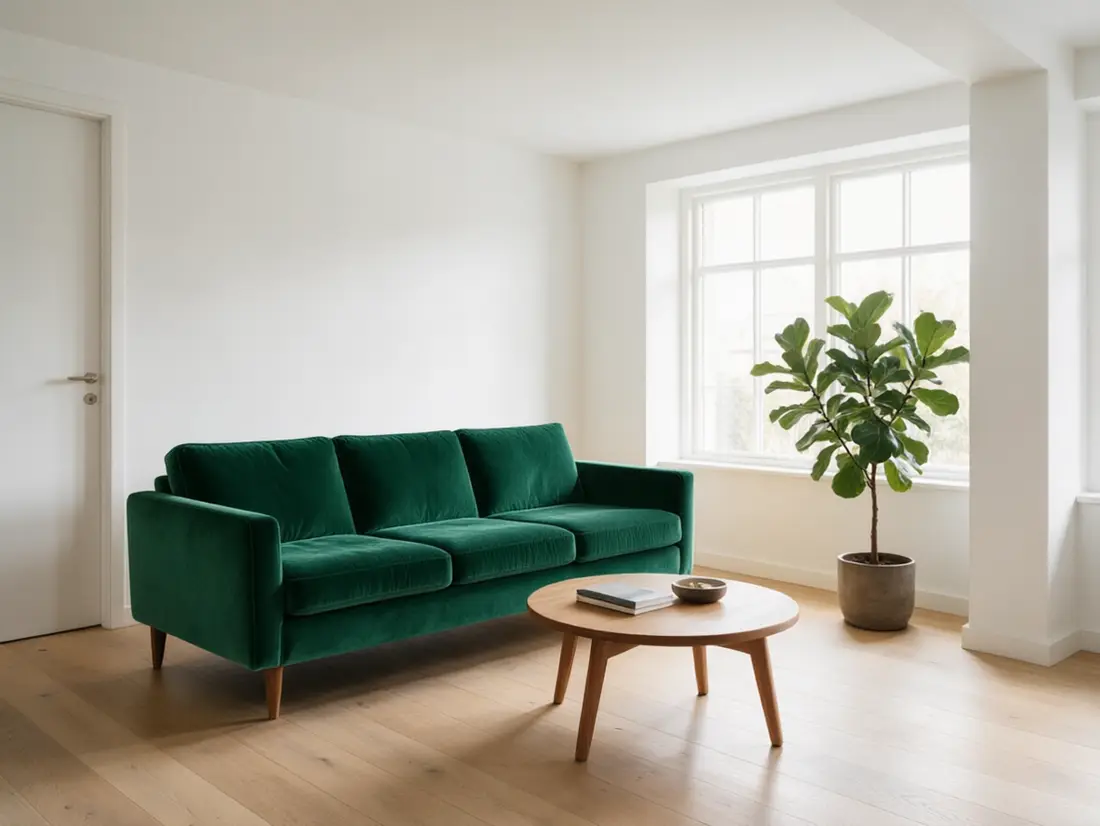
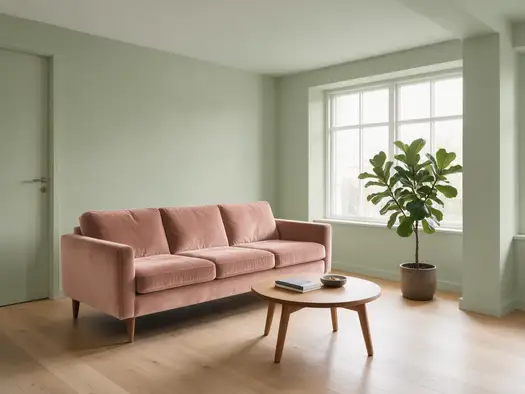
Upload a picture and name the new colour — “recolor the sofa emerald green” or “recolor the poster to navy and silver”. Shapes, texture and light stay; only the colour changes.
- One object or the whole image
- Keeps shape and texture
- Palette or HEX colours
- No watermark
Updated by the Kenerate AI team
Made with Kenerate

On this page
Quick answer
How do you recolor an image with AI?
To recolor an image with AI, upload it, name what to change and the new colour, and add “keep everything else the same”. Kenerate AI's Edit Studio has two tools for it: Color Palette recolours the whole picture and Change Region recolours only an area you paint. In our tests Qwen Image 3.0 kept every shape and texture across six recolours.
Key facts
- Recolours tested
- 6
- Shapes and texture kept
- All 6, in our tests
- Whole image
- Color Palette tool
- One area
- Change Region tool
- HEX colours
- Close, not exact
- Free start
- Starter credits
- Watermark
- None
Gallery
Six recolours, three pictures
Real Qwen Image 3.0 edits from Kenerate's Edit Studio — a living room, a product photo and a flat poster. Open any one to copy the prompt.
Same prompt
One hoodie, three colourways
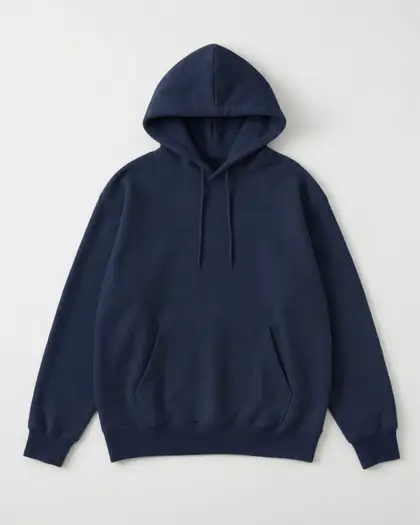
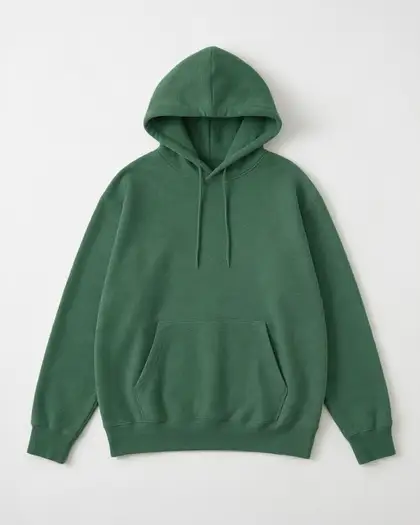
The original heather grey, then two recolours from one-sentence prompts. The folds, drawstrings and background didn't move.
PromptRecolor the hoodie to navy blue. Keep the fabric texture, folds, drawstrings, shape, white background and lighting exactly the same.
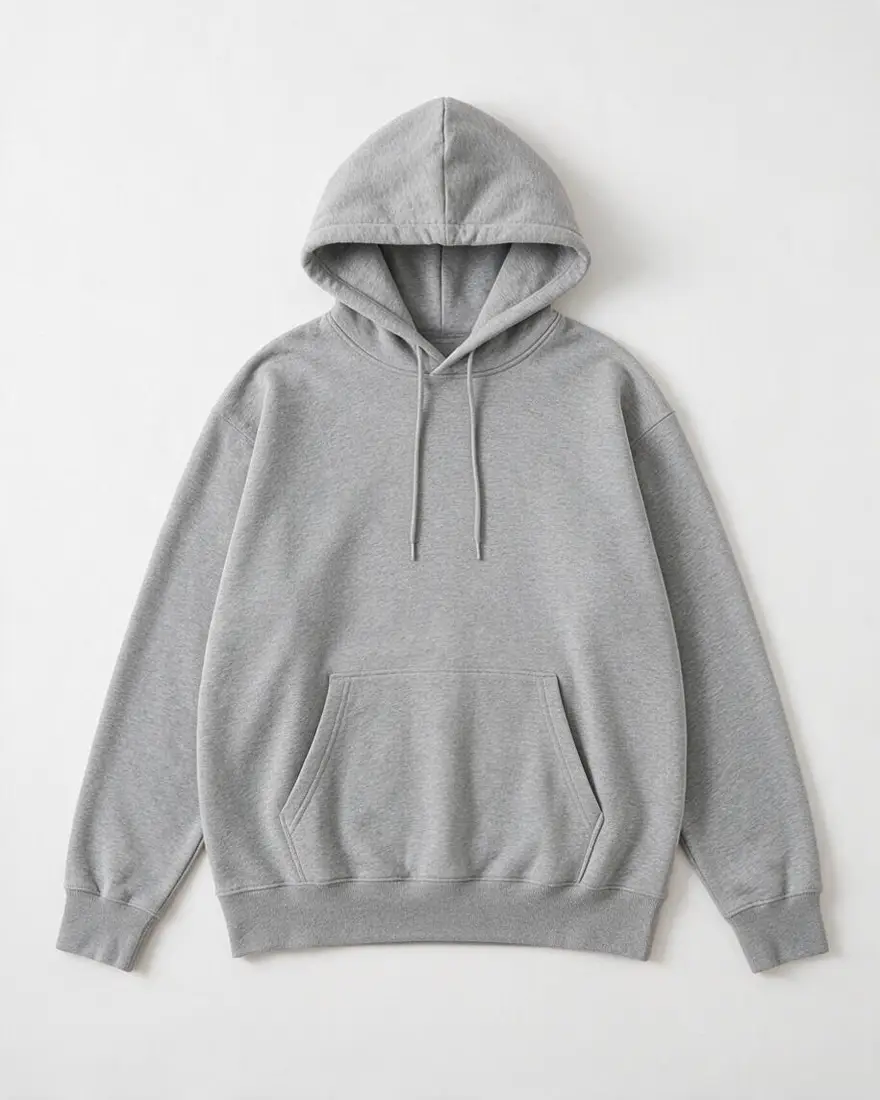 OriginalHeather grey
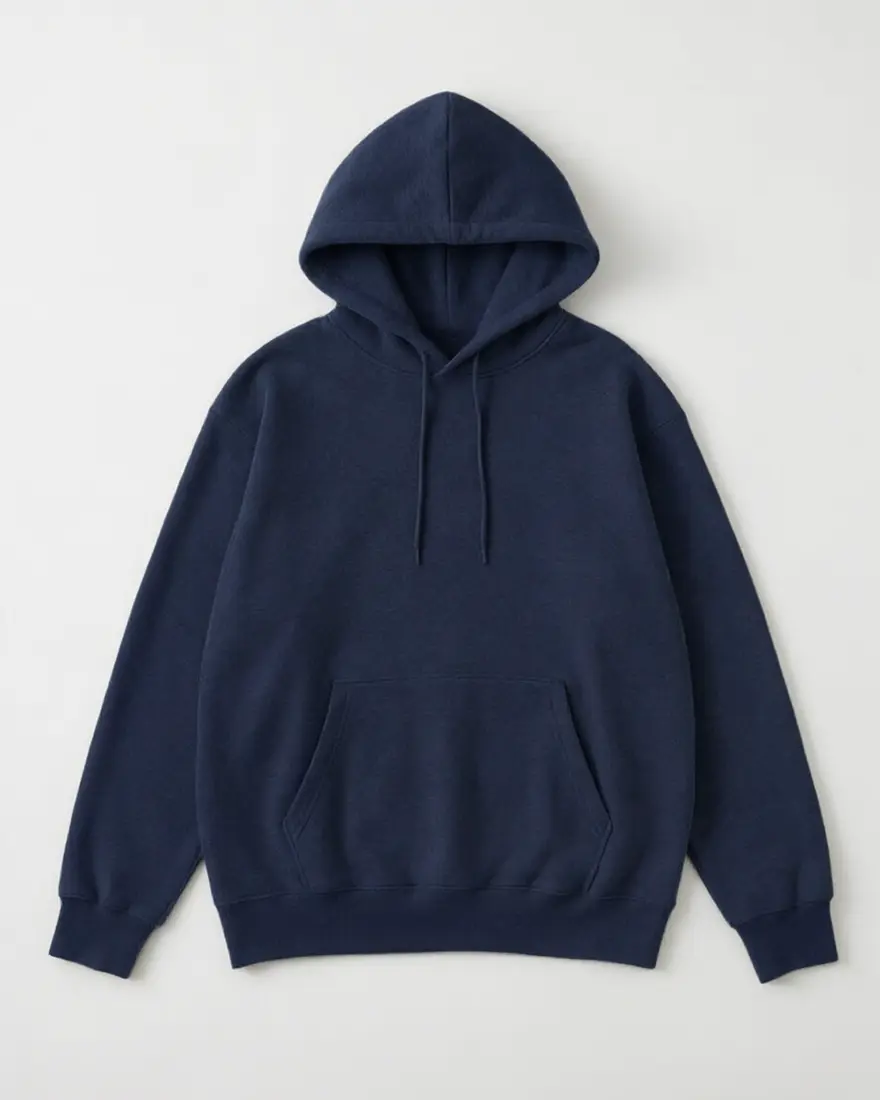 Navy blueQwen Image 3.0 edit
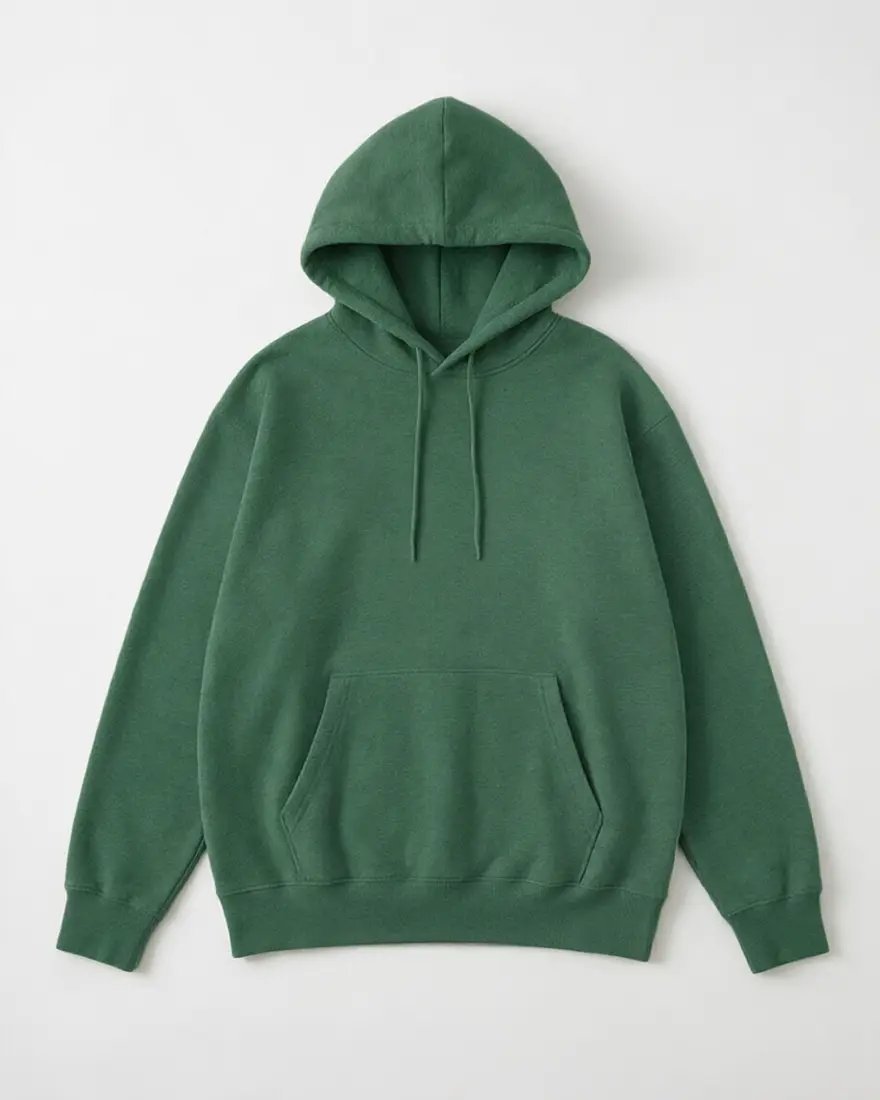 Forest greenQwen Image 3.0 edit
How to
How to use the recolor image
- Time needed
- Steps
- 4 steps
Step 1
Upload your image
Add it in Image Studio with Qwen Image 3.0, or open Edit Studio (/app/edit). Sign in free for starter credits.
Step 2
Pick the tool
In Edit Studio: Color Palette recolours the whole picture; Change Region lets you paint over one object first.
Step 3
Name the colour
“Recolor the hoodie navy blue. Keep the texture, folds and background the same.”
Step 4
Compare and download
Try a few colours side by side, then download without a watermark.
See it in the app

Open Edit Studio and upload an image, or pick one from your history.


Watch the tour · 1:23
Prompts, styles, references, edit, Arena & chat
Chapters
Tips
Get a clean recolour
What worked in our tests.
Name the object: “recolor the sofa”, not “make it green”.
Add “keep everything else exactly the same” and list what matters — walls, floor, background.
Keep the material word: “emerald green velvet”, “navy cotton” — the texture stays truer.
For a whole palette, give two or three colours and say which part gets which.
HEX codes land close, not exact — finish with a pixel colour-replace if a brand colour must match.
Recolour one thing per prompt; chain edits for the rest.
Models
Models for recolouring
What each model is good at. Open any one straight in the generator.
- Free plan

Alibaba
Qwen Image 3.0
- Reference images
- Up to 3
- Output
- 1K · 2K
Open Qwen Image 3.0Best for
Used here; free plan; Color Palette default

ByteDance
Seedream 5.0 Pro
- Reference images
- Up to 10
- Output
- Up to 2K
Open Seedream 5.0 ProBest for
Change Region default
Google
Nano Banana 2.1

OpenAI
GPT Image 2
- Reference images
- Up to 16
- Output
- Model default
Open GPT Image 2Best for
Also in Color Palette
FAQ
Recolor Image questions
8 questions
How do I recolor an image with AI?
Upload the image to Kenerate's Edit Studio, pick Color Palette (whole picture) or Change Region (one painted area), and write what to change: “recolor the sofa emerald green, keep everything else exactly the same”. Qwen Image 3.0 did this in our six tests without moving any shapes. Download the result with no watermark.
Link to this answerCan I change the colour of just one object?
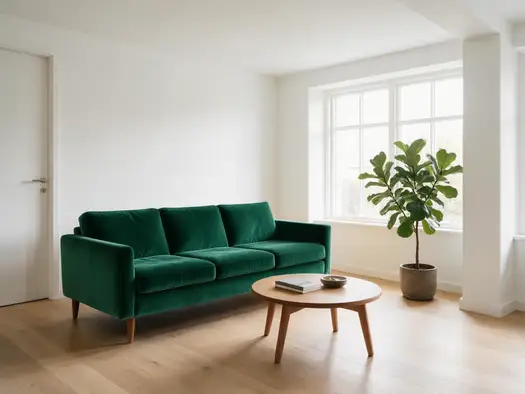
Yes. Name the object in the prompt — “recolor only the sofa” — and list what must stay. In our living-room test the sofa turned emerald while the walls, floor, table and plant stayed the same. If the picture has several similar objects, use Change Region and paint over the one you want, so the edit can't spill onto the others.
Link to this answerCan I recolor an image to exact HEX colours?
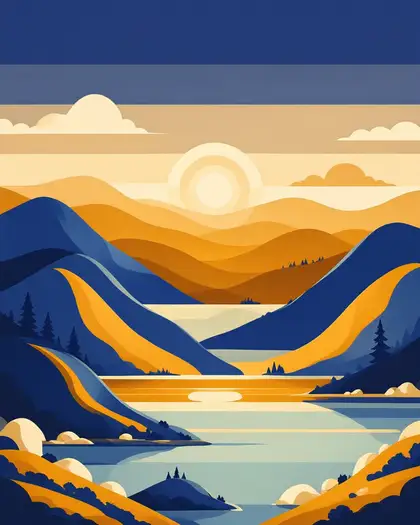
Close, but not pixel-exact. We asked for #1E3A8A, #F59E0B and #FEF3C7 on a flat poster and measured #253B78, #D87E0D and #FEEECA in the result — the right hues, slightly off in value. For a brand colour that must match exactly, recolour with AI first, then fine-tune with a pixel colour-replace tool.
Link to this answerIs recoloring an image free?
Free to start. A new Kenerate account gets starter credits on sign-up, and Qwen Image 3.0 — the model used on this page — is a free-plan model, so the starter credits cover a couple of recolours. After that, edits run on one-time credit packs that never expire — no subscription. Downloads carry no watermark.
Link to this answerWill recolouring change the texture or shape?
Not in our tests: velvet stayed velvet, the hoodie kept its folds and drawstrings, and every hill and tree in the poster stayed put. Keeping the material in the prompt helps — “emerald green velvet” rather than just “green” — as does ending with “keep everything else exactly the same”.
Link to this answerCan I make product colourways from one photo?
Yes — the hoodie on this page went from heather grey to navy and forest green from one product photo. It's useful for mock-ups, ads and pre-orders. For a shop listing, check each recolour against the real product or a fabric swatch, because the shade on screen should match what the buyer receives.
Link to this answerHow is recolouring different from colorizing?
Recolouring changes colours that are already there — a mustard sofa to emerald. Colorizing adds colour to a black-and-white photo. For old black-and-white photos, use Kenerate's colorize photo tool instead.
Link to this answerCan I recolor a logo or a PNG?
For a photo or an illustration, yes. For a flat logo where every pixel must be one exact brand colour, a pixel-level colour-replace tool is the safer choice — AI recolouring lands close to a HEX code, not exactly on it, as our HEX test above shows.
Link to this answerIn depth
Recolor Image, explained
What works, what to avoid, and how to pick a model.
Two ways to recolor: the whole palette or one object
Color Palette sends the whole image and your colour instruction to the model, which repaints the colours while keeping the layout — right for posters, illustrations and mood changes. Change Region lets you paint over one area first, so only that part changes — right when several objects look alike.
Both run on instruction-based image editors that repaint what you name. Saying what must stay the same is as important as naming the new colour.
How exact are the colours? Our HEX test
We asked Qwen Image 3.0 to recolour a flat poster to three HEX codes and averaged each area of the result:
- Sky: asked #1E3A8A deep blue, got #253B78.
- Hills: asked #F59E0B amber, got #D87E0D.
- Sun: asked #FEF3C7 cream, got #FEEECA.
- Right hue every time, a little darker or duller — good for a look, not for a brand-guide match.