












Skip to content
Photoroom alternative · updated 26 Sep 2026

The best Photoroom alternative for background removal

Photoroom's free plan can't be used commercially and caps exports at 2000 × 2000 on the web. Kenerate's free credits can be used for business, with no subscription after that.

  • 25 free credits
  • No subscription
  • Hair, fur & glass (HD)
  • No watermark
White and orange running sneaker on a wooden bench — original photo
White and orange running sneaker on a wooden bench — background removed
BEFOREAFTER

Kenerate Cutout · Sneaker

Try this photo
  • Kenerate Cutout
  • Cutout HD · hair & glass
  • Object Pick · keep what you name
  • Magic Eraser
  • AI Edit · Qwen Image 2.0
  • Edit Text in Image · GPT Image 2
  • White, black & colour backdrops
Curly hair — background removed
Dog fur — background removed
Glass bottle — background removed
Sneaker — background removed
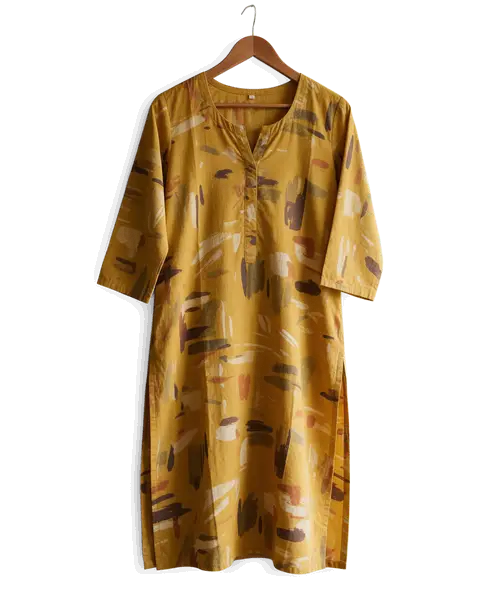
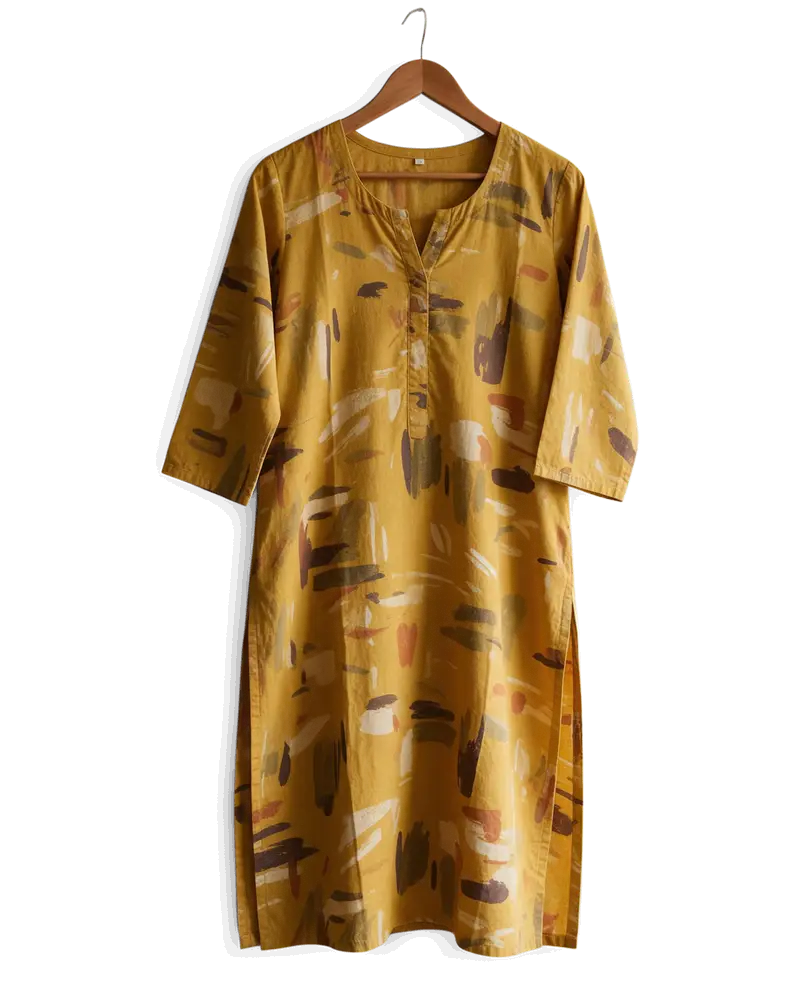
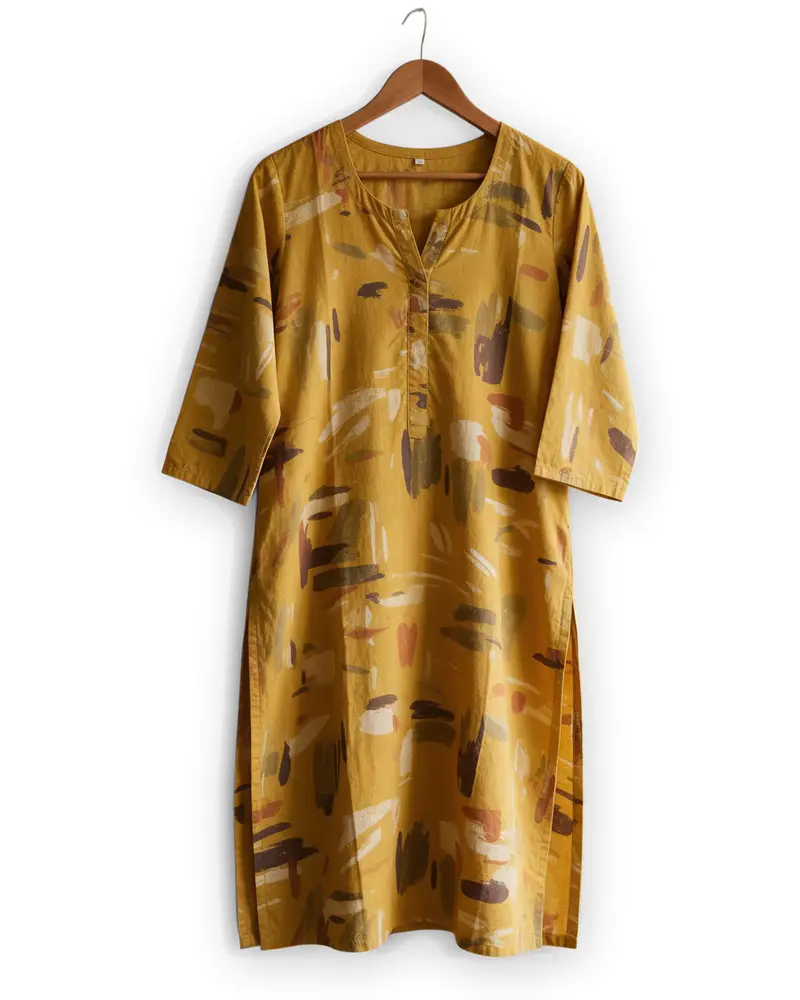
Kurti on a hanger — background removed
Gold chain — background removed
Portrait — background removed
Logo JPG — background removed
Curly hair — background removed
Dog fur — background removed
Glass bottle — background removed
Sneaker — background removed
Kurti on a hanger — background removed
Gold chain — background removed
Portrait — background removed
Logo JPG — background removed

Short answer

Updated

A good Photoroom alternative is Kenerate AI when you want commercial use without a subscription: 25 free credits you can use for business, then one-time credit packs that never expire, with no monthly export limit. Photoroom's free plan allows 100 exports a month, up to 2000 × 2000 px on web, and no commercial use; choose Photoroom if you want AI product staging, 250-image batches or its Shopify app on a subscription.

Kenerate modes
Cutout · Cutout HD · Object Pick · Magic Eraser
Kenerate free
25 free credits, no watermark, commercial use OK
Photoroom free
100 exports/month, 2000 px web, no commercial use
Photoroom paid
Pro, Max and Ultra subscriptions, up to 4096 × 4096 on web

Real results

What Kenerate does that Photoroom users ask for

Every slider is a real Kenerate result. Drag to compare, then run the same photo yourself.

  1. White and orange running sneaker on a wooden bench — before
    White and orange running sneaker on a wooden bench — after
    BeforeAfter

    01Products

    A listing photo in one click

    A sneaker lifted off a wooden bench, ready for a white or coloured backdrop.

    Kenerate Cutout

    Cut this photo out
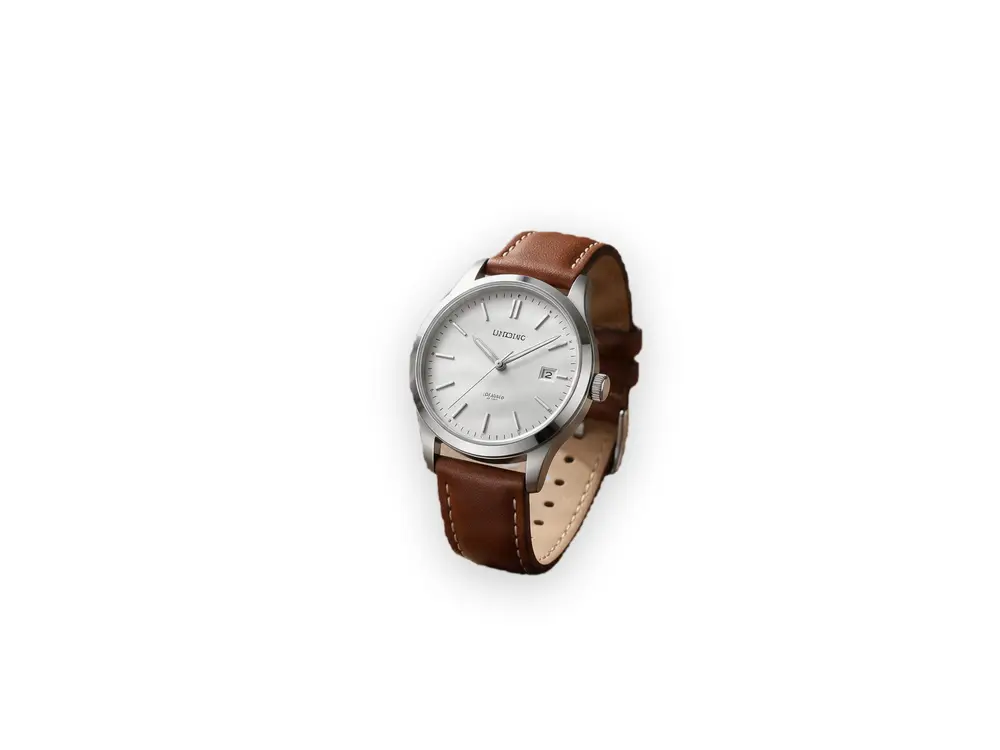
  2. Silver wristwatch on a wooden table beside a coffee cup and notebook — before
    Silver wristwatch on a wooden table beside a coffee cup and notebook — after
    BeforeAfter

    02Object Pick

    Just the watch, please

    “The wristwatch” — kept; the coffee cup and notebook removed.

    Kenerate Object Pick

    Cut this photo out
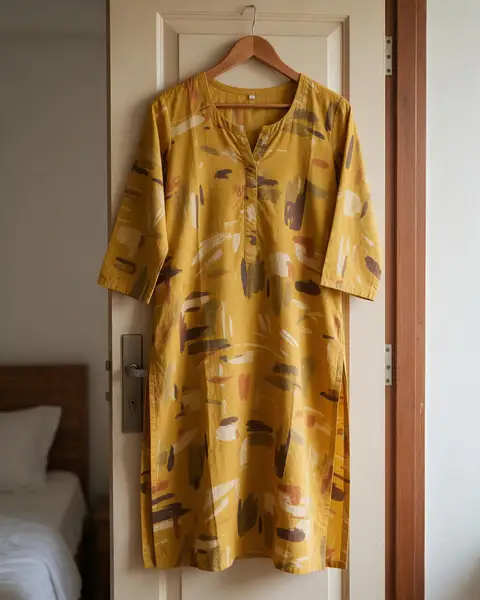
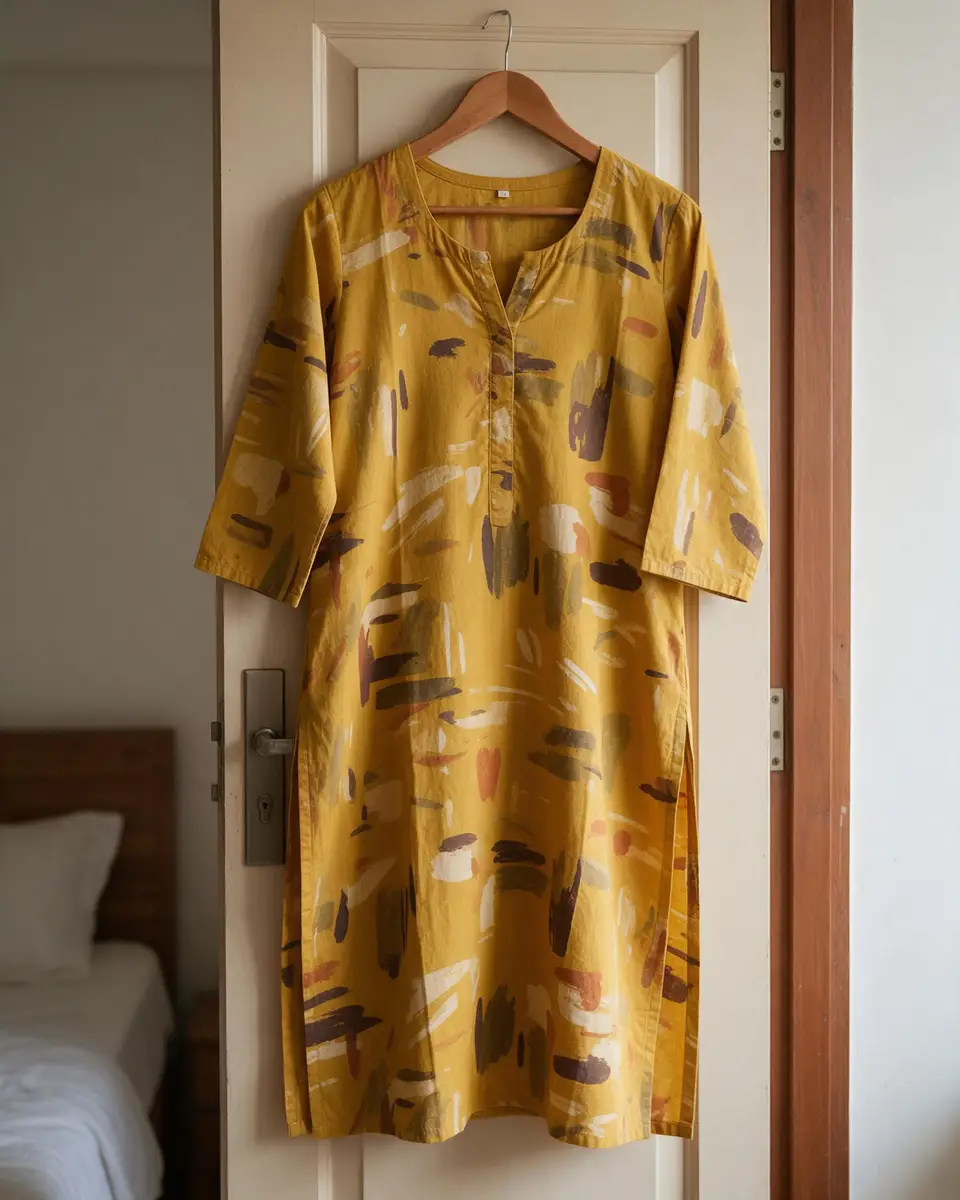
  3. Mustard printed cotton kurti on a hanger on a bedroom door — before
    Mustard printed cotton kurti on a hanger on a bedroom door — after
    BeforeAfter

    03Fashion

    Off the hanger, onto white

    A kurti cut out from a bedroom door for a clean catalogue shot.

    Kenerate Cutout HD

    Cut this photo out
  4. Glass perfume bottle with peonies on a marble table — before
    Glass perfume bottle with peonies on a marble table — after
    BeforeAfter

    04Glass

    See-through glass, kept see-through

    A glass bottle and the flowers beside it, with the transparency intact.

    Kenerate Cutout HD

    Cut this photo out

Checked 26 September 2026

Kenerate vs Photoroom at a glance

Photoroom details from its own website; Kenerate details from the tool.

  • Kenerate AIkenerateai.com

    Commercial use on free
    Yes
    Free exports
    25 free credits
    Free export size (web)
    Full cut-out
    Subscription
    None — one-time credit packs
    Keep one object by name
    Object Pick
    Batch
    Up to 20 in Edit Studio
    AI product staging
    AI Background in Edit Studio
    Shopify app
    No
    Platforms
    Any browser
  • Photoroom

    Commercial use on free
    No
    Free exports
    100 a month
    Free export size (web)
    Up to 2000 × 2000 px
    Subscription
    Pro / Max / Ultra subscriptions
    Keep one object by name
    No
    Batch
    Up to 250 images on web
    AI product staging
    AI Backgrounds, Shadows, Virtual Models
    Shopify app
    Max plan and up
    Platforms
    Web, iPhone, iPad, Android

Why kenerateai.com

Why choose Kenerate over Photoroom?

Six reasons people switch — all things you can check in the tool with your free credits.

  • No subscription

    One-time credit packs that never expire — no monthly plan to cancel.

  • 25 free credits, no watermark

    Test on your own photos first. Free results download clean, same as paid.

  • Four tools in one

    Cutout, Cutout HD for hair and glass, Object Pick (type what to keep) and Magic Eraser.

  • Backdrops built in

    Transparent PNG, or white, black, any colour, a gradient, a blur of the original or another photo.

  • A whole studio after the cut-out

    Edit Studio (layers, text, AI background, relight, text removal, batch of 20) and an AI upscaler, same account.

  • Any browser, any device

    Works on phone and desktop in the browser — nothing to install.

Honest verdict

Kenerate or Photoroom: which should you pick?

Photoroom is a good product. Here is when each one is the better choice.

Choose Kenerate if…

  • You sell products and need commercial use without a subscription
  • You process photos occasionally and don't want a monthly export limit
  • You want Object Pick to keep one item by name
  • You want credits that don't expire

Choose Photoroom if…

  • You want AI product staging — backgrounds, shadows, virtual models — in one app
  • You edit up to 250 images at once on the web
  • You want the Shopify integration (Max plan and up)
  • You work mainly from the iPhone or Android app

Look closer

See the quality before you switch

Zoom into a Cutout HD result — then run your own hardest photo with the free credits.

  • Backlit curls kept strand by strand
  • No coloured fringe from the street
  • Soft, semi-transparent edge pixels

Move your pointer over the image to zoom into the edge.

Woman with big curly backlit hair on a city street — cut out with Kenerate Cutout HD. The checkerboard is transparent.

About Photoroom

What does Photoroom offer for background removal?

From Photoroom's own website, checked 26 September 2026. Plans change — confirm on their site.

Background Remover doesn't use AI credits, but each export counts against the export limit: 100 a month on the free plan (or 25 a week).

Free exports go up to 2000 × 2000 px on web, 2400 × 2400 on iOS and 4032 × 4032 on Android. Photoroom says a free account can't be used for commercial purposes.

Paid plans: Pro (1,000 exports a month), Max (3,000) and Ultra (10,000); paid exports up to 4096 × 4096 on web.

Batch edits on up to 250 images on the web; Shopify integration on Max and up; apps for iPhone, iPad, Android and web.

A Remove Background API, with 10 free production calls on sign-up.

Visit Photoroom

Compare with Photoroom on your own photo — the first 20 cut-outs are free.

Switching

How do I switch from Photoroom to Kenerate?

  1. Step 1: Pick your hardest photos

    Choose 3–5 photos that matter to you — hair, fur, glass, white-on-white products.
  2. Step 2: Run them through Kenerate free

    Sign up for 25 free credits and use Cutout, or Cutout HD for fine edges. Object Pick keeps just one item.
  3. Step 3: Compare with Photoroom

    Put both results on a dark background and zoom to 200%. Look at hair, glass and small gaps.
  4. Step 4: Switch when you're happy

    Use up your Photoroom plan period, then move occasional or commercial one-off work to Kenerate credits.

Test before you commit

Run the same 3–5 hard photos (hair, glass, white-on-white) through both tools and compare at 200% zoom.

Open KenerateHow it works

Real results

What do Kenerate cut-outs look like?

Tap “Original” to see each photo before.

Try it free
  • Golden retriever sitting on grass in a park — background removed with Kenerate Cutout HDCutout HD

    Dog fur

  • Glass perfume bottle with peonies on a marble table — background removed with Kenerate Cutout HDCutout HD

    Glass bottle

  • Mustard printed cotton kurti on a hanger on a bedroom door — background removed with Kenerate Cutout HDCutout HD

    Kurti on a hanger

  • Green mountain SUMMIT logo on a white background — background removed with Kenerate Cutout HDCutout HD

    Logo JPG

In depth

Photoroom: background and how to compare

Who makes Photoroom, what its remover is designed for, and a fair way to test it against Kenerate — with sources.

Who makes Photoroom

Photoroom is a Paris-based company led by co-founder and CEO Matthieu Rouif and backed by Y Combinator [1]. In February 2024 it raised a $43M Series B led by Balderton, bringing total funding to $64M, and said its apps had passed 150 million downloads and processed over 5 billion images a year [2]; TechCrunch reported a $500M valuation [3].

What Photoroom is built for

Photoroom focuses on e-commerce: product photos, AI backgrounds and batch editing, plus an image-editing API used by companies such as Netflix, Printify and Faire [2]. It suits sellers who edit at volume inside one app every day.

How to compare Photoroom and Kenerate fairly

Background removers mostly differ at the edges. Every edge pixel mixes subject and background colour, so hair, fur, lace and glass are where tools disagree [4]. Run the same three to five hard photos through Photoroom and Kenerate's Cutout HD, then place each result on a dark background and zoom to 200% — thin halos show up there first, often from how a tool handles semi-transparent edge pixels [5].

Then check the output size you need and whether you need extras such as an API, batch processing or a desktop app.


Start free

Start free, top up only when you need to

25 free credits on sign-up. The same credits work in every Kenerate tool.

  • 25 free credits on sign-up

    Test on your own images before you buy anything.

  • Credits never expire

    One-time packs — use them this week or next year.

  • No subscription, no watermark

    Nothing to cancel. Free results download clean.

  • One balance, every tool

    The same credits work across images, video, voice and 3D.

Tried it? Tell us how it went

We only publish real, verified reviews — never invented quotes. Send a line about your result (and whether we may quote you), and it will appear here.

Send a review

FAQ

Photoroom alternative — FAQ

12 questions

Still stuck?

A real person answers — usually within a day.

01

What is the best free alternative to Photoroom?

Kenerate AI is a strong free-to-start Photoroom alternative: 25 free credits with no watermark, then one-time credit packs that never expire, with no subscription.

02

Is Kenerate better than Photoroom?

It depends on the job. Kenerate is simpler to pay for (one-time credits, no subscription) and has Cutout HD, Object Pick and built-in backdrops. Photoroom may suit you better if you need its specific features listed on this page.

03

Do Kenerate credits expire?

No. New accounts get 25 free credits, and bigger jobs use one-time credit packs that never expire. There is no subscription.

04

Does Kenerate add a watermark?

No. Results from free credits and paid credits download the same, with no watermark.

05

Can I keep only one object and remove everything else?

Yes. Object Pick lets you type what should stay — “the watch”, “the dog on the left” — and removes the rest.

06

Can I get a white or black background instead of transparent?

Yes. Choose white, black, any colour, a gradient, a blur of the original or another photo before you download.

07

Do I need to install anything?

No. Kenerate runs in the browser on phones and computers.

08

Can I process many photos at once?

Yes. Edit Studio's batch mode runs up to 20 photos at once, including background removal.

09

Can I use Photoroom's free plan commercially?

No. Photoroom's help centre says a free account can't be used for commercial purposes. Kenerate's free credits can be used for business.

10

How many free exports does Photoroom give?

100 exports a month on the free plan (or 25 a week on the weekly option). Background Remover itself doesn't use AI credits, but exporting counts against that limit.

11

What resolution does Photoroom's free plan export?

Up to 2000 × 2000 px on the web app, 2400 × 2400 on iOS and 4032 × 4032 on Android. Paid plans export up to 4096 × 4096 on web.

12

What do Photoroom's paid plans include?

Photoroom's Pro plan includes 1,000 exports a month; Max and Ultra add more exports and features, and paid plans export up to 4096 × 4096 on web.

Clean edges. Every time.

Hair, fur, glass and white-on-white — cut out in seconds, with no watermark.

Cut-out modes
4
Cut-out modes
Backdrops: clear, white, black
3
Backdrops: clear, white, black
Free credits to start
25
Free credits to start
Watermarks, ever
0
Watermarks, ever

Explore the toolkit

More background and photo-fix tools

Every Kenerate tool, guide and comparison for removing and replacing backgrounds.

Written by the Kenerate AI team

We make Kenerate AI. Photoroom is described from its own website, and we link to it so you can check. Last updated 26 September 2026. Corrections: hello@kenerateai.com.

Sources

Ready when you are

Try the Photoroom alternative free

25 free credits on sign-up. No subscription, no watermark.

  • 25 free credits
  • No watermark
  • Credits never expire