

Open model · RGBA layers · browser option
Qwen Image Layered — what the model does, and layers without a GPU
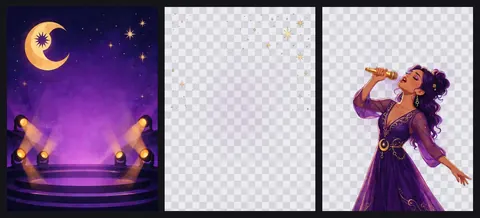
Qwen-Image-Layered is the open research model that turns one flat picture into editable transparent layers. Here's what it is, what running it takes, and how to get layered splits in a browser instead.


- Open research model, explained
- No install, no GPU
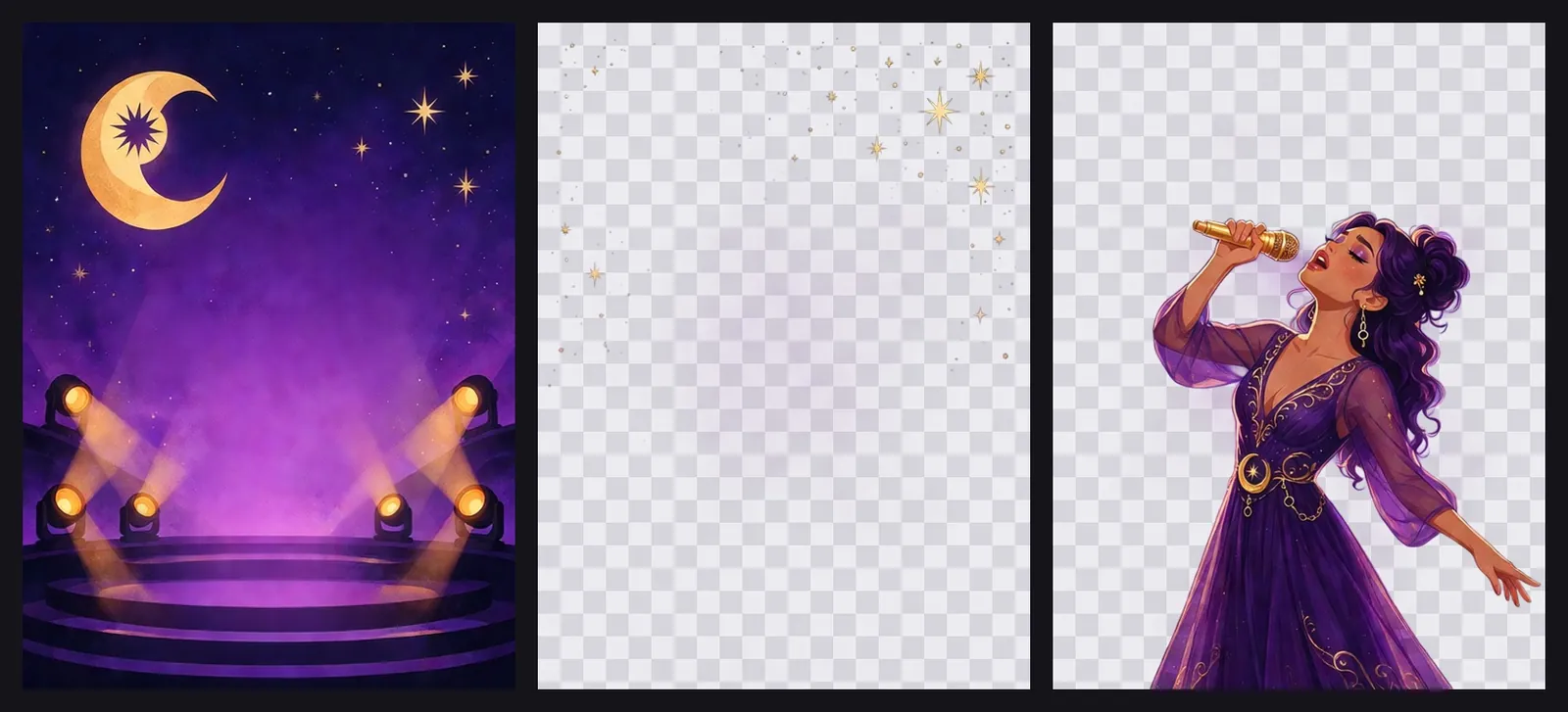
- Transparent PNG layers
- PNG + ZIP download
Updated by the Kenerate AI team
On this page
Quick answer
Updated
What is Qwen-Image-Layered?
Qwen-Image-Layered is an open image model from the Qwen team, released on 19 December 2025 under Apache 2.0, that decomposes one flat RGB picture into several RGBA layers you can edit independently. Running it means Python, diffusers and a GPU. Kenerate's Image Layer tool offers layered splitting in the browser instead.
Key facts
- Released
- 19 December 2025 (weights)
- License
- Apache 2.0
- Size
- 20B parameters (model card)
- Runs with
- diffusers QwenImageLayeredPipeline, CUDA GPU
- Browser option
- Kenerate Image Layer, no install
- Kenerate output
- Transparent PNGs + ZIP
Why layers
What a layered picture lets you do
The operations the Qwen-Image-Layered authors show once content sits on its own RGBA layer, and how each maps to Kenerate's Image Layer viewer.
Recolour one element
Change one layer's colour while the rest stays untouched. On Kenerate: send the layer to Edit Studio.
Move objects
Reposition an element freely on the canvas. On Kenerate: drag it in Arrange mode.
Resize without distortion
Scale one object, not the whole picture. On Kenerate: 25–300% in Arrange mode.
Remove an element cleanly
Hide or delete its layer. On Kenerate: toggle it off and export the composition.
Edit text separately
Text on its own layer can be changed without touching the image behind it.
Split again
The paper decomposes a layer recursively. On Kenerate: upload a downloaded layer as a new picture.
How to
How to split an image into layers without installing a model
The browser route: no Python, no GPU, no downloads.
- Time needed
- Steps
- 4 steps
- You need
- A web browser · A picture to split
Step 1
Open Image Layer and add a picture
JPG, PNG or WebP up to 25 MB, or a sample such as the Concert poster. Sign in with a verified email to run it.
Step 2
Choose the engine and layer count
Kenerate Layer: pick 2–8 layers (4 to start). Kenerate Layer Pro: automatic count, 1K / 1.5K / 2K output.
Step 3
Describe the whole picture (optional)
Up to 800 characters, including parts hidden behind other things, then press 'Split into N layers'.
Step 4
Edit and export
Use Composite, Exploded, Arrange or Grid view, move and resize layers, and download each PNG or a ZIP.

Open Image Layer and upload any picture — a photo, poster or ad.


Watch the tour · 1:41
Engines, layer count, stack viewer, exploded 3D, arrange a new composition, PNG & ZIP, gallery & chat
Chapters
Models
Kenerate's layer engines
Image Layer offers two engines under Kenerate's own names. Open a card to start with it selected.
Kenerate
Kenerate Layer
- Output
- About 0.4 MP per layer
The default: you pick 2–8 layers (4 to start)
Open Kenerate Layer
Kenerate
Kenerate Layer Pro
- Output
- 1K, 1.5K or 2K
Decides the layer count itself (often 6–12); clean alpha edges for hair and glass
Open Kenerate Layer Pro
Kenerate Layer returns layers at about 0.4 MP; Kenerate Layer Pro at 1K, 1.5K or 2K. Downloads are PNG files and a ZIP; Kenerate doesn't export a layered PSD.
Compared
Self-hosted Qwen-Image-Layered vs Kenerate Image Layer
Qwen-Image-Layered details from its GitHub README and Hugging Face card; Kenerate details from the tool. Checked 3 October 2026.
| Qwen-Image-Layered (self-hosted) | Kenerate Image Layer (browser) | |
|---|---|---|
| Setup | Python, diffusers from source, a CUDA GPU | None, runs in a browser |
| Layer count | You set it (the README shows 3, 4 and 8) | 2–8 on Kenerate Layer; automatic on Layer Pro |
| Resolution | 640 bucket recommended, 1024 available | About 0.4 MP on Kenerate Layer; 1K / 1.5K / 2K on Layer Pro |
| Exports | The official demo app exports PPTX, ZIP and PSD | Transparent PNG per layer, ZIP, and an Arrange-mode PNG |
| License or terms | Apache 2.0 open weights | Hosted service; new accounts get starter credits |
| Best for | Researchers and developers building pipelines | Designers who want layers now |
Example uses
How creators use qwen image layered
Illustrative examples of typical workflows, not customer reviews.

ML engineer
An ML engineer could compare a self-hosted layer pipeline with a browser tool on the same poster before choosing one for a project.
Graphic designer
A graphic designer without a GPU could split a client's flat poster into layers to rearrange it for a banner.
Teacher
A teacher could split an illustration into layers to show students how foreground, middle ground and background build depth.
FAQ
Qwen Image Layered questions
7 questions
What is Qwen Image Layered?
Qwen-Image-Layered is an open image model from the Qwen team that splits one flat picture into several RGBA layers, each with its own transparency, so you can recolour, move, resize or delete one element without touching the rest. Its weights were released on 19 December 2025 on Hugging Face and ModelScope under Apache 2.0 (checked 3 October 2026).
Link to this answerIs Qwen-Image-Layered open source?
Yes. The GitHub README states that Qwen-Image-Layered is licensed under Apache 2.0, and the weights are published on Hugging Face and ModelScope (checked 3 October 2026). Apache 2.0 is a permissive license that allows commercial use with attribution and the license notice. The paper is arXiv 2512.15603.
Link to this answerHow many layers can Qwen-Image-Layered make?
A variable number that you set per run. The README's example uses 4 layers and shows the same image split into 3 or 8, and any layer can be split again, recursively. Kenerate's Image Layer tool lets you choose 2–8 layers on Kenerate Layer, or have Kenerate Layer Pro pick the count, often 6–12.
Link to this answerWhat do I need to run Qwen-Image-Layered locally?
Python with transformers 4.51.3 or newer, diffusers installed from GitHub, and in practice a CUDA GPU: the README's quick start loads QwenImageLayeredPipeline in bfloat16 on CUDA. The model card lists 20 billion parameters. If you don't have that setup, Kenerate's Image Layer runs layered splitting in a browser instead.
Link to this answerCan I export the layers as a PSD?
From the official Qwen-Image-Layered demo app, yes: its README says it exports layers to PPTX, ZIP and PSD files. Kenerate's Image Layer doesn't export PSD; it gives you each layer as a transparent PNG, a ZIP of all of them, and a PNG of any new composition you make in Arrange mode.
Link to this answerDoes the prompt control what goes on each layer?
No. The Qwen-Image-Layered README says the text prompt should describe the whole input image, including partly hidden content, and isn't designed to assign content to specific layers. Kenerate's optional 'Describe the picture' field, up to 800 characters, works the same way: describe the scene and let the engine decide the layers.
Link to this answerCan I try layered splitting online without installing anything?
Yes. Qwen hosts demos on Hugging Face Spaces and ModelScope Studio, and Kenerate's Image Layer tool runs in any browser: upload a picture, choose 2–8 layers or Kenerate Layer Pro's automatic count, and download transparent PNGs or a ZIP. New accounts get starter credits, and there is no subscription required.
Link to this answerIn depth
Qwen-Image-Layered, explained
What the model is, how it works, what it takes to run, and the browser alternative.
On this page
What is Qwen-Image-Layered?
Qwen-Image-Layered is an image model from the Qwen team that decomposes a single image into multiple RGBA layers — each with its own colour and transparency — so every layer can be edited without affecting the rest [1]. The team published the paper on arXiv on 18 December 2025 and released the weights on 19 December 2025 on Hugging Face and ModelScope, under the Apache 2.0 license [1][3]. The model card lists 20 billion parameters [2].
How the model works
The paper, 'Towards Inherent Editability via Layer Decomposition', describes an end-to-end diffusion model that predicts several RGBA layers from one RGB input; it extends the image VAE to four channels so transparency is encoded alongside colour [3]. The number of layers is flexible — the README shows the same picture split into 3 or 8 — and any layer can be decomposed again, recursively [1].
Running it yourself
The README's quick start installs diffusers from source plus python-pptx and psd-tools, loads QwenImageLayeredPipeline and runs it on a CUDA GPU in bfloat16, with a 'layers' setting and a resolution bucket of 640 (recommended for this version) or 1024 [1]. A Gradio app in the repository exports the layers to PPTX, ZIP and PSD files; online demos run on Hugging Face Spaces and ModelScope Studio [1].
- Python with transformers 4.51.3 or newer
- diffusers installed from GitHub
- A CUDA GPU for practical speed
- Layer count and resolution bucket set per run
Layered splitting in the browser
If you'd rather not install a 20B-parameter model, Kenerate's Image Layer tool offers layered splitting with nothing to set up: Kenerate Layer lets you pick 2–8 layers, Kenerate Layer Pro chooses the count and outputs up to 2K, and the viewer adds Composite, Exploded, Arrange and Grid views. Results download as transparent PNGs or a ZIP.
Get layers without the setup
Starter credits for new accounts. No subscription required. No watermark.
Tried it? Tell us how it went