Photo to caricature · your job · pencil or colour
AI Caricature Maker — turn your photo into a caricature
Upload a photo and get a caricature that still looks like you — big head, small body, your best features turned up — drawn in colour, pencil or 3D, with your job and hobbies around you.
- Keeps your face
- Your job and hobbies
- Colour, pencil or 3D
- No watermark
Updated by the Kenerate AI team
On this page
Quick answer
How do you make a caricature from a photo with AI?
An AI caricature maker redraws your photo as a caricature: a big head on a small body with your features playfully exaggerated, while your face stays recognisable. On Kenerate AI you upload a photo, describe the style and what you do, and GPT Image 2.5 Sunburst — OpenAI's image model, the same family behind the ChatGPT caricature trend — draws it. Our three tests kept both faces recognisable in watercolour, 3D and pencil.
Key facts
- Caricatures made
- 3 (watercolour · 3D job · pencil)
- Face kept
- Yes, in all three
- Model
- GPT Image 2.5 Sunburst (OpenAI)
- Watch out for
- Small text on clothes can drop
- Free start
- Starter credits
- Watermark
- None
Gallery
Three photos, three caricatures
Real GPT Image 2.5 Sunburst edits of our test photos, one try each. Open any one to copy the prompt.
Same prompt
The photo, then the caricature
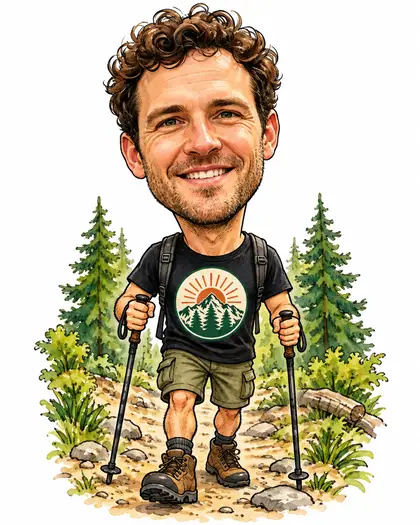
One photo in, two caricatures out. Hair, stubble, smile and the t-shirt badge carried over; the small STAY WILD lettering on the shirt didn't.
PromptTurn this man into a classic caricature drawing: a big head on a small body, his real face kept recognisable — same curly dark hair, stubble, smile and eyes — with his features playfully exaggerated. Hand-drawn colour caricature style with ink outlines and watercolour shading.
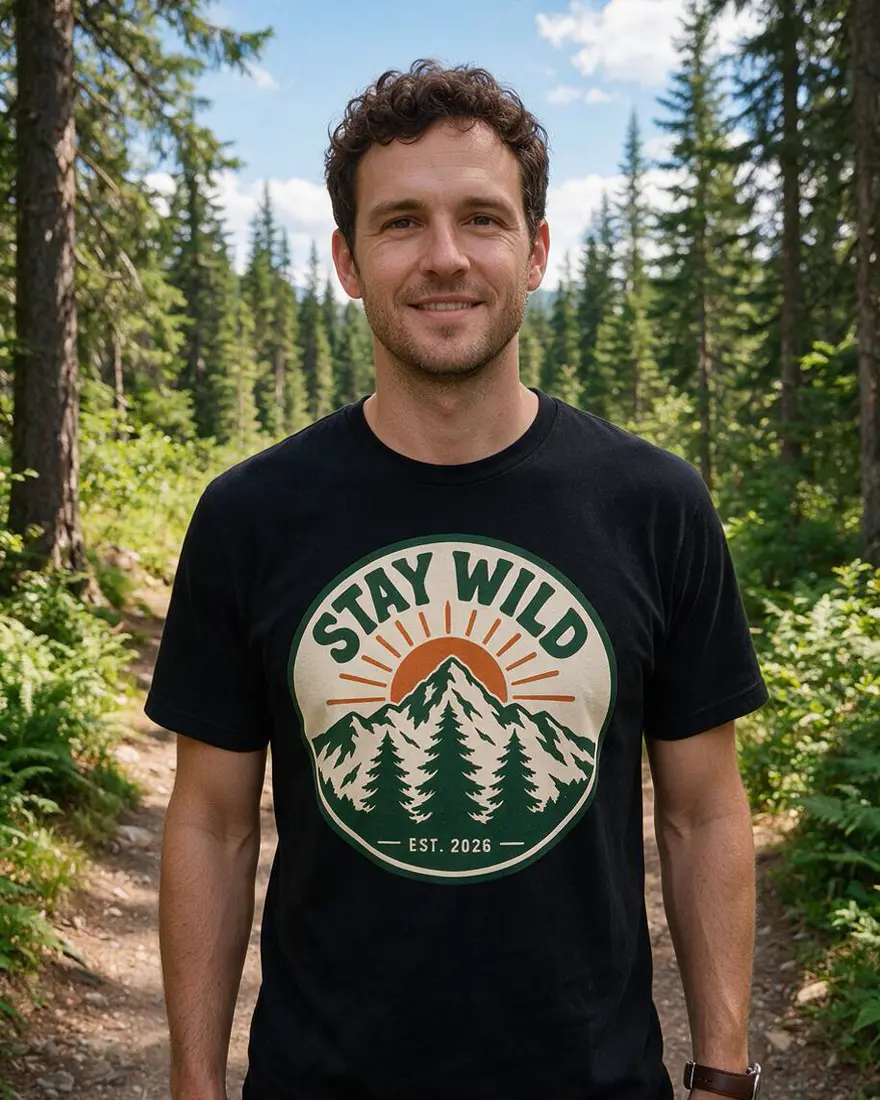 PhotoInput
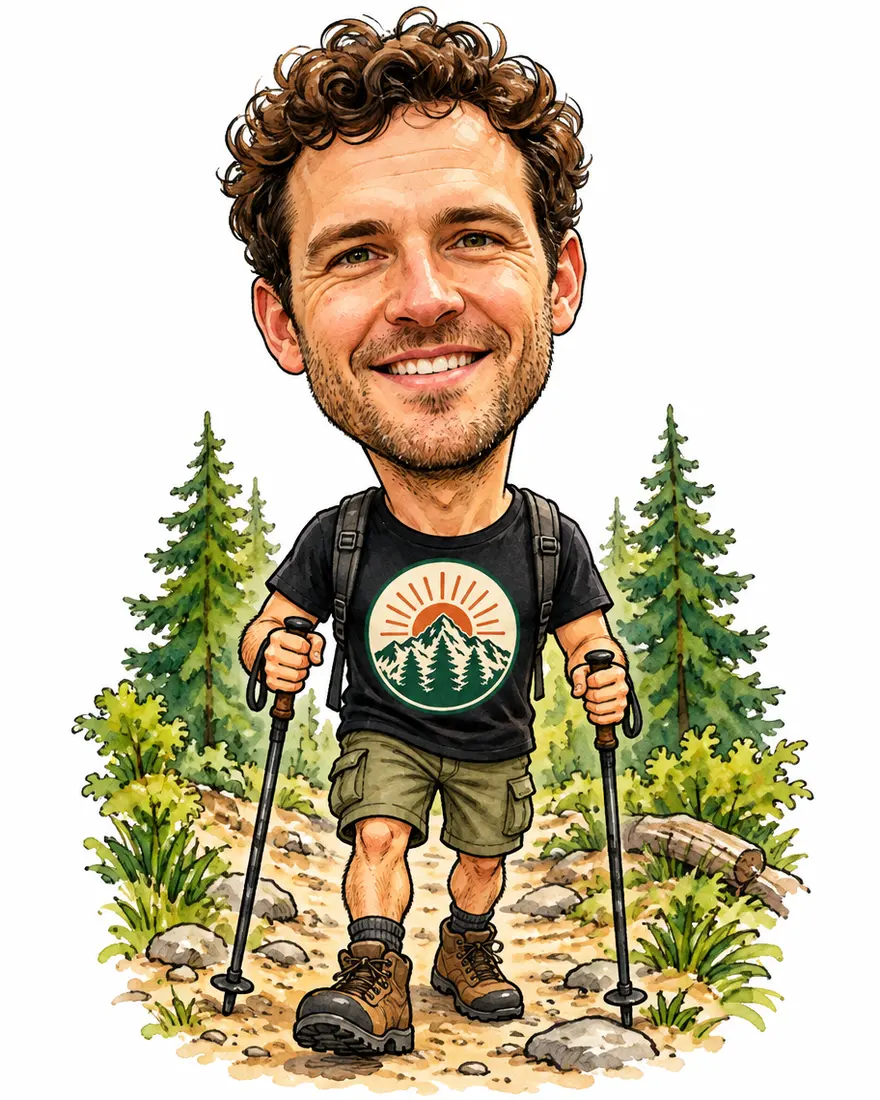 WatercolourGPT Image 2.5 Sunburst
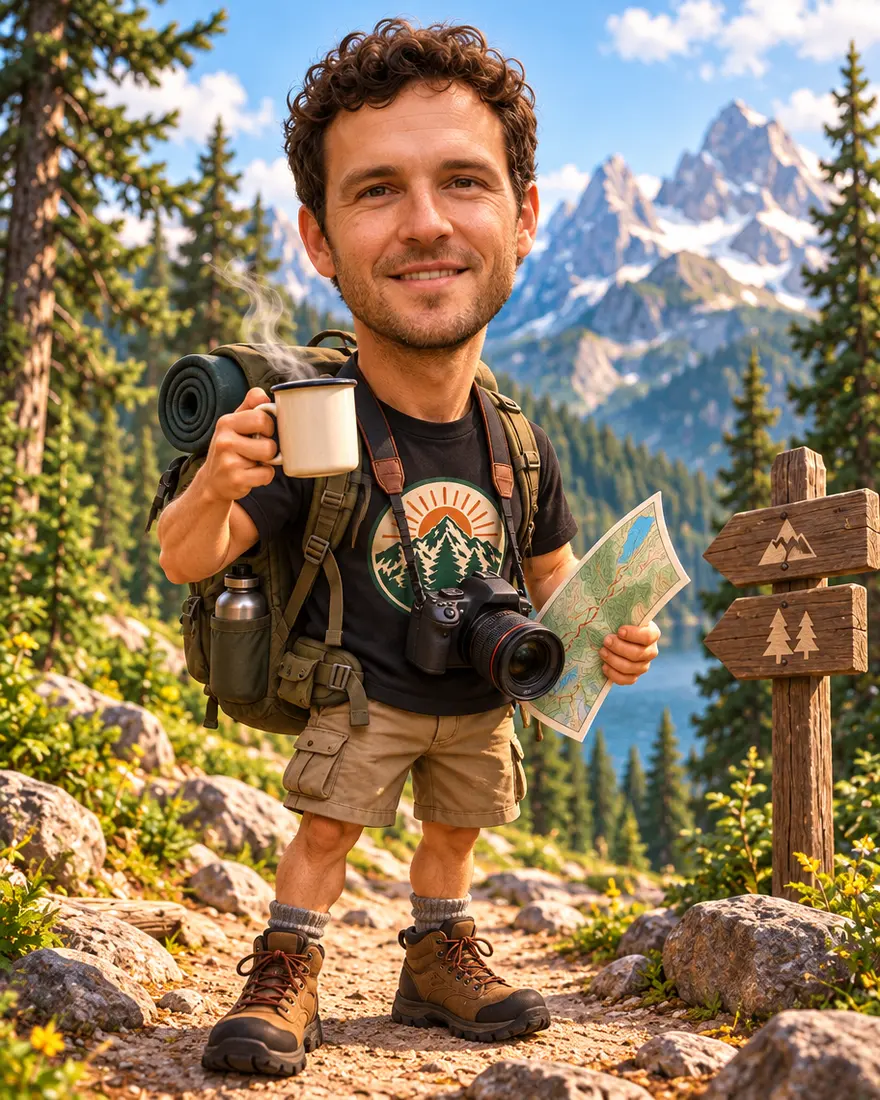 Me and my jobGPT Image 2.5 Sunburst
How to
How to use the AI caricature maker
- Time needed
- Steps
- 4 steps
Step 1
Upload your photo
In /app/image, add a clear photo as a reference. Sign in free for starter credits.
Step 2
Pick GPT Image 2.5 Sunburst
It kept the face in all three of our tests.
Step 3
Describe the caricature
Style, “big head on a small body”, what to exaggerate, and your job or hobbies as props.
Step 4
Download
Regenerate if the likeness is off, then download without a watermark.
See it in the app

Open Edit Studio and upload an image, or pick one from your history.


Watch the tour · 1:23
Prompts, styles, references, edit, Arena & chat
Chapters
Tips
Get a caricature that still looks like you
What worked in our tests.
Use a clear, front-facing photo with good light — the face is what the model copies.
Say “keep the face recognisable” and name what to keep: hair, glasses, beard, smile.
Ask for “a big head on a small body” and which feature to exaggerate.
Name the style: watercolour with ink outlines, pencil sketch, or 3D animated movie.
Add your job and hobbies as props — a camera, a coffee, a stethoscope, a guitar.
Leave small text off clothes; it may not survive the redraw.
Models
Models for caricatures
What each model is good at. Open any one straight in the generator.

OpenAI
GPT Image 2.5 Sunburst
- Reference images
- Up to 16
- Output
- 1K–4K
Open GPT Image 2.5 SunburstBest for
Made all three caricatures
Google
Nano Banana 2.1
- Free plan

FAQ
AI Caricature Maker questions
7 questions
How do I make a caricature from a photo?
Upload a clear photo in Kenerate's Image Studio, pick GPT Image 2.5 Sunburst and describe it: “a caricature with a big head on a small body, keep the face recognisable, watercolour with ink outlines”. Add props for your job or hobbies. Our trail photo came back as a watercolour caricature with the same curls, stubble and smile.
Link to this answerWhat is the ChatGPT caricature trend?
A trend from February 2026: people asked ChatGPT for “a caricature of me and my job based on everything you know about me”, often in a 3D animated-movie style. ChatGPT used its memory of past chats to fill in the job and hobbies. You can make the same picture without sharing your chat history — upload a photo and write the details yourself.
Link to this answerHow do I do the ChatGPT caricature without ChatGPT?
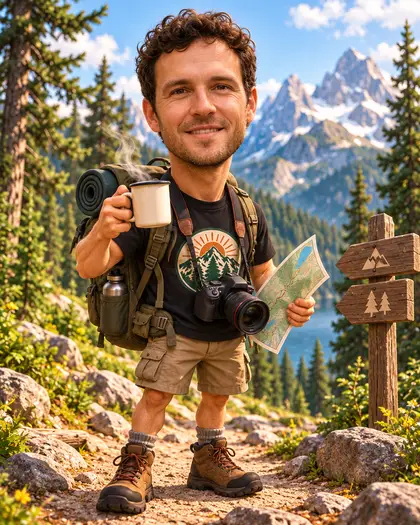
Use the same prompt with the facts written in: “Create a caricature of this man and his job: he is a mountain trail guide who loves coffee and photography, big head on a small body, 3D animated-movie style.” On Kenerate it runs on GPT Image 2.5 Sunburst, OpenAI's image model. Our version got the backpack, coffee, camera and map right.
Link to this answerIs the AI caricature maker free?
Free to start. A new Kenerate account gets starter credits on sign-up, which also work on Qwen Image 3.0, a free-plan model. GPT Image 2.5 Sunburst, used on this page, uses credits from one-time packs that never expire — no subscription. Downloads carry no watermark.
Link to this answerWill it look like me?
In our three tests, yes: hair, beard, smile and face shape carried over. Two things to know: small text on clothing can disappear, and asking for “3D movie style” gave a near-photo face on a cartoon body rather than a fully animated one. Say “fully animated 3D face” if you want that look.
Link to this answerCan I make a pencil or black-and-white caricature?
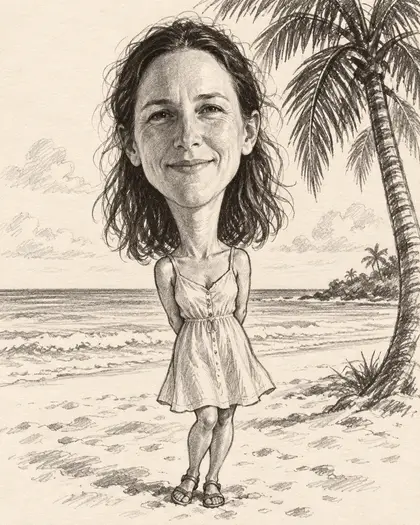
Yes — name it: “black-and-white pencil caricature on cream sketch paper, like a street artist's sketch”. Our beach photo came back as a graphite drawing with the same wavy hair and smile.
Link to this answerIs it safe to upload my photo?
Upload only photos of yourself, or of people who agreed. Kenerate keeps your results private if you switch on Private, and downloads carry no watermark. As commentators noted during the ChatGPT trend, think twice before sharing personal details you'd rather keep to yourself.
Link to this answerIn depth
AI Caricature Maker, explained
What works, what to avoid, and how to pick a model.
On this page
What makes a caricature
A caricature keeps what makes a face recognisable and turns it up: the curls get curlier, the grin gets wider, the head gets bigger than the body. Street artists do it in a few minutes with a pencil; an image model does it from a photo and a sentence.
The model needs two things from you: a clear photo to copy the face from, and words for the exaggeration and the style. Without the style it guesses, and you get something closer to a cartoon than a caricature.
The ChatGPT caricature prompt, written out
ChatGPT filled the details from memory. Here you write them, which also means you choose what to share:
- Who: “this man / this woman” with the photo attached.
- Job: “a nurse”, “a software engineer”, “a mountain trail guide”.
- Hobbies as props: coffee, a camera, a guitar, a dog, a bike.
- Style: “3D animated-movie style”, “watercolour with ink outlines” or “pencil sketch”.
- Shape: “big head on a small body, keep the face recognisable”.
What we got
Three caricatures, one try each, on GPT Image 2.5 Sunburst:
- Watercolour: the most classic look; face, curls and badge kept, the STAY WILD lettering dropped.
- Me and my job: every prop right — backpack, coffee, camera, map, signpost — but a near-photo face rather than a 3D-animated one.
- Pencil: a convincing street-artist sketch with the same wavy hair and smile.