Same haircut · grey hair
Grey Hair Filter
Thinking of going grey, or just curious? Upload your own photo and preview silver, salt-and-pepper or snow-white hair. Your haircut, face and background stay the same.
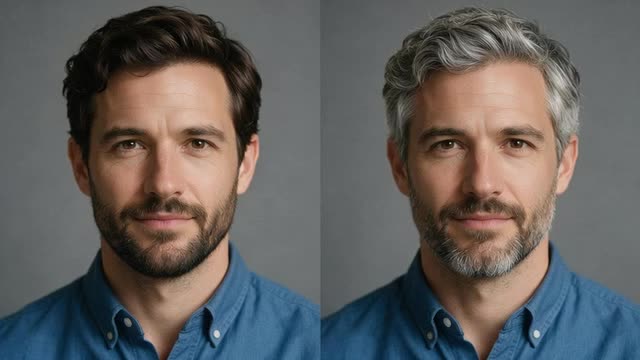
- Keeps your haircut
- Silver to salt-and-pepper
- Free to start
- No watermark
Updated by the Kenerate AI team
On this page
Quick answer
Updated
What is a grey hair filter?
A grey hair filter recolours the hair in your own photo to silver, salt-and-pepper or white while the haircut, face and background stay the same. Kenerate AI opens its image editor with the grey hair instruction filled in; you add a clear photo. The silver example on this page is a real Seedream 5.0 Pro edit of a fictional portrait.
Key facts
- Works on
- Your own photo
- Shades
- Silver · salt-and-pepper · white
- What changes
- Hair colour only
- Default model
- Qwen Image 3.0
- Example below
- Seedream 5.0 Pro edit
- Free start
- Starter credits
- Watermark
- None
Gallery
Grey hair examples
Fictional adults made with Kenerate AI to show the look.
Same prompt
Before and after
The original brown hair and a real Seedream 5.0 Pro edit to silver grey. The haircut, smile and background didn't change.
PromptChange her hair colour to silver grey, same haircut. Keep her face, expression, skin, clothing, the grey background and the lighting exactly the same.
 OriginalNatural brown
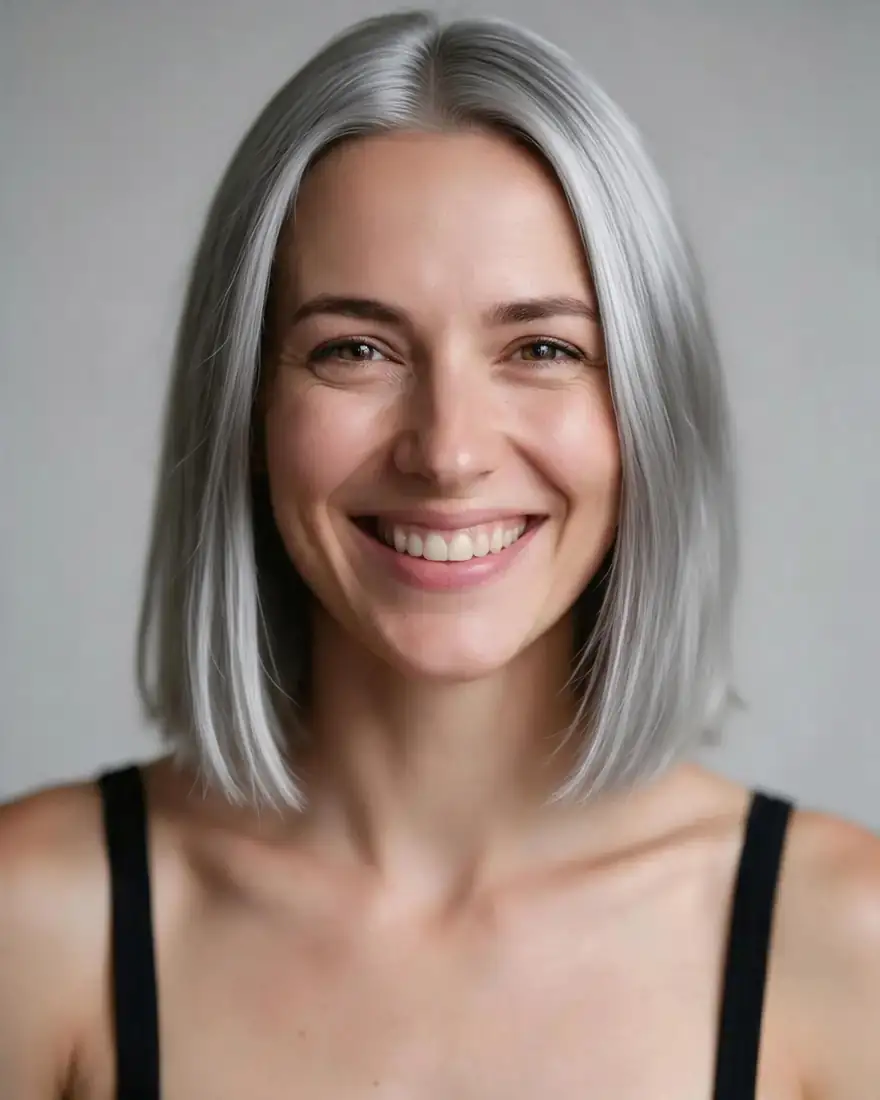 Silver greySeedream 5.0 Pro · 2K
How to
How to use the grey hair filter
- Time needed
- Steps
- 4 steps
Step 1
Open the grey hair filter
Press “Add your photo”. The image studio opens with the grey hair instruction in the prompt box. Sign in free for starter credits.
Step 2
Upload your photo
Add a clear photo of yourself in natural light, with your hair visible.
Step 3
Pick the shade and create
Keep Qwen Image 3.0 (free plan) or pick Seedream 5.0 Pro, change “silver grey” to another shade if you like, then press Create.
Step 4
Compare and download
Try silver, salt-and-pepper and white and download without a watermark.
See it in the app

Open Edit Studio and upload an image, or pick one from your history.


Watch the tour · 1:23
Prompts, styles, references, edit, Arena & chat
Chapters
Tips
Get a realistic grey preview
What makes grey hair look natural.
Say “same haircut” so only the colour changes.
Pick the shade: “silver grey”, “salt-and-pepper”, “snow white”, “grey streaks at the temples”.
For a gradual look, ask for “grey roots growing out”.
Natural light shows grey tones most truthfully.
Add “keep my eyebrows the same colour” unless you want them grey too.
Want another colour? Use the AI hair color changer.
Models
Models for grey hair edits
What each model is good at. Open any one straight in the generator.
- Free plan

Alibaba
Qwen Image 3.0
- Reference images
- Up to 3
- Output
- 1K or 2K
Default here · free plan
Open Qwen Image 3.0 
ByteDance
Seedream 5.0 Pro
- Reference images
- Up to 10
- Output
- 2K
Used for the example on this page
Open Seedream 5.0 Pro
Google
Nano Banana 2
- Reference images
- Up to 14
- Output
- 1K (square today)
Good edits; square for now
Open Nano Banana 2
Example uses
How creators use grey hair filter
Illustrative examples of typical workflows, not customer reviews.

Hair colourist
A colourist could show a client what blending in their natural grey would look like before a toning appointment.
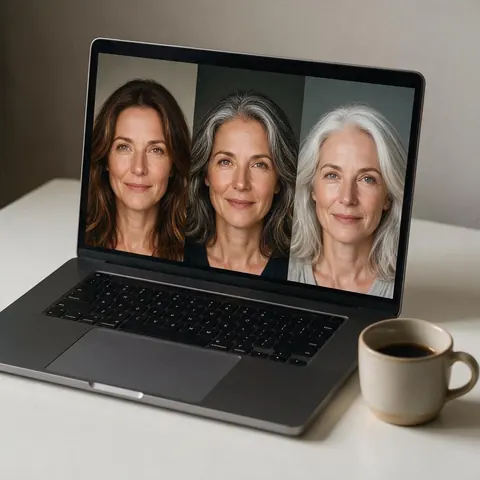
Content creator
A creator could share a preview before starting a grey transition series.
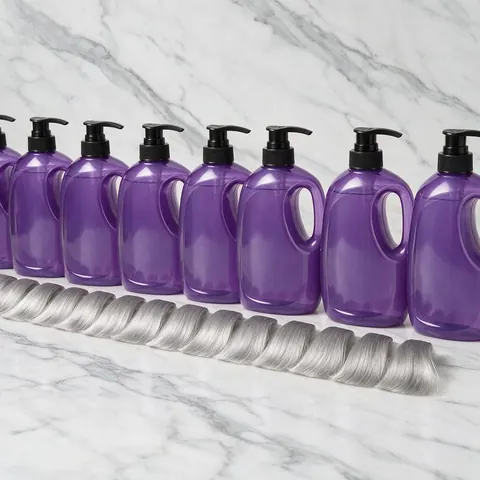
Hair care brand
A hair care brand could preview silver shades on one consenting model's photo for a purple shampoo campaign.
FAQ
Grey Hair Filter questions
How can I see myself with grey hair?
Upload a clear photo of yourself to the grey hair filter and press Create. Kenerate AI opens the image editor with the instruction already written: natural silver grey, same haircut, same face and background. Swap “silver grey” for “salt-and-pepper” or “snow white” before you press Create, and use a photo in natural light, where grey tones look truest.
Link to this answerIs the grey hair filter free?
Yes, to start. A new Kenerate account gets free starter credits, which work on free-plan models such as Qwen Image 3.0, the default here. Seedream 5.0 Pro, used for the example on this page, needs a one-time credit pack rather than a subscription, and credits you buy never expire. Results download without a watermark.
Link to this answerCan it do salt-and-pepper or just a few grey streaks?
Yes. Change the prompt before you press Create: “salt-and-pepper hair”, “grey streaks at the temples”, “a silver streak at the front” or “grey roots growing out”. Keep “same haircut” and the line about your face and background. Each run edits your original photo, so you can compare a full silver head with a softer blend.
Link to this answerDoes the grey hair filter make me look older?
Not on its own. The preset changes only the hair colour and asks the model to keep your face, skin and expression exactly the same, so it adds no wrinkles. In the Seedream 5.0 Pro example on this page only the hair colour changed. If a run alters your skin, run it again or add “do not change my skin or face”.
Link to this answerCan I use someone else's photo?
Only with their permission. A grey hair preview still edits a real person's likeness, so use your own photo or one the person has agreed to, and share the result only with their consent. Never upload a photo of anyone under 18; the filter is for adults editing their own pictures. Kenerate's content rules apply to every edit.
Link to this answerIn depth
Grey Hair Filter, explained
What works, what to avoid, and how to pick a model.
How the grey hair filter works
The grey hair filter is an instruction edit. Your photo and one sentence go to an image model's edit endpoint; the model recolours the strands and keeps their highlights, shine and texture, so silver hair keeps the shape and movement of your own.
Going grey for real
Before you commit:
- Growing out natural grey takes time; a preview helps you decide whether to blend it.
- Silver toning often needs lightening first, so ask your colourist.
- Grey and gray are the same colour: “gray hair filter” is the US spelling of the same edit.