

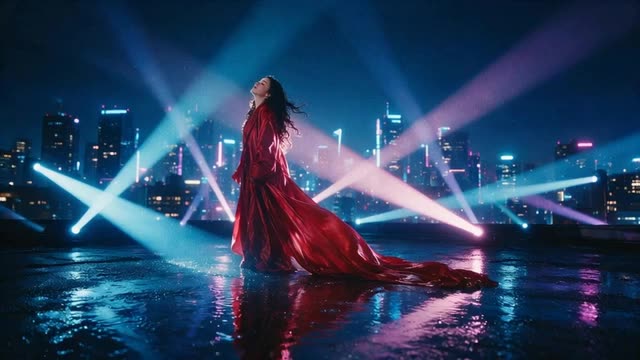
AI Music Video Generator · Director Music Video mode
AI Music Video Generator: Turn Audio into Cinematic Video
Upload your song — your own recording, a Ken Music track or any track you hold the rights to — and the Director's Music Video mode analyses its beats, energy and mood to pace a multi-scene video of 15 seconds to 5 minutes.
Updated by the Kenerate AI team
On this page
Real results
Showcase Gallery
How to
How to Make an AI Music Video
- Time needed
- Steps
- 3 steps
Step 1
Upload Audio
Add your MP3, WAV or M4A track in the Director's Music Video mode. The track is analysed first for beats, energy and mood.
Step 2
Describe Visuals
Describe the visuals for each part of the song and add up to 6 reference images — artist, dancers, places or props.
Step 3
Generate & Export
The Director cuts scenes on the music and renders them. Upscale to 4K if you need it, then share to YouTube, TikTok or Spotify.
See it in the app

Open Video Studio in Text to Video mode and write the shot — subject, action, camera move and light.


Watch the tour · 1:19
Text, image & reference to video, models, edit, extend & chat
Chapters
What the AI Music Video Generator Does
Beat-Paced Scenes
Scene boundaries land on section changes and big hits in your track: verses get slower, intimate coverage and choruses get wide, energetic set pieces.
Vocal Lip-Sync
For singing close-ups, put a character photo and the vocal into Avatar Talk to get a lip-synced performance clip you can cut into the video.
Up to 4K Output
Upscale finished music videos to 2K or 4K (3840x2160) with the Video Upscaler for YouTube and large displays.
Multi-Model Roster
Scenes render on video models such as Wan 3 and Seedance — pick the look that fits the song.
Comparison
Kenerate AI vs Traditional Music Videos
| Feature | Kenerate AI Music Video Generator | Traditional Production | Basic Visualizers (After Effects) |
|---|---|---|---|
| Production Time | Minutes for short clips (fast cloud GPUs) | 2-4 Weeks | 3-6 Hours |
| Cost | Free to start / pay as you go | $2,000 - $50,000+ | $50 - $200 (Software Sub) |
| Audio Beat-Syncing | Automatic scene pacing from track analysis | Manual Editing | Automatic |
| Vocal Lip-Syncing | Via Avatar Talk (character photo + vocal) | Live Recording | Not Possible |
| Resolution | Up to 4K with the Video Upscaler | 4K / 8K | 1080p / 4K |
Who Uses Our AI Music Video Generator?
Spotify Canvases
Generate short 9:16 vertical clips (3–8 seconds) for Spotify Canvas in the Video Studio.
YouTube Visualizers
Replace static images with a beat-paced visual of up to 5 minutes for lo-fi mixes or album uploads, upscaled to 4K.
TikTok Promos
Create vertical clips of your track's chorus to drive audio trends on TikTok and Reels.
DJ Set Backgrounds
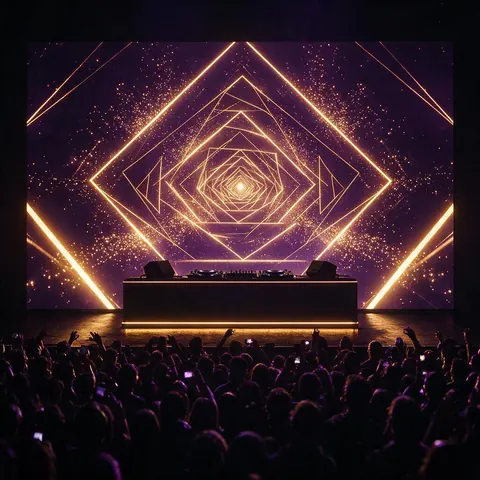
Render beat-paced visual loops to project behind you during live DJ performances.
What is an AI Music Video Generator?
The evolution of music visualization
How does an AI music video generator work?
An AI music video generator analyses your uploaded track — tempo, sections, energy and mood — then plans scenes from your concept and renders them with a video model, cutting on the music. In Kenerate AI this is the Director's Music Video mode, for videos of 15 seconds to 5 minutes.
Does it support lip-syncing for vocals?
Yes, through Avatar Talk: upload a character or artist photo (real people only with their consent) and the vocal, and it renders a lip-synced singing clip you can cut into the music video.
Can I use AI-generated songs from Suno or Udio?
Yes. You can upload any MP3, WAV or M4A file you hold the rights to — a Ken Music track, a song from another AI music app, or an original studio recording — and generate a cinematic video for it.
AI vs Traditional Production
Why independent artists are switching to AI
How much time does AI save compared to traditional music videos?
The Kenerate AI Music Video Generator cuts most of the production time. What typically takes weeks of shooting, editing, and VFX work can now be generated in minutes for short clips and upscaled up to 4K.
Is AI video cheaper than hiring a production crew?
Traditional music videos often cost anywhere from $2,000 to $50,000+ depending on the crew, location, and equipment. Kenerate AI is free to start, and music videos run on one-time credit packs you spend per use — no subscription required and no crew.
Exporting and Formatting
Optimized for Spotify and Social Media
Can I make a Spotify Canvas with AI?
Yes. Make a 9:16 vertical clip of 3–8 seconds in the Video Studio for Spotify Canvas; models such as Seedance 2.5 and Kling v3 generate 9:16 natively.
What resolution do the videos export in?
Videos render at the video model's resolution, and the Video Upscaler takes them up to 4K (3840x2160) so your music videos look sharp on YouTube and Apple Music.
FAQ
Frequently Asked Questions
7 questions
Is there an AI that makes music videos for free?
Not for the video itself: Kenerate AI is free to start, but the Director's Music Video mode needs a one-time credit pack. Free sign-up credits cover Ken Music, Avatar Talk lip-sync and the Video Upscaler, so you can make the track and a singing clip first. Downloads have no watermark.
Link to this answerHow to make a music video with AI?
To make a music video with AI, upload your track to the Director's Music Video mode in Kenerate AI, describe the visuals for each part of the song, and the AI plans and renders scenes that cut on the beat and follow the song's mood.
Link to this answerCan AI generate video from audio?
Yes. Kenerate AI's Director analyses an uploaded track and paces the scenes to it, some video models such as Wan 2.6 and Wan 2.7 accept an audio track as input, and Avatar Talk lip-syncs a photo to a vocal.
Link to this answerWhat is the best AI for creating music videos?
It depends on the look you want. Kenerate AI is a strong all-in-one option: the Director's Music Video mode paces a 15-second to 5-minute video to your track using models such as Wan 3 and Seedance, Avatar Talk adds lip-synced vocals, and the Video Upscaler takes the result up to 4K.
Link to this answerDoes AI generated music have copyright issues?
AI-generated music and videos created on platforms like Kenerate AI typically include commercial use rights for the generated visual assets. However, if you upload your own copyrighted audio to generate a video, the original copyright still applies to the audio track.
Link to this answerHow long does it take AI to make a music video?
It depends on the clip length, resolution and video model you choose. Kenerate AI renders on fast cloud GPUs, so a short music video clip is usually ready in minutes, compared with the weeks of shooting and editing a traditional music video takes.
Link to this answerCan I use AI music videos on YouTube?
Yes, you can upload AI-generated music videos to YouTube. You own the videos you generate on Kenerate AI and can use them commercially, so you can monetize them on YouTube, TikTok, and Spotify Canvases, as long as you hold the rights to the audio you upload.
Link to this answerIn depth
AI Music Video Generator, explained
The Ultimate Guide to AI Music Videos
Updated 2026: Everything you need to know about beat-syncing, lip-syncing, and AI visualizers.
Try AI Music Video Generator on Kenerate AI
Free to start. No watermark.
Tried it? Tell us how it went