



Skip to content
Unblur image · Phota Enhance

Unblur an image with AI — focus and shake, fixed

The shot you love, ruined by missed focus or a shaky hand. Phota Enhance rebuilds eyes, hair, fur and edges from the blur in about 40 seconds — and outputs up to 4K.

  • Missed focus
  • Camera shake
  • Up to 4K
  • No watermark
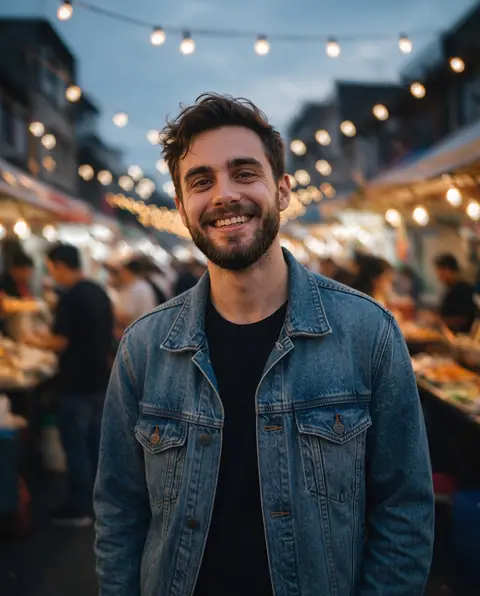
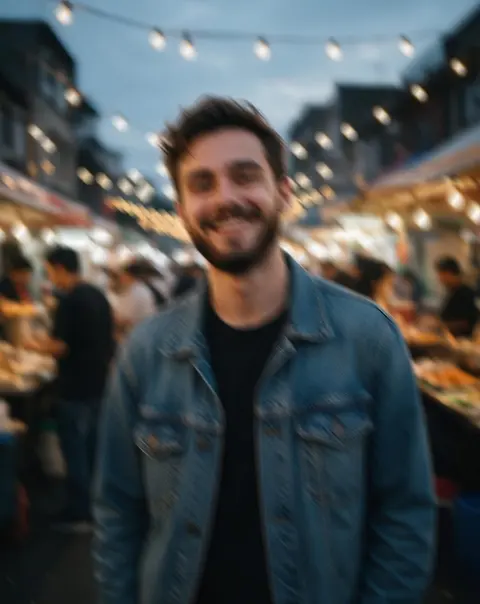
Smiling bearded man in a denim jacket at an evening street-food market — original 868 px, motion blur
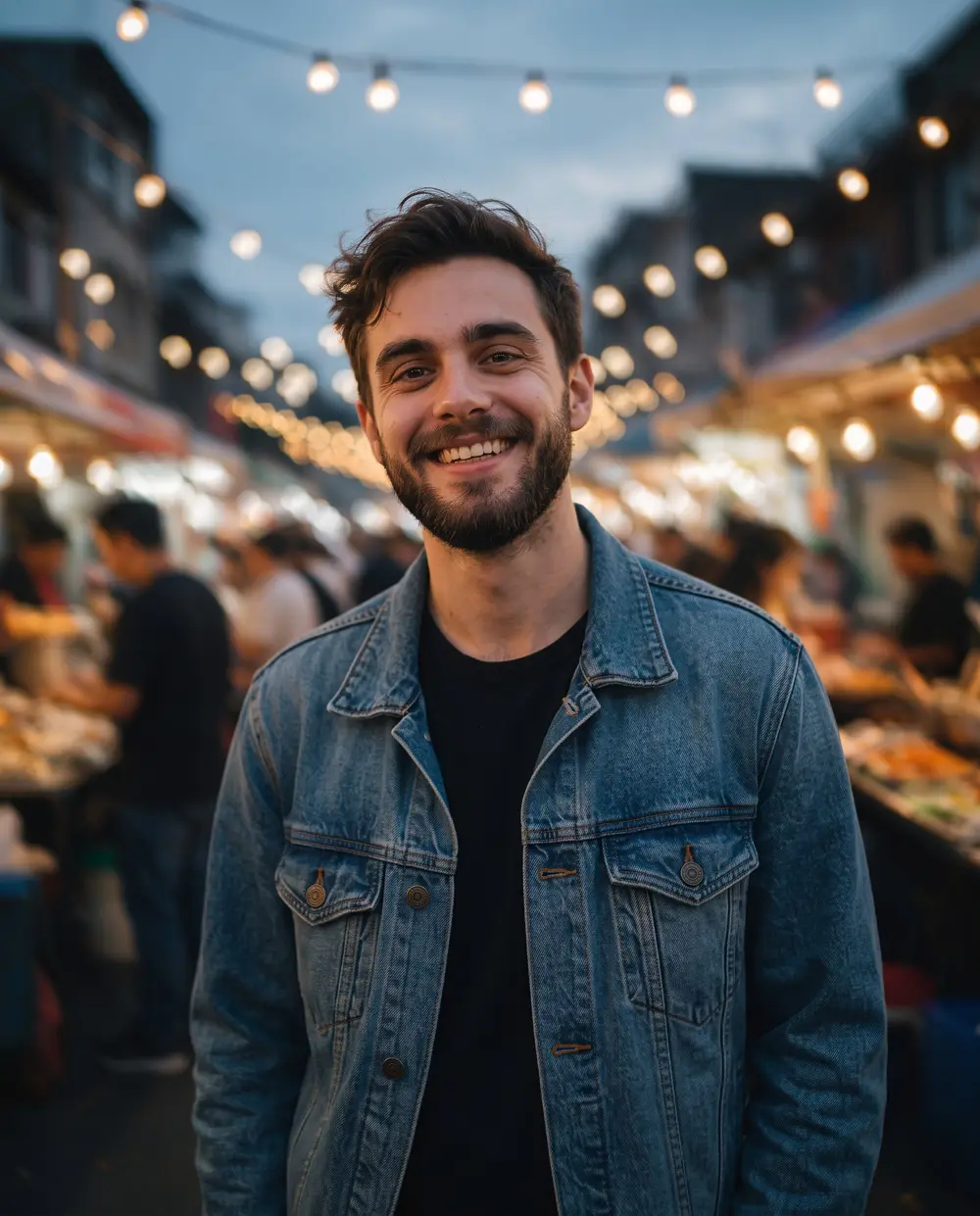
Smiling bearded man in a denim jacket at an evening street-food market — after Phota Enhance
BEFORE · 868 px, motion blurAFTER · 2304 px, sharp

Phota Enhance868 px, motion blur → 2304 px, sharp

Try this photo
  • Real-ESRGAN
  • Image Upscaler 2K · 4K · 8K
  • Kenerate Upscale · 128 MP
  • Ultimate Upscaler
  • Clarity Pro
  • Phota Enhance
  • Recraft Creative
Camera shake — after Phota Enhance
Missed focus — after Phota Enhance
Blurry pet photo — after Phota Enhance
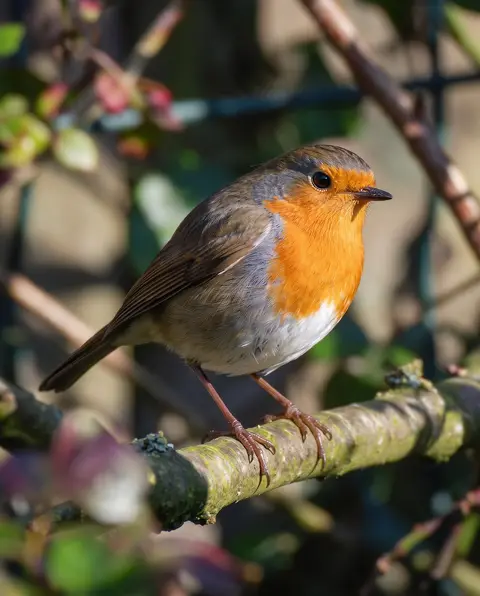
Soft bird photo — after Phota Enhance
Grainy night shot — after Phota Enhance
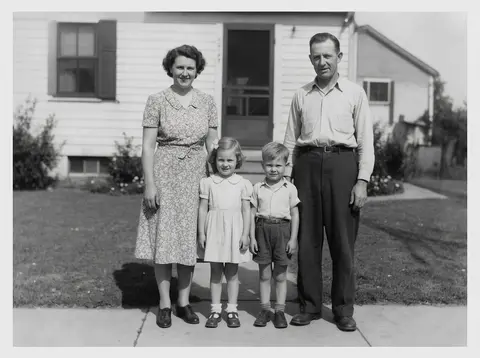
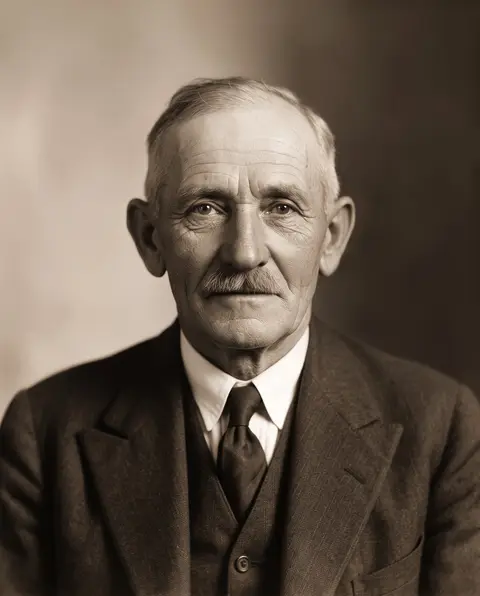
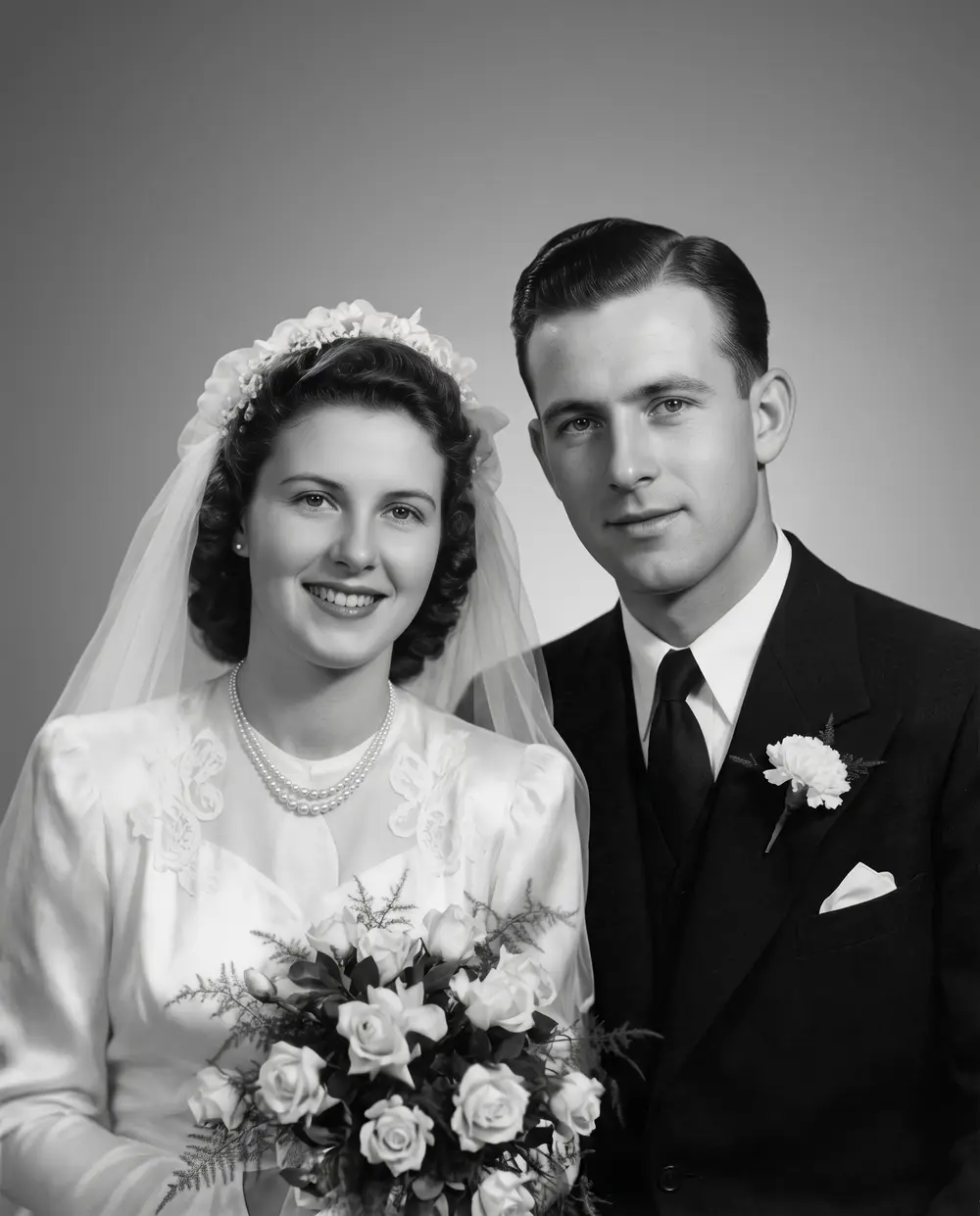
1930s portrait — after Phota Enhance
Pixelated portrait — after Phota Enhance
Camera shake — after Phota Enhance
Missed focus — after Phota Enhance
Blurry pet photo — after Phota Enhance
Soft bird photo — after Phota Enhance
Grainy night shot — after Phota Enhance
1930s portrait — after Phota Enhance
Pixelated portrait — after Phota Enhance

Quick answer

Updated

To unblur an image, upload it to Kenerate's upscaler and run Phota Enhance: in about 40 seconds it rebuilds eyes, hair, fur and edges lost to soft focus or camera shake, and outputs up to 4K. Downloads have no watermark, and slightly soft images can use Real-ESRGAN. AI cannot reveal censored or deliberately blurred content — it only invents a replacement.

Engine
Phota Enhance
Output
Up to 4K
Fixes
Soft focus, camera shake
Time
About 40 seconds

Real results

See what it does to real photos

Every slider is a real Kenerate output from the bad input on the left. Drag to compare, then try the same photo.

  1. Smiling bearded man in a denim jacket at an evening street-food market — before
    Smiling bearded man in a denim jacket at an evening street-food market — after
    BeforeAfter

    01Camera shake

    A shaky night shot, fixed

    Double edges from a moving hand removed — face, beard and denim sharp again.

    Phota Enhance · 868 px, motion blur → 2304 px, sharp

    Try it now
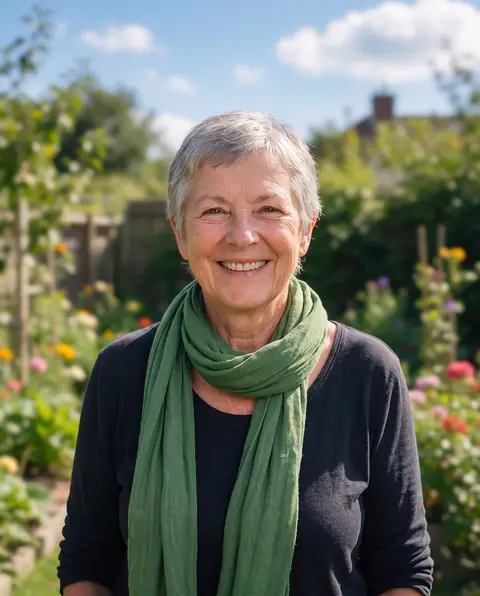
  2. Smiling older woman with short grey hair and a green scarf in a garden — before
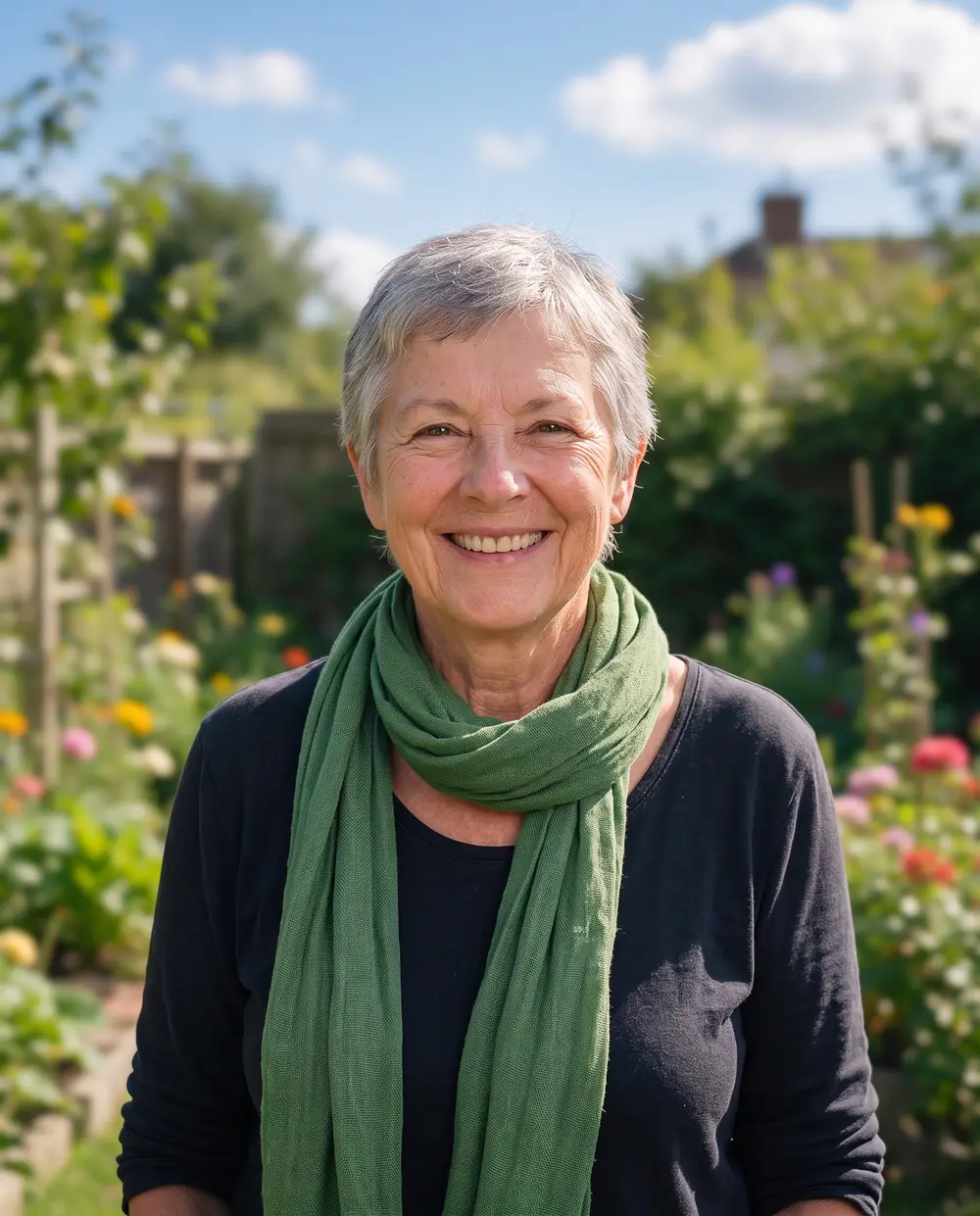
    Smiling older woman with short grey hair and a green scarf in a garden — after
    BeforeAfter

    02Missed focus

    Focused on the garden? Fixed

    Eyes, hair and smile brought back into focus; the background blur stays.

    Phota Enhance · 900 px, out of focus → 2304 px, sharp

    Try it now
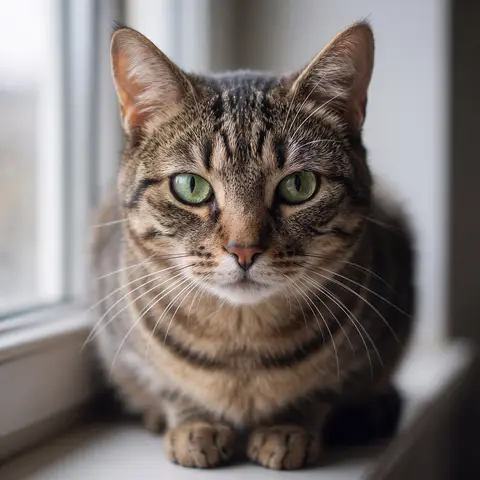
  3. Tabby cat with green eyes on a windowsill — before
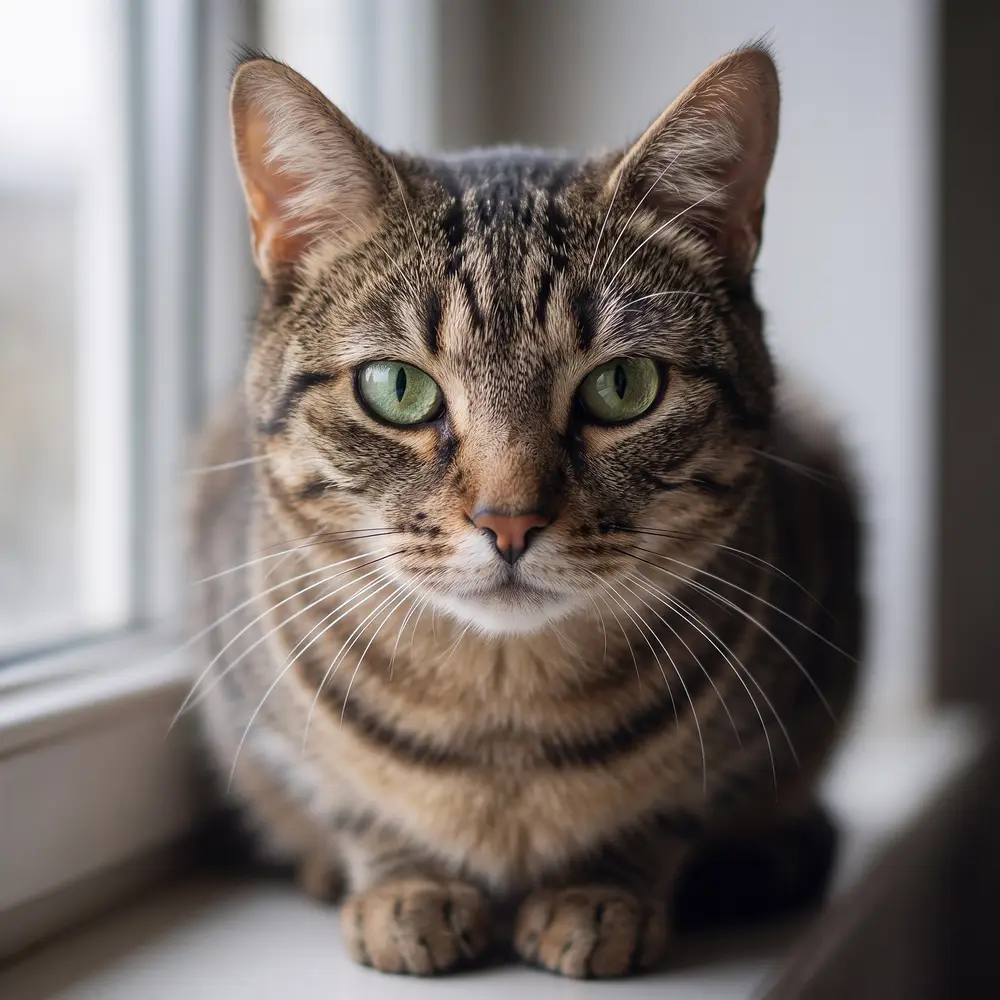
    Tabby cat with green eyes on a windowsill — after
    BeforeAfter

    03Blurry photos

    Out of focus? Fur and whiskers return

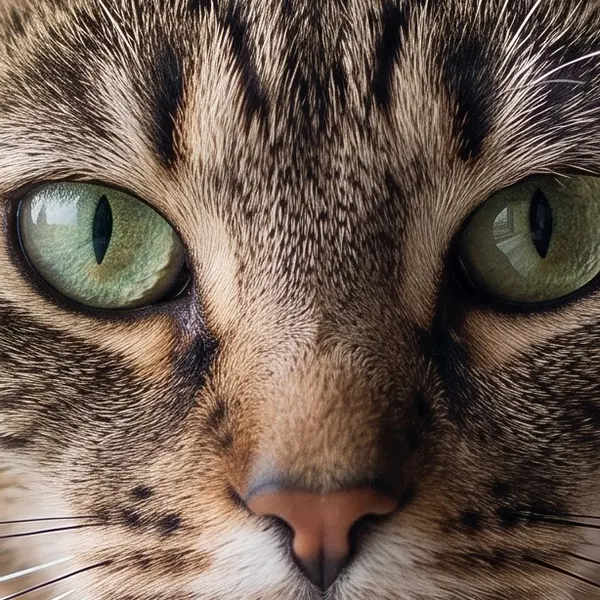
    Phota Enhance rebuilds the detail a missed focus smeared — eyes, whiskers, every stripe.

    Phota Enhance · 720 px, out of focus → 2048 px, sharp

    Try it now
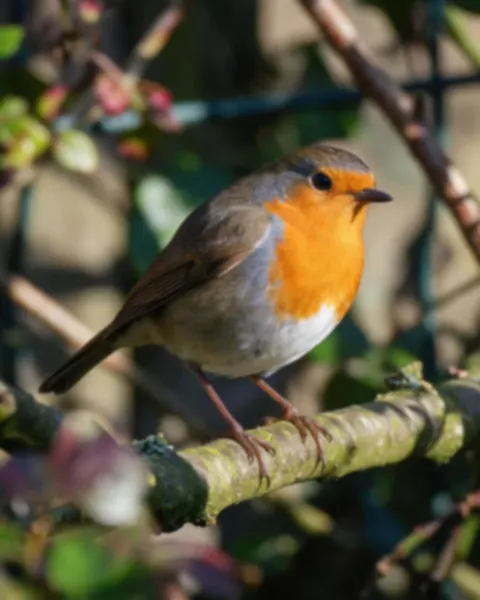
  4. European robin perched on a mossy branch — before
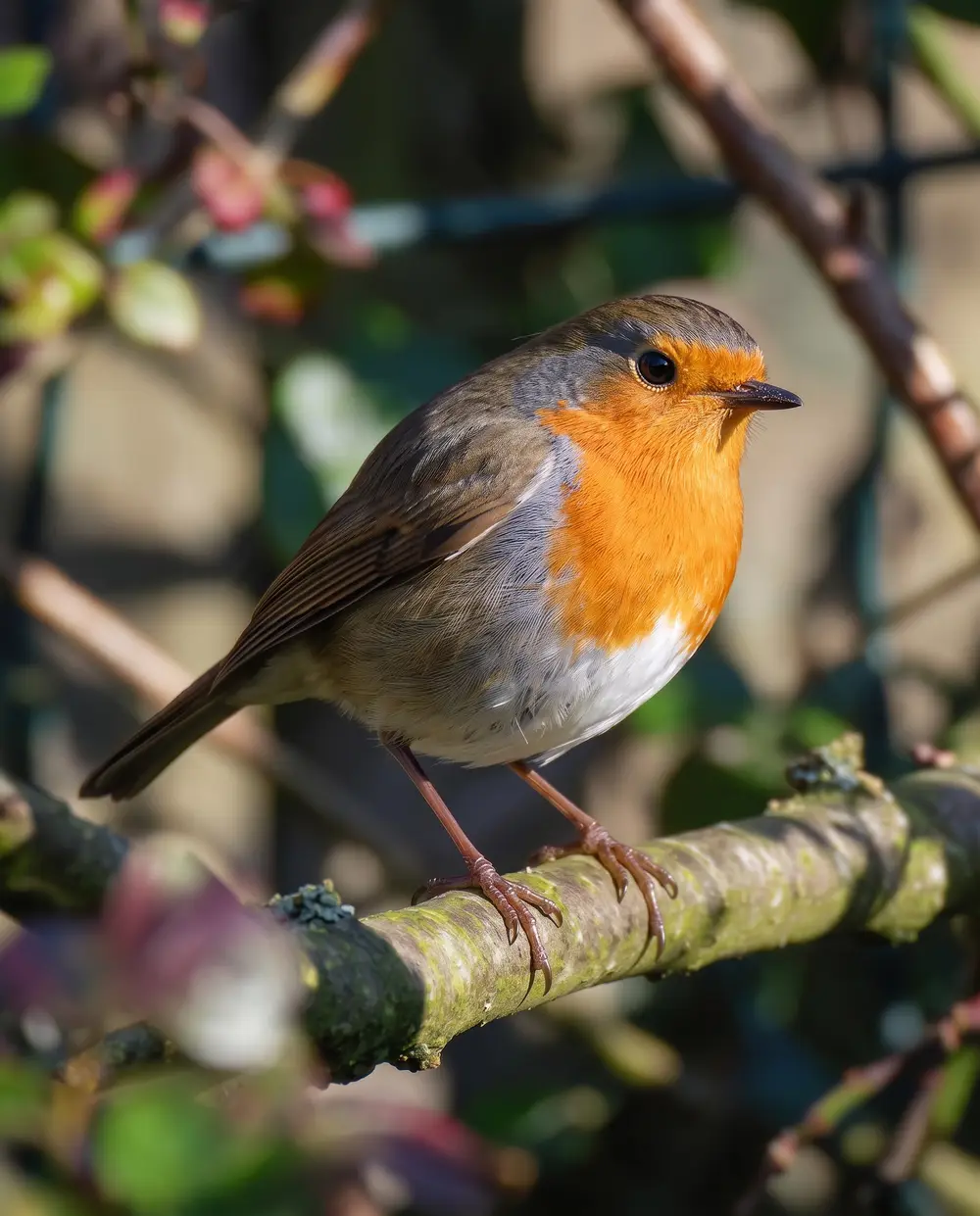
    European robin perched on a mossy branch — after
    BeforeAfter

    04Sharpen

    Soft feathers, sharp again

    AI rebuilds what the blur merged — no halos, no crunchy grain.

    Phota Enhance · 900 px, soft focus → 2304 px, sharp

    Try it now

How it works

How to unblur an image

Three steps. Phota Enhance is already selected when you open the tool from this page.

  1. Upload the blurry photo

    Add a JPG, PNG or WEBP up to 25 MB — this page opens the tool on Phota Enhance.

  2. Run Phota Enhance

    Press Upscale. In about 40 seconds the model rebuilds edges, eyes, hair and texture from the blur, and outputs up to 4K.

  3. Compare, re-run if needed, download

    Check faces at 100%. If the result is cropped differently or looks off, run it again — generative restoration can vary between runs. Download with no watermark.

Real results

What kind of blurry photo can AI fix?

Real Phota Enhance outputs from the blurry inputs in the hero slider. Tap one to try it.

At 100%

Unblurred vs original, zoomed in

The same crop of each photo before and after Phota Enhance.

  • Smiling bearded man in a denim jacket at an evening street-food market — the 868 px, motion blur original stretched to the same size (bicubic)
    Stretched
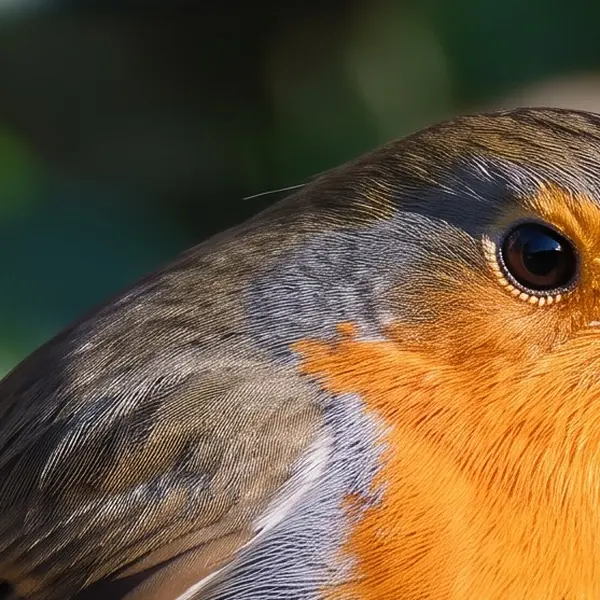
    Smiling bearded man in a denim jacket at an evening street-food market — the same crop after Phota Enhance
    Phota Enhance

    Camera shake · 868 px, motion blur → 2304 px, sharp

  • Smiling older woman with short grey hair and a green scarf in a garden — the 900 px, out of focus original stretched to the same size (bicubic)
    Stretched
    Smiling older woman with short grey hair and a green scarf in a garden — the same crop after Phota Enhance
    Phota Enhance

    Missed focus · 900 px, out of focus → 2304 px, sharp

  • Tabby cat with green eyes on a windowsill — the 720 px, out of focus original stretched to the same size (bicubic)
    Stretched
    Tabby cat with green eyes on a windowsill — the same crop after Phota Enhance
    Phota Enhance

    Blurry pet photo · 720 px, out of focus → 2048 px, sharp

  • European robin perched on a mossy branch — the 900 px, soft focus original stretched to the same size (bicubic)
    Stretched
    European robin perched on a mossy branch — the same crop after Phota Enhance
    Phota Enhance

    Soft bird photo · 900 px, soft focus → 2304 px, sharp

Left: the original enlarged with ordinary bicubic resizing. Right: the same area of the real Kenerate output. Both crops are shown at the same size.

Look closer

Zoom into an unblurred photo

A camera-shake photo after Phota Enhance. Move over it to check the eyes, beard and denim.

  • Double edges from the shake removed
  • Eyes, beard and teeth sharp
  • Background lights keep their soft bokeh

Move your pointer over the image to zoom in.

Smiling bearded man in a denim jacket at an evening street-food market — 868 px, motion blur in, 2304 px, sharp out with Phota Enhance.

Honest limits

What can't AI unblur?

  • Censored or deliberately blurred content. Blurring or pixelating to hide a face, a plate or text removes the information. AI can only paint a plausible replacement — it cannot reveal what was there.
  • Unreadable text. In our test on blurry handwritten notes, Phota Enhance produced crisp but partly different words. Don't use it to read documents or receipts.
  • Extreme motion blur. When a subject is a streak, the model has to invent its shape.
  • Every run is slightly different. It is a generative model; if a result is cropped or off, run it again.

For your own photos that are just a bit soft or shaky, it is the fastest fix there is.

Seven engines

Which engine should I use to unblur an image?

Phota Enhance for real blur. Slightly soft or small images often only need Real-ESRGAN.

  • Restore

    Phota Enhance

    Restores old, blurry or damaged photos and rebuilds lost detail, up to 4K.

    Best for: Old family photos, archives and low-res pictures you want to print.

    Restored · up to 4K ~37s per image

    Use
  • FaithfulDEFAULT

    Real-ESRGAN

    Classic super-resolution — sharper edges, less noise, bigger image.

    Best for: Quick clean-ups of AI renders, web images and product shots.

    Larger, sharper copy ~25s per image

    Use
  • Faithful

    Image Upscaler

    Straight upscale to 2K, 4K or 8K that keeps the original texture.

    Best for: Everyday photos and AI art to a standard size.

    Up to 8K ~45s per image

    Use
  • Creative

    Clarity Pro

    Up to 16× with a creativity dial — stay true or invent fine detail.

    Best for: Portraits and campaign visuals for print; keeps identity, adds detail.

    Up to 64 MP ~81s per image

    Use
New accounts get 25 free credits to try the engines on their own images.

Blurry photo ready? Phota Enhance takes about 40 seconds and outputs up to 4K.

Methods compared

AI unblur vs a sharpen filter vs re-shooting

Three ways to deal with a blurry photo.

  • Kenerate Phota EnhanceAI restoration

    Missed focus
    Rebuilds detail
    Camera shake
    Mild to moderate
    Adds grain or halos
    No
    Time
    About 40 seconds
  • Sharpen filterPhotoshop, phone editors

    Missed focus
    Adds edge contrast only
    Camera shake
    Makes double edges worse
    Adds grain or halos
    Often
    Time
    Minutes
  • Re-shootif you can

    Missed focus
    Yes
    Camera shake
    Yes
    Adds grain or halos
    No
    Time
    Only if the moment is still there

Use cases

How people use the unblur tool

Three common jobs, with the real before and after.

  • Event guest

    Phone photos

    The only photo with a friend at the night market was shaky. One Phota Enhance run made it sharp enough to post and print.

    Camera shake → sharp · Phota Enhance

  • Family member

    Birthday portrait

    The camera focused on the garden behind Grandma. Unblurred, the portrait went in the birthday card.

    Missed focus → sharp · Phota Enhance

  • Birdwatcher

    Garden wildlife

    Shot through a window at a robin that wouldn't sit still. Phota brought the feathers back.

    Soft → sharp · Phota Enhance

Example workflows built on real Kenerate outputs — not customer reviews.

Related

More fixes for soft photos

In depth

Why photos blur — and what unblurring can prove

The camera causes of blur, the phone tools that fix it, and why a court rejected AI-enhanced video — with sources.

The two blurs you meet most

Camera shake comes from a shutter that is too slow for a handheld lens. Nikon's rule of thumb: at 200 mm, use 1/200 s or faster [1]; vibration-reduction lenses allow shutter speeds about 3 to 4 stops slower [2]. Missed focus is different — the lens was sharp somewhere else, so the subject sits outside the depth of field. Stabilisation doesn't help with a moving subject either; only a faster shutter freezes it.

Unblur tools have gone mainstream

Google introduced Photo Unblur on the Pixel 7 in October 2022 [3] and opened it to all Google Photos users from May 2024 [4]. Kenerate's Phota Enhance does the same kind of generative restoration in any browser, on any phone or computer, and outputs up to 4K.

Why unblurred images aren't evidence

In March 2024 a Washington State judge excluded AI-“enhanced” bystander video from a triple-murder trial, saying the tool used opaque methods to show what the model “thinks” should be shown [5]. The court found the enhancement was not peer-reviewed, reproducible or accepted by forensic video analysts; the prosecution's expert testified it added 16 times the number of pixels and changed shapes and colours [6]. Forensic guidance already says machine-learning results need human verification or corroboration before legal use [7].

For your own photos that is fine — you want a sharp picture, not proof. Just don't treat an AI-unblurred licence plate, face or document as a record of what was really there.

How the model decides what to draw

Restoration models are trained on pairs of clean and deliberately damaged images; Real-ESRGAN, for example, learned from synthetic blur, noise, resizing and JPEG damage [8]. Heavier blur leaves more to the model's judgement, and there is a proven trade-off between looking natural and staying faithful [9] — which is why two runs can differ slightly.
Start free

Start free, top up only when you need to

25 free credits on sign-up. The same credits work in every Kenerate tool.

  • 25 free credits on sign-up

    Test on your own images before you buy anything.

  • Credits never expire

    One-time packs — use them this week or next year.

  • No subscription, no watermark

    Nothing to cancel. Free results download clean.

  • One balance, every tool

    The same credits work across images, video, voice and 3D.

Tried it? Tell us how it went

We only publish real, verified reviews — never invented quotes. Send a line about your result (and whether we may quote you), and it will appear here.

Send a review

FAQ

Unblur image questions

8 questions

Still stuck?

A real person answers — usually within a day.

01

How do I unblur an image?

Upload it to Kenerate and run Phota Enhance. It rebuilds detail lost to soft focus or camera shake in about 40 seconds; new accounts get 25 free credits, and one-time credit packs never expire. Download the sharp result with no watermark.

02

Can I unblur an image for free?

New accounts get 25 free sign-up credits to test Kenerate. For images that are only slightly soft, Real-ESRGAN is often enough. Phota Enhance and bigger jobs use one-time credit packs that never expire — no subscription.

03

What kinds of blur can AI fix?

Soft or missed focus, mild camera shake, slight motion blur and the softness of small or compressed images. Heavy motion blur where shapes are gone can only be guessed at.

04

Can AI unblur text?

It makes text look crisp, but when letters are unreadable the model guesses — in our test on blurry handwritten notes it turned smudged words into clean, partly different words. Don't rely on it for documents, receipts or number plates.

05

Can I unblur a censored or pixelated face or text?

No. Blurring or pixelating to hide something removes the information; an AI can only invent a plausible replacement, not reveal what was there. Use Kenerate on your own photos that are accidentally blurry.

06

Why does the result look slightly different each time?

Phota Enhance is a generative model, so two runs can differ a little — in one of our tests it re-framed a portrait. If a result is off, run it again and keep the better one.

07

How do I unblur a picture on iPhone or Android?

Open kenerateai.com in your phone's browser, upload the photo to the upscaler with Phota Enhance selected, and download the result — no app needed.

08

Is Kenerate an alternative to the Canva or PicWish unblur tools?

Yes — it works in any browser, needs no subscription, and has separate engines for blur (Phota Enhance), size (Real-ESRGAN, 4K/8K) and creative detail (Clarity Pro).

Every pixel, rebuilt. Up to 128 MP.

Seven engines in one browser tool — faithful, creative and restoration — up to 8K or 128 MP.

AI engines
7
AI engines
Largest output
128 MP
Largest output
Free credits to start
25
Free credits to start
Straight upscale to
8K
Straight upscale to

Explore the toolkit

More upscale, enhance and restore tools

Every Kenerate page for making images bigger, sharper, cleaner and older photos new again.

Written by the Kenerate AI team

We build and run the Kenerate image tools; every example is a real Phota Enhance output from the blurry input shown. Last updated 26 September 2026. Corrections: hello@kenerateai.com.

Sources

Ready when you are

Unblur your photo

Phota Enhance — about 40 seconds, up to 4K, no watermark, no subscription.

  • 25 free credits
  • No watermark
  • Credits never expire