

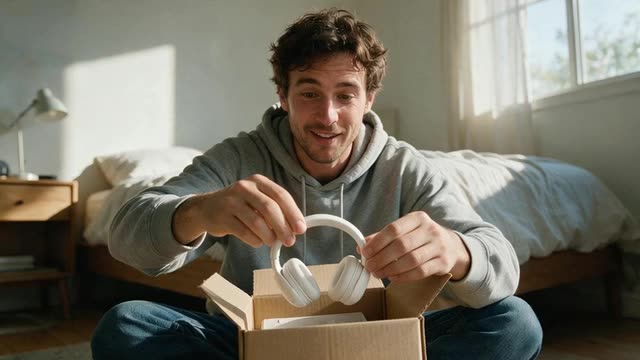
AI UGC ads · 9 creator styles · TikTok, Reels and Facebook sizes
UGC Ads
Make UGC-style video ads with an AI creator and your product: unboxing, try-on, tutorial, at-home and review formats at 9:16. They are AI-generated ads, not real customer posts, so the words are yours.
- Meal-kit doorstep delivery UGC

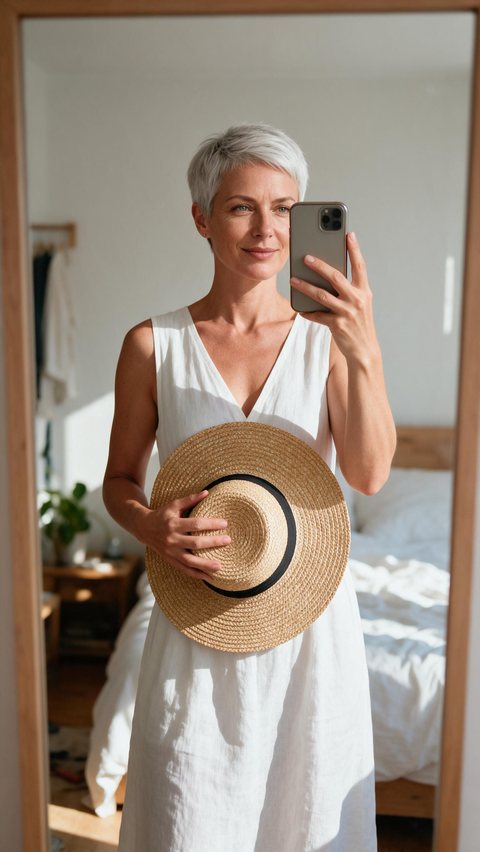
- Straw sun hat mirror try-on
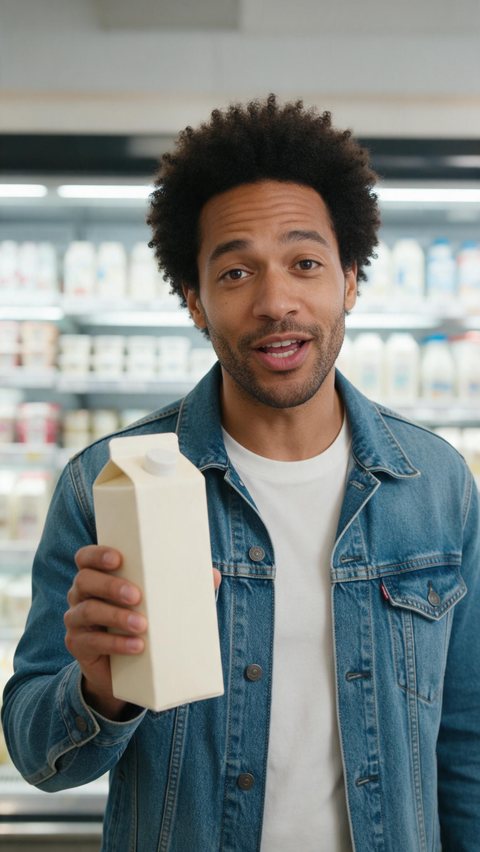
- Oat milk supermarket shopping UGC
Made in Marketing Studio · Seedream 5.0 Pro + Wan 3.0
- 9 UGC creator styles
- Your product in the creator's hands
- Hooks you write, 21 script languages
- AI-generated, labelled as ads
Updated by the Kenerate AI team
On this page
Quick answer
Updated
What are UGC ads?
UGC ads are video ads made to look like user-generated content: a person filming themselves on a phone, talking about a product in a real room. AI UGC ads use an AI-generated creator instead of a filmed one. In Kenerate AI's Marketing Studio you add your product and a creator photo, pick a UGC style and write the hook.
Key facts
- Where
- Marketing Studio > Video > UGC
- UGC styles
- Shopping · At home · Delivery · Review · Try-on · Unboxing · Tutorial · Before/after · Testimonial
- Format
- 9:16 vertical, 10–15 s style defaults
- Creator
- A person photo (avatar) is required for UGC styles
- Script
- Your hook, body and call to action · 21 languages · 7 voice options
- Default video model
- Seedance 2.0 (also Wan 3, Wan 3 Prime, Ken 1, MiniMax H3)
- Honesty
- No invented ratings, reviews, quotes or results
- Access
- Paid plan or a one-time credit pack, no subscription required
Ad showcase
5 ad videos made with Kenerate AI
Short ads of fictional, unbranded products: each starts as a Seedream 5.0 Pro frame and is animated with Wan 3.0. Open one to see the prompt and the Marketing Studio style it matches.
Ad images
UGC Ads examples
Ad stills of fictional, unbranded products, made with Seedream 5.0 Pro, the model Marketing Studio uses by default.
How to
How to create AI UGC ads
- Time needed
- Steps
- 4 steps
Step 1
Open Marketing Studio and pick Video > UGC
It runs on a paid plan or a one-time credit pack.
Step 2
Add your product and a creator
The product from the library, a link or 1–9 photos; a fictional creator photo or someone who agreed.
Step 3
Choose a UGC style
Unboxing, Try-on, Tutorial, At home, Review and more, or start from a template.
Step 4
Write the hook and the call to action
One honest line to open; pick the language and the voice.
See it in the app

Open Marketing Studio and pick Image for product shots and posters, or Video for UGC and motion ads.


Watch the tour · 1:19
Text, image & reference to video, models, edit, extend & chat
Chapters
Engines
Video models for UGC video ads
The models in Marketing Studio's video picker, with the hints the app shows.
- Default

ByteDance
Seedance 2.0
- Input
- Creator photo + product + brief
- Output
- 4–15 s · 720p default
The default: exact product references
Open Seedance 2.0 
Alibaba
Wan 3
- Input
- Creator photo + product + brief
- Output
- Up to 30 s · native audio
Longer creator ads with sound
Open Wan 3
Alibaba
Wan 3 Prime
- Input
- Creator photo + product + brief
- Output
- Up to 30 s
Wan 3 at its sharpest
Open Wan 3 Prime
MiniMax
MiniMax H3 Pro
- Input
- Creator photo + product + brief
- Output
- 4–15 s · 768p or 2K
Sharp motion
Open MiniMax H3 Pro
Marketing Studio needs a paid plan or a one-time credit pack.
Tips
How to create effective UGC ads
What the Marketing Studio UGC styles are built around.
Put the hook in the first second.
Show the product in hand at chest height, label readable.
One honest caveat makes a creator ad feel less like an ad.
Keep phone-camera framing and natural light.
Change one thing per variation: the hook, the creator or the setting.
It is an AI ad, not a customer review: keep every claim true.
Example uses
How creators use UGC Ads
Illustrative examples of typical workflows, not customer reviews.

DTC skincare brand
A brand can test five opening hooks with the same AI creator and the same product.
App startup
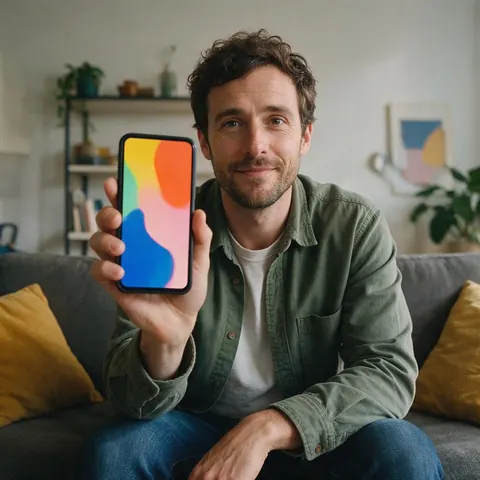
A small app team can show the app on a phone in a creator's hand in a living room.

Pet shop
A pet store can make a tutorial-style ad showing how a product is used in real steps.
FAQ
UGC ads questions
8 questions
What are UGC ads?
UGC ads are video ads styled like user-generated content: a person films themselves on a phone and talks about a product in a real room, such as a kitchen, a bathroom or a store aisle. They feel like a recommendation rather than a brand spot. AI UGC ads keep that look but use an AI-generated creator, so no filming or creator booking is needed.
Link to this answerHow do you create AI UGC ads for free?
Honestly, you can't with Marketing Studio: the UGC styles need a paid plan or a one-time credit pack, with no subscription required. What a free account can do is design a fictional creator and test set ideas in the image studio with Qwen Image 3.0, which is free to start, then bring that creator photo into Marketing Studio when you are ready.
Link to this answerHow do I make UGC ads with AI?
Open Marketing Studio, switch to Video and pick the UGC category. Add your product from the library, a product link or up to nine photos, add a creator photo, then choose a style such as Unboxing, Try-on or Tutorial. Write the hook, body and call to action, pick the language and voice, and create. Make several variations to test.
Link to this answerDo the creators look real?
They are made to look like phone footage: front-camera framing, slight handheld sway, natural window light and room tone. They are still AI-generated people, not real customers, so present the ad as an ad. Use a fictional creator or a person who agreed, and follow each platform's rules on labelling AI-generated content.
Link to this answerCan I test different hooks?
Yes, and it is the main reason to make AI UGC ads. Keep the product, creator and style the same, write a new hook line in the brief, and create again. Then swap the creator or the setting for the next round. Changing one thing at a time tells you which hook or creator actually made the difference.
Link to this answerWhich UGC ad style should I use?
Pick by what the buyer needs to see. Unboxing and Delivery suit gifts and packaging, Try-on suits clothing and accessories, Tutorial suits products that need a demo, At home and Shopping suit everyday items, and Before/after suits visible results, kept realistic. Review and Testimonial styles are AI-generated ads too, so the words must come from your true brief.
Link to this answerWhat sizes work for TikTok UGC ads and UGC Facebook ads?
Every UGC style starts at 9:16, which fits TikTok, Instagram Reels, YouTube Shorts and Facebook Stories. For a Facebook or Instagram feed placement, switch the output to Feed at 4:5 or 1:1 before you create. Marketing Studio makes the video file; you upload it in TikTok's or Meta's own ad tools yourself.
Link to this answerAre AI UGC ads honest?
They can be, if you treat them as ads. Marketing Studio never invents star ratings, review counts, quotes, statistics or results, and the UGC Review and Testimonial styles only use words from your brief. The creator is not a customer, so don't present the video as a real review, keep every product claim true, and label AI content where a platform asks for it.
Link to this answerIn depth
UGC ads, explained
On this page
Which Marketing Studio UGC style to use
Every UGC style is 9:16 and needs a creator photo. Templates are finished examples you can recreate with your product.
- Unboxing — opens the box on camera, slow tissue reveal, details turned in the hands.
- Delivery — the parcel on the doorstep, carried in, a first reaction.
- Try-on — puts the piece on at a mirror, a turn, fit and fabric called out (template Try-On Haul).
- Tutorial — two to four real steps, each shown as it is said (template How-To).
- At home and Shopping — the everyday moment at the counter, or picking it off a store shelf (template Creator at Home).
- Before/after — the problem, the product, the honest result in the same framing (template Same Mirror, One Cut).
- Review and Testimonial — a sit-down, first-person UGC-style ad; the words come only from your brief (template Honest Review).
Unboxing, delivery and try-on UGC ads
These three formats show the product arriving and being handled. Unboxing and Delivery suit anything with packaging worth showing. Try-on is built for clothing and accessories: the creator pulls the piece from the bag, puts it on in front of a bedroom mirror and calls out one detail.
Tutorial, at-home and shopping UGC ads
Tutorial is for products that need a demo: each step is shown while it is said and the result comes at the end. At home places the product in a normal routine with one honest caveat. Shopping films the creator spotting the product in a store aisle and giving one quick reason to buy it.
Review, testimonial and before/after UGC ads
These styles carry the strictest guardrails. The model is told not to show star ratings, review counts, best-seller badges or quotes unless your brief contains the exact words, and before/after results must look realistic with no medical or guaranteed claims.
AI generated UGC ads vs filmed UGC ads
Filmed UGC uses a real creator you book and pay; AI generated UGC ads use a generated creator, so you can test many hooks and settings quickly. The trade-off is honesty: an AI creator has not used your product, so the ad must not claim they did as a real customer.
What do the best UGC ads have in common?
A hook in the first second, the product in hand where it can be read, phone-camera framing in a real room, one specific detail instead of general praise, and a short call to action. Marketing Studio's UGC styles are written around the same pattern.
Explore
Every Kenerate video tool
Generators, tools, models and guides — all in one studio.