Reliable Man
MiniMax Speech 2.8 HD · MiniMax
RussianPresenterClear
Добрый вечер. Сегодня мы расскажем, как всего за неделю подготовиться к марафону.
Good evening. Today we'll tell you how to prepare for a marathon in just one week.
0:05
8 native Russian voices · ElevenLabs · Qwen3
Paste Russian in Cyrillic and hear it read with natural stress and intonation — presenters, drama voices, business updates and polite phone prompts.
Updated by the Kenerate AI team
On this page
Quick answer
Updated
Kenerate AI's Russian text to speech reads Cyrillic in natural voices, for videos, lessons and audiobooks: 8 native Russian voices on MiniMax, plus Russian on ElevenLabs and Qwen3. It places word stress from context, and you can mark stress yourself for tricky words. Scripts run up to 10,000 characters, with MP3, WAV or FLAC download.
Listen first
Each card shows the exact Russian script with an English translation. The words light up as they're spoken.
MiniMax Speech 2.8 HD · MiniMax
Добрый вечер. Сегодня мы расскажем, как всего за неделю подготовиться к марафону.
Good evening. Today we'll tell you how to prepare for a marathon in just one week.
MiniMax Speech 2.8 HD · MiniMax
Я не боюсь. Если мы пойдём вместе, мы обязательно найдём дорогу домой.
I'm not afraid. If we go together, we'll definitely find the way home.
MiniMax Speech 2.8 HD · MiniMax
Наша команда запускает новый продукт уже в понедельник. Будет интересно!
Our team launches a new product on Monday. It's going to be exciting!
ElevenLabs Eleven v3 · ElevenLabs
Привет всем! Сегодня я покажу вам три простых способа сэкономить время утром.
Hi everyone! Today I'll show you three simple ways to save time in the morning.
Qwen3 TTS · Alibaba Qwen
Спасибо за звонок. Пожалуйста, оставайтесь на линии, оператор скоро ответит.
Thank you for calling. Please stay on the line — an operator will answer shortly.
How to
Step 1
Up to 10,000 characters per clip on MiniMax and ElevenLabs Multilingual v2 (5,000 on Eleven v3 and Qwen3).
Step 2
Filter by Russian for MiniMax's 8 native voices, or pick an ElevenLabs or Qwen3 voice and write in Russian.
Step 3
Emotion, speed and pitch on MiniMax; stability and audio tags on ElevenLabs; a style prompt on Qwen3.
Step 4
MP3 (or WAV/FLAC on MiniMax), no watermark, saved to your history.
See it in the app

Open Voice Studio in Text to speech and type the words you want spoken, or start from a script template.
Text to speech, emotions & tags, Hindi, voice design, cloning & chat
Chapters
Use cases
Reach Russian speakers without booking a studio.
Publish a Russian version of every video with one consistent voice.
Model pronunciation for vocabulary, dialogues and listening practice.
Russian IVR prompts and greetings for your callers.
Narrators for Russian fiction, kids' tales and long reads.
Russian spots and demos for local campaigns.
Audio versions of Russian notices, articles and documents.
Engines
Facts from the Voice Studio's code. The maker's real model name is shown on every clip.
MiniMax
Most natural MiniMax voice; 7 emotions, (laughs)/(sighs) interjections, pronunciation dictionary
Open MiniMax Speech 2.8 HD
ElevenLabs
Most expressive; audio tags like [whispers], [laughs], [excited]
Open ElevenLabs Eleven v3
ElevenLabs
Lifelike and consistent over long reads
Open ElevenLabs Multilingual v2
Alibaba Qwen
9 characterful voices plus a free-text style prompt
Open Qwen3 TTS
Alibaba Qwen
Describe a voice in words and hear it
Open Qwen3 Voice DesignControls
The same controls work in every language.
MiniMax voices. 1× is the natural pace; 0.85–0.95× suits narration and learners, 1.1–1.2× suits ads and recaps.
MiniMax voices, in semitones. A few steps down sounds bigger and older; a few up sounds lighter and younger.
MiniMax: neutral, happy, sad, angry, fearful, disgusted, surprised — the same words, a different read.
MiniMax 2.8 reads 13 cues like (laughs), (sighs), (breath); ElevenLabs Eleven v3 reads audio tags like [whispers], [excited], [sarcastic].
ElevenLabs. Lower = more expressive and varied between takes; higher = steadier and more even.
MiniMax lets you pick the format and sample rate (16–44.1 kHz); every clip downloads without a watermark.
Scripts
Russian scripts to audition voices with — open any in the studio.
Реклама
Только в эти выходные — скидка двадцать процентов на весь ассортимент!
This weekend only — twenty percent off everything!
Ударение
Замок на двери старого замка давно заржавел.
Stress test: “zámok” (castle) vs “zamók” (lock) — the voice has to pick from context.
Медитация
Закройте глаза. Сделайте медленный вдох… и выдох.
Close your eyes. Take a slow breath in… and out.
Russian accent (design)
A confident middle-aged man speaking English with a noticeable Russian accent, calm and deliberate.
Paste into Voice Design, then write your English script.
Tips
Stress is the whole game in Russian.
Use ё where it belongs (всё vs все) — it changes both sound and meaning.
For homographs (замок, мука, орган), rephrase or add an accent mark on the stressed vowel.
Write numbers as words when case endings matter (двадцати пяти, not 25).
Keep punctuation — Russian commas before что, который and чтобы are pause cues.
Use вы for customers and presentations, ты for casual videos.
For an English script with a Russian accent, describe the speaker in Voice Design.
Example uses
Illustrative examples of typical workflows, not customer reviews.
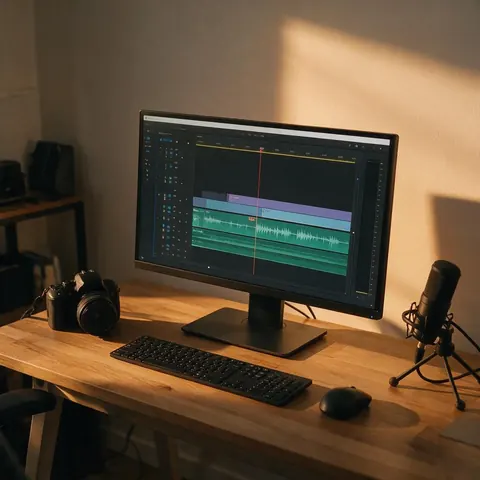
A Russian-language YouTube creator can voice channel intros and tips videos in a native Russian voice, fixing tricky word stress with stress marks or ё.
An audiobook publisher can audition several Russian voices on the same chapter and keep the one whose stress and intonation sound most natural.
A game developer can describe a character in Voice Design to get English spoken with a Russian accent for an original game hero.
FAQ
7 questions
Try a native MiniMax Russian voice and ElevenLabs Eleven v3 on the same script — Kenerate's free credits cover both, with no watermark.
Link to this answerYes — describe “an English speaker with a Russian accent” in Voice Design, then type your English text. Results vary, so try a couple of takes.
Link to this answerAdd an acute accent over the stressed vowel (замо́к), use ё where needed, or rephrase the sentence.
Link to this answerMiniMax has two Ukrainian voices and ElevenLabs reads Ukrainian; this page's voices are built for Russian.
Link to this answerUp to 10,000 characters per clip on MiniMax and ElevenLabs Multilingual v2, 5,000 on Eleven v3 and Qwen3.
Link to this answerA free Kenerate account starts with free credits, usable on any Russian voice, with no watermark.
Link to this answerСоздайте бесплатный аккаунт Kenerate: он начинается с бесплатных кредитов, без водяного знака. Вставьте русский текст в Voice Studio, выберите один из 8 родных русских голосов MiniMax или голос ElevenLabs или Qwen3 и нажмите «Создать». Ударение ставится по контексту, а в сложных словах его можно отметить знаком (замо́к). Скачайте MP3, WAV или FLAC; в одном клипе до 10 000 символов.
Link to this answerIn depth
What works, what to avoid, and how the pieces fit.
Three tools, from lightest to strongest:
“Russian voice” can mean two things: Russian speech (native voices on this page) or English spoken with a Russian accent (Voice Design). For games and animation, the second is usually what people want — describe age, mood and how strong the accent should be.
Free to start. No watermark. Download every clip.
Tried it? Tell us how it went