

Free · 3 modes · nothing uploaded
Image to STL relief, lithophane or shape
Pick what you want your picture to become — a raised relief, a lithophane that glows when lit from behind, or a solid shape cut from a logo — set the size in millimetres, and download a watertight STL.
- Relief, lithophane or extruded shape
- Size, base and height in mm
- Watertight mesh, ready to slice
- Your picture never leaves your device
Updated by the Kenerate AI team
On this page
Quick answer
Updated
What is an image to STL converter?
An image to STL converter is a tool that turns a flat picture into a 3D-printable mesh. Kenerate's free converter works in your browser three ways: a relief (brightness becomes height), a lithophane (the picture shows when backlit) or an extruded shape from a logo. Set the size in millimetres and download a watertight STL or 3MF.
Key facts
- Price
- Free, no account
- Input
- JPG, PNG (transparency supported), WebP, GIF, BMP — up to 40 MB
- Modes
- Relief · Lithophane · Extrude shape
- Output
- STL, 3MF, OBJ, GLB — watertight, in millimetres
- Detail
- 0.1–1 mm grid, up to 640 samples per side · relief default 100 mm wide, 2 mm base, 3 mm relief
- Privacy
- Processed in your browser — no upload
Why this tool
Three ways to convert an image to an STL file
Most converters only do one of these, so the result often isn't what you pictured. Choose the mode that matches your image.
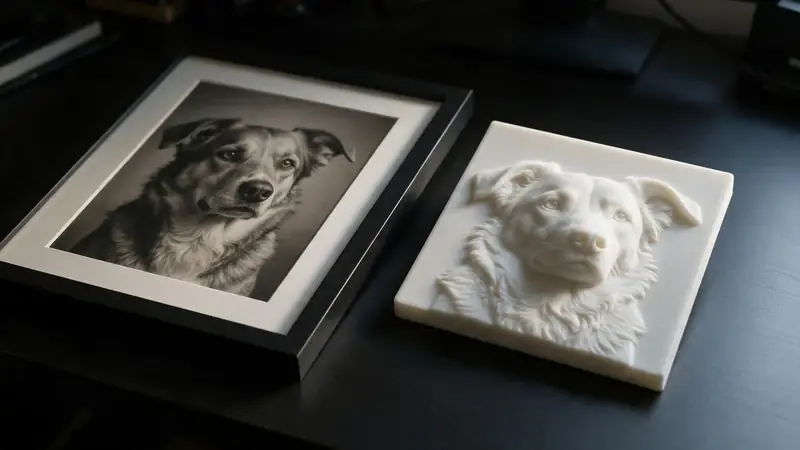
Relief — brightness becomes height
Light areas rise, dark areas stay low (or the reverse with Invert). Great for depth maps, coins, embossed tiles and textured signs.
Try it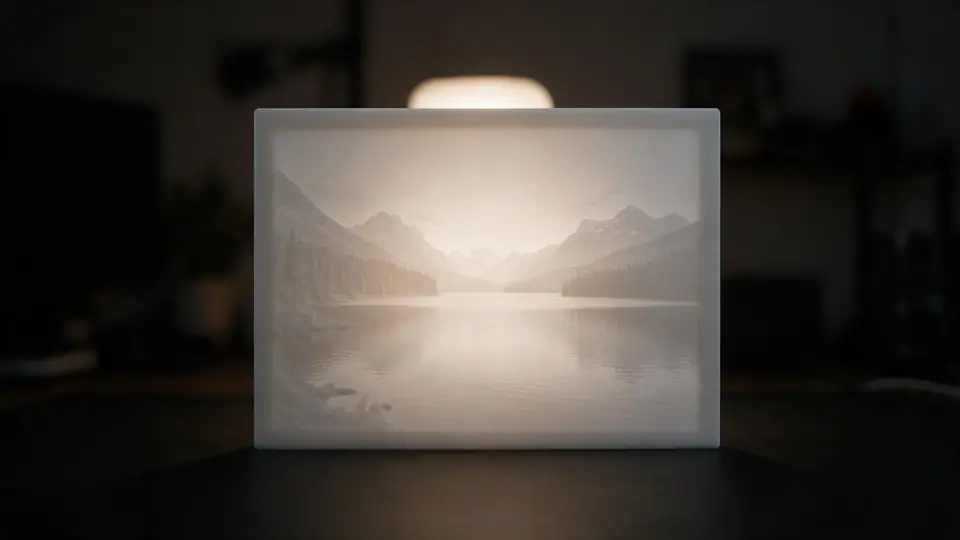
Lithophane — a photo made of light
Dark areas are printed thick and bright areas thin, so the photo only appears when light shines through. Frame and curve options included.
Try it
Also
What else it does
Extrude — logos and silhouettes
Pixels darker than a threshold (or the opaque part of a transparent PNG) become a solid shape — signs, badges, cookie-cutter outlines.
Watertight by construction
Every mesh is a closed solid — top surface, flat bottom and side walls — so slicers don't need to repair it.
Real millimetres
Set the width; height follows the picture's aspect ratio. Base and relief heights are in mm too, so the file prints at the size you see.
Private
The picture is read on your device. Nothing is uploaded or kept.
How it works
How a picture becomes a mesh
Four steps, all in your browser tab.
Resample
The image is redrawn onto a grid at your chosen detail — one sample every 0.1–1 mm across the width.
Measure brightness
Each sample's luminance (Rec. 709 weights) is read; transparent pixels count as background.
Map to height
Relief: bright = high. Lithophane: dark = thick. Extrude: dark or opaque = solid.
Close the solid
A flat bottom and side walls are added so the mesh is watertight, then it's written as STL, 3MF, OBJ or GLB.
How to
How to use the Image to STL Converter
- Time needed
- Steps
- 4 steps
Step 1
Add your picture
Drop a JPG, PNG or WebP onto the box above — or try a sample.
Step 2
Choose the type
Relief for raised pictures, Lithophane for backlit photos, Extrude for logos and silhouettes.
Step 3
Set the size
Choose the width in mm, then the base and height (or min/max thickness for lithophanes).
Step 4
Download
Pick STL or 3MF and download. Open it in your slicer and print.
Watch the tour · 1:48
Text, photo or multi-view to a textured GLB, nine engines, the viewer & lighting, compare engines, gallery, download & chat
Chapters
Who uses it
What people make with it
Gifts
Pet and family lithophanes, embossed photo tiles, name signs.
Makers and Etsy sellers
Logo badges, wall art, coasters and custom plaques.
Tabletop and terrain
Textured tiles and terrain from height maps.
Teachers
Tactile pictures and maps students can feel.
Compare
Relief, lithophane, extrude or AI 3D — which do you need?
The same photo can become four very different prints. Match the method to the picture and the goal.
| Method | What it does | Best for |
|---|---|---|
| Relief | Brightness → height on a solid base | Depth maps, textures, embossed tiles |
| Lithophane | Darkness → thickness, viewed against light | Photos of people, pets and places |
| Extrude shape | Dark or opaque pixels → one solid height | Logos, icons, silhouettes, text images |
| AI image to 3D | A full 3D object reconstructed from the photo | Figures, products and characters — in the 3D Studio |
File formats
The formats this tool reads and writes
What each file can hold, what it can't, and where it opens. Facts link to the format's own spec or reference page.
| .stl · STL | .3mf · 3MF | |
|---|---|---|
| Full name | Stereolithography | 3D Manufacturing Format |
| Made by | 3D Systems, 1987 | 3MF Consortium, 2015 |
| Kind | Triangle mesh (binary or ASCII) | ZIP package with XML |
| Holds | Triangle surfaces, Facet normals | Meshes with units (millimetres), Colours and materials, Several objects and build plates |
| No | Colour and textures, Units, Materials | Animation |
| Best for | 3D printing — every slicer opens it | Modern 3D printing and multi-colour prints |
| Opens in | Cura, PrusaSlicer, Bambu Studio, OrcaSlicer, Blender | Bambu Studio, PrusaSlicer, OrcaSlicer, Cura, Windows 3D Builder |
No file yet?
Make the model first — from one photo
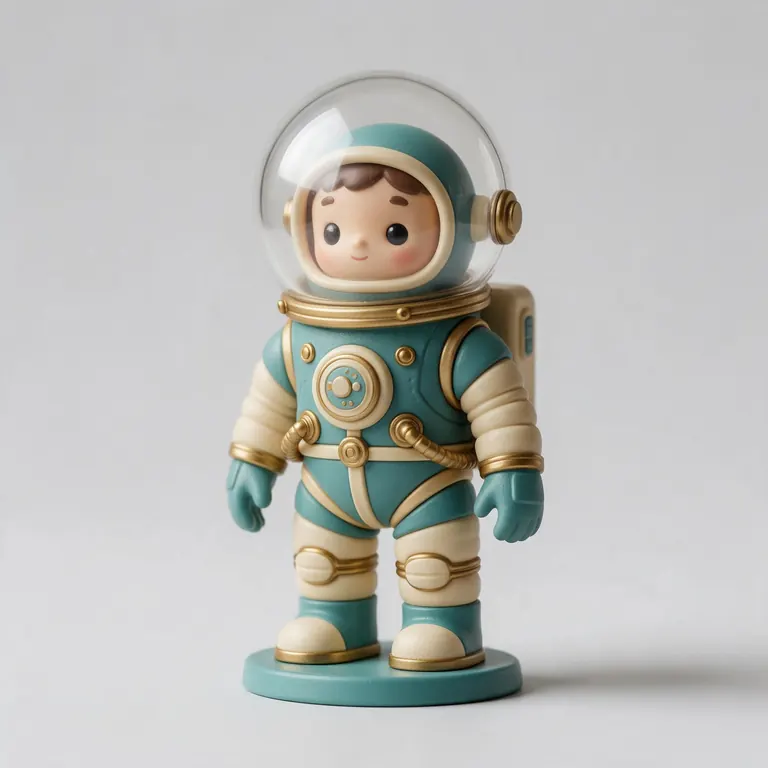
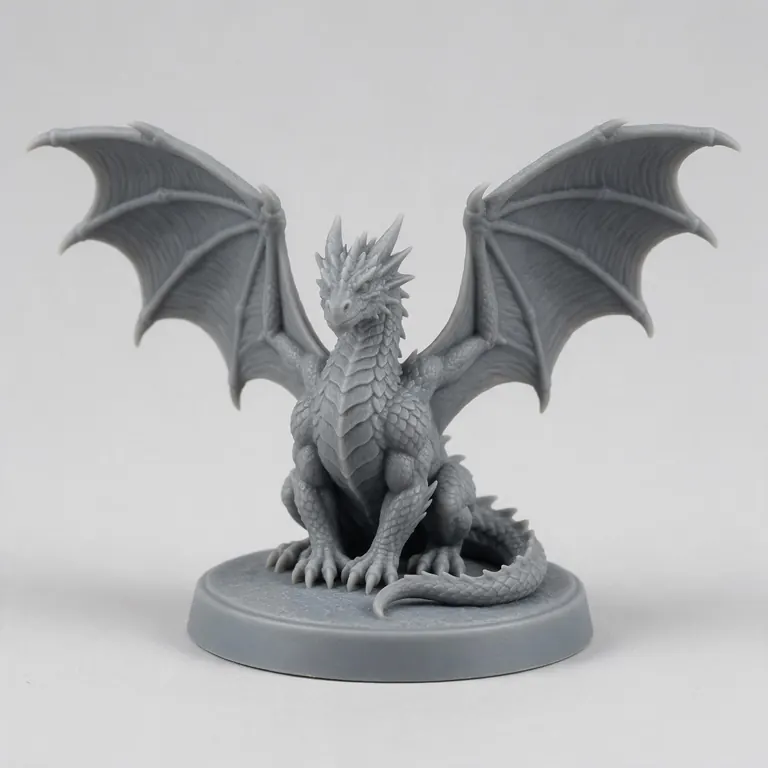
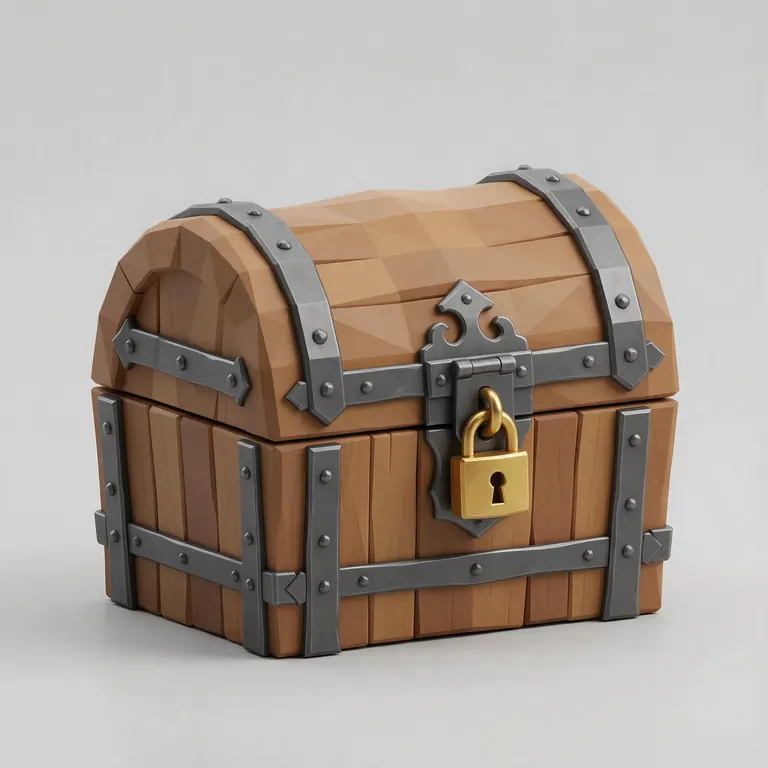
Every sample in the tool above began as a single picture and was turned into a 3D model in the Kenerate 3D Studio. The engine is named on each one.
Example uses
How creators use the image to STL converter
Illustrative examples of typical workflows, not customer reviews.
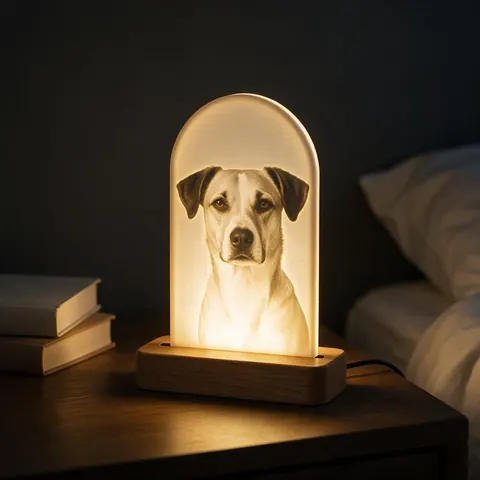
Gift maker
A gift maker can turn a pet photo into a lithophane that glows in a window or lamp.
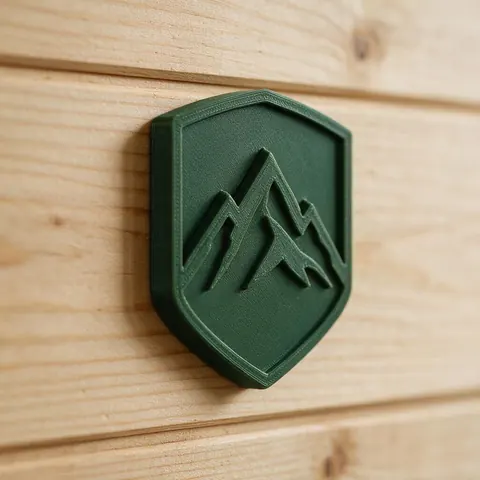
Small business
A small business can extrude its simple emblem into a solid sign or badge.
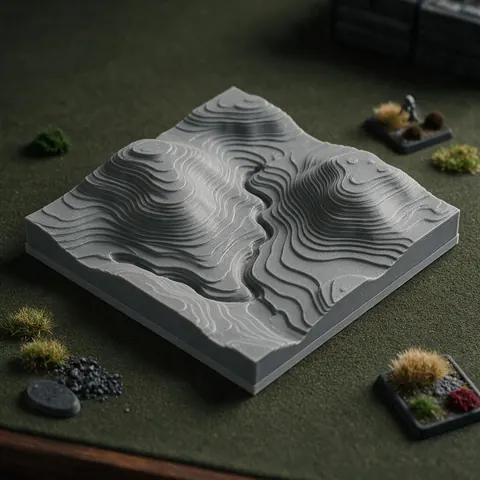
Tabletop terrain maker
A terrain maker can turn a grayscale height map into a relief tile of hills and valleys.
FAQ
Image to STL Converter questions
9 questions
Can you convert an image to STL for free?
Yes. This converter is free, needs no account and runs in your browser, so there's no upload or watermark.
Link to this answerWhich mode should I use for a photo?
For a photo of a person, pet or landscape, a lithophane gives the most recognisable result. A relief works best when the image is already a depth map or has simple, strong shapes.
Link to this answerIs it white = high or black = high?
In Relief mode, white is high and black is low; tick Invert to swap. In a lithophane, dark areas are thick (so they block light). In Extrude mode, dark pixels become the solid — or, for a PNG with transparency, the opaque pixels do.
Link to this answerWill my STL be in colour?
No. STL has no colour. The shape carries the picture: as height in a relief, or as light and shadow in a lithophane.
Link to this answerHow big will the file be?
Each sample becomes two triangles on top (plus the base and walls), and binary STL uses 50 bytes per triangle. A 100 mm relief at 0.3 mm detail is about 110,000 samples — roughly 22 MB. Increase the grid step for smaller files.
Link to this answerHow thin can details be?
A 0.4 mm nozzle prints walls down to about 0.45 mm (one perimeter); 0.9 mm (two perimeters) is safer. Very fine lines in a picture won't survive at small sizes.
Link to this answerIs there an image to STL AI?
Yes — that's AI image-to-3D, which builds a full object rather than a flat relief. The Kenerate 3D Studio rebuilds a full object from one photo with engines like Tripo, Meshy and Rodin; 3D generation needs a one-time credit pack.
Link to this answerIs my image uploaded?
No. It's processed on your device and never sent to a server.
Link to this answerIs this image to STL converter safe?
Yes. The picture is read and turned into a mesh by code running in your own browser tab — it isn't uploaded, stored or shared, and there's nothing to install. The STL you download is a plain triangle mesh that any slicer opens.
Link to this answerIn depth
Image to STL Converter, explained
How brightness becomes height, how big the files get, and how to choose between a relief, a lithophane, an extruded shape and AI 3D.
On this page
Why there isn't one 'image to STL'
A picture is flat; an STL needs depth. Every converter has to invent that depth from something. Heightmap tools take it from brightness, lithophanes from darkness (to block light), extrusion from a mask, and AI image-to-3D from a learned guess of the hidden shape. Picking the method is the most important decision — the sliders come second.
Brightness, polarity and contrast
Tools disagree on direction: some raise white, some sink it. Here Relief raises bright pixels by default, so a depth map (white = near) comes out right, and Invert flips it. The full brightness range maps onto your chosen relief height, so a low-contrast photo gives a shallow result — raise contrast before converting for a stronger relief.
Detail, triangles and file size
STL stores every triangle at 50 bytes in binary form [1]. A heightmap makes about two triangles per sample, so doubling the detail in both directions quadruples the file. That's why this tool caps the grid at 640 samples per side — beyond that, files get too big for slicers and phones without visible gain at typical print sizes.
Make it printable
Walls thinner than one perimeter (about 0.45 mm with a 0.4 mm nozzle) can't print; two perimeters, about 0.9 mm, is a safer minimum [11]. Keep a base of at least 1.5–2 mm under a relief so it doesn't warp, and print reliefs flat on the bed.
Keep going
Other 3D viewers and converters
- Lithophane MakerFlat or curved, with a frame
- PNG to STLLogos and transparent images
- JPG to STLPhotos to printable reliefs
- SVG to STLExtrude vector art
- 3D Logo MakerSVG or PNG logo to 3D
- 3D Text Generator18 fonts, plates and bevels
- 3D LettersPrintable letters and names
- 3D Font GeneratorAny TTF or OTF font in 3D
Try the Image to STL Converter
Free and private — your files never leave your device. Want to make models with AI? That's the 3D Studio, on any paid plan or credit pack.
Tried it? Tell us how it went