

Words ↔ minutes · free · in your browser
Speech Time Calculator
Paste your speech or type a word count to see how long it takes to say — at a slow, slide-presentation, audiobook or fast pace. Then hear it read aloud by an AI voice.
Speaking time
0:00
Words
0
With pauses
0:00
Counted in your browser — nothing is uploaded.
Hear it read aloud- Free, no sign-up
- Words → minutes and back
- Adds time for pauses
- Nothing uploaded
Updated by the Kenerate AI team
On this page
Quick answer
Updated
What is the average speaking rate in words per minute?
The average speaking rate for conversational English is about 130–150 words per minute (wpm); slides run slower (100–125 wpm) and audiobooks faster (150–160 wpm). This free speech time calculator divides your word count by your pace, so a 1-minute speech is about 120–150 words and a 5-minute speech 600–750.
Key facts
- Average speaking rate
- ≈ 130–150 wpm (conversation)
- 1 minute
- ≈ 120–150 words
- 3 minutes
- ≈ 360–450 words
- 5 minutes
- ≈ 600–750 words
- 10 minutes
- ≈ 1,200–1,500 words
- Slide talks
- ≈ 100–125 wpm
- Audiobooks
- ≈ 150–160 wpm
Same script
How pace changes the length
Same 51 words, same voice (MiniMax Trustworth Man), three speed settings. Bar length is the real clip length.
Thank you all for being here tonight. When we started this project three years ago, we had one borrowed laptop, a kitchen table and a very stubborn idea. Tonight, that idea is used in forty countries. None of that happened by accident. It happened because of the people in this room.
- 18.5 s
0.85× speed
Trustworth Man · MiniMax Speech 2.8 HD · Speed 0.85×
- 15.7 s
1.0× speed
Trustworth Man · MiniMax Speech 2.8 HD · Speed 1.0× (default)
- 13.5 s
1.2× speed
Trustworth Man · MiniMax Speech 2.8 HD · Speed 1.2×
Measured: 18.5 s at 0.85× (≈165 wpm), 15.7 s at 1.0× (≈195 wpm), 13.5 s at 1.2× (≈227 wpm). AI voices at 1.0× read faster than most people speak on stage, so for a timed talk, slow the voice to about 0.8×.
How to
How to use the speech time calculator
- Time needed
- Steps
- 4 steps
Step 1
Paste your speech (or type a word count)
The calculator counts words in your browser; nothing is uploaded.
Step 2
Choose a pace
Slow (100), Slides (120), Audiobook (150), Fast (170) — or drag the slider from 80 to 220 wpm.
Step 3
Read the result
Speaking time, word count and a “with pauses” estimate that adds a beat for each sentence.
Step 4
Work backwards if you need to
Enter your time limit to get the word budget, then press “Hear it read aloud” to hear it in an AI voice.
See it in the app

Open Voice Studio in Text to speech and type the words you want spoken, or start from a script template.


Watch the tour · 1:41
Text to speech, emotions & tags, Hindi, voice design, cloning & chat
Chapters
Use cases
Who uses a speech time calculator
Anyone who has to fit words into minutes.
Speeches & toasts
Wedding toasts, eulogies and award speeches that respect the clock.
Presentations & classes
Fit a talk into its slot before the day.
YouTube & Shorts scripts
Know if a script fits 60 seconds before you record.
Radio & video ads
15-, 30- and 60-second spots have strict word budgets.
Audiobooks & podcasts
Estimate episode and chapter length from word count.
Debate & competitions
Stay within time limits for speeches and readings.
Engines
Engines for reading your speech aloud
Paste the speech into the Voice Studio to hear it. Facts from the app's code.
MiniMax
MiniMax Speech 2.8 HD
- Languages
- 40 languages
- Per clip
- 10,000 characters per clip
Most natural MiniMax voice; 7 emotions, (laughs)/(sighs) interjections, pronunciation dictionary
Open MiniMax Speech 2.8 HD
ElevenLabs
ElevenLabs Multilingual v2
- Languages
- 29 languages
- Per clip
- 10,000 characters per clip
Lifelike and consistent over long reads
Open ElevenLabs Multilingual v2
ElevenLabs
ElevenLabs Eleven v3
- Languages
- 70 languages
- Per clip
- 5,000 characters per clip
Most expressive; audio tags like [whispers], [laughs], [excited]
Open ElevenLabs Eleven v3
Controls
Controlling pace in AI voice-overs
If you're going to have an AI voice read it, these are the settings that change the length.
Speed · 0.5× – 2×
MiniMax voices. 1× is the natural pace; 0.85–0.95× suits narration and learners, 1.1–1.2× suits ads and recaps.
Pitch · −12 to +12
MiniMax voices, in semitones. A few steps down sounds bigger and older; a few up sounds lighter and younger.
Emotion · 7 moods
MiniMax: neutral, happy, sad, angry, fearful, disgusted, surprised — the same words, a different read.
Interjections & tags · (laughs) · [whispers]
MiniMax 2.8 reads 13 cues like (laughs), (sighs), (breath); ElevenLabs Eleven v3 reads audio tags like [whispers], [excited], [sarcastic].
Stability · 0 – 1
ElevenLabs. Lower = more expressive and varied between takes; higher = steadier and more even.
Output · MP3 · WAV · FLAC
MiniMax lets you pick the format and sample rate (16–44.1 kHz); every clip downloads without a watermark.
Scripts
Word budgets for common lengths
Real examples timed at about 130 wpm. Open any one to hear it read aloud.
15-second ad · 29 words
Hungry? Our new spicy chicken wrap is here — fresh, fast, and only for a limited time. Grab yours today at any store, or order ahead in the app.
30-second intro · 64 words
Hi everyone, I'm Sam, and for the next ten minutes I'm going to show you how a tiny team of four built an app used in forty countries. I'll cover what worked, what failed spectacularly, and the one decision we'd make differently. If you only remember one thing today, make it this: talk to your users before you write a single line of code.
45-second toast · 96 words
Good evening, everyone. For those who don't know me, I've been Maya's friend since we were eleven, which means I have a lot of stories, and she has asked me very firmly to tell only two. The first is about a tent, a thunderstorm and a very brave raccoon. The second is about the day she met James, and why I knew, before she did, that this was it. James, you make her laugh harder than anyone I know, and you never once complained about the raccoon story. Please raise your glasses to Maya and James.
Tips
Hitting your time exactly
Real delivery is slower than silent reading.
Plan for 10–15% less than your word budget — applause, laughs and pauses eat time.
Nervous speakers speed up; rehearse at your target pace with a timer.
Slides slow you down: budget about 100–125 wpm for a presentation.
Numbers, names and lists take longer to say than to read.
For a 60-second video script, aim for 140–150 words at most.
Generate an AI read of your script to hear the rhythm, then slow it to your real pace.
Example uses
How creators use speech time calculator
Illustrative examples of typical workflows, not customer reviews.
Wedding speaker
Someone giving a wedding toast can paste the draft, see whether it fits the time they were given, and trim it before the big day.
Conference presenter
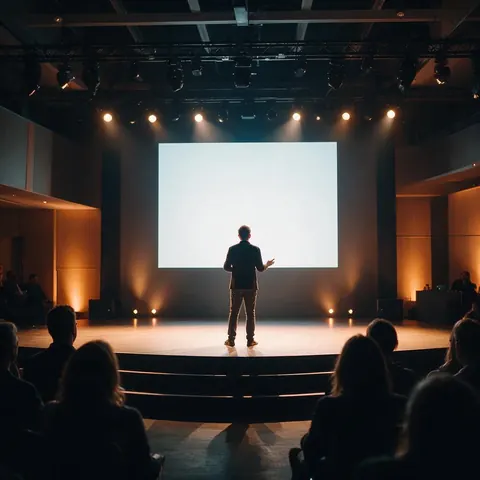
A presenter can check a talk against a slide-presentation pace and work out the word budget for a fixed speaking slot.
Radio ad producer
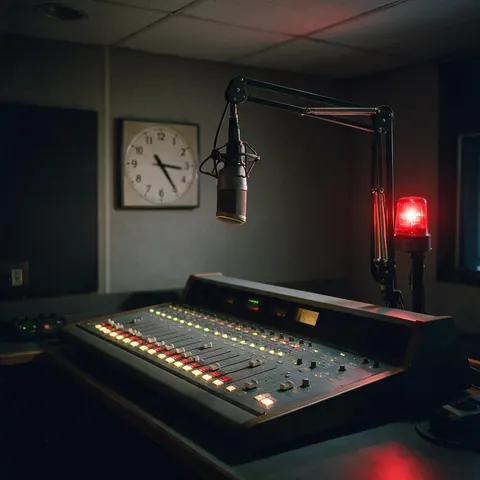
A radio ad producer can fit a script to a 15- or 30-second spot, then hear it read aloud by an AI voice to check the timing.
FAQ
Speech Time Calculator questions
7 questions
How many words is a 5-minute speech?
About 600–750 words at a typical 120–150 words per minute. For a slower, formal delivery, aim for 500–600.
Link to this answerHow many words is a 1-minute speech?
About 120–150 words. A lively delivery can reach 160–170; a slow, ceremonial one about 100.
Link to this answerHow many words per minute is a normal speaking rate?
Conversational English averages about 130–150 words per minute, and most estimates put comfortable speech between about 120 and 160. Slide presentations tend to run 100–125 wpm, and audiobooks are recommended at 150–160 wpm.
Link to this answerHow long is a 1,000-word speech?
About 7–8 minutes at 130–150 wpm, or 10 minutes at a slow 100 wpm.
Link to this answerHow does the calculator count Chinese or Japanese text?
Latin-script words are counted by spaces. For Chinese, Japanese and Korean characters it uses a rough equivalent of 2.5 characters per spoken word, so treat the result as an estimate.
Link to this answerIs my text uploaded?
No. The count runs in your browser. It's only sent to the Voice Studio if you press “Hear it read aloud”.
Link to this answerWhy does the AI voice read faster than my estimate?
AI voices at default speed read briskly — about 195 wpm in our test on this page. Lower the speed to about 0.75–0.8× to match a typical presentation pace.
Link to this answerIn depth
Speech Time Calculator, explained
What works, what to avoid, and how the pieces fit.
On this page
The formula
Speaking time in minutes = number of words ÷ words per minute. The hard part is choosing the rate. Audiobooks are recommended at 150–160 words per minute, which is the range people comfortably hear and speak, while slide presentations tend to be slower, around 100–125 wpm [1]. Auctioneers can reach about 250 wpm [1].
What slows a speech down
Your real time will be longer than the raw estimate when a speech has:
- Pauses for effect — every deliberate pause adds a second or two.
- Audience reactions — laughter and applause.
- Slides and demos — you stop talking while people look.
- Numbers, names and technical terms — slower to say than to read.
- Nerves — which usually do the opposite, so practise slowing down.
Using an AI voice to rehearse
Paste your speech into the Voice Studio and listen to it read aloud. You'll hear clumsy sentences and missing pauses immediately. AI voices read quickly at default speed, so set speed to about 0.8× to approximate a stage pace, and use the clip length as a sanity check on the calculator.
Try the speech time calculator
Free to start. No watermark. Download every clip.
Tried it? Tell us how it went