Feed, Stories and Reels creatives · images and video
AI Facebook Ad Generator
Turn a product photo and a short brief into Facebook and Instagram ad creatives: static banners, comparison and problem-to-solution images, carousel cards, UGC-style videos and product spots, sized for feed, Stories and Reels.
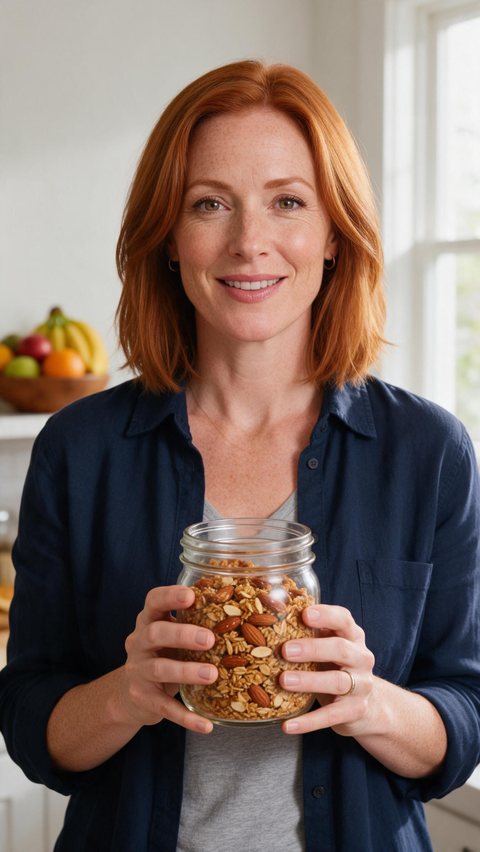
- Granola testimonial-style ad
- Perfume mist Reels ad

- Trail shoes porch unboxing
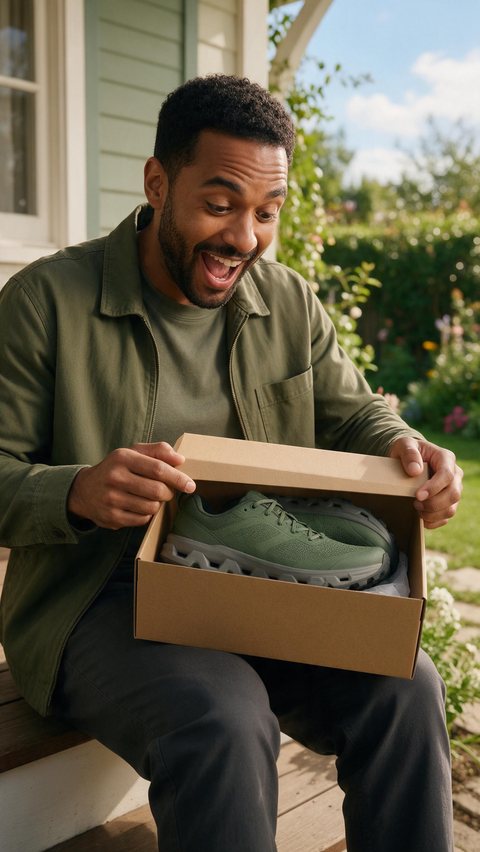
Made in Marketing Studio · Seedream 5.0 Pro + Wan 3.0
- Image and video ad creatives
- 1:1 · 4:5 · 9:16
- Writer drafts hook, body and CTA
- No watermark
Updated by the Kenerate AI team
On this page
Quick answer
Updated
What is an AI Facebook ad generator?
An AI Facebook ad generator makes ad creatives for Facebook and Instagram feeds, Stories and Reels from a product photo and a short brief. Kenerate AI's Marketing Studio makes static banners, comparison and problem-to-solution images, carousel cards and short videos at feed and 9:16 sizes. You download the files and upload them in Meta Ads Manager.
Key facts
- Where
- Marketing Studio
- Image ad styles
- Static banner · Social proof · Comparison · Problem → Solution · Carousel set
- Video ad styles
- UGC · Product showcase · Hypermotion · Talking presenter
- Feed sizes
- 1:1 · 4:5 (images) · 3:4
- Stories and Reels
- 9:16
- Copy in the creative
- Hook, body and CTA, or the writer drafts them
- Publishing
- You upload the files to Meta yourself
- Access
- Paid plan or a one-time credit pack, no subscription required
Ad showcase
5 ad videos made with Kenerate AI
Short ads of fictional, unbranded products: each starts as a Seedream 5.0 Pro frame and is animated with Wan 3.0. Open one to see the prompt and the Marketing Studio style it matches.
Gallery
Facebook ad creatives made with AI
Seedream 5.0 Pro images made for this page, with unbranded products and fictional adults.
How to
How to use the AI Facebook ad generator
- Time needed
- Steps
- 4 steps
Step 1
Open Marketing Studio
Image mode for banners, proof ads and carousels; Video mode for UGC and product spots.
Step 2
Add your product
Upload 1–9 photos, paste the product page link, or pick a saved product.
Step 3
Write the brief
Hook, body and CTA, plus any offer, or leave a field empty and the writer fills it in.
Step 4
Pick the size
Feed square 1:1, Feed 4:5 (images) or 3:4, and 9:16 for Stories and Reels.
See it in the app

Open Marketing Studio and pick Image for product shots and posters, or Video for UGC and motion ads.


Watch the tour · 1:23
Prompts, styles, references, edit, Arena & chat
Chapters
Tips
Facebook ads that stop the scroll
Common ad practice, built into the brief.
Put the hook first: the first words or the first second of video.
One product and one message per creative.
Make 1:1 or 4:5 for feed and 9:16 for Stories and Reels from the same brief.
Make several hooks for the same product and test them against each other.
Show proof visually; don't invent reviews, ratings or results.
Keep the button text to two or three words.
Models
Models for Facebook ad creatives
What each model is good at. Open any one straight in the generator.

OpenAI
GPT Image 2
- Reference images
- Up to 16
- Output
- 1K–4K
Headlines and buttons spelled exactly
Open GPT Image 2
ByteDance
Seedream 5.0 Pro
- Reference images
- Up to 10
- Output
- 1K · 1.5K · 2K
Marketing Studio default: photoreal product scenes
Open Seedream 5.0 Pro
OpenAI
GPT Image 2.5 Sunburst
- Reference images
- Up to 16
- Output
- 1K–4K
Fine detail and small text
Open GPT Image 2.5 Sunburst- Free plan

Alibaba
Qwen Image 3.0
- Reference images
- Up to 3
- Output
- 1K · 2K
Free plan model: test an ad idea from a prompt
Open Qwen Image 3.0
Example uses
How creators use AI Facebook ad generator
Illustrative examples of typical workflows, not customer reviews.

Skincare shop
A skincare shop can make a 4:5 feed image and a 9:16 Story from the same product photo and headline.
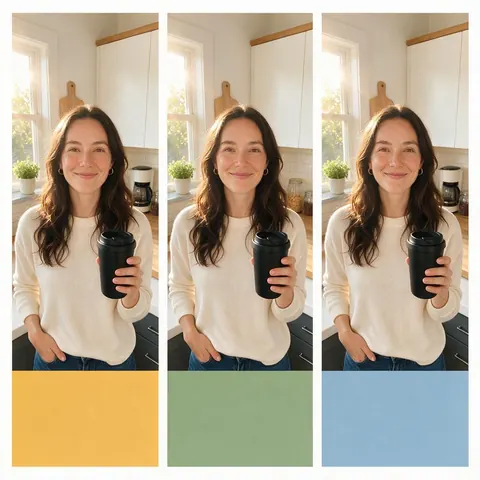
Media buyer
A media buyer can test three hooks for one product by changing only the opening line.
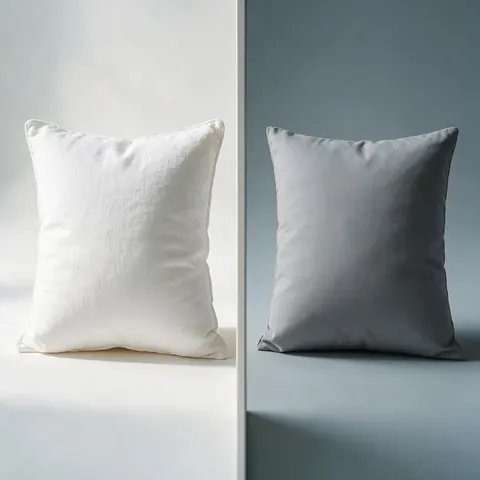
Home goods brand
A brand can compare its product with a plain, unbranded alternative in a split-screen ad.
FAQ
AI Facebook Ad Generator questions
11 questions
How do AI Facebook ad generators work?
You give them a product and a short brief, and an image or video model makes the creative. In Kenerate AI's Marketing Studio you add product photos or a product page link, pick a style such as Static banner or UGC, write the hook, body and CTA or let the writer draft them, and choose a size. You download the finished files.
Link to this answerWhere can I run the ads?
Anywhere that takes these formats. Square 1:1 and 4:5 images fit Facebook and Instagram feeds, and 9:16 images and videos fit Stories and Reels; the same 9:16 videos also suit TikTok and YouTube Shorts. Kenerate makes the creative files only: it does not connect to your Meta account, so you upload them in Ads Manager.
Link to this answerCan I test different hooks?
Yes. Keep the product and the style the same and change only the hook, then make up to 4 image variants per run, or one video per hook. Leave the hook empty to let the writer suggest one. Run the versions as separate ads in Meta Ads Manager and keep the one that performs best.
Link to this answerIs there a free AI Facebook ad generator?
Not for finished ads: Marketing Studio needs a paid plan or a one-time credit pack, with no subscription required. A free account can sketch an ad idea in the image studio with free plan models such as Qwen Image 3.0, using the starter credits every new account gets. Every download is free of watermarks.
Link to this answerWhat's the best AI for Facebook ad generation?
It depends on the ad. For static ads with a headline and a button, GPT Image 2 renders text most reliably. For photoreal product scenes, Seedream 5.0 Pro, the Marketing Studio default, is a strong start. For video ads, Seedance 2.0 is the default, and Wan 3 runs longer, up to 30 seconds, with native audio.
Link to this answerDoes it post ads to my Facebook account?
No. Kenerate AI makes the creatives, the images and videos, and you download them. It does not connect to Meta, create campaigns, set budgets or publish anything. Upload the files in Meta Ads Manager or Meta Business Suite and set up targeting there, the same way you would with creatives from a designer.
Link to this answerWhat sizes do AI generated Facebook ads come in?
Images come in 1:1 and 4:5 for the feed, 9:16 for Stories and Reels, and 16:9 if you need a landscape placement. Videos come in 1:1, 3:4, 9:16 and 16:9, since the video models don't offer 4:5. Presets such as Feed square, Stories and Reels · TikTok · Shorts set the video size in one tap.
Link to this answerDoes it write the ad copy?
It writes the words inside the creative. Leave the hook, body or CTA empty and the writer fills it in; on image ads the headline, line and button are rendered in the picture, and on video your CTA shows on the last frame. Write the Ads Manager primary text and headline fields yourself.
Link to this answerWill it invent reviews or star ratings?
No. Marketing Studio is set never to invent star ratings, review counts, testimonials, quotes, awards, statistics or prices, and its Social proof style shows the product in real-life scenes instead of fake reviews. Comparison ads use a plain unbranded alternative, never a real competitor. Every claim must come from your brief.
Link to this answerCan I use the ads commercially?
Yes. Kenerate AI's terms give you ownership of what you generate, including for paid advertising. You are responsible for how you use it: the product, any logo on it and every claim in the ad must be yours and true, and Meta's own advertising policies still apply to every ad you run.
Link to this answerDo I need to label AI-generated ads?
Sometimes. Meta has policies on AI-generated and digitally altered content in ads, strictest for social issue and political ads, and some markets add their own disclosure rules. Check Meta's current advertising policies before you publish, label AI-generated creators where they apply, and never present an AI person as a real customer.
Link to this answerIn depth
AI Facebook Ad Generator, explained
What works, what to avoid, and how to pick a model.
On this page
Which Marketing Studio style to use for Facebook ads
Pick by placement and by what the ad has to prove.
- Posters > Static banner: one product, a headline and a button, 1:1 or 4:5 for feed.
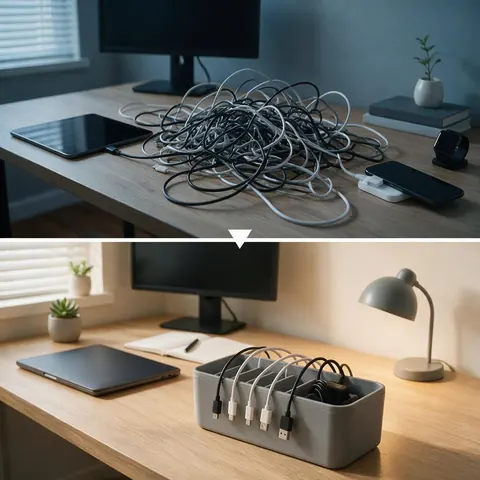
- Ads > Problem → Solution: the pain point, then the product fixing it, in two panels.
- Ads > Comparison: your product next to a plain, unbranded alternative.
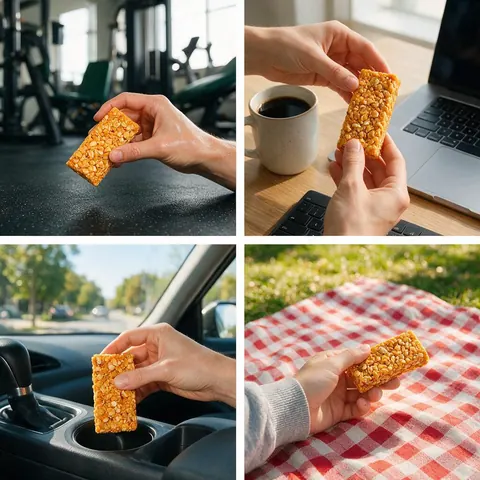
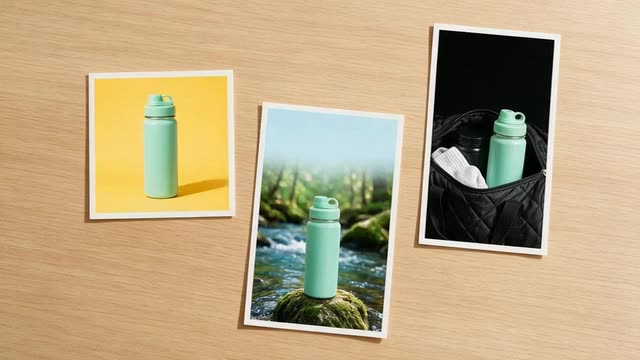
- Ads > Social proof: the product in several real-life moments, with no invented reviews.
- Posters > Carousel set: 3–5 cards, the hook first and the offer last.
- Video > UGC (Review, Unboxing, Try-on and more): a creator-style ad for Reels, 9:16.
- Video > Ads > Product showcase or Motion > Hypermotion: a product spot for Reels and Stories.
Static Facebook image ads
The Static banner style renders your headline, one supporting line and a CTA button in the picture. Use GPT Image 2 when the words must be exact, and make the same message at 1:1 and 4:5 for the feed and 9:16 for Stories.
Problem, comparison and proof ads
These three image styles carry the argument of the ad. Problem → Solution shows the before in flat light and the fix in warm light; Comparison sets your product against a generic one; Social proof shows the product in many hands. All of them follow the same rule: only claims from your brief, no fake ratings.
Facebook video ads for Reels and Stories
Video mode makes 9:16 ads for Reels and Stories and 1:1 or 3:4 for the feed. UGC styles use a creator, from the library or your own fictional model; Product showcase and Hypermotion need only the product. Seedance 2.0 at 720p is the default model.
A free AI Facebook ad generator for ideas
Before spending on finished ads, test a concept in the image studio with a free plan model such as Qwen Image 3.0: describe the product, the scene and the headline, and see if the idea works. Then make the real creative in Marketing Studio from your own product photos.