


Reports · guides · handouts · any language
AI PDF Generator
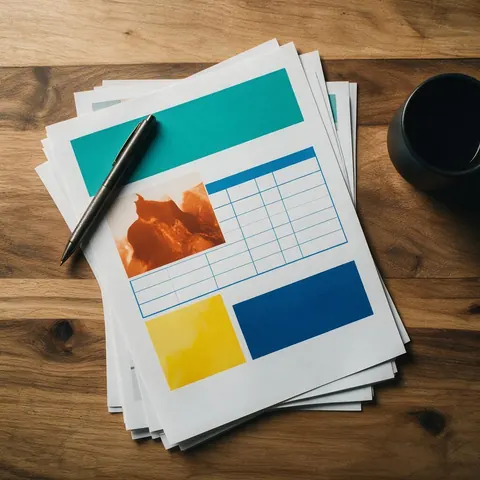
Describe the PDF you need and Kenerate Agent writes it and lays it out: headings, tables, pictures, callouts and big-number highlights, in your language, ready to download, print or send.
- Print-ready layout
- Any language, Hindi included
- Tables, images and KPIs
- Also DOCX or Markdown
Updated by the Kenerate AI team
On this page
Quick answer
Updated
What is an AI PDF generator?
Kenerate's AI PDF generator turns one chat message into a laid-out PDF with up to 250 content blocks: headings, paragraphs, tables, images, quotes, callouts and big-number KPIs. It writes in your language, Hindi included, and the finished file appears in the chat, ready to download. It creates PDFs; uploading a PDF to edit isn't supported.
Key facts
- Formats
- PDF (print layout) · DOCX (editable Word) · Markdown
- Building blocks
- Headings · paragraphs · bullet lists · tables · images · quotes · callouts · KPIs · dividers · page breaks
- Length
- Up to 250 blocks per document; tables up to 12 columns and 200 rows
- Languages
- Any language, including Hindi and other non-Latin scripts
- Pictures
- Your uploaded images, or images made earlier in the same chat
- Style
- Your colours and fonts, if you give them
- Upload a PDF
- Not supported: attachments are images, video and audio only
- Chat models
- Claude Opus 5.5 · Claude Fable 5.1 · GPT-6 Astra · GPT-6 Sol · GPT-6 Luna · Gemini 3.6 Flash
- Access
- Sign in with a verified email to send messages
Gallery
AI PDF generator examples
PDFs Kenerate Agent can write and lay out from one request.
How to
How to use the AI PDF generator
- Time needed
- Steps
- 4 steps
Step 1
Open Kenerate Agent
Go to the chat and sign in. Sending a message needs an account with a verified email.
Step 2
Describe the PDF
Say what it is, who reads it, the sections and the length. Paste notes or data (up to 20,000 characters) and attach images if you want them in.
Step 3
Let the agent write and lay it out
It plans the structure, writes the content, makes pictures if asked, and builds the PDF with headings, tables and callouts.
Step 4
Download or revise
The PDF appears in the chat. Download it, or ask for changes and get an updated version in the same chat.
See it in the app

Open Kenerate Chat and type what you want to make, or tap a starter to drop a prompt in the box.


Watch the tour · 1:22
Starters, models & Ask first, approval cards, image → edit → new camera angle, one-tap actions, files, history & mobile
Chapters
Tips
How to get a PDF you can send straight away
What the document tool is built around, and what to put in your message.
Say who it is for and what it should achieve: "a 2-page handout for new volunteers".
List the sections you want, or ask the agent to propose them first.
Paste your own facts, figures and names; the agent lays them out instead of guessing.
Ask for pictures: it can make them in the same chat first, then place them in the PDF.
Give a colour or a font if you have a brand style; otherwise a clean default is used.
For Hindi or another script, just write your request in that language.
Example uses
How creators use AI PDF generator
Illustrative examples of typical workflows, not customer reviews.

Training coordinator
A training coordinator could ask for a two-page onboarding guide with a checklist and a contacts table, then print copies for new starters on their first day.

Tutor
A tutor could write a lesson handout in Hindi with examples and practice questions and get a clean PDF to share with adult learners before class.

Event organiser
An event organiser could ask for a programme with a schedule table and pictures made in the same chat, and send the PDF to every guest.
Best for
Kenerate Agent vs Copilot in Word and Gemini in Google Docs
Three ways to get an AI-written document. Described from each product's own help pages.
| Kenerate Agent | Copilot in Word | Gemini in Google Docs | |
|---|---|---|---|
| Where you use it | A chat on kenerateai.com | Inside a Word document | Inside a Google Doc |
| What you get | A finished PDF, DOCX or Markdown file | A draft in the Word document | A draft in the Google Doc |
| Works from your existing files | No: paste the text instead | Yes: reference files | Yes: files from Drive and more |
| Best for | A finished, laid-out PDF from scratch, in any language | Drafting and editing inside Word | Drafting and editing inside Google Docs |
Features and availability change and depend on each product's plan; check each one before you choose.
Sources: Microsoft: Draft and add content with Copilot in Word (checked 6 Oct 2026) · Google: Collaborate with Gemini in Google Docs (checked 6 Oct 2026)
FAQ
AI PDF Generator questions
7 questions
What is an AI PDF generator?
An AI PDF generator writes the content of a document and produces it as a finished PDF in one step. In Kenerate Agent you describe what you need, a report, guide, handout or one-pager, and the chat writes it, lays it out with headings, tables, images and callouts, and gives you a PDF file to download.
Link to this answerCan I upload a PDF to edit or summarise it?
No. Kenerate Agent's chat accepts images, video and audio as attachments, not PDFs or other documents, so it can't read, edit or summarise an existing PDF file. You can paste the text you want to work with into the message (up to 20,000 characters), and the agent can write a new PDF from it.
Link to this answerIs there a free AI PDF generator?
Kenerate's document tool has no charge of its own: making the PDF file is not billed as a separate generation. The chat's replies do run on your Kenerate account balance, and sending a message needs a signed-in account with a verified email. See the pricing page for current plans.
Link to this answerCan it make PDFs in Hindi or other languages?
Yes. The PDF is laid out with fonts that cover many scripts, Devanagari included, so Hindi, Marathi and other languages print correctly. Write your request in the language you want, or ask for a specific one; the agent writes the whole document in it. For Hindi, PDF is the most reliable format.
Link to this answerCan the PDF include images and tables?
Yes. Tables can have up to 12 columns and 200 rows. Images can be ones you attach to the message or ones the agent makes earlier in the same chat, placed full width, half width or small with a caption. There are also callout boxes, quotes and a row of up to 4 big-number KPIs for reports.
Link to this answerWhat kinds of PDFs can I make?
Anything that is mostly text, tables and pictures: reports, guides, how-tos, product sheets, menus, event programmes, lesson notes, study guides, checklists, one-page summaries, brochures and handouts. For an editable file you will keep changing, ask for a Word (DOCX) document instead; for slides, ask for a PowerPoint deck.
Link to this answerHow is this different from ChatGPT, Copilot or Gemini?
Copilot in Word and Gemini in Google Docs draft inside a Word or Google document, and can work from files you point them to. Kenerate Agent works in a chat and hands you a finished PDF, DOCX or Markdown file, and the same chat can make the images, slides, sheets and video that go with it. It can't read a PDF you upload.
Link to this answerIn depth
AI PDF Generator, explained
What works, what to avoid, and how to pick a model.
On this page
What a Kenerate PDF is made of
The agent never writes the file format itself. It fills a structured list of blocks, and the same blocks are rendered as a PDF, a Word file or Markdown, so the layout stays consistent whichever you choose.
- Headings at three levels and paragraphs with bold, italic and links.
- Bullet and numbered lists, and tables with an optional caption.
- Images at full, half or small width, with a caption.
- Quotes, callout boxes (info, success or warning) and a row of up to 4 big numbers.
- Dividers and page breaks, so sections start where you want them.
PDFs people often ask for
Requests that work well in one message:
- A two-page onboarding guide for new staff, with a checklist and a contacts table.
- A monthly report from pasted figures, with a KPI row, a table and a short commentary.
- A product one-pager with a photo you attach and three key benefits in callouts.
- A lesson handout in Hindi with headings, examples and practice questions.
- An event programme with a schedule table and pictures made in the same chat.
PDF, Word or Markdown?
Choose PDF when the document is finished and will be printed, sent or attached as it is; it looks the same everywhere and suits Hindi and other scripts best. Choose DOCX when someone will keep editing it in Word or Google Docs. Choose Markdown for notes, wikis and README files. You can ask for the same content in more than one format.
What it can't do
It can't open, edit, merge, sign, compress or convert a PDF you already have, because documents can't be uploaded to the chat. It doesn't fill in existing PDF forms. And it makes a new file each time: to change something, ask in the same chat and it builds an updated version.

Try the AI PDF generator
Sign in with a verified email and describe the PDF you need.
Tried it? Tell us how it went