
4K (Max) · 2K · 1080p · 720p
4K upscale video upload — 1080p to 4K in your browser
Upload a clip, choose 4K and the AI rebuilds every frame at the pixel count of 3840 × 2160 — real detail, not a stretched copy. It works from 1080p, 720p or older 480p video, and vertical clips keep their shape.
- Pixels of 3840 × 2160
- From 480p, 720p or 1080p
- Vertical stays vertical
- No watermark
Updated by the Kenerate AI team
Made with Kenerate





On this page
Quick answer
Updated
How do I upscale a video to 4K?
For a 4K upscale video upload, send the clip to an AI 4K video upscaler, choose 4K and download the result. Kenerate's AI Video Upscaler accepts MP4, MOV or WebM up to 5 minutes and about 100 MB and outputs the pixel count of 3840 × 2160, keeping your aspect ratio, length and frame rate.
Key facts
- 4K size
- Pixels of 3840 × 2160
- Our test
- 16:9 clip → 3840 × 2158
- Sources
- 480p, 720p, 1080p
- Clip limit
- 5 min · about 100 MB
- Watermark
- None
Real demo
The same engine at 1080p
Drag the line. Left: a real 480p clip. Right: the upscaler's 1080p output. Choosing 4K runs the same engine with four times the pixels of 1080p.
- Original 480p. 480p source — soft signs and faces.
- Upscaled 1080p. 1080p output — sharper signs, steam and faces.
Unedited outputs shown at the same size. The 4K setting works the same way at a larger pixel budget.
Upscale to 4KReal results
Detail that earns a 4K upscale
Foam and spray, sun rays, watch gears, engraved armour and neon — real 5-second Wan 3 clips at 720p.
Example clips are AI-generated with Wan 3; the slider above shows the upscaler's own output.
How to
How to convert 1080p to 4K
- Time needed
- Steps
- 4 steps
Step 1
Upload the video
MP4, MOV or WebM up to 5 minutes and about 100 MB — or pick one from History, Library or the camera.
Step 2
Choose 4K (Max)
It is a pixel budget: a 16:9 clip lands at about 3840 × 2160, a 9:16 clip at about 2160 × 3840.
Step 3
Start the upscale
A short clip takes a few minutes at lower sizes; 4K and longer clips take much longer.
Step 4
Compare and download
Zoom the before/after viewer, then download the 4K MP4 without a watermark.

Open Video Upscaler and upload a clip, or pick one from your library or a link.


Watch the tour · 1:19
Text, image & reference to video, models, edit, extend & chat
Chapters
Engines
4K, 2K or 1080p?
All four sizes run the same engine; choose by the screen.
AI Video Upscaler
720p · Fast
- Input
- Video up to 5 min / ~100 MB
- Output
- ≈ 1280 × 720 for 16:9
Quick tests
Open 720p · Fast- Default
AI Video Upscaler
1080p · Popular
- Input
- Video up to 5 min / ~100 MB
- Output
- ≈ 1920 × 1080 for 16:9
Phones and social
Open 1080p · Popular 
AI Video Upscaler
2K · Sharp
- Input
- Video up to 5 min / ~100 MB
- Output
- ≈ 2560 × 1440 for 16:9
QHD monitors
Open 2K · Sharp
AI Video Upscaler
4K · Max
- Input
- Video up to 5 min / ~100 MB
- Output
- ≈ 3840 × 2160 for 16:9
4K TVs, 4K uploads and big screens
Open 4K · Max
Sizes are a pixel budget, rounded to even numbers — a 16:9 clip at 4K came back 3840 × 2158 in our test.
Tips
Before you upload for 4K
Get a 4K file that is worth its size.
Start from 1080p if you have it — more real detail in, better 4K out.
Over about 100 MB? Trim or export a shorter section first.
Your frame rate is kept, so set it in the edit, not here.
4K files are large — check where you'll upload them before exporting.
Not going to a 4K screen? 1080p or 2K finishes faster.
Go straight to 4K rather than 1080p first and then 4K.
Example uses
How creators use Upscale video to 4K
Illustrative examples of typical workflows, not customer reviews.
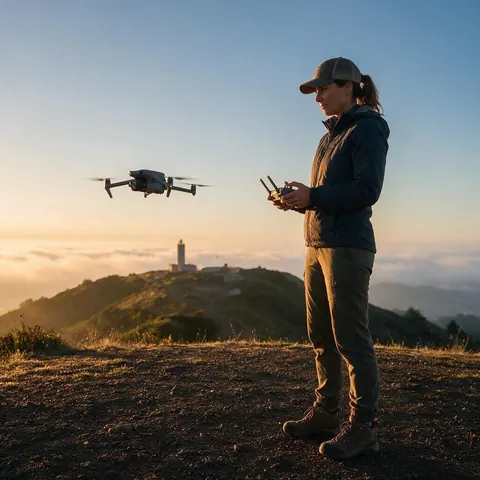
Drone pilot
A drone pilot could upscale older 1080p flights to 4K for a reel on a 4K TV.

Documentary maker
A documentary maker could match archive 1080p interviews to a 4K timeline.

Events team
An events team could upscale a venue walkthrough to 4K for a big screen in the lobby.
FAQ
Upscale Video to 4K — questions
7 questions
How do I do a 4K upscale video upload?
Open Kenerate's AI Video Upscaler, upload your MP4, MOV or WebM of up to 5 minutes and about 100 MB, choose 4K and start. When it is ready, compare the result in the before/after viewer and download the 4K MP4. There is no watermark on the file.
Link to this answerCan you convert 1080p to 4K?
Yes. Choosing 4K on a 1080p clip doubles the width and height, giving four times the pixels. Kenerate's AI rebuilds detail across frames instead of stretching pixels, so edges and textures stay sharp rather than soft, and the length and frame rate stay the same.
Link to this answerIs a 4K video converter the same as a 4K upscaler?
Not quite. A basic 4K video converter resizes frames to 3840 × 2160 by interpolation, which makes the file bigger but no sharper. An AI 4K video upscaler predicts new detail and removes compression blocks while it enlarges, which is why the result actually looks like higher resolution.
Link to this answerIs there a 4K video enhancer online for free?
Kenerate runs online with nothing to install, and new accounts get starter credits to try the 4K upscaler on their own clips. After that you pay per second of clip with credits — no subscription required — and finished videos have no watermark.
Link to this answerHow long does upscaling to 4K take?
Longer than the lower sizes. A short clip takes a few minutes at 1080p, while 4K and longer clips take much longer because the AI rebuilds four times as many pixels in every frame. Trim the video to the section you need to save time.
Link to this answerWill a vertical video stay vertical in 4K?
Yes. The 4K setting is a pixel budget rather than a fixed frame, so a 9:16 phone clip comes out at about 2160 × 3840 — the same number of pixels as 3840 × 2160 — with no black bars and no cropping.
Link to this answerWhat exact resolution is the 4K output?
About 3840 × 2160 for a 16:9 clip; in our test a 16:9 clip came back at 3840 × 2158. Other shapes get the same total number of pixels at their own aspect ratio, rounded to even numbers, so square and vertical videos are never squeezed.
Link to this answerIn depth
Upscaling to 4K, in numbers
On this page
What counts as 4K
Consumer 4K (UHD) is 3840 × 2160 — exactly twice 1080p in each direction and four times the pixels — while cinema DCI 4K is 4096 × 2160 [1]. Kenerate's 4K setting targets the UHD pixel count.
Why a 4K file isn't automatically 4K detail
Resizing a 1080p clip to 3840 × 2160 in an editor interpolates new pixels from the old ones, so the picture is bigger but just as soft. Video super-resolution instead uses several neighbouring frames to rebuild plausible detail [2].
The pixel-budget approach
Kenerate's sizes are a pixel count, not a height. That keeps every shape intact: in testing, a 544 × 736 portrait clip at 720p came back at 824 × 1116 — the pixels of 1280 × 720 at its own shape.
1080p to 4K
Twice the width and height, four times the pixels [1]. The best case: the AI has a lot of real detail to build on.
720p to 4K
Three times each side — a bigger jump. Expect a clean, sharper 4K, with fine textures partly reconstructed.
480p to 4K
A very large jump from SD. 1080p or 2K often looks more natural; compare both in the before/after viewer.
Vertical 4K
A 9:16 phone clip keeps its shape: 4K means about 2160 × 3840, not a 16:9 frame with bars.
Explore
Every Kenerate video tool
Generators, tools, models and guides — all in one studio.