

Cartoon, 3D or anime → photo
Cartoon to Real Life AI — see your character as a photo
Upload a cartoon, a 3D character or anime art and get a realistic photo of it — real skin, real fur, real fabric — with the same pose, outfit and colours.
- Cartoon, 3D or anime
- Keeps pose and outfit
- Free credits
- No watermark
Updated by the Kenerate AI team
Made with Kenerate

On this page
Quick answer
How do you turn a cartoon into a real person with AI?
Cartoon to real life AI redraws a cartoon, 3D character or anime picture as a realistic photograph, keeping the pose, outfit and colours. Upload the image, ask for “a realistic photograph of a real person, same outfit and pose”, and say what should look real. In our tests Seedream 5.0 Pro made a 3D cartoon chef and a flat cartoon dog fully photographic.
Key facts
- Characters tested
- 3 (all original)
- Fully realistic
- 3D cartoon · 2D mascot
- Half-real
- Painted anime art
- Kept
- Pose · outfit · colours
- Best results
- Seedream 5.0 Pro
- Free start
- Starter credits
- Watermark
- None
Gallery
Three characters, made real
Real Seedream 5.0 Pro edits of three original characters — a 3D cartoon, a flat mascot and anime art — plus the inputs. Open any one to copy the prompt.
Same prompt
Cartoon in, photo out
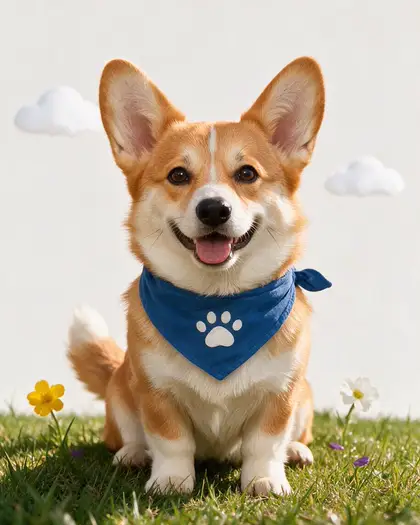
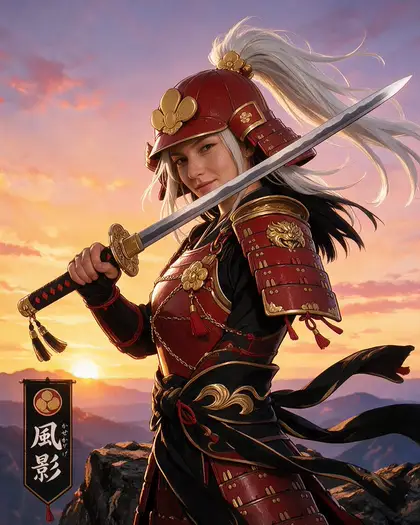
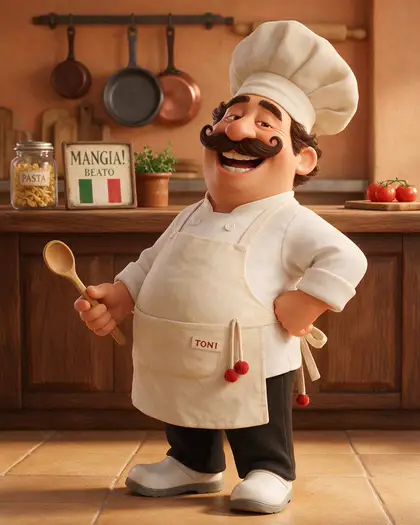
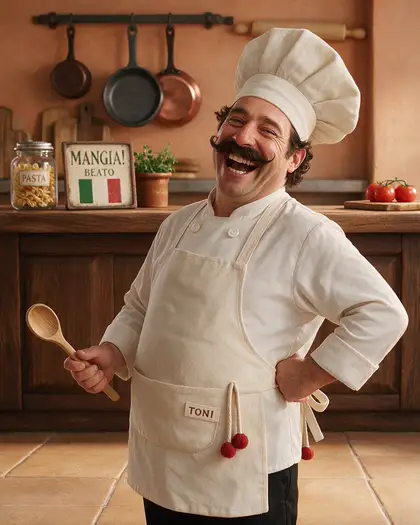
The inputs and the results side by side. The chef and the corgi came back as photos; the anime warrior kept painted armour and sky even after a stricter second prompt.
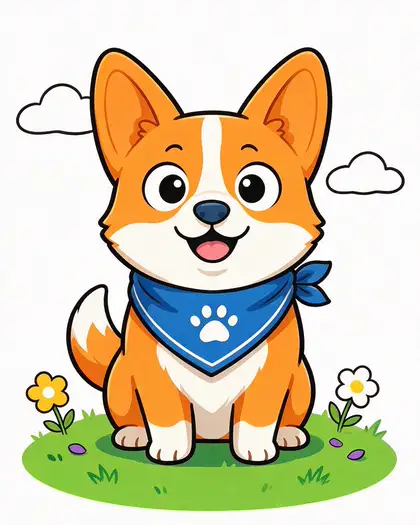
PromptTurn this cartoon into a realistic photograph of a real Pembroke Welsh corgi: same orange and white coat, blue bandana with a white paw print, happy open-mouth expression, natural fur, DSLR pet photo. Keep the pose and composition the same.
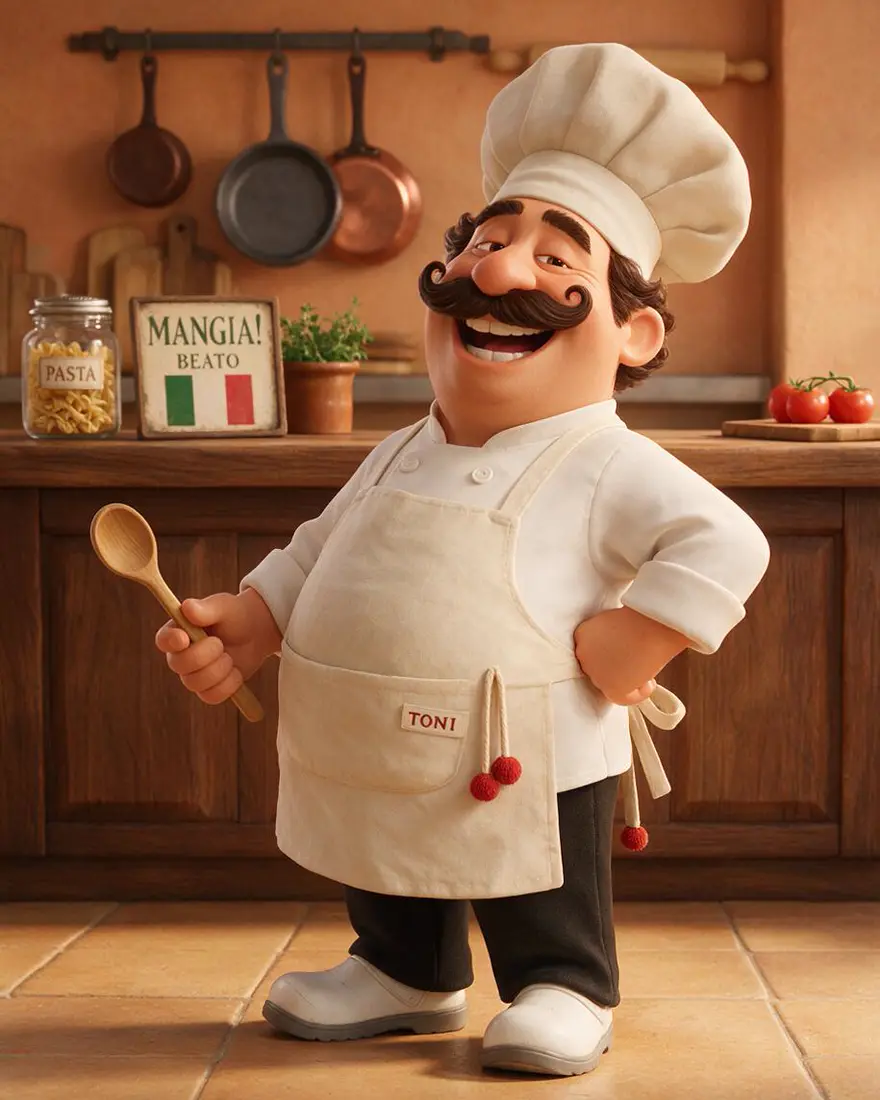 3D cartoonInput
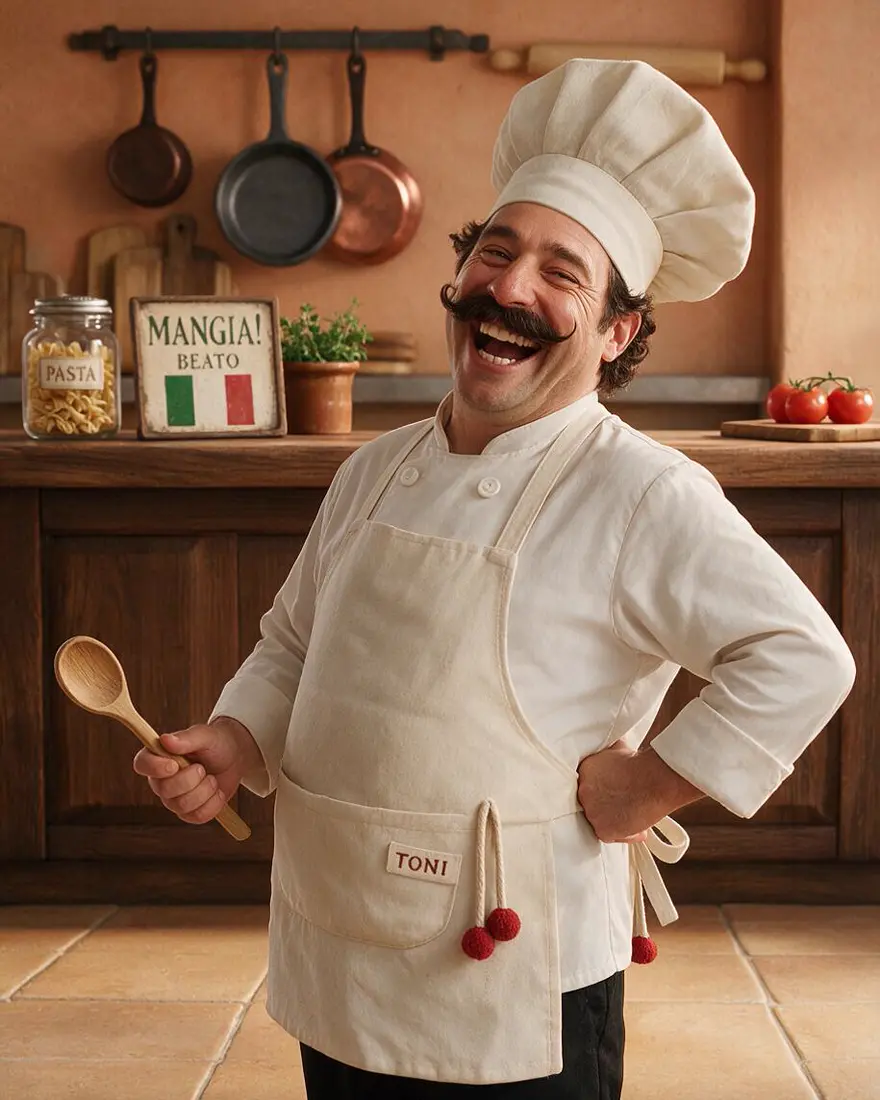 Real chefSeedream 5.0 Pro edit
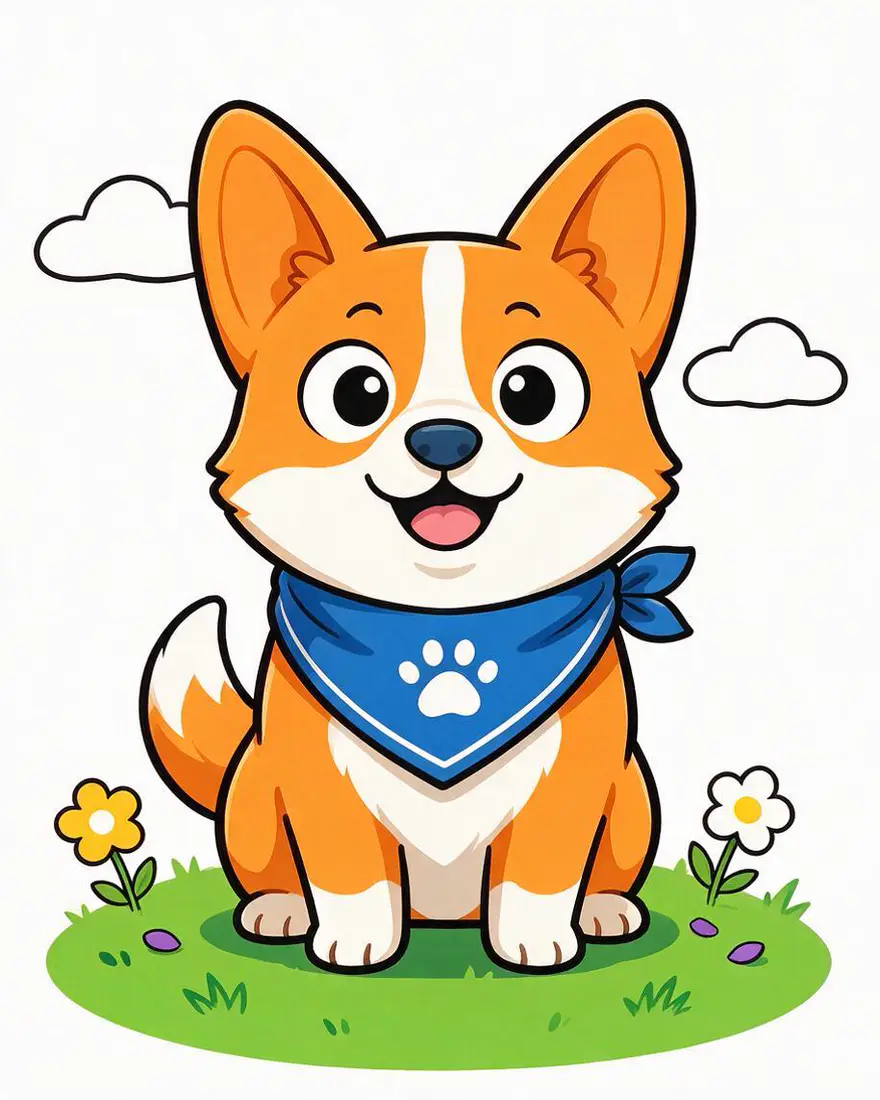 2D mascotInput
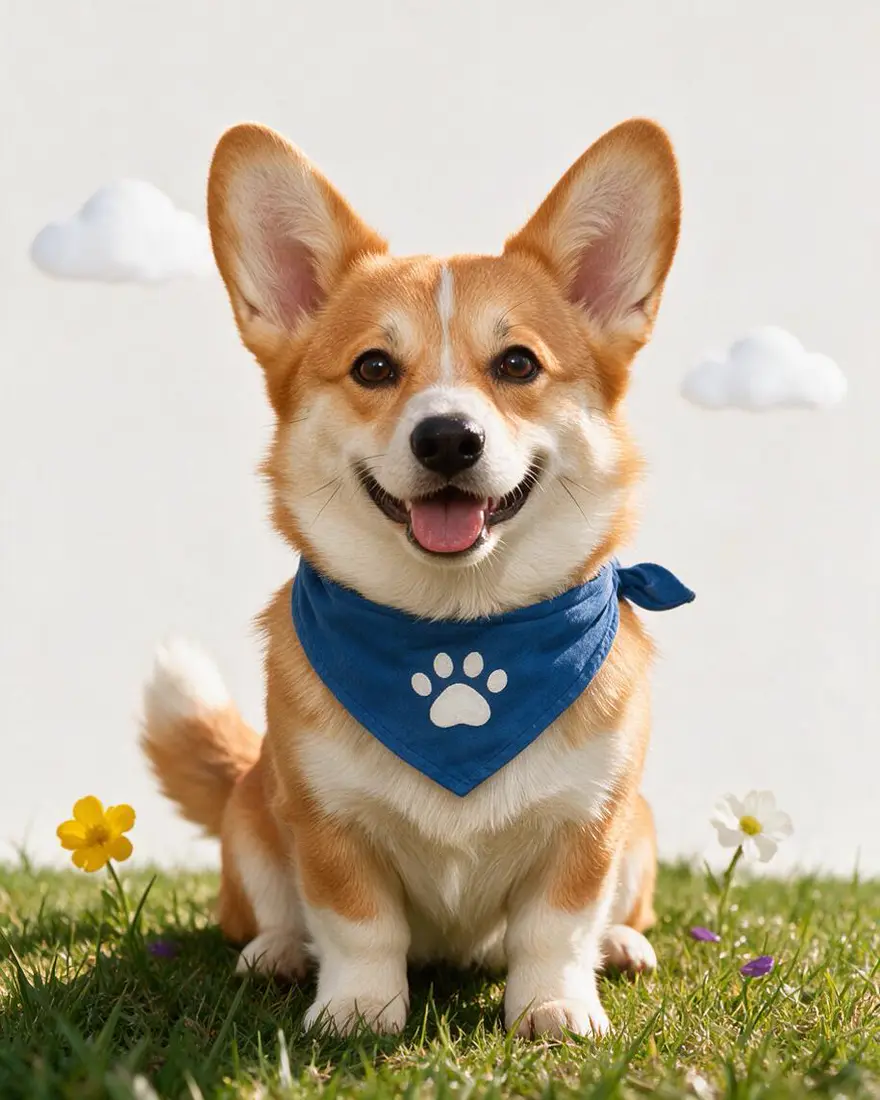 Real corgiSeedream 5.0 Pro edit
How to
How to use the cartoon to real life AI
- Time needed
- Steps
- 4 steps
Step 1
Upload your cartoon
In /app/image, add the cartoon, 3D render or anime picture as a reference. Sign in free for starter credits.
Step 2
Pick Seedream 5.0 Pro
It turned our 3D and 2D cartoons fully realistic.
Step 3
Ask for a real photo
“A realistic photograph of a real person, same outfit and pose, real skin and fabric, real kitchen.”
Step 4
Compare and download
Try a second pass if the background stays cartoon-like, then download without a watermark.
See it in the app

Open Edit Studio and upload an image, or pick one from your history.


Watch the tour · 1:23
Prompts, styles, references, edit, Arena & chat
Chapters
Tips
Get a real-looking result
What worked — and what didn't — in our tests.
Say “a realistic photograph of a real person (or dog)”, not just “realistic”.
Name the real materials: skin texture, real fabric, natural fur, real metal.
Ask for a real setting too — “a real rustic kitchen” — or the background stays cartoon-like.
3D cartoons and simple 2D mascots convert best; heavily painted anime art tends to stay half-real.
Keep the outfit and pose in the prompt so the character stays recognisable.
Use your own characters; famous ones belong to their owners.
Models
Models for cartoon to real life
What each model is good at. Open any one straight in the generator.

ByteDance
Seedream 5.0 Pro
- Reference images
- Up to 10
- Output
- Up to 2K
Open Seedream 5.0 ProBest for
Used here
Google
Nano Banana 2.1
- Free plan

FAQ
Cartoon to Real Life AI questions
7 questions
How do I turn a cartoon into a real person with AI?
Upload the cartoon as a reference in Kenerate's Image Studio, pick Seedream 5.0 Pro and ask for “a realistic photograph of a real person, same outfit and pose, real skin texture and fabric, in a real setting”. Our 3D cartoon chef came back as a real laughing chef in a real kitchen this way, with the same moustache, apron and spoon.
Link to this answerCan AI turn anime into real life?
Partly. Our anime warrior with a painted sunset came back half-real — a real face, but armour and sky still looked illustrated — even after a second, stricter prompt. Anime art with simpler backgrounds is likelier to convert fully. Ask for real materials and a real photographed sky, and expect to try more than once.
Link to this answerCan it turn a cartoon pet or mascot into a real animal?
Yes. Our flat cartoon corgi in a blue bandana became a realistic corgi with natural fur, the same paw-print bandana and the same happy pose. Name the real breed so the result looks like an actual dog, not a stylised one.
Link to this answerIs the cartoon to real life AI free?
Free to start. A new Kenerate account gets starter credits on sign-up, which also work on Qwen Image 3.0, a free-plan model. Seedream 5.0 Pro, which gave the results on this page, uses credits from one-time packs that never expire — no subscription. Downloads carry no watermark.
Link to this answerWill it look like the same character?
In our tests the outfit, pose, colours and key features — the moustache, the bandana, the silver ponytail — stayed. Faces change the most, because a cartoon face has to be reinvented as a real one. Keep the distinctive details in the prompt so they survive.
Link to this answerCan I turn famous cartoon characters into real people?
Characters from films, shows and games belong to their owners, so keep those to personal fan art and don't sell or advertise with them. For anything commercial, use your own characters — all three on this page are original.
Link to this answerWhat's the opposite tool?
To turn a real photo into a cartoon or anime, use the photo to anime or cartoon filter tools instead.
Link to this answerIn depth
Cartoon to Real Life AI, explained
What works, what to avoid, and how to pick a model.
How cartoon to real life AI works
An image editor reads your cartoon as a reference and redraws it as a photograph: flat colour becomes skin, fur and fabric with real light and texture, while the pose, outfit and layout are copied from the original.
The model has to invent what a cartoon leaves out — pores, stitching, real eyes — so the more you describe the real version, the less it guesses.
What converted well, and what didn't
Three original characters, one Seedream 5.0 Pro edit each (plus one retry):
- 3D cartoon chef → a fully photographic chef in a real kitchen, same moustache, hat, apron and spoon.
- Flat 2D corgi mascot → a real corgi with natural fur and the same bandana; the plain white background stayed simple.
- Anime warrior with a painted sunset → a real face, but armour and sky stayed illustrated, even with a stricter second prompt.