
Digitised VHS · DVD · camcorder · up to 4K
VHS restoration — upscale digitised tapes and DVDs
Home movies on VHS carry roughly 333 × 480 pixels of detail per frame — about 0.16 megapixels. Once a tape is digitised, Kenerate's AI Video Upscaler rebuilds it at 1080p, 2K or 4K and cleans up the blocking from the capture. It doesn't play or capture tapes; you need a digital file first.
- For digitised VHS and DVD
- 1080p, 2K or 4K
- Clips up to 5 minutes
- No watermark
Updated by the Kenerate AI team
On this page
Quick answer
Updated
How does AI VHS restoration work?
VHS restoration with AI starts after the tape is digitised: you upload the captured file and an upscaler rebuilds each frame at a higher resolution. Kenerate's AI Video Upscaler takes captured VHS, camcorder or DVD clips up to 5 minutes and outputs 1080p, 2K or 4K, removing compression blocking. It doesn't capture tapes or repair physical damage.
Key facts
- Needs
- A digitised MP4, MOV or WebM
- VHS detail
- ≈ 333 × 480 (NTSC)
- Output
- 720p · 1080p · 2K · 4K
- Clip limit
- 5 min · about 100 MB
- Doesn't
- Capture or repair tapes
Real demo
Low-res footage, rebuilt at 1080p
Drag the line. Left: a real 480p clip — the same height as NTSC DVD. Right: the same clip after the AI Video Upscaler at 1080p.
- Original 480p. 480p — soft face, strings and lights.
- Upscaled 1080p. 1080p — rebuilt detail in the face, strings and lights.
Both clips are unedited outputs, shown at the same size.
Restore your footageReal results
Home-movie moments worth restoring
Birthdays, Sunday matches, pets and holidays — the subjects of most home video. Real 5-second Wan 3 clips at 720p.
These are AI-generated example clips, not restored tapes; the slider above shows the upscaler's own output.
How to
How to restore a VHS tape with AI
- Time needed
- Steps
- 4 steps
Step 1
Digitise the tape
Play it on a VCR into a capture device, or use a transfer service. Kenerate can't read tapes.
Step 2
Deinterlace and cut into sections
Export a progressive MP4 or MOV in sections of 5 minutes or less.
Step 3
Upload a section
MP4, MOV or WebM up to about 100 MB.
Step 4
Choose 1080p first
From VHS, 1080p usually looks most natural; try 2K or 4K for a big TV.

Open Video Upscaler and upload a clip, or pick one from your library or a link.


Watch the tour · 1:19
Text, image & reference to video, models, edit, extend & chat
Chapters
Engines
Which size for VHS and DVD?
With very low-res sources, bigger isn't always better.
AI Video Upscaler
720p · Fast
- Input
- Video up to 5 min / ~100 MB
- Output
- Pixels of 1280 × 720, shape kept
A quick test of a capture
Open 720p · Fast- Default

AI Video Upscaler
1080p · Popular
- Input
- Video up to 5 min / ~100 MB
- Output
- Pixels of 1920 × 1080, shape kept
Most VHS and DVD sources
Open 1080p · Popular 
AI Video Upscaler
2K · Sharp
- Input
- Video up to 5 min / ~100 MB
- Output
- Pixels of 2560 × 1440, shape kept
Well-preserved DVD footage
Open 2K · Sharp
AI Video Upscaler
4K · Max
- Input
- Video up to 5 min / ~100 MB
- Output
- Pixels of 3840 × 2160, shape kept
The best tapes, going to a 4K TV
Open 4K · Max
1080p is the default; all sizes keep the length, frame rate and 4:3 or 16:9 shape.
Tips
Getting the most from old tapes
Most of the quality is won or lost at capture.
Have the VCR's heads cleaned before capturing a precious tape.
Capture at the tape's native size — don't upscale during capture.
Save the capture at a high bitrate; less compression means a cleaner upscale.
Crop the head-switching noise at the bottom edge in your editor.
Upscale DVD video from the disc's own files, not a re-compressed copy.
Ask family and friends before sharing restored footage of them.
Example uses
How creators use VHS restoration
Illustrative examples of typical workflows, not customer reviews.
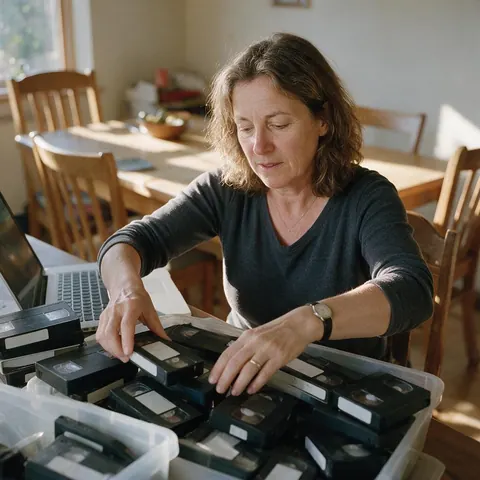
Family archivist
A family archivist could upscale digitised birthday tapes to 1080p before sharing them at a reunion.
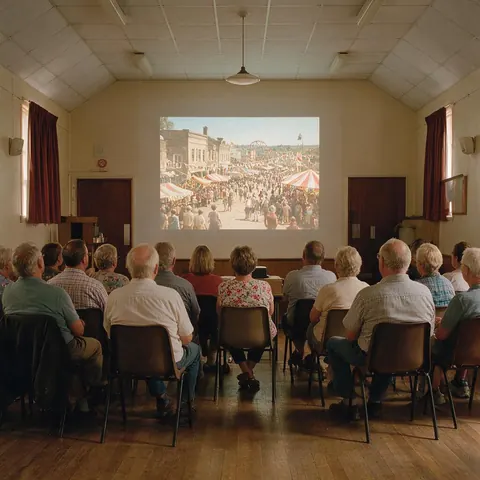
Local history group
A local history group could restore digitised footage of an old town fair for a community screening.

Anniversary couple
A couple could upscale their digitised wedding tape for a 30th anniversary party.
FAQ
VHS Restoration — questions
7 questions
Can AI restore VHS tapes?
AI can restore the video from a VHS tape once it is digitised: it upscales the low-resolution picture to 1080p, 2K or 4K and removes compression blocking. It can't play the tape, and it doesn't repair physical damage such as mould or creased tape — that needs a specialist.
Link to this answerHow do I digitise a VHS tape?
Connect a working VCR to a USB capture device and record the playback on a computer, or send the tapes to a transfer service. Save the result as a high-bitrate MP4 or MOV, deinterlace it, and upload sections of up to 5 minutes to the upscaler.
Link to this answerWhat resolution is a VHS tape?
Roughly 333 × 480 pixels for NTSC VHS and 333 × 576 for PAL, counting brightness detail — about 0.16 megapixels — with much less colour resolution. That is why VHS looks so soft on a modern TV, and why upscaling to 1080p makes a visible difference.
Link to this answerCan you upscale a DVD to 1080p or 4K?
Yes, once the video is a file. DVD video is 720 × 480 (NTSC) or 720 × 576 (PAL), so 1080p is a solid step up. Upload an MP4, MOV or WebM copy of footage you own, choose 1080p, 2K or 4K, and download the result.
Link to this answerShould I upscale old video to 4K?
Try 1080p first. From a 0.16-megapixel VHS source, 4K means reconstructing the vast majority of every frame's pixels, and some footage looks more natural at 1080p or 2K. The before/after viewer lets you compare the result before you download, and a 1080p job also finishes much faster than 4K.
Link to this answerDoes old video restoration fix colour and noise?
Partly. The upscaler removes compression blocking and banding and keeps detail stable across frames, but it has no colour-correction or denoise controls. Do colour grading in your editor before or after upscaling, and fix faded colours and tape noise there too.
Link to this answerHow long can each clip be?
Up to 5 minutes and about 100 MB per clip. Long tapes need cutting into sections, because the upscaler never trims automatically and a longer file is refused. Each section keeps its own length and frame rate, so the restored parts can be joined again in any editor.
Link to this answerIn depth
VHS restoration, step by step
On this page
Why VHS looks so soft today
VHS records about 240 TV lines of horizontal resolution — roughly 333 × 480 pixels for NTSC, with far less colour detail [1]. A 4K TV has more than 50 times as many pixels to fill, so it stretches the picture and shows every flaw.
Capture is half the restoration
Every tape has to be played once more to digitise it, and tapes degrade: magnetic fields and mould can both damage them [1]. Capture the most important tapes first, at native size and a high bitrate, and keep the raw file.
Deinterlace before you upscale
What the AI step adds
After capture, Kenerate's upscaler rebuilds the frames at 1080p, 2K or 4K with frame-consistent detail and removes the blocking from compressed captures. It keeps the length and frame rate, and it doesn't recolour or stabilise.
VHS (NTSC)
About 333 × 480 pixels of brightness detail and far less colour detail — the lowest-resolution source most families have [1].
VHS (PAL)
About 333 × 576 — more lines, the same soft horizontal detail [1].
DVD
720 × 480 (NTSC) or 720 × 576 (PAL), MPEG-2 compressed [3]. Going to 1080p is a 2.25× jump in height for NTSC discs.
Interlaced video
Explore
Every Kenerate video tool
Generators, tools, models and guides — all in one studio.