

Kling · Wan · Seedance · Vidu · MiniMax
Chinese AI Video Generator Free Kling, Wan, Seedance, Vidu and MiniMax in One Account
Chinese AI Video Generator Free to start: Kenerate AI runs the leading video models from Chinese labs — Kling by Kuaishou, Wan by Alibaba, Seedance by ByteDance, Vidu by Shengshu and Hailuo by MiniMax — side by side in one account, next to Veo 3.1. Video needs a one-time credit pack; there is no subscription required and no watermark.
- Makers
- Kuaishou · Alibaba · ByteDance · Shengshu · MiniMax
- Longest clips
- Up to 30 s (Wan 3.0, Seedance 2.5)
- Native 4K
- Kling v3 4K · Seedance 2.5
- Video access
- One-time credit pack
- Watermark
- None

- Free to start
- No Watermarks
- Image and video models
- No subscription required
Updated by the Kenerate AI team
On this page
Real results
Chinese AI video generator free — examples
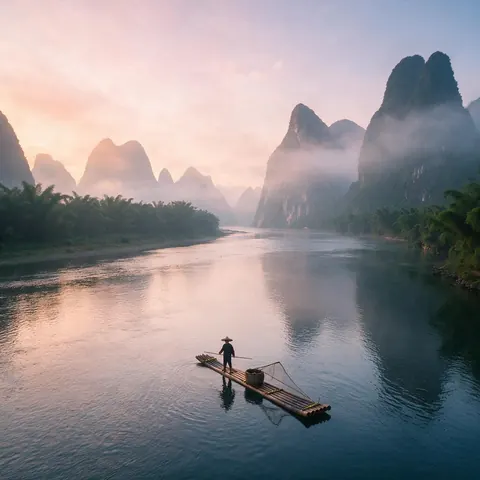
Generated with the AI models in Kenerate. No watermarks.
The Chinese video models on Kenerate
Kling (Kuaishou)
Kling v3 Pro and Standard, plus Kling v3 4K for native 4K clips of 3–15 seconds with optional sound.
Wan (Alibaba)
Wan 3.0 and Wan 3 Prime make clips up to 30 seconds from text, an image or reference images, and can edit or extend a video.
Seedance (ByteDance)
Seedance 2.5 renders up to 4K and up to 30 seconds, takes reference images and audio, and edits or extends clips.
Vidu (Shengshu)
Vidu Q3 makes clips of up to 16 seconds at up to 1080p, with optional sound; Vidu Q3 Pro is the higher tier.
Hailuo and MiniMax H3 (MiniMax)
Hailuo 02 and Hailuo 2.3 Pro, plus the newer MiniMax H3 and H3 Pro, which take reference images.
Side by side with Veo 3.1
Run the same prompt on a Chinese model and on Veo 3.1, then keep the better take.
Comparison
Chinese AI video models compared
What each model family offers on Kenerate AI.
| Feature | On Kenerate | Longest clip |
|---|---|---|
| Kling v3 (Kuaishou) | Native 4K version, optional sound | 15 s |
| Wan 3.0 (Alibaba) | Reference images, video edit and extend | 30 s |
| Seedance 2.5 (ByteDance) | Up to 4K, reference images and audio, edit and extend | 30 s |
| Vidu Q3 (Shengshu) | Up to 1080p, optional sound | 16 s |
| MiniMax H3 (MiniMax) | Reference images, many aspect ratios | 15 s |
How it works
How it works in the app
Step 1
Describe the scene
Open Video Studio in Text to Video mode and write the shot — subject, action, camera move and light.
Step 2
Or start from an image
Switch to Image to Video and add a start frame; an end frame is optional.
Step 3
Pick a video model
Open the model card to choose the video model and version that fits your shot.
Step 4
Set ratio and length, then Create
Pick the aspect ratio and clip length, turn audio on or off, and press Create.
See it in the app

Open Video Studio in Text to Video mode and write the shot — subject, action, camera move and light.


FAQ
Frequently Asked Questions
What are the best Chinese AI video generators?
The best-known are Kling by Kuaishou, Wan by Alibaba, Seedance by ByteDance, Vidu by Shengshu and Hailuo by MiniMax. On Kenerate AI you can run all five in one account and compare them on the same prompt: Kling v3 4K for native 4K, and Wan 3.0 or Seedance 2.5 for clips of up to 30 seconds.
Link to this answerIs Hailuo AI Chinese?
Yes. Hailuo is the video model line of MiniMax, an AI company based in Shanghai, China. On Kenerate AI you can run Hailuo 02 and Hailuo 2.3 Pro, plus MiniMax's newer H3 and H3 Pro models, which take reference images for consistent characters, all on one account.
Link to this answerAre Chinese AI video generators free?
Free to start, not free to generate. A new Kenerate AI account gets free credits for images and tools, but every video model — Kling, Wan, Seedance, Vidu and Hailuo included — needs a one-time credit pack. Packs never expire and there is no subscription required. Downloads have no watermark.
Link to this answerCan Chinese AI video models edit an existing video?
Yes. Wan 3.0 and Seedance 2.5 both support Video Edit, which re-renders an uploaded clip from a text instruction, and Video Extend, which continues a clip. Seedance 2.5 edits clips of up to 30 seconds and Wan 3.0 up to 15 seconds, so this is a video-to-video tool for short clips.
Link to this answerDo I need a Chinese account to use these models?
No. On Kenerate AI you sign in with Google or email and run the models in your browser, in English, with one credit balance for every model. You don't need a separate account with Kuaishou, Alibaba, ByteDance, Shengshu or MiniMax, or a Chinese phone number.
Link to this answerIn depth
Chinese AI Video Generator Free, explained
Chinese AI video generator: how to choose
Long takes: Wan 3.0 and Seedance 2.5 make clips of up to 30 seconds, long enough for a full scene without stitching.
Top resolution: Kling v3 4K renders native 4K, and Seedance 2.5 also offers a 4K setting. Any other clip can go through the video upscaler, up to 4K.
Consistent characters: Wan 3.0, Seedance 2.5 and MiniMax H3 accept reference images, so the same person or product appears across shots. For editing, Wan 3.0 and Seedance 2.5 also re-render or extend an existing video.


Try the Chinese video models
Free credits to start. No watermarks. No subscriptions.
Tried it? Tell us how it went